
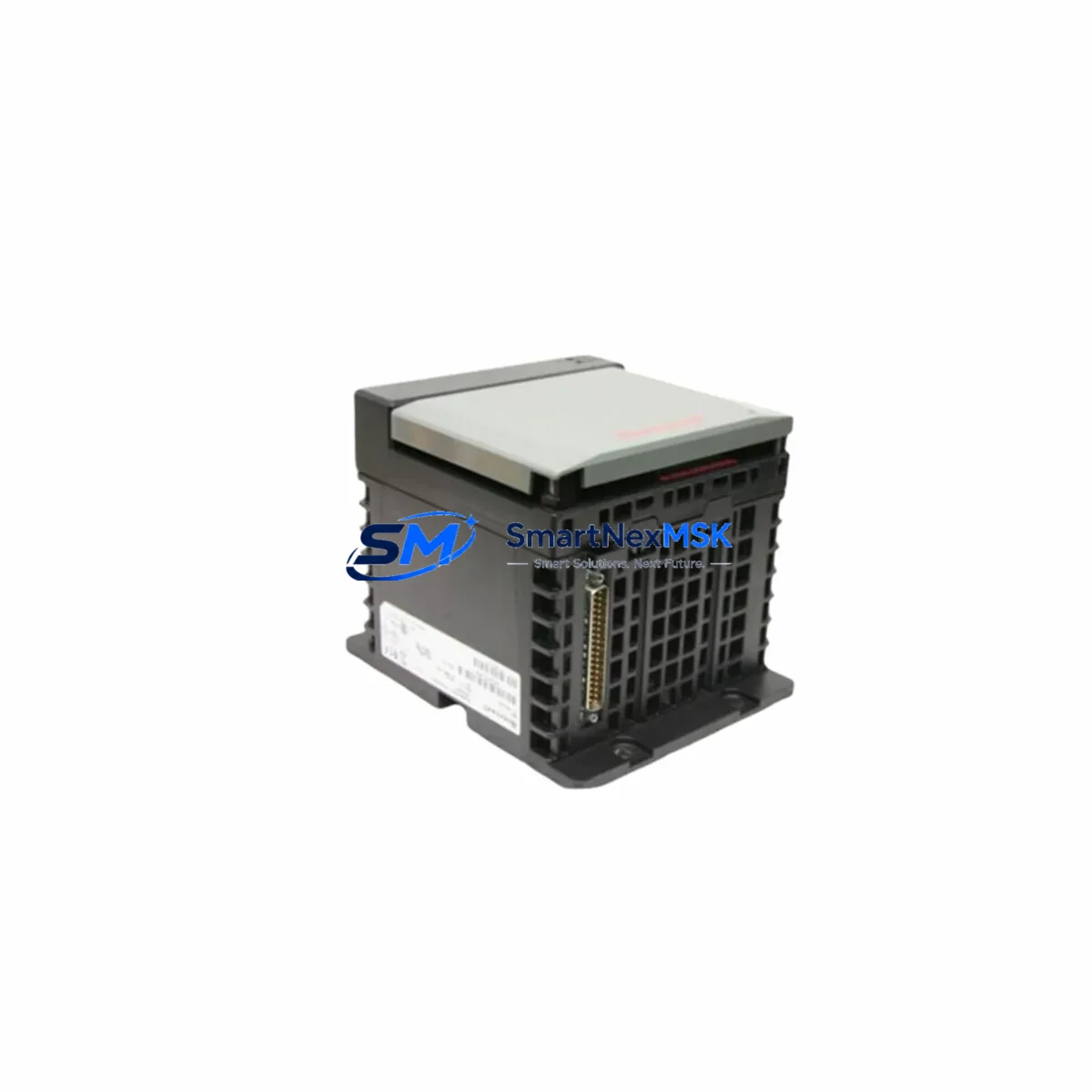
Honeywell TK-RPCXX1 Spare for Experion PKS Automation: Spare Replacement & Industrial Downtime Risk Control
The Honeywell TK-RPCXX1 is a redundant power conditioner module designed for use within the Experion PKS (Process Knowledge System) distributed control architecture. In continuous-process industries — including refining, petrochemical, pulp and paper, and power generation — this module plays a critical role in maintaining stable, conditioned DC power delivery to the controller backplane. When a TK-RPCXX1 fails or degrades, the downstream impact can cascade across the entire control node, triggering unplanned shutdowns and costly production losses.
Sourced as an original Honeywell component, each unit available through SMARTNEXMSK undergoes pre-shipment functional verification and ships with a 12-month warranty. Maintaining at least one TK-RPCXX1 in your on-site spare parts inventory is a recognized best practice for any facility running Experion PKS C300 or C200 controller nodes.
Spare Maintenance Table
| Parameter | Specification / Detail |
|---|---|
| Part Number | TK-RPCXX1 |
| Brand | Honeywell |
| Series | Experion PKS |
| Product Type | DCS Redundant Power Conditioner Module |
| Compatible Controllers | C300, C200, C200E Controller Nodes |
| Backplane Compatibility | Experion PKS IOTA / FIM Backplane |
| Input Voltage | 24 VDC Nominal (from TK-PRS021 or equivalent power supply) |
| Output | Conditioned DC to controller backplane rails |
| Redundancy Support | Yes — supports 1:1 redundant power configuration |
| Mounting | DIN-rail / backplane slot, tool-free extraction |
| Operating Temperature | 0°C to 60°C |
| Origin | USA (Original Honeywell) |
| Condition | Original, unused or refurbished-to-spec |
| Pre-shipment Test | Yes — functional verification performed |
| Warranty | 12 Months |
| Delivery | Worldwide express shipping available |
| Maintenance Recommendation | Inspect every 12–18 months; replace at first sign of output ripple or LED fault indication |
Maintenance Planning for Continuous Operation
When a maintenance or reliability engineer schedules a planned inspection or responds to a controller node fault, the TK-RPCXX1 is rarely the only component that warrants attention. A thorough inspection of the power and control infrastructure surrounding this module is essential to prevent repeat failures and ensure the node returns to full redundant operation.
Begin with the upstream power supply. The TK-PRS021 24 VDC power supply module feeds the TK-RPCXX1 directly; any ripple, voltage sag, or thermal stress at the supply level will shorten the conditioner’s service life. Inspect the TK-PRS021 output voltage under load and verify that the redundant supply pair is balanced. If the facility uses a TK-PRR011 power redundancy relay module, confirm that automatic switchover is functioning correctly — a failed relay module can mask a degraded primary supply and leave the node running on a single, unprotected feed.
Next, audit the controller backplane. The TK-FTEB01 Fault Tolerant Ethernet Bridge and any installed C300 Controller modules draw regulated power from the same backplane rails that the TK-RPCXX1 conditions. Inspect backplane connector pins for oxidation or mechanical wear, particularly in high-vibration or high-humidity environments. A loose backplane connection can produce intermittent faults that are misdiagnosed as power conditioner failures.
I/O infrastructure should also be reviewed during the same maintenance window. TK-FIO16 Fieldbus I/O modules and TK-IOLI01 HART I/O link modules connected to the node depend on stable backplane power. Verify that each I/O module’s status LED is green and that no latent faults are logged in the Experion Station historian. If any I/O module shows a yellow or red status, replace it concurrently to avoid a second maintenance intervention.
Communication integrity is equally important. The TK-ENET02 Ethernet interface module and any FIM4 (Field Interface Module) units installed in the cabinet should be inspected for firmware currency and physical connector integrity. Degraded communication modules can cause false process alarms that complicate post-maintenance commissioning. Similarly, inspect the TK-CCR014 or equivalent control network router for port status and error counters.
Finally, review the cabinet-level protection components. Fuse blocks, terminal strips, and any installed signal isolators or surge protection modules on analog input loops should be checked for continuity and insulation resistance. Replacing a TK-RPCXX1 without addressing a marginal fuse block or a corroded terminal strip is a common cause of premature repeat failures in aging Experion PKS cabinets.
Site Replacement Workflow
Step 1 — Pre-replacement verification: Confirm the TK-RPCXX1 fault via Experion Station alarm summary and the module’s front-panel LED status. Document the current node configuration and export a controller checkpoint backup before any hardware intervention.
Step 2 — Safe isolation: If the node is configured for 1:1 power redundancy, switch the load to the secondary power conditioner before removing the faulty unit. This eliminates the need for a controller shutdown in most redundant configurations. If redundancy is not available, coordinate a controlled process hold with the operations team.
Step 3 — Module extraction and replacement: The TK-RPCXX1 uses a tool-free locking lever for extraction. Remove the faulty module, inspect the backplane connector for damage, and insert the replacement unit until the locking lever engages. The module is hot-swappable in redundant configurations.
Step 4 — Post-replacement validation: Observe the front-panel LED sequence. A solid green RUN LED within 30 seconds indicates successful initialization. Verify in Experion Station that the node has returned to full redundant status and that no new alarms are present. Re-enable any process interlocks that were temporarily bypassed.
Step 5 — Documentation and spare replenishment: Log the replacement in the CMMS with the module serial number, date, and fault symptom. Immediately initiate a purchase order for a replacement spare to restore your on-site buffer stock. A minimum of one TK-RPCXX1 per controller node cluster is the recommended stocking level for facilities with uptime SLAs.
Spare Parts Support FAQ
Q1: Is the TK-RPCXX1 still available as a new original part, or only as a refurbished unit?
Both new original and professionally refurbished-to-specification units are available. Each unit — regardless of condition grade — undergoes functional verification prior to shipment. The 12-month warranty applies to both grades. Condition is confirmed at the time of order.
Q2: How do I verify compatibility with my specific Experion PKS revision before ordering?
Provide your controller node model (C300, C200, or C200E), backplane revision, and current Experion R-level (software release) when placing your inquiry. Our technical team will cross-reference the part number against Honeywell’s compatibility matrix and confirm fit before shipment. We do not ship parts that cannot be confirmed compatible.
Q3: What is the recommended spare stocking strategy for TK-RPCXX1 in a multi-node DCS installation?
For facilities with three or more Experion PKS controller nodes, a minimum of two TK-RPCXX1 units in on-site inventory is recommended. For critical single-train processes with no redundant controller path, consider holding three units. Rotate stock on a 36-month cycle to prevent shelf-life degradation of electrolytic components.
Q4: What does the 12-month warranty cover, and what is the return process if a unit fails in service?
The 12-month warranty covers functional failure under normal operating conditions. It does not cover damage caused by incorrect installation, overvoltage events, or physical mishandling. In the event of a warranty claim, contact [email protected] with the order number, fault description, and installation date. A replacement unit is dispatched upon receipt and inspection of the returned module, minimizing your downtime exposure.
© 2026 SMARTNEXMSK. All rights reserved.
Original Source: https://smartnexmsk.com
Contact: [email protected] | +86 18259474341



