
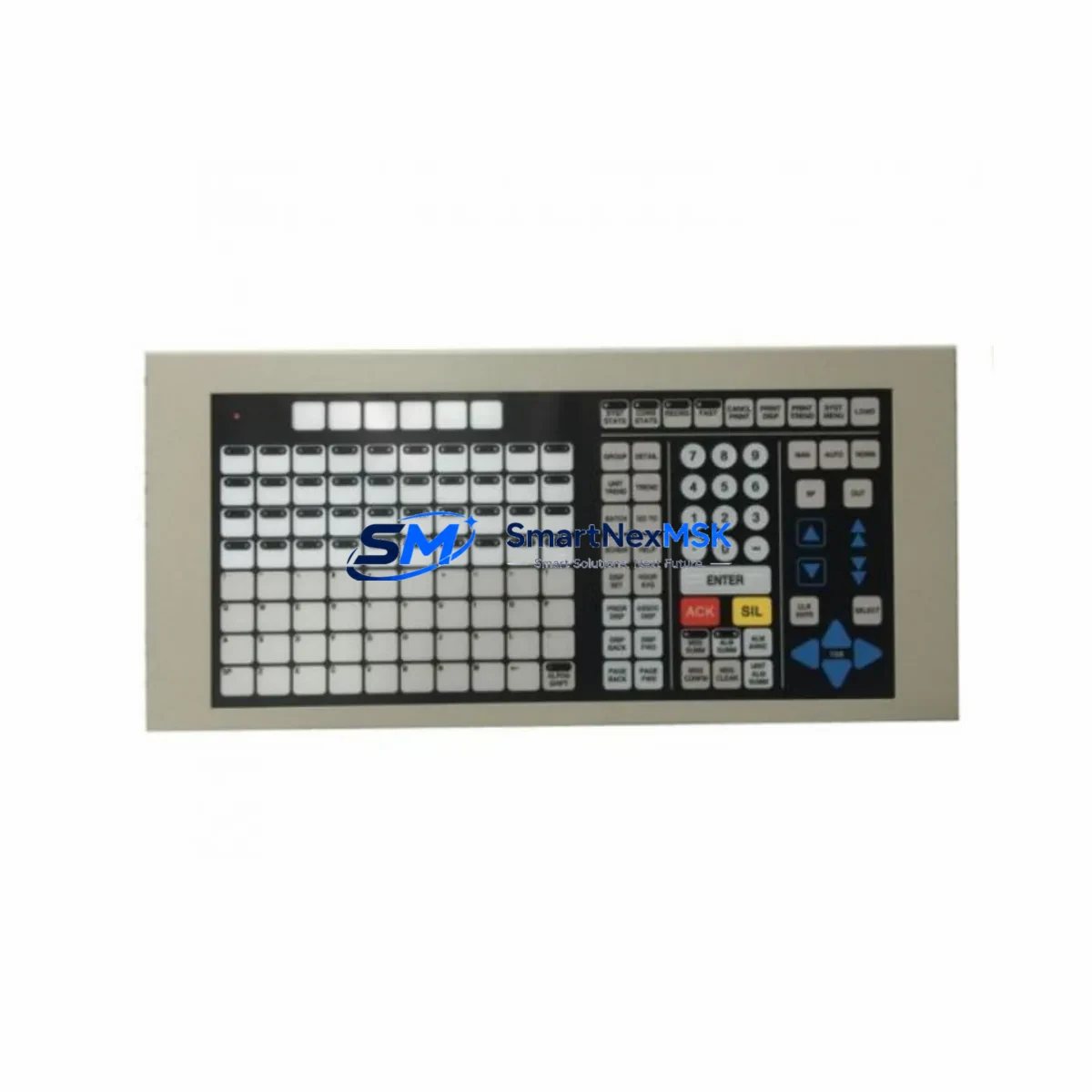
Honeywell TP-DSOEP1-100 Spare for TDC 3000 Automation: Spare Replacement & Industrial Downtime Risk Control
The Honeywell TP-DSOEP1-100 (alternate part number 51402497-200) is an original DCS operator keyboard engineered for the Honeywell TDC 3000 distributed control system platform — one of the most widely deployed process automation architectures in refining, petrochemical, power generation, and continuous manufacturing environments. As legacy TDC 3000 systems remain in active service across global facilities, maintaining a reliable inventory of this operator interface component is critical to sustaining uninterrupted process visibility and control.
At SMARTNEXMSK, every TP-DSOEP1-100 / 51402497-200 unit is sourced from verified supply channels, inspected against original Honeywell specifications, and function-tested prior to shipment. Our 12-month warranty covers all shipped units, giving maintenance engineers and procurement teams the confidence to plan replacements without risk.
Spare Maintenance Table
| Parameter | Specification / Detail |
|---|---|
| Part Number | TP-DSOEP1-100 |
| Alternate / Cross Reference | 51402497-200 |
| Brand | Honeywell |
| Series / Platform | TDC 3000 Distributed Control System |
| Product Type | DCS Operator Keyboard (Operator Station Interface) |
| Application | Process control operator workstation; HMI input device for TDC 3000 Universal Stations and Enhanced Operator Stations |
| Compatibility | Honeywell TDC 3000 Universal Station (US), Enhanced Operator Station (EOS), GUS (Global User Station) environments |
| Origin | USA |
| Installation Environment | Control room / operator console; indoor, climate-controlled |
| Interface | Dedicated TDC 3000 operator keyboard bus interface |
| Condition | Original spare; inspected and function-tested before shipment |
| Warranty | 12 Months from shipment date |
| Lead Time | In-stock units ship within 3–5 business days; contact for availability |
| Maintenance Recommendation | Replace when key response degrades, operator input errors increase, or during planned TDC 3000 console overhaul |
Maintenance Planning for Continuous Operation
For maintenance engineers managing aging TDC 3000 infrastructure, the TP-DSOEP1-100 operator keyboard is rarely a standalone failure point — its degradation typically signals broader wear across the operator console assembly. A disciplined replacement strategy should extend beyond the keyboard itself to encompass the full operator station ecosystem.
During a planned console inspection or emergency keyboard swap, experienced maintenance teams will simultaneously verify the condition of the Honeywell 51401642-100 Universal Station power supply, which feeds the operator workstation bus. A failing or under-voltage power supply can accelerate keyboard interface failures and cause intermittent input loss. Alongside this, the 51304453-100 data hiway interface module should be checked for communication integrity — any degradation here will manifest as delayed or dropped operator commands at the process level.
The 51196653-100 system cabinet fan assembly and associated thermal management components deserve attention during the same maintenance window, as elevated cabinet temperatures directly impact keyboard controller longevity. If the facility runs a Honeywell TDC 3000 LCN (Local Control Network) architecture, the 51401094-100 LCN interface card should be inspected for connector oxidation and firmware currency.
Procurement engineers building a comprehensive TDC 3000 spare parts kit should also consider stocking the 51309276-100 operator keyboard cable assembly — the interconnect between the TP-DSOEP1-100 and the operator station chassis is a common wear item that is frequently overlooked until it causes a hard failure. Similarly, the 51401491-100 trackball assembly used in Enhanced Operator Stations shares the same console environment and should be evaluated for replacement on the same maintenance cycle.
For facilities with signal isolation requirements between the DCS and field instrumentation, the Honeywell 51304516-100 analog input module and associated signal isolator barriers in the marshalling cabinet should be part of the same inspection round. Relay output modules such as the 51309218-100 digital output module are also commonly found in the same control cabinet and benefit from concurrent testing during any planned outage window.
Finally, for sites running extended TDC 3000 life programs, maintaining a documented spare parts register that includes the TP-DSOEP1-100 alongside 51401642-200 backup power modules and 51196894-100 communication interface cards ensures that no single component failure can extend an unplanned outage beyond the time required to locate and install a replacement.
Site Replacement Workflow
Step 1 — Pre-Replacement Verification: Before removing the existing keyboard, confirm the replacement TP-DSOEP1-100 / 51402497-200 unit matches the installed part number and revision level. Cross-reference against the TDC 3000 station configuration record and verify that the operator station firmware version is compatible with the replacement unit.
Step 2 — Safe Isolation: Coordinate with the control room supervisor to place the affected operator station in a safe state. In most TDC 3000 architectures, the Universal Station or Enhanced Operator Station can be taken offline without interrupting the underlying process control loop — the DCS continues to execute control strategies via the Process Manager (PM) or Advanced Process Manager (APM) modules independently of the operator keyboard.
Step 3 — Physical Replacement: Disconnect the keyboard cable assembly from the operator station chassis. Install the TP-DSOEP1-100 replacement unit, ensuring the connector is fully seated and the cable routing does not create mechanical stress on the interface connector. Secure all fasteners to the manufacturer’s torque specification.
Step 4 — Functional Verification: Power the operator station and confirm keyboard recognition by the TDC 3000 station software. Test all function keys, process keys, and alphanumeric input against the station’s key assignment table. Verify that operator commands are correctly received by the process database and that no input errors are logged in the station diagnostics.
Step 5 — Documentation: Record the replacement in the facility’s maintenance management system (CMMS), including the removed unit’s serial number, the installed unit’s serial number, and the date of replacement. Return the removed unit for evaluation — in many cases, Honeywell TDC 3000 keyboards can be refurbished and held as secondary spares, extending the useful life of the spare parts inventory.
This workflow minimizes operator station downtime to under two hours in most facility configurations, preserving process continuity and reducing the financial impact of unplanned control room outages.
Spare Parts Support FAQ
Q1: Is the TP-DSOEP1-100 a direct drop-in replacement for 51402497-200?
Yes. TP-DSOEP1-100 and 51402497-200 are cross-reference part numbers for the same Honeywell TDC 3000 operator keyboard assembly. Both designations refer to the identical hardware and are interchangeable in all standard TDC 3000 Universal Station and Enhanced Operator Station configurations. When ordering, either part number can be used to confirm compatibility.
Q2: How is the unit tested before shipment?
Every TP-DSOEP1-100 unit shipped by SMARTNEXMSK undergoes a pre-shipment inspection that includes visual examination for physical damage, connector integrity verification, and functional key-response testing where test equipment is available. Units are packed in anti-static, shock-protected packaging to prevent transit damage. A 12-month warranty is provided from the date of shipment, covering defects in materials and workmanship.
Q3: Can this keyboard be used in a TDC 3000 system that has been partially upgraded to Experion PKS?
In hybrid migration environments where TDC 3000 operator stations coexist with Honeywell Experion PKS infrastructure, the TP-DSOEP1-100 continues to serve the legacy TDC 3000 Universal Station or Enhanced Operator Station nodes that have not yet been migrated. It is not compatible with Experion PKS operator stations, which use a different interface architecture. Confirm your station type before ordering, and contact our technical team if you require clarification on your specific system configuration.
Q4: What is your long-term supply commitment for discontinued TDC 3000 spare parts?
SMARTNEXMSK specializes in long-term supply of legacy industrial automation spare parts, including discontinued and hard-to-source Honeywell TDC 3000 components. We maintain strategic inventory of high-demand items such as the TP-DSOEP1-100 and actively source from verified secondary market channels to support facilities running extended life programs. Customers with multi-year maintenance contracts or large-volume requirements are encouraged to contact our procurement team to discuss reserved stock arrangements and priority fulfillment agreements.
© 2026 SMARTNEXMSK. All rights reserved.
Original Source: https://smartnexmsk.com
Contact: [email protected] | +86 18259474341



