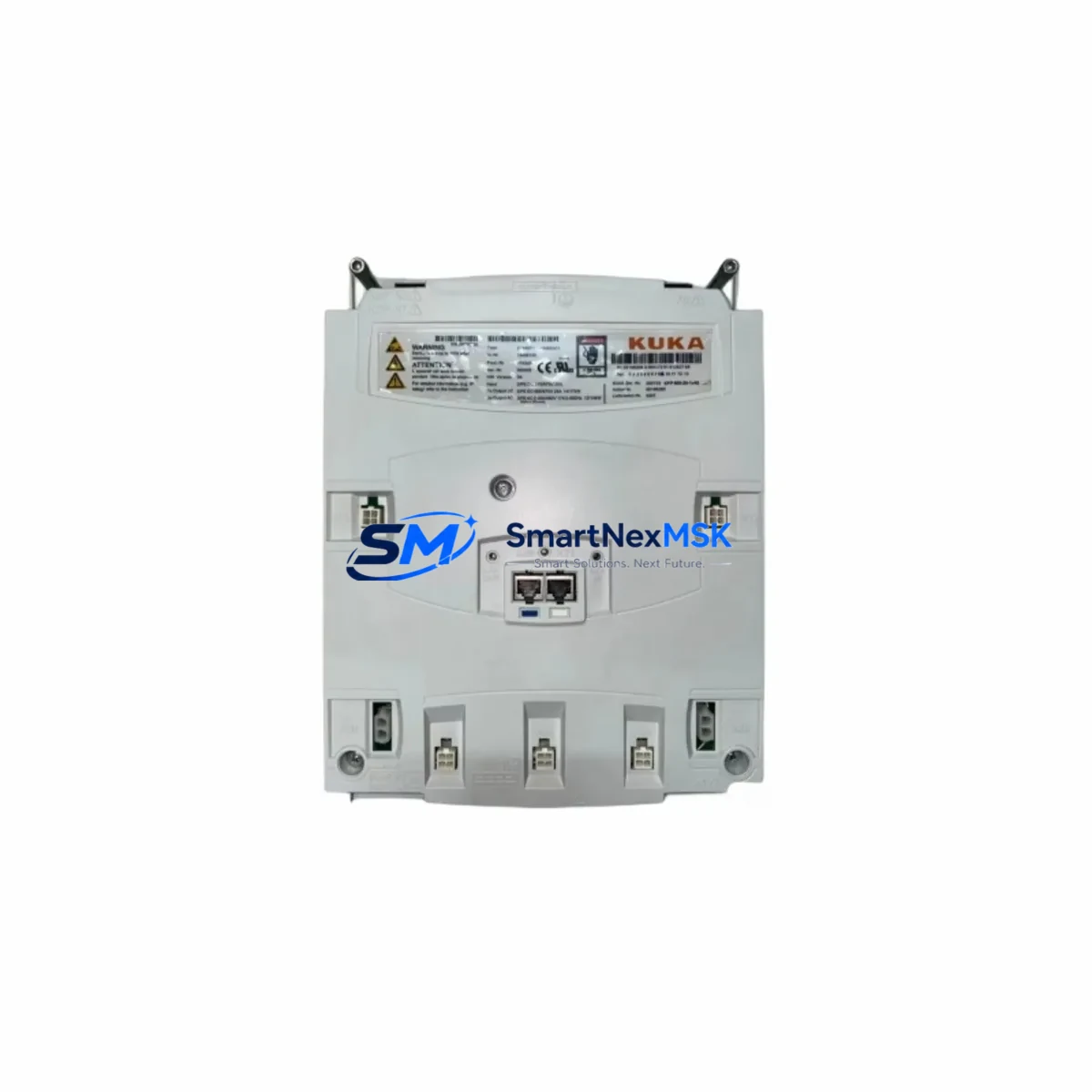
KUKA 00-198-260.KPP600-20-1X40 Maintenance-Ready Spare for KRC4 Automation
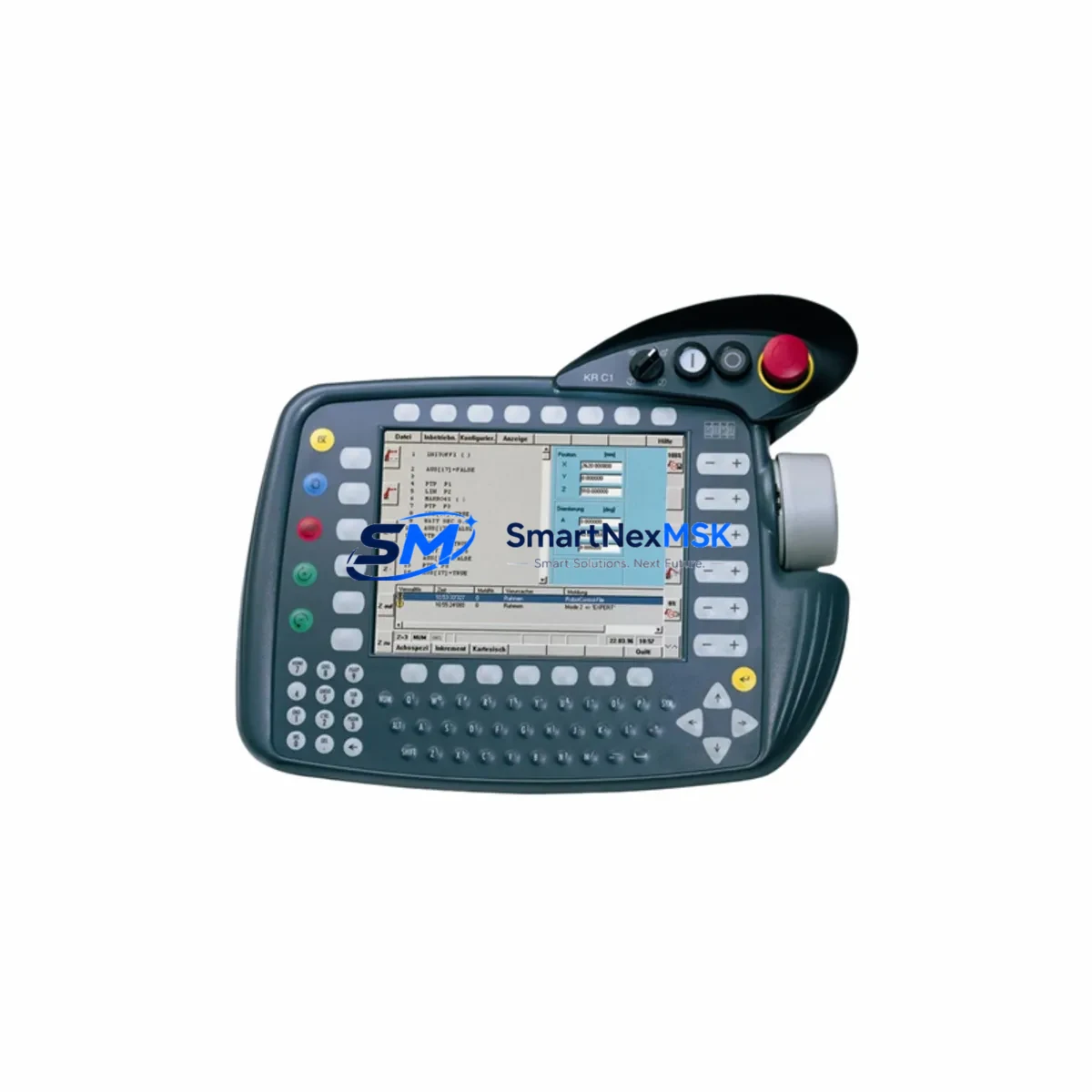
The KUKA 00-198-260.KPP600-20-1X40 is an original KPP600 smartPAD teach pendant designed for KUKA KRC4 robot controller systems. As a critical human-machine interface in robotic automation cells, this unit enables operators to program, jog, and monitor KUKA industrial robots across automotive, metal fabrication, logistics, and general manufacturing environments. When this component fails or degrades, the entire robot cell is rendered inoperable — making fast, verified spare part replacement essential to minimizing unplanned downtime and protecting production schedules.
At SMARTNEXMSK, every 00-198-260.KPP600-20-1X40 unit is sourced as an original KUKA component, individually inspected, functionally tested, and shipped with a 12-month warranty. Our B2B supply chain is structured to support maintenance engineers and procurement teams who require reliable, traceable spare parts with short lead times.
Spare Maintenance Table
| Parameter | Specification / Detail |
|---|---|
| Part Number / SKU | 00-198-260.KPP600-20-1X40 |
| Brand | KUKA Robotics |
| Series | KPP600 smartPAD |
| Compatible Controller | KUKA KRC4, KRC4 compact, KRC4 smallSize |
| Interface Type | Teach Pendant (smartPAD) — touchscreen HMI with enabling device |
| Communication | KLI (KUKA Line Interface) via RJ45 / proprietary KRC4 bus |
| Display | 8.4″ color touchscreen, 800×600 resolution |
| Operating Voltage | 24 VDC (supplied via KRC4 controller cabinet) |
| IP Rating | IP54 (dust and splash resistant) |
| Weight | Approx. 420 g |
| Origin | Germany (Original KUKA manufacture) |
| Application Environment | Industrial robot cells, welding stations, assembly lines, palletizing systems |
| Maintenance Recommendation | Inspect cable connector and enabling switch every 6 months; replace on any display fault, communication dropout, or enabling device failure |
| Warranty | 12 Months — tested before shipment |
Maintenance Planning for Continuous Operation
When a KUKA 00-198-260.KPP600-20-1X40 smartPAD is flagged for replacement during a scheduled inspection or emergency fault response, experienced maintenance engineers know that the teach pendant is rarely the only component requiring attention. A thorough site assessment should accompany every smartPAD swap to prevent repeat failures and ensure the robot cell returns to full operational status.
Begin by inspecting the KRC4 controller cabinet power supply rails. The KUKA KPS600 power supply module (e.g., 00-168-334) provides the 24 VDC bus that feeds the smartPAD; a degraded KPS600 can cause intermittent smartPAD communication faults that are misdiagnosed as pendant failures. Verify output voltage stability under load before condemning the pendant.
Next, check the smartPAD connection cable — KUKA part series 00-168-xxx — for jacket abrasion, connector pin corrosion, and strain relief integrity. This cable is a high-flex component subject to fatigue in high-cycle environments and should be treated as a consumable in any preventive maintenance program.
The KRC4 main computer (PC) and its EtherCAT communication board should be verified for firmware compatibility with the replacement smartPAD. Mismatched KUKA System Software (KSS) versions between the controller and pendant can prevent successful pairing. Confirm the KSS version on the controller before installation.
Within the control cabinet, inspect the KRC4 safety interface board (SIB) and the customer safety interface (CSI) wiring. The enabling device circuit on the smartPAD integrates directly with the SIB; any wiring fault in the safety chain will prevent the robot from entering T1 or T2 mode even with a new pendant installed. Simultaneously, review the X11 safety connector wiring for loose terminals or oxidized contacts.
For cells using KUKA.PLC mxAutomation or KUKA.ProfiNet communication modules, verify that the fieldbus configuration is intact after the pendant replacement, as some KSS versions reset communication parameters during re-pairing. The KUKA KLI switch or industrial Ethernet switch feeding the controller should also be checked for port faults.
Finally, review the KRC4 drive module (KSD) status LEDs and the resolver cables on each robot axis. A smartPAD replacement is an ideal opportunity to perform a full axis brake test and check for any pending drive faults that may have been masked by the pendant communication error. Maintaining a stocked spare of the KPP600-20-1X40 alongside a spare KPS600 power supply and a replacement smartPAD cable ensures your team can execute a complete recovery within a single maintenance window.
Site Replacement Workflow
Step 1 — Fault Isolation: Confirm the fault is isolated to the smartPAD by checking KRC4 error logs via WorkVisual or the cabinet-mounted diagnostic display. Error codes in the KCP or smartPAD fault group confirm pendant-side failure.
Step 2 — Safe Shutdown: Place the robot in a safe, parked position. Set the KRC4 to power-off state via the main switch. Disconnect the smartPAD cable from the X19 connector on the controller cabinet. Do not hot-swap the pendant.
Step 3 — Hardware Swap: Connect the replacement 00-198-260.KPP600-20-1X40 to the X19 port. Ensure the cable connector is fully seated and the locking collar is engaged. Restore cabinet power.
Step 4 — Software Pairing: On first boot with the new pendant, the KRC4 will prompt for smartPAD pairing confirmation. Accept via the cabinet display or WorkVisual. Verify KSS version compatibility. If a version mismatch is detected, update KSS before proceeding.
Step 5 — Functional Verification: Test all smartPAD functions: touchscreen response, enabling device (3-position switch), emergency stop, mode selector (T1/T2/AUT/EXT), and status LEDs. Perform a slow-speed T1 jog of all axes to confirm full control authority.
Step 6 — Documentation: Record the replacement in the maintenance log with the new unit serial number, installation date, and KSS version. Update the spare parts inventory to trigger reorder of a replacement KPP600-20-1X40 unit.
This workflow is compatible with all KRC4 variants and minimizes downtime to under 60 minutes for a prepared maintenance team. The 00-198-260.KPP600-20-1X40 is a direct drop-in replacement for earlier KPP600 revisions, eliminating the need for mechanical or electrical modification.
Spare Parts Support FAQ
Q1: Is the 00-198-260.KPP600-20-1X40 compatible with all KRC4 controller variants?
Yes. This smartPAD is compatible with the standard KRC4, KRC4 compact, and KRC4 smallSize controllers running KUKA System Software (KSS) 8.2 and above. For KRC2 systems, a different pendant model is required — contact our team to confirm compatibility with your specific controller serial number and KSS version before ordering.
Q2: What pre-shipment testing is performed on each unit?
Every 00-198-260.KPP600-20-1X40 unit is powered on and functionally tested prior to shipment. Testing covers touchscreen calibration, enabling device switch continuity, emergency stop circuit integrity, and communication interface verification. A test report is available upon request for quality-critical procurement processes.
Q3: How should this spare part be stored in a maintenance inventory?
Store in original anti-static packaging in a dry environment between 0°C and 40°C, away from direct sunlight and electromagnetic interference sources. Recommended inventory strategy: maintain one unit on-shelf per robot cell cluster (3–5 robots) for facilities with high uptime requirements. For single-robot installations, a shared spare with a 48-hour delivery SLA from SMARTNEXMSK is a cost-effective alternative.
Q4: What does the 12-month warranty cover?
The 12-month warranty covers manufacturing defects, component failure under normal operating conditions, and any fault present at the time of shipment that was not identified during pre-shipment testing. It does not cover physical damage caused by incorrect installation, overvoltage events, or unauthorized modification. Warranty claims are processed within 5 business days with advance replacement available for critical production environments.
© 2026 SMARTNEXMSK. All rights reserved.
Original Source: https://smartnexmsk.com
Contact: [email protected] | +86 18259474341