
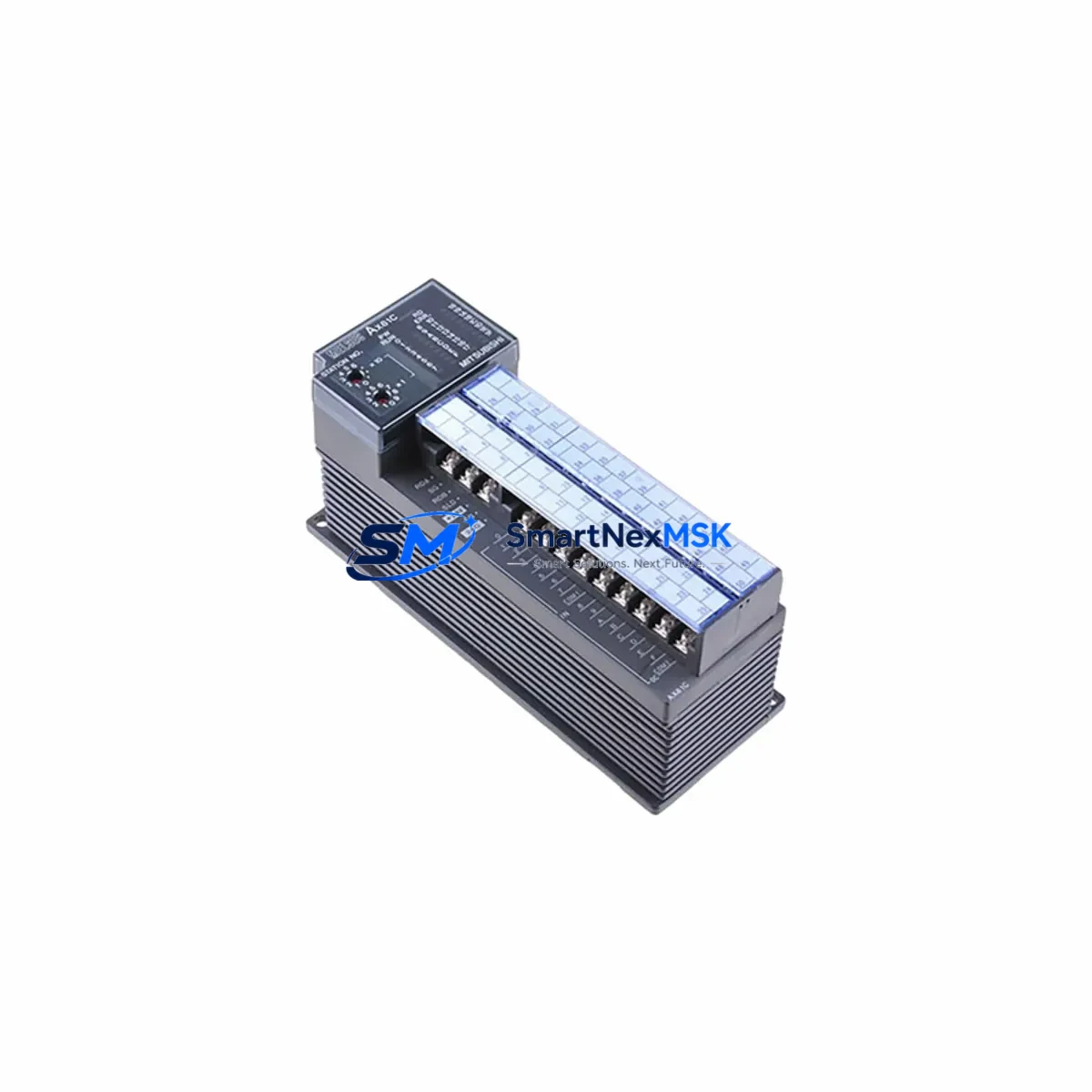
Mitsubishi AX81 Retrofit-Ready Communication Module: Compatible Upgrade for MELSEC-A Series Control Systems
The Mitsubishi AX81 is a parallel I/O communication module originally designed for the MELSEC-A Series programmable logic controller platform. As production lines built around the A2A, A2AS, A3A, and A3N CPU units reach end-of-life milestones, the AX81 has become a critical retrofit component for engineers tasked with sustaining legacy automation infrastructure without full system replacement. SMARTNEXMSK maintains verified stock of the AX81 to support planned upgrades, emergency replacements, and phased migration projects across manufacturing, utilities, and process control environments.
Whether your facility is replacing a failed unit on an active production line or executing a scheduled control cabinet modernization, the AX81 provides a direct-fit solution that preserves existing wiring, backplane slot assignments, and ladder logic without requiring program recompilation or HMI screen redesign. This makes it one of the most cost-effective options for extending the operational life of MELSEC-A Series installations by three to five years while a full migration to the MELSEC-Q or MELSEC-iQ-R platform is planned and budgeted.
Upgrade Compatibility Table
| Parameter | AX81 Specification | Retrofit Notes |
|---|---|---|
| Compatible CPU Units | A2A, A2AS, A3A, A3N, A1S, A2SH | Verify CPU firmware revision before installation |
| Backplane Interface | MELSEC-A Series base unit slot (A1S38B, A1S52B, A1S65B) | Slot position must match address assignment in GX Developer project |
| Communication Protocol | Parallel I/O bus (MELSEC-A native) | Not directly compatible with MELSEC-Q bus; use AJ65BT-R2 for protocol bridging if needed |
| Power Consumption | Confirm from A1S61PN or A1S62PN power supply capacity | Audit total slot current draw before adding modules; replace PSU if margin is under 15% |
| Terminal Wiring | Screw-terminal connector (field-side) | Reuse existing terminal blocks; verify torque spec (0.5–0.8 N·m) |
| Module Address Setting | Rotary switch on module face | Match address to original unit; document before removal |
| Replacement Compatibility | Direct drop-in for failed AX81 units | No program modification required for like-for-like swap |
| Commissioning Requirement | Power-cycle CPU after installation | Monitor diagnostic LEDs; confirm RUN status in GX Developer |
| Warranty | 12-Month Warranty — covers manufacturing defects; includes pre-shipment functional test | |
Retrofit Planning for Existing Automation Systems
A successful AX81 retrofit begins well before the module arrives on site. Engineers should start by auditing the existing MELSEC-A Series base unit — typically an A1S38B, A1S52B, or A1S65B — to confirm available slot count, current power budget from the A1S61PN or A1S62PN power supply module, and the address map already assigned to installed I/O and communication modules. The AX81 occupies one slot and draws a defined current from the 5 VDC internal bus; if the power supply is already near capacity due to additional A1SX40, A1SY10, or A1SX80 digital I/O modules, a power supply upgrade should be scoped into the project before the replacement module is ordered.
Terminal wiring on the AX81 uses a removable screw-terminal connector, which means field cables can be transferred directly from the failed unit to the replacement without re-labeling or re-routing — a significant advantage in time-critical shutdowns. Before disconnecting the original module, photograph or document the rotary address switch setting on the module face. This address must be replicated exactly on the replacement unit; a mismatch will cause the A-series CPU to generate a module error and halt execution.
For sites that are simultaneously upgrading their programming environment from the legacy SWOPC-FXGP/WIN or A-series GPP software to GX Developer or GX Works2, the existing ladder program should be exported and archived before any hardware is touched. GX Developer can read A-series project files, but engineers should verify that any special function module instructions referencing the AX81’s I/O address range are correctly mapped after the project is converted. If the control system also includes an A985GOT or A975GOT HMI panel communicating over RS-232C or RS-422 to the CPU, confirm that the HMI communication parameters — baud rate, station number, and protocol format — remain unchanged after the module swap, as these settings are stored in the HMI project independently of the PLC program.
Sites planning a longer-term migration to the MELSEC-Q platform should treat the AX81 replacement as a bridge measure. During this window, it is advisable to document all I/O assignments, network topology (including any CC-Link or MELSECNET/10 segments managed by an A1SJ71C24-R2 or A1SJ71LP21 communication module), and HMI tag databases. This documentation becomes the foundation for the Q-series migration project and reduces engineering hours significantly when the full cutover is eventually executed.
Downtime Control During System Migration
Minimizing unplanned downtime is the primary concern for any MELSEC-A Series retrofit. For a like-for-like AX81 replacement, the physical swap can typically be completed in under 30 minutes if the replacement module is pre-configured (address switch set, terminal connector pre-wired on a bench) before the line is stopped. The recommended sequence is: initiate a controlled CPU STOP from GX Developer or the front-panel RUN/STOP switch, power down the base unit via the A1S61PN or A1S62PN power supply breaker, remove the failed AX81, install the replacement, restore power, and confirm RUN status before releasing the line.
For more complex scenarios — such as replacing the AX81 in a system that also includes an A1SJ71UC24-R4 serial communication module handling upstream SCADA polling — it is critical to notify the control room before the swap so that SCADA operators can place the affected loop in manual mode. This prevents false alarms and protects process integrity during the brief communication interruption. After the module is restored, verify that the SCADA system re-establishes polling within the expected timeout window and that all data points return to their correct states.
Where hot-standby or redundant CPU configurations exist using an A3H or A3M redundant CPU pair, the AX81 replacement can often be performed on the standby system first, with a controlled switchover executed before the active system is touched — reducing effective production impact to near zero. Always confirm the redundancy tracking status in GX Developer before initiating this procedure.
Retrofit Support FAQ
Q1: Is the AX81 a direct replacement for a failed unit, or does it require program changes?
For a like-for-like replacement in the same slot with the same address switch setting, no program modification is required. The A-series CPU will recognize the module at the same I/O address and resume normal execution after a power cycle. If the slot position changes, the I/O address map in the GX Developer project must be updated accordingly.
Q2: What wiring checks should be performed before powering up the replacement AX81?
Verify that the terminal connector is fully seated and that all field-side wires are secured to the correct terminals with the specified torque (0.5–0.8 N·m). Confirm that the power supply module (A1S61PN or A1S62PN) output voltage is within specification (5 VDC ±5%) before inserting the module. Check that the rotary address switch matches the original setting documented before removal.
Q3: How is compatibility verified before shipment?
Each AX81 unit supplied by SMARTNEXMSK undergoes a pre-shipment functional test that includes power-on self-test verification, I/O bus communication check, and visual inspection for connector and PCB integrity. A test report is available upon request. All units are covered by a 12-month warranty against manufacturing defects from the date of shipment.
Q4: Can the AX81 be used in a system being migrated to MELSEC-Q?
The AX81 is a MELSEC-A Series native module and is not directly compatible with the MELSEC-Q backplane. However, it is commonly used as a bridge component during phased migrations — keeping the A-series rack operational while Q-series hardware is installed and commissioned in parallel. Once the Q-series system is validated, the A-series rack (including the AX81) is decommissioned. For direct Q-series equivalents, the QX41 or QX81 digital input modules are the recommended migration targets depending on I/O point count and signal type.
© 2026 SMARTNEXMSK. All rights reserved.
Original Source: https://smartnexmsk.com
Contact: [email protected] | +86 18259474341



