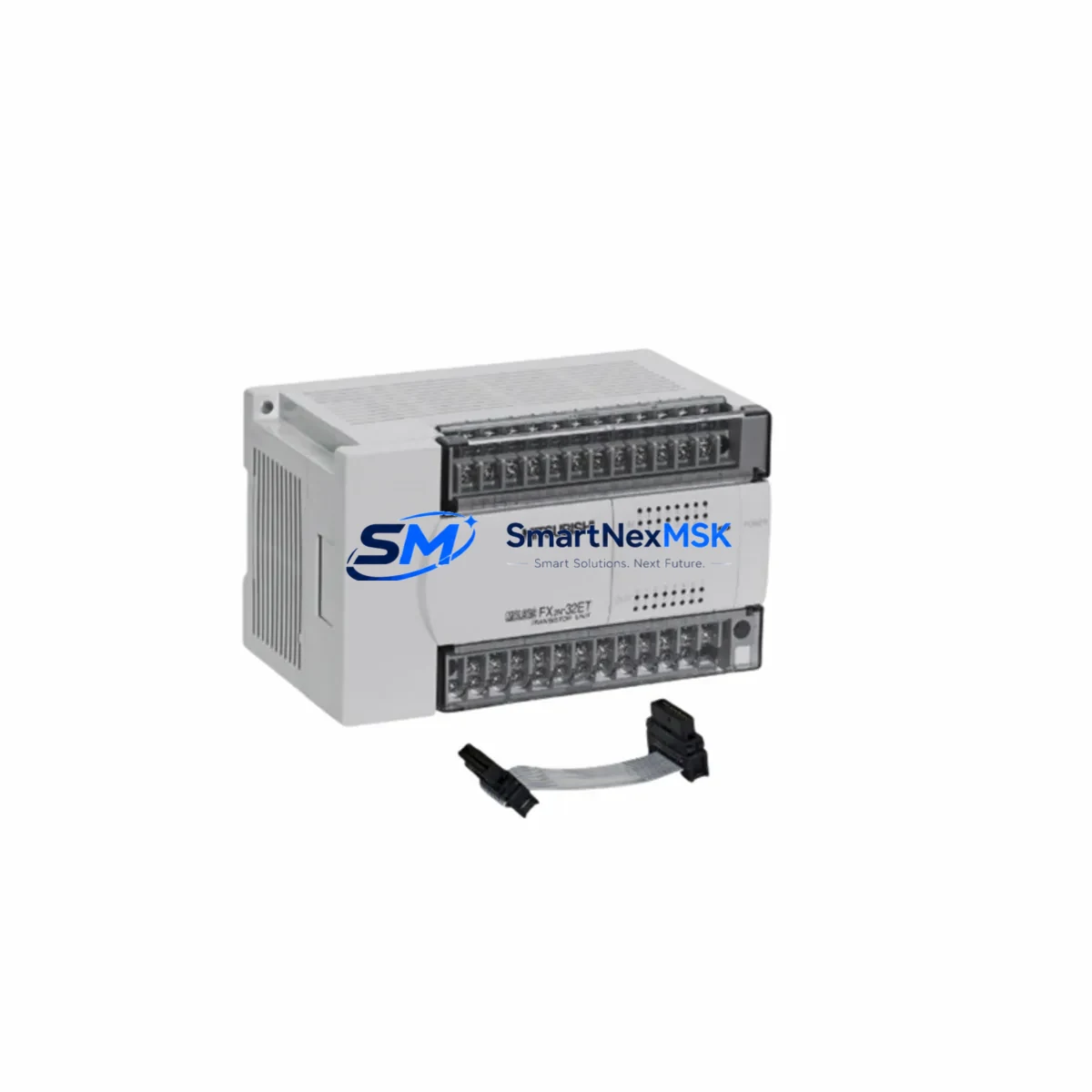
Mitsubishi FX2N-48MT Spare for FX2N Automation: Spare Replacement & Industrial Downtime Risk Control
The Mitsubishi FX2N-48MT is a 48-point transistor output programmable logic controller from Mitsubishi Electric’s MELSEC FX2N series — one of the most widely deployed compact PLC platforms in industrial automation globally. For maintenance engineers and procurement teams managing aging control systems, securing a verified FX2N-48MT spare is a critical step in preventing unplanned downtime and sustaining production continuity.
This unit ships as an original Mitsubishi Electric spare, fully tested prior to dispatch, and backed by a 12-month warranty. Whether you are executing a planned overhaul, responding to an emergency fault, or building out your facility’s spare parts inventory, the FX2N-48MT is a direct, pin-compatible replacement for existing FX2N-series installations without requiring program modification or hardware reconfiguration.
Spare Maintenance Table
| Parameter | Specification |
|---|---|
| Model / SKU | FX2N-48MT |
| Brand | Mitsubishi Electric (MELSEC) |
| Series | FX2N |
| I/O Points | 48 points (24 inputs / 24 outputs) |
| Output Type | Transistor (sink/source) |
| Power Supply | 100–240V AC |
| Program Memory | 8,000 steps (expandable to 16,000 with memory cassette) |
| Communication | RS-422 (built-in); expandable via FX2N-232-BD, FX2N-485-BD |
| Expansion Compatibility | FX2N expansion I/O modules, FX2N-8EX, FX2N-8EYT, FX2N-4AD, FX2N-4DA |
| Operating Temperature | 0°C to 55°C |
| Mounting | DIN rail or panel mount |
| Origin | Japan |
| Condition | Original spare, pre-shipment tested |
| Warranty | 12 months from date of shipment |
| Application | Industrial automation, machine control, process control, legacy system maintenance |
| Maintenance Recommendation | Inspect power supply, I/O wiring, and communication modules at each replacement interval |
Maintenance Planning for Continuous Operation
When replacing an FX2N-48MT in the field, experienced maintenance engineers know that the PLC itself is rarely the only component under stress. A systematic inspection of the surrounding control cabinet is essential to prevent repeat failures and ensure the replacement unit operates reliably from day one.
Begin with the FX2N power supply module — the FX2N-48MT draws power from either an internal AC supply or an external 24V DC rail. Verify input voltage stability and check for capacitor aging or thermal discoloration on the PSU board. A degraded power supply is a leading cause of PLC CPU faults and should be treated as a co-replacement candidate.
Next, inspect all input and output terminal wiring. Transistor output models like the FX2N-48MT are sensitive to inductive load spikes. Check that suppression diodes or RC snubbers are installed on solenoid and relay coil outputs. Loose terminal screws and oxidized connections on the FX2N-series terminal block assemblies are common fault contributors in high-vibration environments.
If the cabinet includes FX2N expansion I/O modules such as the FX2N-8EX (input expansion) or FX2N-8EYT (transistor output expansion), verify that the expansion bus ribbon cable is seated correctly and shows no signs of cracking or pin corrosion. Expansion module faults can masquerade as CPU errors and lead to misdiagnosis.
For systems using FX2N-232-BD or FX2N-485-BD communication boards, confirm that the RS-232 or RS-485 communication parameters match the connected HMI or SCADA system. Communication board failures are frequently overlooked during emergency replacements and can cause the new PLC to appear non-functional on startup.
Analog signal integrity should also be verified. If the system uses FX2N-4AD analog input modules or FX2N-4DA analog output modules, check signal cable shielding and grounding. Unshielded analog wiring in proximity to high-current motor drives is a persistent source of noise-induced faults in FX2N-based control systems.
Where the control cabinet includes intermediate relays or solid-state relays switching high-current loads, inspect contact wear and coil resistance. Relay contact degradation can cause intermittent output faults that are incorrectly attributed to the PLC. Similarly, check fuse holders and miniature circuit breakers on the 24V DC auxiliary circuit — a blown fuse on the input supply rail will prevent the FX2N-48MT from reading field signals correctly.
For facilities running GOT series HMI panels (such as the GT1055-QSBD or GT1150-QLBD) connected to the FX2N-48MT via RS-422, verify the HMI communication cable continuity and confirm the GOT station number and baud rate settings match the PLC configuration. HMI communication loss after a PLC swap is a common post-replacement issue that delays system restart.
Finally, if the installation uses a FX2N-CNV-BD or FX2N-16CCL-M CC-Link communication module, ensure the network termination resistors are in place and the station address DIP switches are set correctly before powering up the replacement unit.
Site Replacement Workflow
Step 1 — Program Backup: Before removing the existing FX2N-48MT, connect GX Developer or GX Works2 via the RS-422 port and perform a full program upload. Save the ladder logic, device comments, and parameter file to a secure location. If the unit is non-responsive, check whether a FX2N-EEPROM-8L memory cassette is installed — the program may be recoverable directly from the cassette without CPU communication.
Step 2 — Power Isolation: Isolate the cabinet using the main isolator and verify zero voltage on all terminals with a calibrated multimeter. Lock out / tag out (LOTO) procedures must be followed before any wiring work begins.
Step 3 — Hardware Swap: Remove the faulty FX2N-48MT from the DIN rail. Transfer any installed expansion boards (232-BD, 485-BD, CNV-BD) to the replacement unit before mounting. Reconnect all I/O terminal blocks and verify wiring against the as-built drawing.
Step 4 — Program Restore and Parameter Write: Connect GX Developer or GX Works2 to the new FX2N-48MT and write the saved program and parameters. Confirm PLC type selection matches FX2N-48MT to avoid parameter mismatch errors.
Step 5 — Functional Verification: Power up in STOP mode first. Verify all input indicators respond correctly to field signals. Switch to RUN mode and confirm output operation against the machine cycle. Document the replacement date, unit serial number, and test results in the maintenance log.
This structured workflow minimizes restart time, reduces the risk of secondary faults, and ensures the replacement FX2N-48MT is fully validated before returning the machine to production.
Spare Parts Support FAQ
Q1: Is this FX2N-48MT a direct drop-in replacement for my existing unit?
Yes. The FX2N-48MT is a standard Mitsubishi Electric MELSEC FX2N series CPU unit. It is fully compatible with all FX2N expansion modules, communication boards, and memory cassettes. No hardware modification is required. Your existing ladder program can be written directly to the replacement unit using GX Developer or GX Works2 without modification, provided the program was backed up from an FX2N-48MT (not an FX2N-48MR or other variant).
Q2: What pre-shipment testing is performed on this spare?
Each FX2N-48MT spare undergoes power-on functional testing prior to dispatch. Input and output point operation is verified, communication port integrity is checked, and the unit is confirmed free of error codes. A test report is available upon request. Units are packed in anti-static protective packaging to prevent ESD damage during transit.
Q3: How should I manage FX2N-48MT inventory for a multi-machine facility?
For facilities operating three or more FX2N-based machines, we recommend maintaining a minimum of one FX2N-48MT spare per five units in service, with a review cycle aligned to your annual maintenance shutdown. Given that Mitsubishi Electric has transitioned the FX2N series to end-of-life status, sourcing verified original spares now is strongly advisable to avoid supply gaps during future emergency replacements. Pairing the CPU spare with a backup FX2N power supply module and a set of FX2N expansion I/O modules provides comprehensive coverage for the most common failure modes.
Q4: What does the 12-month warranty cover?
The 12-month warranty covers manufacturing defects and functional failures under normal operating conditions from the date of shipment. It does not cover damage resulting from incorrect installation, overvoltage, reverse polarity, or physical impact. In the event of a warranty claim, contact our technical support team with the unit serial number and a description of the fault. Replacement or repair will be arranged with priority handling to minimize your downtime.
© 2026 SMARTNEXMSK. All rights reserved.
Original Source: https://smartnexmsk.com
Contact: [email protected] | +86 18259474341