
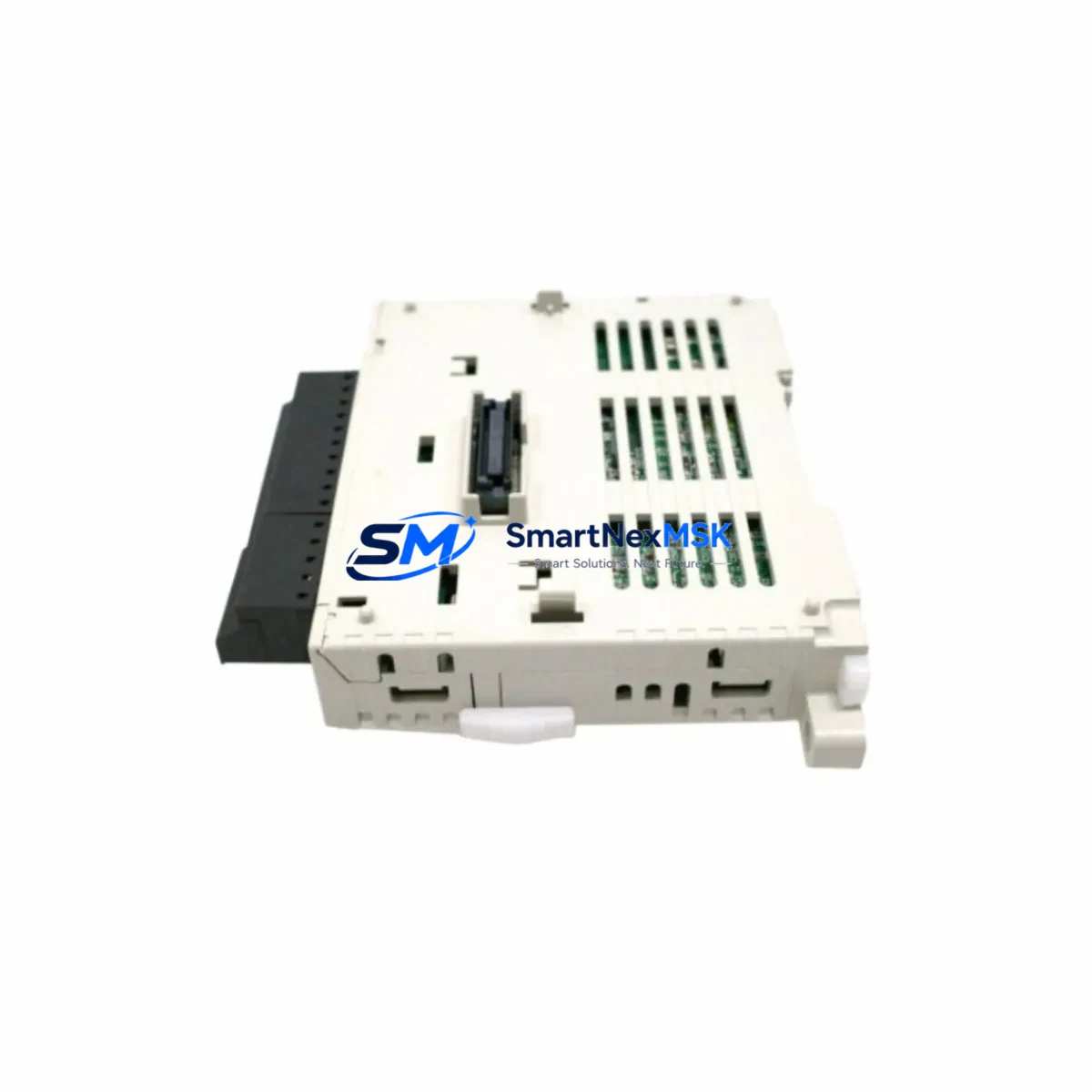
Mitsubishi FX3U-32MR/DS Spare for FX3U Automation: Spare Replacement & Industrial Downtime Risk Control
The Mitsubishi FX3U-32MR/DS is a compact, high-performance PLC CPU module from the MELSEC FX3U series, designed for demanding industrial automation environments. With 32 I/O points (16 inputs / 16 relay outputs) and dual 24VDC power supply architecture, this unit is widely deployed in machine control panels, conveyor systems, packaging lines, and process automation cabinets across manufacturing facilities. When this module fails or reaches end-of-life, rapid spare replacement is critical to restoring production continuity and minimizing unplanned downtime.
As an original Mitsubishi Electric spare part, the FX3U-32MR/DS is sourced directly from authorized supply chains, tested prior to shipment, and backed by a 12-month warranty. Each unit undergoes functional verification covering power-on diagnostics, I/O point integrity, and communication port status before dispatch. This ensures that maintenance engineers receive a field-ready module that can be installed and commissioned without delay.
Spare Maintenance Table
| Parameter | Specification |
|---|---|
| Model / SKU | FX3U-32MR/DS |
| Brand | Mitsubishi Electric |
| Series | MELSEC FX3U |
| I/O Points | 32 (16 DI / 16 DO Relay) |
| Output Type | Relay Output (MR) |
| Power Supply | 24VDC Dual Supply (DS) |
| Program Memory | 64K Steps (with memory cassette) |
| Communication Ports | RS-422 (built-in), expandable via FX3U-232ADP / FX3U-485ADP |
| Expansion Capability | Up to 8 extension modules (max 256 I/O) |
| Operating Temperature | 0°C to 55°C |
| Storage Temperature | -25°C to 75°C |
| Humidity | 5% to 95% RH (non-condensing) |
| Vibration Resistance | 10–57 Hz, 0.075 mm; 57–150 Hz, 9.8 m/s² |
| Mounting | DIN Rail or Direct Screw Mount |
| Compatibility | FX3U series expansion modules, FX3U-ENET, GOT1000/GOT2000 HMI |
| Certifications | CE, UL, cUL |
| Origin | Japan |
| Warranty | 12 Months |
| Condition | Original New / Tested Before Shipment |
Maintenance Planning for Continuous Operation
When replacing the FX3U-32MR/DS in a live control cabinet, a thorough inspection of the surrounding electrical environment is essential to prevent repeat failures and ensure system stability. Maintenance engineers should treat this replacement as an opportunity for a full cabinet health check.
Power Supply Verification: Before installing the replacement CPU, verify the 24VDC supply rail using a calibrated multimeter. Voltage fluctuations or ripple exceeding ±10% can damage the new module. If the existing power supply module — such as an FX3U-1PSU-5V or a third-party 24VDC DIN rail PSU — shows signs of aging (capacitor bulge, output instability), replace it concurrently. A failed power supply is a common root cause of repeated PLC CPU failures.
I/O Module and Terminal Block Inspection: The FX3U-32MR/DS connects to FX3U series expansion I/O modules via the right-side bus connector. Inspect all FX3U-16EX input expansion modules and FX3U-16EYR relay output extension modules for loose terminal connections, oxidized contacts, or blown output relay channels. Terminal blocks (such as Mitsubishi A6TBY or equivalent DIN rail terminal strips) should be checked for torque compliance and insulation integrity.
Communication and Network Modules: If the FX3U-32MR/DS is networked via an FX3U-ENET Ethernet adapter or FX3U-485ADP-MB Modbus communication module, verify that these adapters are firmly seated and that network parameters are backed up before the swap. Communication module firmware versions should be confirmed compatible with the replacement CPU’s firmware revision.
HMI Connectivity: Systems using GOT2000 series HMI panels (such as the GT2107 or GT2310) connected via RS-422 or USB should have their screen programs and communication settings documented prior to CPU replacement. After installation, re-establish the HMI-PLC link and verify all screen data points are reading correctly.
Signal Isolation and Protection Components: Inspect signal isolators on analog input channels, particularly if the cabinet handles 4–20mA process signals. Fuse holders on the 24VDC input rail and output relay fuse blocks should be tested for continuity. Surge protection devices (SPDs) on the power entry point should be visually inspected and replaced if the indicator shows a fault condition.
Battery and Memory Backup: The FX3U-32MR/DS uses an internal lithium battery (FX3U-32BL or equivalent) for program and data retention during power loss. Always replace the battery when installing a spare CPU module, and confirm the battery voltage is within specification before commissioning.
Site Replacement Workflow
Step 1 — Backup: Using GX Works2 or GX Developer, upload and save the existing PLC program, device comments, and parameter files to a secure location. Document the current I/O wiring diagram and any special module parameter settings.
Step 2 — Power Down: Isolate the control cabinet from the main power supply. Follow LOTO (Lockout/Tagout) procedures. Allow capacitors to discharge for a minimum of 60 seconds before opening the cabinet.
Step 3 — Module Removal: Disconnect the expansion bus connector on the right side of the FX3U-32MR/DS. Remove all I/O wiring from the terminal block, labeling each wire if not already marked. Unclip the module from the DIN rail.
Step 4 — Inspection: Inspect the DIN rail mounting area, bus connector pins, and terminal block for damage, corrosion, or foreign material. Clean with dry compressed air if necessary.
Step 5 — Install Replacement: Mount the new FX3U-32MR/DS on the DIN rail. Reconnect the expansion bus and all I/O wiring per the documented wiring diagram. Install a fresh battery.
Step 6 — Program Download: Power on the cabinet. Using GX Works2, download the backed-up program to the new CPU. Verify program checksum and set the CPU to RUN mode.
Step 7 — Functional Test: Perform a full I/O point test, verify communication links (HMI, SCADA, Modbus), and confirm all output relay channels are operating correctly before returning the system to production.
This structured workflow minimizes replacement time, reduces the risk of wiring errors, and ensures the system returns to full operational status with verified compatibility — typically achievable within 2–4 hours for an experienced maintenance team.
Spare Parts Support FAQ
Q1: Is the FX3U-32MR/DS compatible with my existing FX3U expansion modules and GOT HMI?
Yes. The FX3U-32MR/DS is fully compatible with all FX3U series right-side expansion modules (I/O, analog, communication) and supports direct connection to GOT1000 and GOT2000 series HMI panels via RS-422 or USB. Compatibility with FX3UC and FX3G series modules requires an adapter; please confirm your system configuration before ordering.
Q2: What is your inventory strategy for long-term FX3U spare parts support?
We maintain buffer stock of high-demand FX3U series modules to support both emergency replacement and planned maintenance programs. For facilities running multiple FX3U-based control systems, we recommend holding at least one FX3U-32MR/DS spare per 5–10 installed units, with annual stock review aligned to your preventive maintenance schedule.
Q3: How is each unit tested before shipment?
Every FX3U-32MR/DS spare undergoes a pre-shipment functional test covering power-on self-diagnostics, I/O point continuity, communication port verification, and visual inspection for physical damage. A test report is available upon request. Units are shipped in anti-static packaging with protective terminal covers installed.
Q4: What does the 12-month warranty cover, and what is the claims process?
The 12-month warranty covers manufacturing defects and functional failures under normal operating conditions. It does not cover damage caused by incorrect installation, overvoltage, or environmental factors outside the specified operating range. To initiate a warranty claim, contact our technical support team with the unit serial number, purchase date, and a description of the fault. Replacement or repair is typically processed within 5–7 business days.
© 2026 SMARTNEXMSK. All rights reserved.
Original Source: https://smartnexmsk.com
Contact: [email protected] | +86 18259474341



