
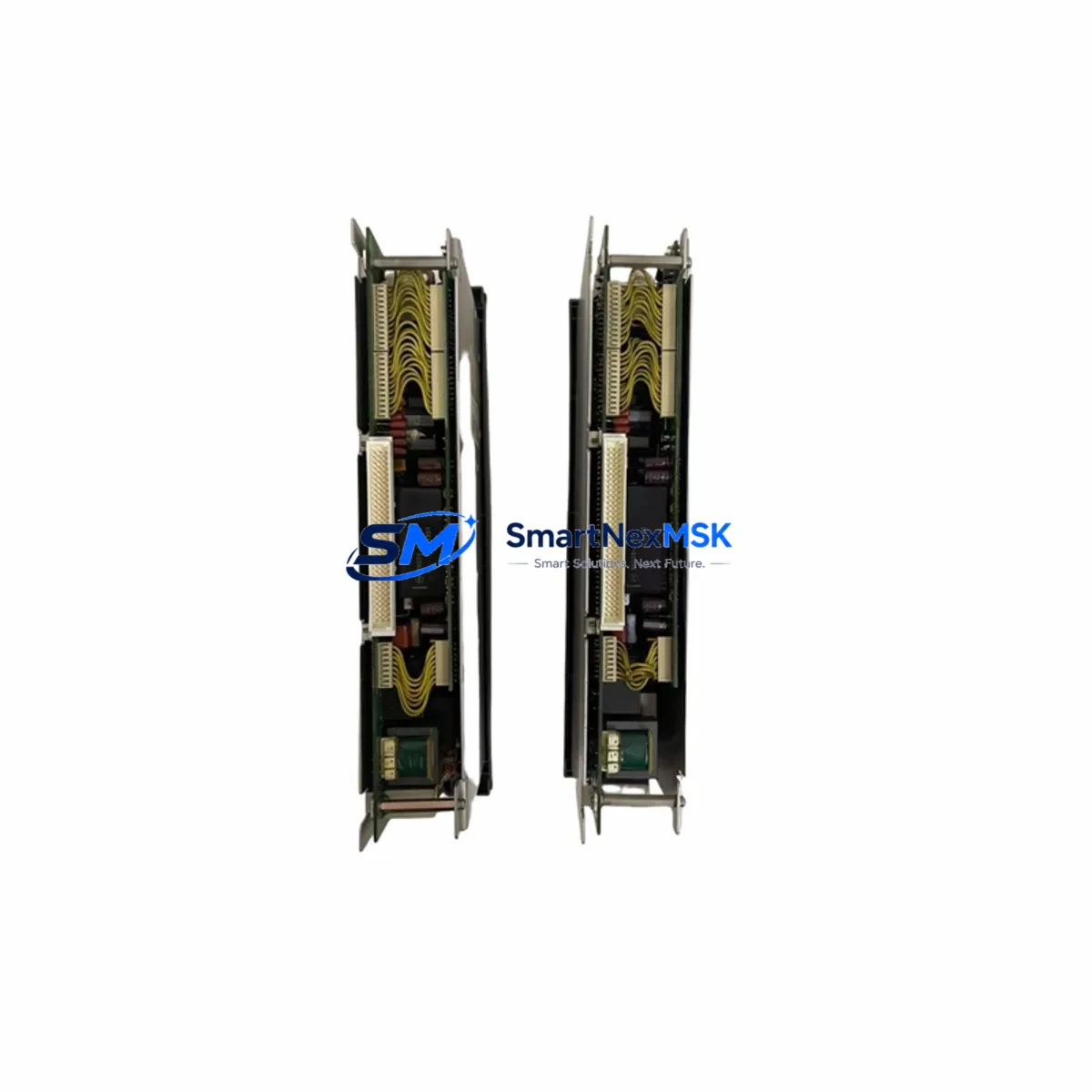
Mitsubishi PD21 PD21B Retrofit-Ready Power Supply for MELSEC-A Control Systems
The Mitsubishi Electric PD21 and PD21B are dedicated DC power supply modules engineered for the MELSEC-A Series programmable logic controller platform. As legacy MELSEC-A installations approach end-of-life and original Mitsubishi PD21 units become increasingly difficult to source through standard distribution channels, plant engineers and system integrators face mounting pressure to locate verified replacement stock, validate electrical compatibility, and execute controlled retrofits with minimal disruption to ongoing production. This product page addresses that challenge directly — providing specification-accurate, tested replacement units backed by a 12-month warranty and supported by pre-shipment functional verification.
The PD21 and PD21B modules supply regulated DC power to the A-series main base unit and extension base units, including the A1S38B, A1S55B, and A1S65B backplane racks. They are designed to interface with the MELSEC-A CPU modules — such as the A2UCPU, A3UCPU, and A1SCPU — and provide stable bus voltage to all installed I/O and special function modules. When a PD21 fails or is flagged for replacement during a scheduled maintenance window, the entire rack loses power, making rapid, verified sourcing of a compatible unit critical to restoring control system availability.
Upgrade Compatibility Table
| Parameter | PD21 | PD21B | Retrofit Notes |
|---|---|---|---|
| Input Voltage | 100–240V AC | 100–240V AC | Verify site supply voltage before installation |
| Output Capacity | 5V DC / 6A | 5V DC / 8A | PD21B recommended for fully populated racks |
| Rack Compatibility | A1S38B, A1S55B, A1S65B | A1S38B, A1S55B, A1S65B | Confirm slot count and rack generation |
| Mounting Interface | Direct backplane connector | Direct backplane connector | No adapter required; direct drop-in fit |
| Communication Compatibility | N/A (power only) | N/A (power only) | No protocol configuration required |
| Terminal Wiring | Screw terminal block | Screw terminal block | Reuse existing wiring; verify torque spec |
| Replacement Recommendation | Direct replacement | Direct replacement | PD21B preferred for upgraded current headroom |
| Commissioning Focus | Power-on sequence, LED status | Power-on sequence, LED status | Confirm RUN LED and CPU handshake before restart |
| Warranty | 12 Months — Functional test report available on request | Covers manufacturing defects and DOA units | |
Retrofit Planning for Existing Automation Systems
A successful PD21 or PD21B retrofit begins well before the replacement unit arrives on site. Engineers should start by auditing the total current draw of all modules installed in the affected rack. A fully populated A1S65B base unit carrying a mix of digital I/O modules — such as the AX40S input module and AY40S output module — alongside analog modules like the AD61 or DA62, and a special function module such as the A1SD61 high-speed counter, can approach or exceed the 6A output ceiling of the original PD21. In these cases, upgrading to the PD21B with its 8A output rating is strongly recommended to provide adequate current headroom and prevent nuisance trips during peak load conditions.
Terminal block wiring on the PD21 and PD21B uses a standard screw-type interface. Before removing the failed unit, photograph or document the existing AC input wiring, including the L, N, and PE (protective earth) connections. Torque specifications for the terminal screws should be observed during reinstallation to prevent loose connections that could cause intermittent power faults. The replacement unit slots directly into the backplane connector of the A-series base unit — no mechanical adapter, bracket modification, or custom cable is required.
If the retrofit is part of a broader control system modernization — for example, migrating from an A-series platform to a MELSEC-Q Series or iQ-R Series architecture — the power supply replacement is typically the first step. Subsequent phases may involve swapping the A2UCPU for a Q06UDEHCPU, replacing the A-series I/O modules with Q-series equivalents, and reconfiguring the A1SJ71QBR11 MELSECNET/B communication module for compatibility with the new CPU platform. In multi-rack configurations, the extension base power supply and the A1S61PN extension power supply module should also be evaluated for replacement at the same time to avoid a secondary failure shortly after the primary retrofit is completed.
For sites running GX Developer or MELSOFT GX Works2 as the programming environment, no program changes are required when replacing a power supply module — the CPU retains its program in battery-backed RAM or flash memory during the swap. However, engineers should confirm that the CPU battery (typically a Q6BAT or equivalent A-series battery) is within its service life before initiating the power-down sequence, to prevent program loss during the maintenance window.
Downtime Control During System Migration
Minimizing unplanned downtime during a PD21 or PD21B replacement requires a structured approach to the power-down and power-up sequence. Before de-energizing the control cabinet, the operator should place the CPU in STOP mode via the RUN/STOP key switch or through the GX Developer online monitor, and confirm that all outputs are in a safe state. For processes where an abrupt output drop could cause a safety hazard — such as conveyor systems, press lines, or chemical dosing applications — a coordinated shutdown with the process control team is essential.
Once the replacement PD21 or PD21B is installed and the AC input wiring is reconnected and verified, the power-up sequence should be performed with the CPU key switch held in STOP. This allows the engineer to confirm that the power supply LED indicators show normal status — typically a steady green POWER LED — before releasing the CPU to RUN mode. The GX Developer or GX Works2 online monitor should be used to verify that all I/O modules are recognized by the CPU and that no module error codes are present in the system diagnostic buffer. If a MELSECNET/10 or CC-Link communication network is active, the network master station should be checked to confirm that all slave stations have re-established communication after the power cycle.
For sites with redundant power supply configurations or UPS-backed control panels, the retrofit can often be performed with zero process interruption by switching to the backup power path before removing the failed unit. This approach requires advance planning and verification that the backup supply is fully functional and rated for the full rack load. Total planned downtime for a straightforward PD21 swap in a single-rack MELSEC-A system is typically 30 to 60 minutes, including documentation, wiring verification, and post-installation functional testing.
Retrofit Support FAQ
Q1: Is the PD21B a direct drop-in replacement for the PD21?
Yes. The PD21B is mechanically and electrically compatible with the same A-series base units as the PD21. The primary difference is output current capacity — 8A versus 6A — making the PD21B the preferred choice for racks with higher module counts or mixed analog and digital I/O configurations. No wiring changes or configuration steps are required beyond the physical swap.
Q2: Will replacing the power supply affect the CPU program or I/O configuration?
No. The MELSEC-A CPU stores its program in battery-backed RAM or internal flash memory. Replacing the PD21 or PD21B does not alter the program, I/O parameter settings, or network configuration. Engineers should verify battery condition before the swap and use GX Developer to perform an online verify after power-up to confirm program integrity.
Q3: What pre-shipment testing is performed on replacement PD21 units?
Each unit undergoes functional power-on testing under load prior to shipment. Output voltage regulation, current capacity, and LED indicator behavior are verified. A test report is available on request. All units are shipped with a 12-month warranty covering manufacturing defects and dead-on-arrival conditions.
Q4: Can you supply other MELSEC-A components needed for a full system retrofit?
Yes. In addition to the PD21 and PD21B power supply modules, we maintain stock of complementary MELSEC-A and compatible components including CPU modules, I/O modules, base units, communication modules, and programming cables. Contact our technical sales team to discuss your full bill-of-materials requirements for a planned retrofit or emergency breakdown recovery.
© 2026 SMARTNEXMSK. All rights reserved.
Original Source: https://smartnexmsk.com
Contact: [email protected] | +86 18259474341



