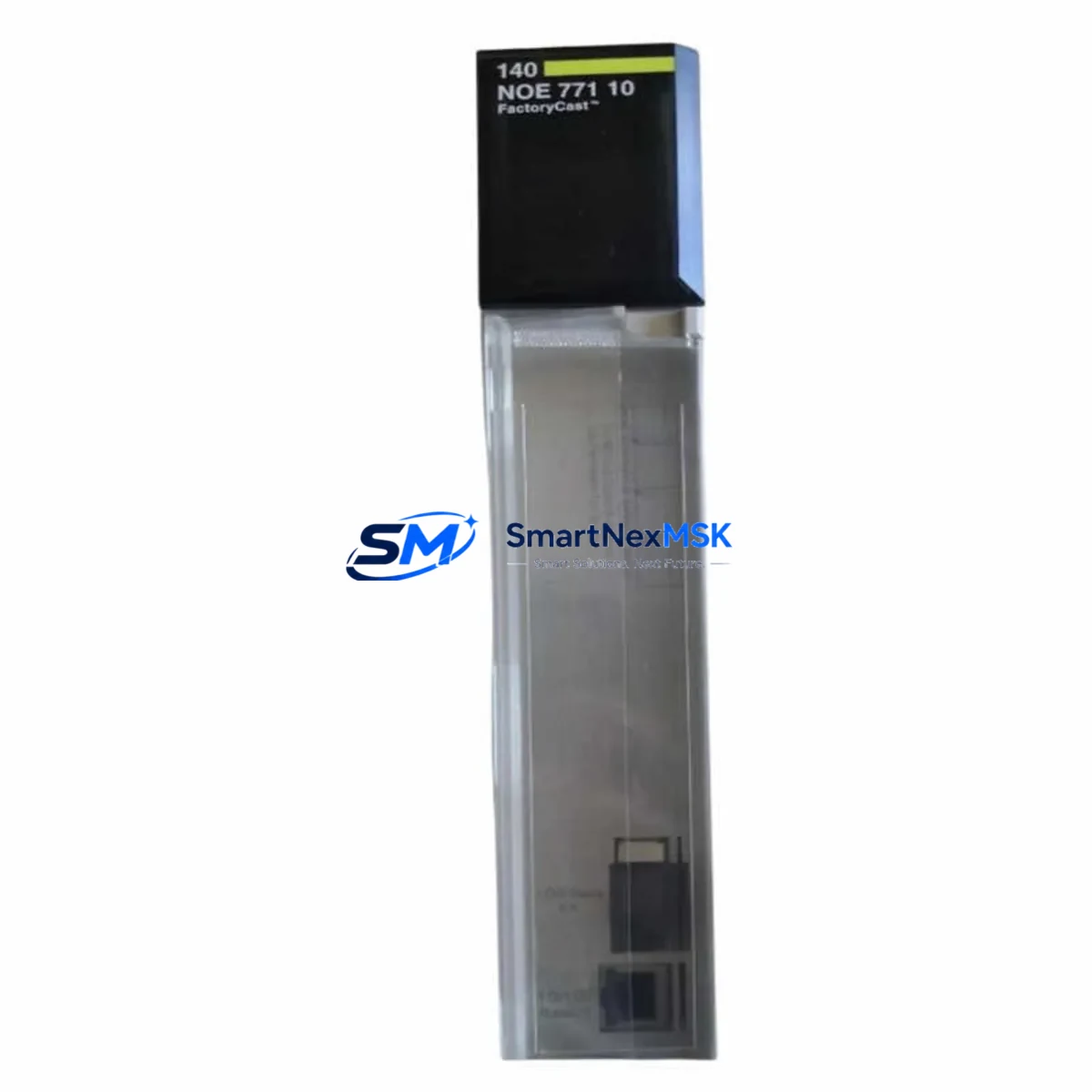
Schneider 140NOE77110 Retrofit-Ready Ethernet Module for Quantum Control Systems
The Schneider Electric 140NOE77110 is a Dual-Port Ethernet TCP/IP communication module engineered for the Modicon Quantum PLC platform. As legacy Quantum systems approach end-of-life and spare parts become increasingly scarce, the 140NOE77110 remains one of the most critical retrofit components for engineers tasked with sustaining, upgrading, or migrating existing automation infrastructure. Whether you are replacing a failed unit on a running production line, modernizing a control cabinet, or executing a phased migration from an older Modicon 984 or Modicon Premium architecture, this module provides the network backbone that keeps your control system communicating reliably.
SMARTNEXMSK maintains verified stock of the 140NOE77110 sourced from authorized distribution channels. Every unit undergoes pre-shipment functional testing covering Ethernet port initialization, TCP/IP stack response, and backplane communication integrity. A 12-month warranty is included with every shipment, covering manufacturing defects and functional failures under normal operating conditions.
Upgrade Compatibility Table
| Parameter | 140NOE77110 Specification | Retrofit / Replacement Notes |
|---|---|---|
| Platform Compatibility | Modicon Quantum (140-series backplane) | Direct slot-compatible with all standard Quantum racks including 140XBP01600, 140XBP00600, and 140XBP00400 |
| Communication Ports | 2 × RJ45 Ethernet (10/100 Mbps) | Supports Modbus TCP/IP, EtherNet/IP, and SNMP; verify switch port speed settings during commissioning |
| Backplane Interface | Quantum 800-series backplane bus | No adapter required; confirm rack slot assignment matches Unity Pro / Concept software configuration |
| Module Address | Configurable via Unity Pro or Concept | Re-enter IP address, subnet mask, and gateway after replacement; settings are not retained on the module |
| Power Consumption | 3.3 W (backplane-powered) | Verify 140CPS11420 or 140CPS21400 power supply capacity before adding modules to an existing rack |
| Firmware / Software | Unity Pro XL v2.3+ / Concept v2.6+ | Confirm software version compatibility; older Concept projects may require section re-compilation |
| Replacement for | 140NOE77100, 140NOE77101 | Functional superset; dual-port design replaces single-port predecessors without rack modification |
| Installation Requirement | Hot-swap not supported | Power down rack before insertion; follow Quantum safety isolation procedure |
| Commissioning Tool | Unity Pro / Concept / FDT/DTM | Use Ethernet configuration tool embedded in Unity Pro to assign IP and verify port status LEDs |
| Warranty | 12 Months | Covers functional failure under normal operating conditions; includes pre-shipment test report on request |
Retrofit Planning for Existing Automation Systems
A successful 140NOE77110 retrofit begins well before the module arrives on site. Engineers working on Modicon Quantum-based control systems must first audit the existing rack configuration. The Quantum platform uses a modular backplane architecture — common rack sizes include the 140XBP01600 (16-slot) and 140XBP00600 (6-slot) — and each slot’s power budget must be recalculated when adding or replacing communication modules. The rack’s power supply, typically a 140CPS11420 or 140CPS21400, must have sufficient headroom to support the 140NOE77110 alongside existing I/O modules such as the 140DAI54000 discrete input module or 140DAO84000 discrete output module.
Terminal wiring for the Ethernet ports follows standard RJ45 Cat5e or Cat6 straight-through cabling. If the existing network infrastructure uses fiber optic media converters, verify that the switch port auto-negotiation settings are compatible with the module’s 10/100 Mbps interface. In plants where the Quantum CPU — such as the 140CPU65160 or 140CPU67160 — communicates with a SCADA system or DCS via Modbus TCP/IP, the 140NOE77110 must be assigned a static IP address that does not conflict with existing network nodes. This IP configuration is performed through Unity Pro’s Ethernet configuration editor or, for legacy projects, through the Concept programming software.
For sites migrating from older Modicon 984 or Modicon Premium platforms, the 140NOE77110 often serves as the network gateway that bridges legacy Modbus RTU field devices — connected through a 140NOM21100 Modbus Plus module or a 140NOE21100 single-port Ethernet module — to a modern Ethernet backbone. In these migration scenarios, engineers must map the existing Modbus register tables to the new TCP/IP addressing scheme and update HMI screens (typically running on Vijeo Designer or FactoryLink) to reflect the new communication path. The 140NOE77110‘s dual-port design is particularly valuable here, as it allows simultaneous connection to both the plant network and an isolated engineering workstation network without requiring an external managed switch.
Programming cable access during retrofit is typically handled via the CPU’s built-in USB or RS-232 port — a TSXPCX3030 programming cable or USB-to-serial adapter is commonly used for Concept-based projects. Before finalizing the retrofit plan, confirm that the existing Unity Pro or Concept project file is backed up and that the module’s slot address in the hardware configuration editor matches the physical rack position. Mismatched slot assignments are the most common cause of communication faults during initial power-up after a module replacement.
Downtime Control During System Migration
Minimizing unplanned downtime is the primary concern for any control system retrofit involving the 140NOE77110. The recommended approach is a staged replacement strategy: first, configure and test the new module on a bench setup using a spare Quantum rack and a laptop running Unity Pro before the scheduled maintenance window. This allows engineers to verify IP address assignment, port link status, and Modbus TCP/IP response times without touching the live system.
During the actual replacement, the existing CPU program logic — stored in the 140CPU65160 or equivalent processor — is retained in battery-backed RAM and does not need to be re-downloaded unless the hardware configuration section of the Unity Pro project has been modified. If the hardware configuration has changed (for example, if the 140NOE77110 is replacing a 140NOE77100 in a different slot position), a full project download is required, which will cause a brief CPU stop. Coordinate this stop with the operations team and ensure that all field devices connected through the 140DAI54000 input modules and 140DAO84000 output modules are in a safe state before initiating the download.
After the module is installed and powered up, verify the following in sequence: (1) the module’s RUN LED illuminates green, (2) the Ethernet port LINK LEDs confirm physical connectivity, (3) Unity Pro’s online diagnostics show the module as healthy, and (4) a Modbus TCP/IP poll from the SCADA or HMI system returns valid data. This four-step verification sequence typically takes less than 15 minutes and confirms that the retrofit has been completed successfully without disrupting the broader control system architecture. Keeping a pre-tested spare 140NOE77110 in the control room further reduces mean time to repair (MTTR) for future failures.
Retrofit Support FAQ
Q1: Can the 140NOE77110 directly replace a 140NOE77100 or 140NOE77101 without modifying the rack?
Yes. The 140NOE77110 is physically and electrically compatible with the same Quantum backplane slots used by the 140NOE77100 and 140NOE77101. The primary difference is the addition of a second Ethernet port. No rack modification or adapter is required. However, the hardware configuration in Unity Pro or Concept must be updated to reflect the new module type, and a project download will be necessary if the configuration section is changed.
Q2: What wiring and terminal changes are needed during replacement?
The 140NOE77110 uses standard RJ45 connectors for both Ethernet ports. If the existing installation uses a single Ethernet cable connected to the 140NOE77100, the same cable can be reconnected to Port 1 of the 140NOE77110 without modification. The second port can be left unconnected or used for a redundant network path. No terminal block rewiring is required, as the module is backplane-powered and does not use external terminal connections for communication.
Q3: How is the IP address configured after replacement, and will the existing SCADA connection be restored automatically?
The 140NOE77110 does not retain IP configuration from a previous module. After installation, the IP address, subnet mask, and default gateway must be re-entered using Unity Pro’s Ethernet configuration tool or the module’s embedded web server (accessible via a browser at the module’s default IP). Once the correct IP is assigned and the project is downloaded, the SCADA or HMI system will automatically re-establish its Modbus TCP/IP connection, provided the IP address matches the address configured in the SCADA driver.
Q4: What does the 12-month warranty cover, and is a pre-shipment test report available?
The 12-month warranty covers functional failures under normal operating conditions, including Ethernet port failure, backplane communication errors, and firmware faults. Physical damage caused by incorrect installation, overvoltage, or environmental factors outside the module’s rated operating range is excluded. A pre-shipment functional test report confirming Ethernet port initialization, TCP/IP stack response, and backplane communication integrity is available upon request. Contact [email protected] before placing your order to include the test report with your shipment.
© 2026 SMARTNEXMSK. All rights reserved.
Original Source: https://smartnexmsk.com
Contact: [email protected] | +86 18259474341