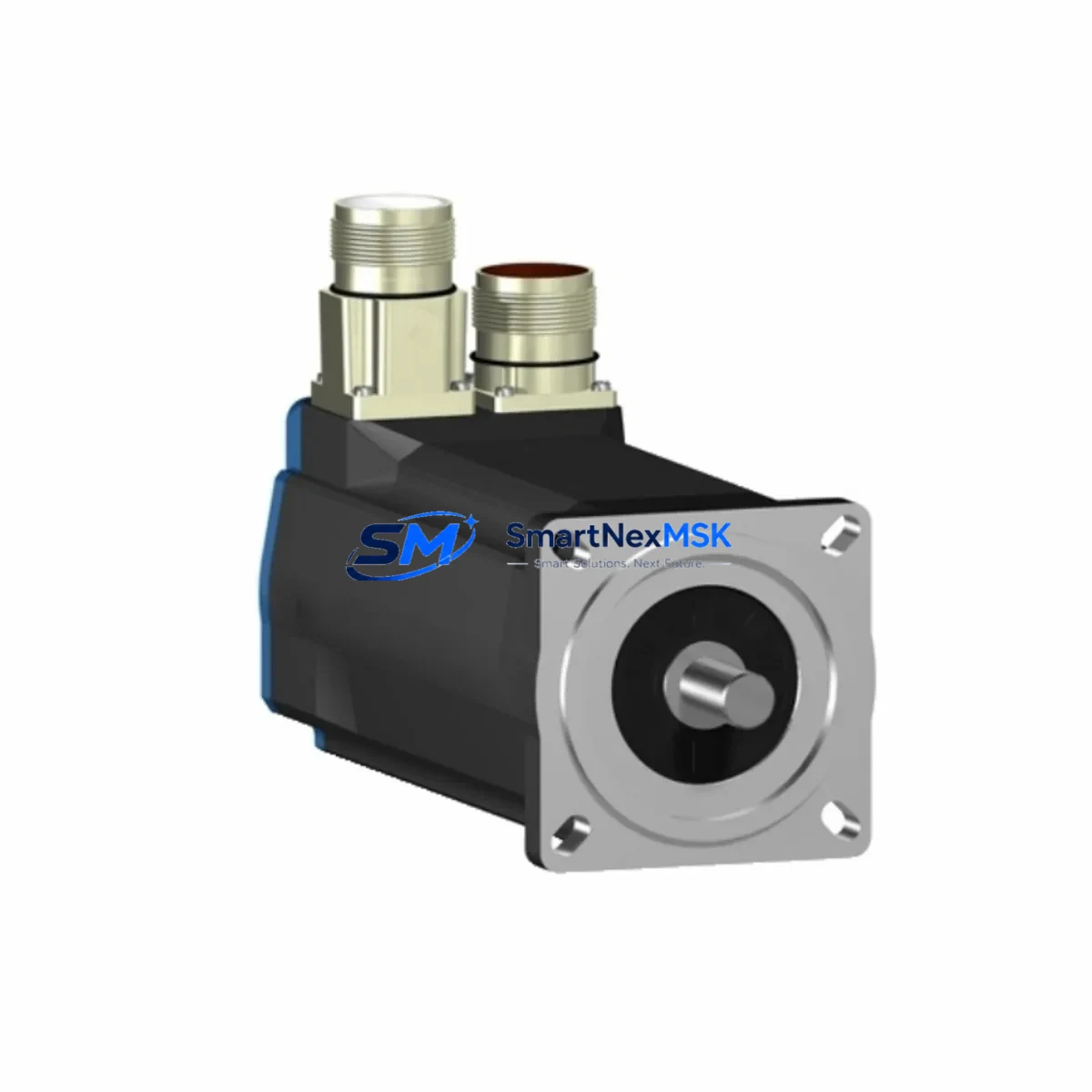
Schneider BSH0703P12F1A Retrofit-Ready AC Servo Motor: Compatible Modernization for BSH Series Control Systems
The Schneider Electric BSH0703P12F1A is a compact, high-performance AC servo motor engineered for demanding industrial motion control applications. As legacy automation lines face increasing pressure from discontinued spare parts, aging drive infrastructure, and evolving communication standards, the BSH0703P12F1A stands out as a proven retrofit solution for engineers tasked with modernizing BSH Series servo systems without full line replacement. Whether you are recovering from an unplanned breakdown, executing a planned control cabinet upgrade, or migrating from an older Lexium or Modicon-based motion platform, this motor delivers the dimensional compatibility, encoder resolution, and torque characteristics required for a smooth transition.
The BSH0703P12F1A belongs to Schneider Electric’s BSH Series of synchronous servo motors, designed to pair directly with Lexium 32, Lexium 23, and Lexium 05 servo drives. Its 24-bit SinCos encoder interface ensures high-resolution position feedback, which is critical when replacing older incremental encoder motors in precision positioning or tension control applications. Engineers migrating from discontinued BSH0702 or BSH0703 variants with different shaft or connector configurations should verify the motor’s M23 power connector pinout and brake wiring before installation, as subtle differences between sub-variants can affect terminal compatibility.
Upgrade Compatibility Table
| Parameter | BSH0703P12F1A | Retrofit Notes |
|---|---|---|
| Motor Series | BSH Series (Schneider Electric) | Direct replacement within BSH07 frame size family |
| Compatible Drives | Lexium 32A, Lexium 23, Lexium 05 | Verify drive firmware version supports BSH encoder protocol |
| Encoder Interface | 24-bit SinCos / Hiperface | Incompatible with older TTL incremental encoder drives without adapter |
| Power Connector | M23 circular connector | Confirm existing cable harness matches; re-pinning may be required |
| Holding Brake | 24 VDC integrated brake (P12 variant) | Verify brake power supply capacity in control cabinet |
| Flange / Mounting | IEC 72-1 B5 flange, 70 mm | Drop-in fit for BSH07 frame; check shaft key and coupling bore |
| Communication Protocol | CANopen / Modbus via Lexium drive | Motion program re-parameterization required if drive is also replaced |
| Commissioning Tool | SoMachine Motion / EcoStruxure Machine Expert | Auto-tuning recommended after motor swap; save original gain values |
| Warranty | 12-Month Warranty | Covered from date of shipment; includes functional test certificate |
Retrofit Planning for Existing Automation Systems
A successful BSH0703P12F1A retrofit begins well before the motor arrives on site. Start by auditing the existing control cabinet layout: confirm that the Lexium 32A or Lexium 23 servo drive is still serviceable and that its firmware is current enough to recognize the BSH encoder data stream. If the drive itself is at end-of-life, plan to replace it simultaneously with a current-generation Lexium 32i or Lexium 62 unit, which natively supports EtherCAT and Sercos III — a significant protocol upgrade over legacy CANopen wiring.
Next, inspect the motor cable assembly. The BSH0703P12F1A uses a shielded M23 power cable and a separate feedback cable routed to the drive’s encoder port. If the existing cable set is worn or was sized for a different BSH sub-variant, replace it with a Schneider Electric VW3M5101 or equivalent pre-assembled motor cable to avoid signal noise issues during commissioning. Check the cable entry glands on the control cabinet and confirm IP rating continuity.
For systems that include a Modicon M340 or Modicon M580 PLC coordinating multi-axis motion, verify that the motion function blocks in the SoMachine Motion or EcoStruxure Machine Expert project still reference the correct axis parameters after the motor swap. The BSH0703P12F1A’s rated speed, peak torque, and inertia values must match the axis configuration in the motion controller — a mismatch here will trigger drive faults during the first homing cycle. Export and archive the original project file before making any changes.
If the retrofit involves expanding I/O alongside the motor replacement, consider adding a Schneider Electric TM5 or TM7 distributed I/O module to the existing Modicon backplane. This avoids rewiring the entire terminal strip and allows incremental I/O expansion without disrupting the existing fieldbus segment. Similarly, if the HMI panel — typically a Magelis HMIGTO or HMISCU series — displays axis position data, update the HMI variable bindings to reflect any address changes introduced by the new drive configuration.
Power supply capacity is another critical checkpoint. The BSH0703P12F1A’s 24 VDC brake draws additional current at motor stop; confirm that the existing Phaseo ABL8 or equivalent 24 VDC power supply has sufficient headroom. A supply running near its rated output before the retrofit may trip on overload when the brake engages during an emergency stop sequence.
Finally, if the system uses a Lexium MDrive or a standalone motion indexer for simple point-to-point moves, verify that the indexer’s motor parameter table has been updated to reflect the BSH0703P12F1A’s electrical constants. Incorrect motor parameters in the indexer will cause oscillation or following error faults that are difficult to diagnose without the original motor datasheet on hand.
Downtime Control During System Migration
Minimizing production downtime during a servo motor replacement requires a structured pre-commissioning strategy. Before the scheduled maintenance window, prepare a complete backup of the Lexium drive parameters using the SoMachine Motion commissioning wizard or the drive’s front-panel memory card slot. Store the backup on both the engineering laptop and a USB key kept in the control cabinet. This ensures that if the new BSH0703P12F1A requires re-tuning, the original gain set can be restored within minutes rather than hours.
During the physical swap, label every connector and terminal before disconnection. The BSH0703P12F1A’s M23 power connector is keyed, but the feedback connector orientation can be ambiguous in tight cabinet layouts. Photograph the original wiring before removal. Once the new motor is mechanically installed and electrically connected, perform a low-speed jog test at 10% rated speed before enabling full motion profiles. This confirms encoder direction, brake release timing, and phase sequence without risking a high-speed fault on the first move.
For multi-axis systems where only one axis is being replaced, keep the remaining axes in a safe hold state using the Modicon PLC’s axis inhibit function blocks. This prevents coordinated motion from triggering while the replaced axis is being commissioned, protecting both the machine and the operator. Once the BSH0703P12F1A passes the jog test and auto-tune cycle, re-enable the axis in the motion program and run a full cycle at reduced speed before returning to production rate. Document the new drive parameter values and update the site’s maintenance records accordingly.
Retrofit Support FAQ
Q1: Is the BSH0703P12F1A a direct drop-in replacement for other BSH07 frame motors?
The BSH0703P12F1A shares the same 70 mm B5 flange and shaft dimensions as other BSH07 family motors, making it mechanically interchangeable in most installations. However, the “P12” designation indicates a 24 VDC holding brake and a specific encoder variant. Confirm that the replacement motor’s brake voltage, encoder protocol, and connector type match the original before installation. If the original motor used a different feedback standard (e.g., resolver instead of SinCos), an adapter or drive firmware update may be required.
Q2: What commissioning steps are required after installing the BSH0703P12F1A?
After mechanical and electrical installation, connect to the Lexium drive using EcoStruxure Machine Expert or SoMachine Motion and run the motor auto-identification routine. This procedure reads the motor’s electronic nameplate data from the encoder EEPROM and automatically configures current limits, speed loop gains, and thermal protection thresholds. Follow with a manual jog test, homing cycle verification, and a full-speed ramp test before returning the axis to automatic mode. Save the final parameter set to the drive’s internal memory card.
Q3: Can the BSH0703P12F1A be used with third-party servo drives?
The BSH0703P12F1A is optimized for use with Schneider Electric Lexium drives that support the Hiperface or SinCos encoder protocol. While some third-party drives with compatible encoder inputs can operate this motor, full auto-identification and thermal model integration are only guaranteed with Lexium drives. If using a third-party drive, manually enter the motor’s electrical parameters (resistance, inductance, back-EMF constant, inertia) from the motor datasheet and perform a manual tuning procedure.
Q4: What does the 12-month warranty cover, and how is it validated?
Every BSH0703P12F1A shipped by SMARTNEXMSK includes a 12-month warranty covering manufacturing defects, encoder failure, winding insulation breakdown, and brake malfunction under normal operating conditions. Each unit undergoes a pre-shipment functional test including no-load run, encoder signal verification, and brake engagement test. A test certificate is included with the shipment. Warranty claims are processed via [email protected] with reference to the shipment invoice and test certificate number.
© 2026 SMARTNEXMSK. All rights reserved.
Original Source: https://smartnexmsk.com
Contact: [email protected] | +86 18259474341