
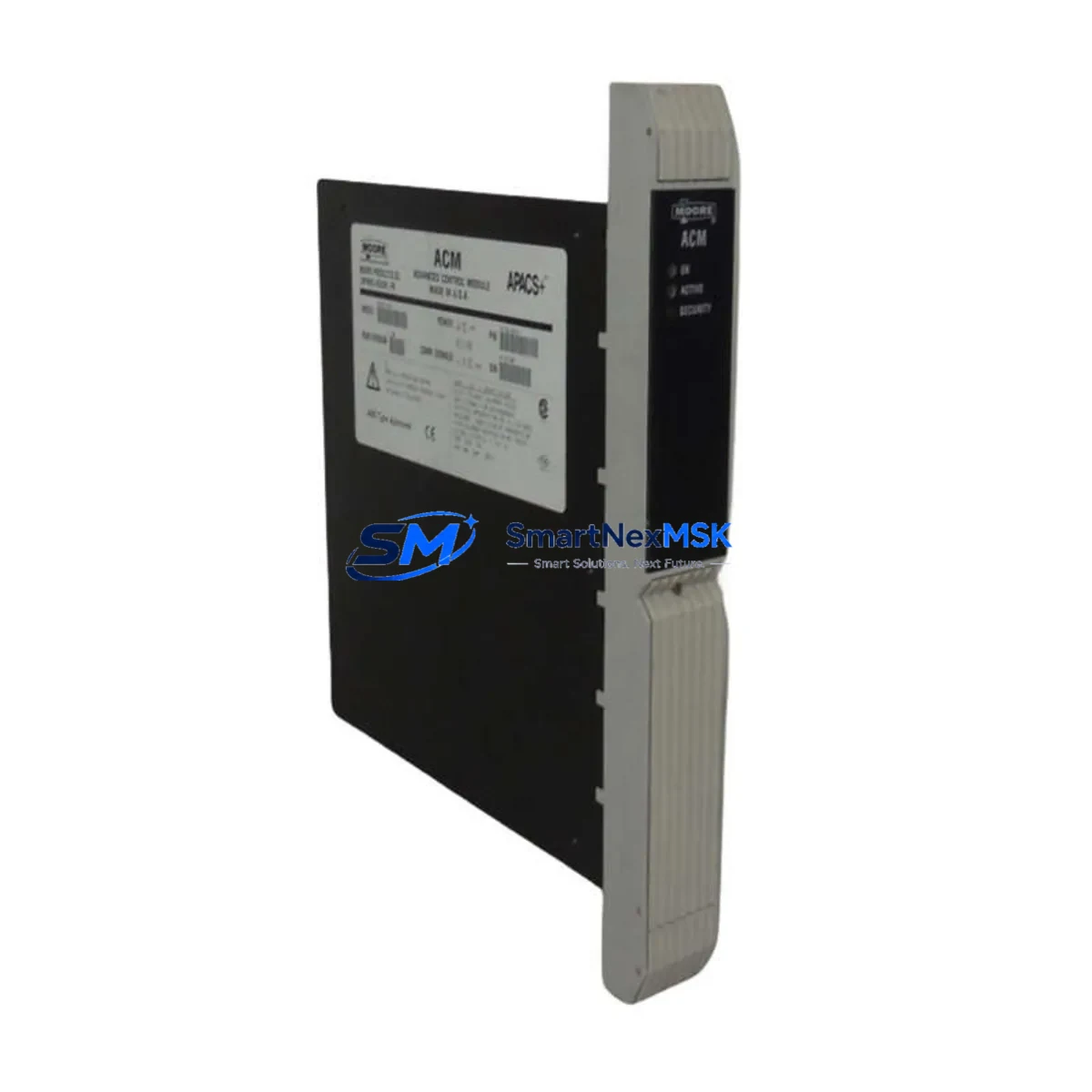
SIEMENS 39ACM14CAN Maintenance-Ready Spare for SINUMERIK Automation
The SIEMENS 39ACM14CAN is an Advanced Control Module (ACM) engineered for deployment within SIEMENS SINUMERIK CNC and SIMATIC automation control architectures. As a critical axis control and communication interface component, the 39ACM14CAN manages real-time CAN-bus coordination between the CNC controller and peripheral drive units, I/O nodes, and operator panels. When this module fails or degrades, the entire machine tool or production line faces unplanned downtime — making rapid, verified spare part replacement the highest priority for maintenance and procurement engineers.
At SMARTNEXMSK, every 39ACM14CAN unit is sourced from authorized industrial supply channels, individually inspected, and function-tested prior to shipment. Our 12-month warranty covers all verified original spare modules, giving your maintenance team the confidence to stock and deploy with zero compromise on system integrity.
Spare Maintenance Table
| Parameter | Specification / Detail |
|---|---|
| SKU / Part Number | 39ACM14CAN |
| Brand | SIEMENS |
| Module Type | Advanced Control Module (ACM) — CAN Bus Interface |
| Compatible Series | SIEMENS SINUMERIK 840D / 840Di / 810D; SIMATIC S7 peripheral integration |
| Communication Interface | CAN Bus (Controller Area Network), 14-channel axis/node support |
| Supply Voltage | 24 V DC (nominal), per SINUMERIK NCU/CCU backplane specification |
| Operating Temperature | 0 °C to +55 °C (storage: −25 °C to +70 °C) |
| Mounting | DIN rail / backplane slot, SINUMERIK NCU housing compatible |
| Weight | 2,270 g (packaged) |
| Origin | Germany (DE) |
| Condition | Original spare — new or factory-refurbished, tested before shipment |
| Warranty | 12 months from date of shipment |
| Application Environment | CNC machine tools, automated production lines, industrial control cabinets |
| Maintenance Recommendation | Replace as matched pair with associated SINUMERIK NCU board; verify CAN termination resistors and bus topology after installation |
| Compatibility Verification | Cross-reference SINUMERIK system firmware version and NCU hardware revision before installation |
Maintenance Planning for Continuous Operation
Replacing the 39ACM14CAN in a live SINUMERIK environment is rarely an isolated task. Experienced maintenance engineers understand that a CAN bus control module failure is frequently symptomatic of broader electrical stress across the control cabinet. Before returning the machine to production, a structured inspection of adjacent components is essential to prevent repeat failures and secondary downtime.
Begin with the SINUMERIK NCU (Numerical Control Unit) board — the 39ACM14CAN interfaces directly with the NCU backplane, and any voltage irregularity or firmware mismatch at the NCU level will prevent the replacement ACM from initializing correctly. Simultaneously, inspect the SIEMENS SITOP 24V DC power supply module feeding the control cabinet; an aging or undersized SITOP unit is a common root cause of ACM brownout faults and CAN communication errors.
Check all CAN bus termination resistors (typically 120 Ω at each bus end) and inspect the PROFIBUS DP communication cable if the machine uses a hybrid CAN/PROFIBUS topology. Degraded shielding or loose sub-D connectors on the PROFIBUS segment can introduce noise that mimics ACM hardware failure. If the system includes a SIEMENS OP (Operator Panel) or HMI unit — such as the OP010, OP012, or OP015 — verify that the HMI communication link to the NCU is stable after the ACM swap, as CAN topology changes can affect panel addressing.
For I/O-intensive installations, inspect the SIEMENS ET 200S or ET 200M distributed I/O modules connected downstream of the ACM. A failed ACM can mask latent faults in remote I/O terminal blocks and signal modules. This is also the right moment to test SIEMENS 6ES7 series digital and analog I/O modules for drift or contact wear, particularly in high-cycle applications such as stamping, welding, or injection molding lines.
Do not overlook the SIEMENS SINAMICS or MASTERDRIVES axis drive units that the ACM coordinates. CAN bus faults can cause drive parameter corruption; after ACM replacement, re-upload drive parameters from backup and run a controlled axis test cycle before resuming production. Finally, inspect fuse holders and miniature circuit breakers (MCBs) on the 24V DC distribution rail — a blown fuse upstream of the ACM is sometimes the actual fault, with the module itself undamaged and reusable after power restoration.
Stocking a matched set of spares — including the 39ACM14CAN, a spare NCU board, SITOP power module, and a set of I/O signal modules — is the industry-standard approach for SINUMERIK-based machine tools with long planned service lives. SMARTNEXMSK supports long-term supply agreements for facilities managing fleets of SINUMERIK 840D or 810D machines.
Site Replacement Workflow
Step 1 — Fault Isolation: Use the SINUMERIK diagnostic screen (Alarm 380xxx or 390xxx series) to confirm the 39ACM14CAN as the fault source. Export the current machine data backup (MDA/ARC file) via the NCU CF card or network share before any hardware intervention.
Step 2 — Safe Isolation: De-energize the control cabinet via the main isolator. Discharge the 24V DC bus and verify zero-voltage with a calibrated multimeter. Label all CAN bus connectors and sub-D cables before disconnection to preserve bus topology during reassembly.
Step 3 — Module Swap: Remove the faulty 39ACM14CAN from the NCU backplane slot. Install the replacement unit — ensure the module firmware version is compatible with the installed NCU software release. If a firmware update is required, perform it via the SINUMERIK service menu before connecting to the live CAN bus.
Step 4 — Bus Verification: After installation, power up in service mode. Use the SINUMERIK commissioning tool or STARTER software to verify CAN node addresses, bus cycle time, and axis communication status. Confirm all drive nodes are recognized before enabling axis motion.
Step 5 — Functional Test: Run a dry-cycle (no workpiece) through the full machine program. Monitor alarm logs for residual CAN errors. Only return the machine to production after a clean, alarm-free test cycle is confirmed.
This workflow minimizes mean time to repair (MTTR) and ensures the replacement 39ACM14CAN is fully integrated into the existing SINUMERIK system without introducing new configuration faults. SMARTNEXMSK units are pre-tested to reduce on-site commissioning time and support same-day dispatch for urgent maintenance requirements.
Spare Parts Support FAQ
Q1: Is the 39ACM14CAN a direct drop-in replacement for older SINUMERIK ACM variants?
The 39ACM14CAN is designed for SINUMERIK 840D/840Di/810D CAN bus architectures. Compatibility with earlier NCU hardware revisions should be verified against the SINUMERIK hardware compatibility matrix. SMARTNEXMSK technical support can assist with cross-reference confirmation prior to order placement.
Q2: How is each unit tested before shipment?
Every 39ACM14CAN unit undergoes functional bench testing including CAN bus communication verification, power-on self-test (POST) confirmation, and visual inspection for connector integrity and PCB condition. A test report is available upon request for quality-critical procurement processes.
Q3: What does the 12-month warranty cover?
The 12-month warranty covers manufacturing defects and functional failures under normal operating conditions from the date of shipment. It does not cover damage resulting from incorrect installation, overvoltage events, or unauthorized modification. Warranty claims are processed with priority dispatch of a replacement unit.
Q4: Can SMARTNEXMSK support long-term or blanket stock agreements for the 39ACM14CAN?
Yes. For facilities operating multiple SINUMERIK 840D or 810D machines, SMARTNEXMSK offers reserved stock arrangements and scheduled delivery programs to ensure spare availability without capital lock-up. Contact our team to discuss volume pricing and lead-time commitments.
© 2026 SMARTNEXMSK. All rights reserved.
Original Source: https://smartnexmsk.com
Contact: [email protected] | +86 18259474341



