
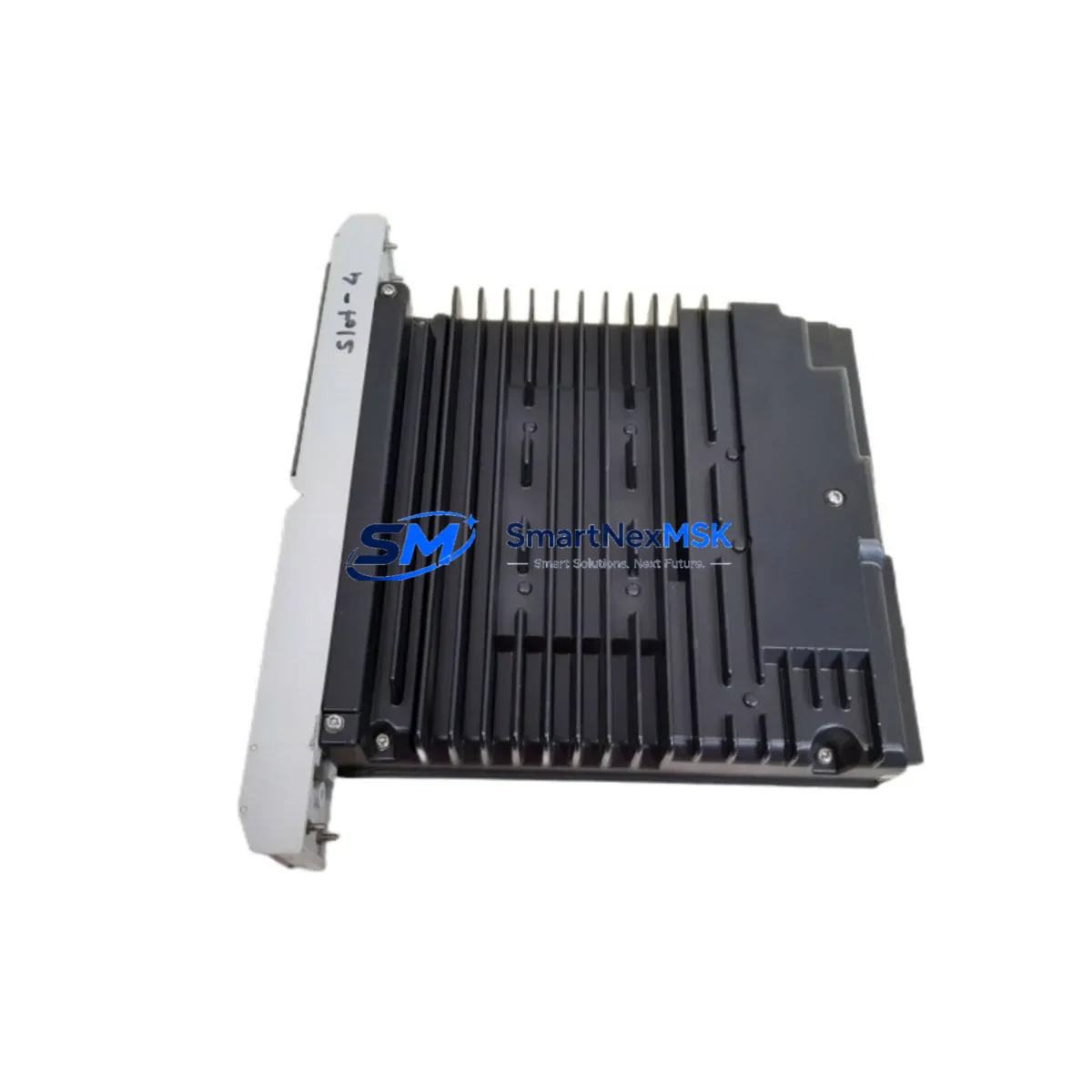
SIEMENS 39SAMCAN 16133-71/8 Retrofit-Ready Analog Module for TELEPERM M Control Systems
The SIEMENS 39SAMCAN 16133-71/8 is a Standard Analog Module (SAM) engineered for the TELEPERM M distributed control system — one of Siemens’ most widely deployed process automation platforms in the power generation, chemical, and petrochemical industries. As TELEPERM M hardware reaches end-of-life and original spare inventories shrink, the 39SAMCAN 16133-71/8 has become a critical retrofit component for plants committed to extending the operational life of their existing DCS infrastructure without undertaking a full platform migration.
This module handles analog signal conditioning within the TELEPERM M rack architecture, interfacing directly with field transmitters, control valves, and measurement loops. Its role in the signal chain makes it a high-priority item in any retrofit or upgrade planning exercise — a failed or degraded SAM module can disrupt entire process loops, triggering unplanned shutdowns and costly production losses.
Upgrade Compatibility Table
| Parameter | Specification / Recommendation |
|---|---|
| SKU | 39SAMCAN 16133-71/8 |
| Brand / Series | SIEMENS / TELEPERM M |
| Module Type | Standard Analog Module (SAM) — DCS Analog I/O |
| Signal Interface | Analog input/output, compatible with 4–20 mA and voltage signal loops |
| Rack / Backplane | TELEPERM M standard rack; verify slot assignment and backplane bus connector alignment |
| Power Supply Compatibility | 24 VDC rack bus; confirm PS module (e.g., 6DS1 series power supply) output capacity before installation |
| Communication Protocol | TELEPERM M internal bus; no fieldbus reconfiguration required for like-for-like replacement |
| Address / Configuration | Module address set via DIP switch or jumper; verify against existing AS (Automation Station) configuration |
| Replacement Scope | Direct drop-in for same-slot 39SAMCAN variants; confirm hardware revision compatibility |
| Origin | Germany (DE) |
| Weight | 2,000 g (approx.) |
| Warranty | 12-Month Warranty — tested and verified before shipment |
Retrofit Planning for Existing Automation Systems
Replacing the 39SAMCAN 16133-71/8 in a live TELEPERM M system requires a structured approach that accounts for the interdependencies between modules, racks, and field wiring. Before pulling the existing SAM module, maintenance and retrofit engineers should conduct a full audit of the control cabinet to identify all components that share the same rack bus or process loop.
Start with the power supply module — typically a 6DS1 series PS unit — and verify that its output current budget can support the replacement SAM alongside other installed modules such as the 6DS1 600-series digital output modules and any co-installed 39SAMCAN variants in adjacent slots. Overloaded rack power supplies are a common root cause of intermittent analog signal errors that are often misdiagnosed as module failures.
Next, inspect the terminal modules and field wiring marshalling panels connected to the SAM’s I/O channels. TELEPERM M systems frequently use dedicated terminal blocks and signal cables routed through marshalling cabinets; confirm that the wiring labeling matches the channel assignment documented in the AS program. If the plant has undergone any partial upgrades — for example, replacing field transmitters with HART-enabled devices — verify that the analog input channels on the 39SAMCAN are configured to accept the correct signal range.
For plants that have introduced PROFIBUS DP or PROFINET segments alongside the legacy TELEPERM M backbone, pay close attention to the communication gateway modules (such as the IM series interface modules) that bridge the old and new protocol domains. The 39SAMCAN itself operates on the native TELEPERM M internal bus, but any upstream data aggregation through a modern DCS or SCADA layer will require the gateway configuration to be validated after module replacement.
HMI screens and operator station faceplates that reference the replaced analog loop should be checked for tag mapping consistency. In TELEPERM M environments, the AS (Automation Station) program and the OS (Operator Station) database are tightly coupled; a module address change or channel reassignment can cause tag mismatches that result in incorrect process values being displayed on the control room screens. Coordinate with the control system engineer to confirm that no program download or OS database update is required after the physical swap.
Additionally, review the fuse protection for the analog I/O circuits. TELEPERM M installations commonly use miniature fuse holders on the terminal rail to protect individual signal loops; replace any suspect fuses as part of the retrofit to avoid nuisance trips after commissioning the new module.
Downtime Control During System Migration
Minimizing downtime during a TELEPERM M analog module replacement requires pre-staging the 39SAMCAN 16133-71/8 and completing all preparatory steps before the maintenance window opens. The following workflow is recommended for retrofit teams working under tight shutdown schedules:
Pre-shutdown preparation: Obtain the current AS program backup and document all channel assignments, scaling parameters, and alarm setpoints for the loops served by the target SAM slot. Photograph the existing module’s DIP switch or jumper settings before removal. Confirm that the replacement 39SAMCAN 16133-71/8 has been bench-tested and that its hardware revision matches or is confirmed compatible with the installed AS version.
During the maintenance window: Place the affected control loops in manual mode at the operator station before removing the module. This preserves the last known output state and prevents process upsets caused by loss of analog feedback. Remove the SAM module carefully, noting the backplane connector condition. Insert the replacement module, verify the address settings, and restore rack power. Observe the module’s status LEDs for fault-free initialization before returning loops to automatic mode.
Post-replacement verification: Perform a live signal check on all channels — compare field transmitter readings against the OS display values to confirm correct scaling and no channel offset errors. Check the AS diagnostic buffer for any hardware fault messages. If the plant uses a historian or data logger connected to the TELEPERM M OS, verify that trend data resumes correctly for all affected tags.
By following this structured approach, retrofit teams can typically complete a single SAM module replacement within a two-to-four-hour maintenance window, significantly reducing the risk of extended unplanned downtime.
Retrofit Support FAQ
Q1: Is the 39SAMCAN 16133-71/8 a direct replacement for all TELEPERM M SAM variants?
The 39SAMCAN 16133-71/8 is designed for the TELEPERM M platform, but TELEPERM M SAM modules exist in several hardware revisions and sub-variants. Before ordering, confirm the existing module’s full part number (including the suffix after the slash) and cross-reference with your AS program’s hardware configuration. Our technical team can assist with compatibility verification based on your system’s AS version and rack layout.
Q2: Does replacing this module require a program download to the Automation Station?
In most like-for-like replacement scenarios, no program download is required — the AS recognizes the module by its slot address and hardware type. However, if the replacement module has a different hardware revision or if the slot address settings differ from the original, a partial or full AS download may be necessary. Always back up the current AS program before beginning the replacement.
Q3: How is the module tested before shipment?
Every 39SAMCAN 16133-71/8 unit is functionally tested on a TELEPERM M-compatible test rack prior to shipment. Testing covers analog I/O channel integrity, bus communication, and power consumption within specification. A test report is available upon request. All units are covered by a 12-month warranty from the date of shipment.
Q4: What is the lead time and can you support urgent retrofit projects?
We maintain stock of the 39SAMCAN 16133-71/8 to support urgent retrofit and emergency replacement requirements. Standard orders ship within 1–3 business days. For critical plant shutdowns or emergency procurement, contact our team directly at [email protected] or +86 18259474341 to arrange expedited dispatch and documentation.
© 2026 SMARTNEXMSK. All rights reserved.
Original Source: https://smartnexmsk.com
Contact: [email protected] | +86 18259474341



