
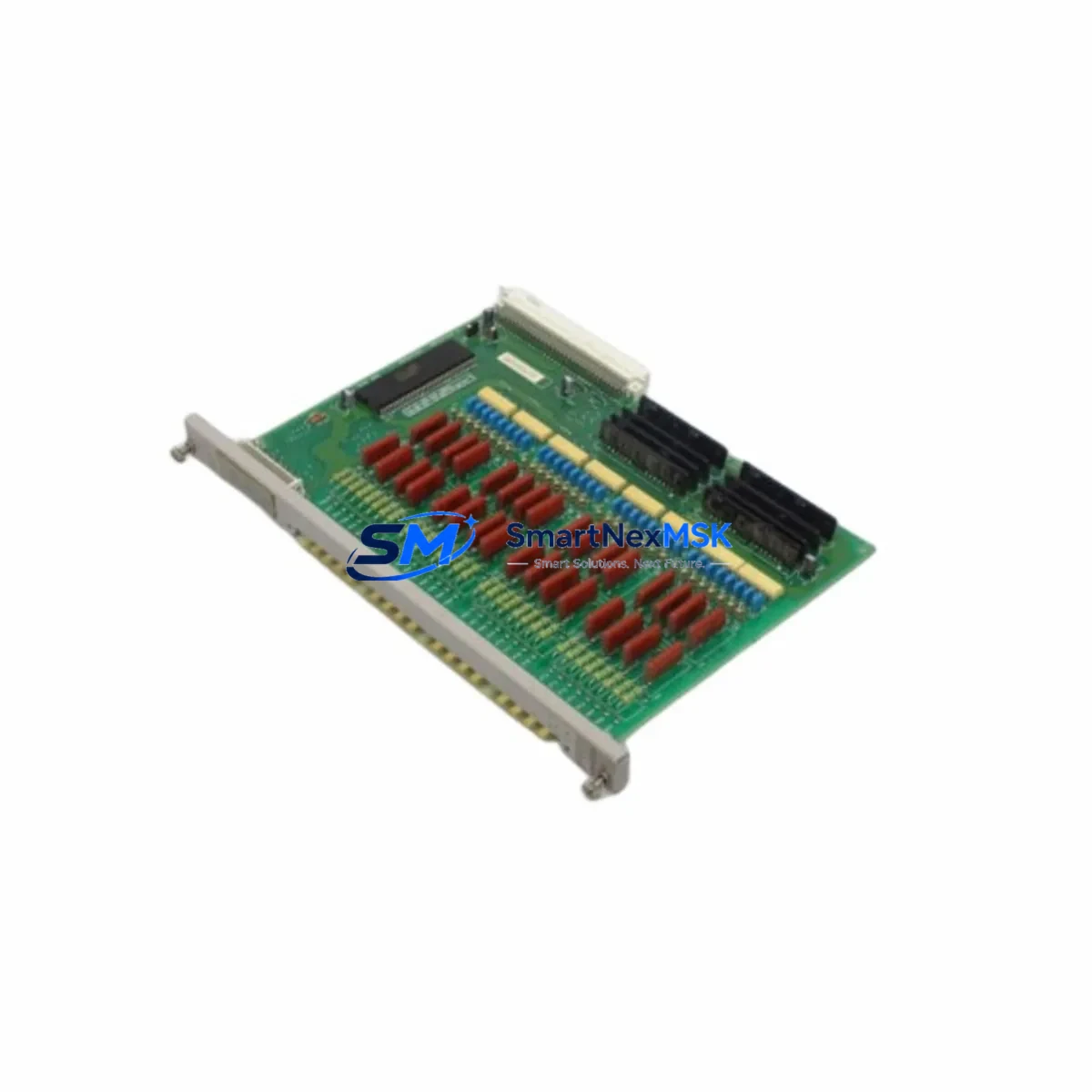
Siemens 505-4232 Retrofit-Ready AC Input Module for SIMATIC TI505 Control Systems
The Siemens 505-4232 is a 32-point, 100–240 VAC discrete input module engineered for the SIMATIC TI505 programmable controller platform. As legacy TI505 systems approach end-of-support milestones and original spare parts become increasingly scarce, the 505-4232 remains one of the most sought-after retrofit components for engineers tasked with extending the operational life of existing control cabinets, upgrading aging I/O infrastructure, or executing a phased migration to a modern control architecture. This module is stocked, tested, and shipped with a 12-month warranty to support your retrofit timeline with confidence.
Upgrade Compatibility Table
| Parameter | Specification / Retrofit Note |
|---|---|
| Module SKU | 505-4232 |
| Platform | SIMATIC TI505 (Texas Instruments / Siemens) |
| Input Type | 32-point discrete AC input |
| Input Voltage | 100–240 VAC, 47–63 Hz |
| Backplane Interface | TI505 I/O bus — direct slot insertion, no adapter required |
| Installation | Mounts in any standard TI505 I/O rack (e.g., 505-6860, 505-6870 series) |
| Communication Compatibility | Compatible with TIWAY, SINEC H1, and serial communication modules on the same rack |
| Replacement Candidates | Directly replaces earlier 505-4230 (16-pt) configurations where I/O density upgrade is required |
| Terminal Wiring | Field-side wiring via removable terminal block; existing field wiring can be retained during swap |
| Module Addressing | Slot-based addressing; update I/O map in TISOFT or STEP 7 TI505 programming environment |
| Commissioning Focus | Verify input filter time, force table entries, and diagnostic status bits post-installation |
| Warranty | 12 months from date of shipment — covers manufacturing defects and functional failure |
Retrofit Planning for Existing Automation Systems
Successful integration of the 505-4232 into a running production environment requires a structured approach that accounts for both hardware compatibility and software continuity. Before scheduling a maintenance window, engineers should audit the existing rack configuration. The TI505 platform uses a modular rack architecture — common rack models such as the 505-6860 (4-slot) and 505-6870 (8-slot) accept the 505-4232 without mechanical modification. Confirm available slot count and backplane power budget before ordering additional I/O modules.
Power supply capacity is a critical pre-check. The 505-9001 and 505-9002 power supply modules each carry a defined backplane current rating. Adding a 32-point AC input module increases the 5 VDC backplane load; verify that the installed power supply can support the expanded I/O count without triggering an overload fault. If the existing supply is already near capacity, a parallel power supply or rack expansion using a 505-6880 remote I/O rack may be required.
On the software side, the 505-4232 uses slot-based I/O addressing within the TISOFT II or TISOFT 2000 programming environment. When replacing a failed module of the same type, the address map is preserved and no program changes are required. However, if the 505-4232 is being added to a previously unused slot — or if it is replacing a module of a different point count — the I/O configuration table must be updated and the program re-downloaded to the 505-CPU546 or 505-CPU558 processor module. Always back up the existing program to a programming cable-connected laptop before any hardware change.
Communication continuity is equally important in multi-drop TIWAY networks. If the control system includes a 505-CP1434 TIWAY master or a 505-7051 network interface module, verify that the network scan list and station addresses are not disrupted by the rack change. In systems that have been partially migrated to Ethernet-based communication using a 505-CP343 or equivalent Ethernet CP module, confirm that the new I/O module’s diagnostic data is correctly mapped in the updated network configuration.
HMI screens connected via SIMATIC WinCC, ProTool, or legacy COROS LS-B panels that display field input status from the replaced module should be validated after commissioning. Input tag addresses tied to the 505-4232’s I/O range must be confirmed against the updated I/O map to prevent display errors or false alarm conditions on the operator panel.
For sites performing a broader control system upgrade — for example, migrating from TI505 to SIMATIC S7-300 or S7-400 — the 505-4232 can serve as a bridge module during a phased cutover. Running the legacy TI505 rack in parallel with a new S7 rack via a shared field terminal block allows engineers to validate the new program logic against live field signals before committing to a full cutover, significantly reducing commissioning risk and unplanned downtime.
Downtime Control During System Migration
Minimizing production interruption during a module swap or system migration is the primary concern for most maintenance teams. The 505-4232 supports hot-swap preparation: with the rack powered down at the slot level (where rack design permits), the module can be removed and replaced without disturbing adjacent slots. Field wiring on the removable terminal block can be pre-wired on the replacement module before the maintenance window begins, reducing the physical swap time to under five minutes.
Before the planned outage, place the affected I/O points in a known safe state using the force table in TISOFT. Document all forced values and confirm with the process engineer that the controlled equipment can tolerate the transition. After module insertion, release forces in sequence and monitor the diagnostic LED indicators on the 505-4232 front panel — a steady green RUN indicator confirms normal operation. If a red FAULT LED is present, check the module address assignment and verify that the backplane connector is fully seated.
For systems where even a brief outage is unacceptable, a parallel rack strategy using a 505-6880 remote I/O expansion rack allows the new 505-4232 to be installed and addressed in a shadow slot while the original module remains active. Program logic can be duplicated to read from both addresses simultaneously during a validation period, after which the original module is removed and the shadow address becomes the primary. This approach keeps the control loop active throughout the migration and is particularly effective in continuous-process industries where a hard stop carries significant restart costs.
All modules shipped by SMARTNEXMSK undergo functional power-on testing prior to dispatch. Each 505-4232 unit is verified for input channel continuity, backplane communication handshake, and LED diagnostic response. A test report is available upon request. The 12-month warranty covers any functional failure arising from manufacturing defects, providing procurement teams with the assurance needed to approve retrofit budgets without extended negotiation.
Retrofit Support FAQ
Q1: Is the 505-4232 a direct drop-in replacement for a failed module of the same part number?
Yes. The 505-4232 is slot-compatible with any standard TI505 I/O rack. No program changes are required when replacing a module of the same type in the same slot. Re-download the program as a precaution if the processor has lost its memory backup, and verify the I/O configuration table matches the installed module count.
Q2: What wiring changes are needed when upgrading from a 16-point 505-4230 to the 32-point 505-4232?
The terminal block layout differs between 16-point and 32-point modules. The additional 16 input channels require new field wiring to the expanded terminal positions. Update the I/O address map in TISOFT to reflect the additional points, and confirm that the backplane power budget accommodates the increased module load before installation.
Q3: Can the 505-4232 operate in a rack that also contains communication modules such as the 505-CP1434 or 505-7051?
Yes. The 505-4232 coexists with communication modules, processor modules, and other I/O modules on the same TI505 rack without interference. Ensure that the total backplane current draw across all installed modules does not exceed the power supply rating. No special configuration is required for mixed-module racks.
Q4: What does the 12-month warranty cover, and how is a warranty claim processed?
The 12-month warranty covers functional failure and manufacturing defects from the date of shipment. It does not cover damage resulting from incorrect installation, overvoltage, or physical mishandling. To initiate a warranty claim, contact [email protected] with the order number, module serial number, and a description of the fault. A replacement unit or repair will be arranged within the agreed lead time.
© 2026 SMARTNEXMSK. All rights reserved.
Original Source: https://smartnexmsk.com
Contact: [email protected] | +86 18259474341



