
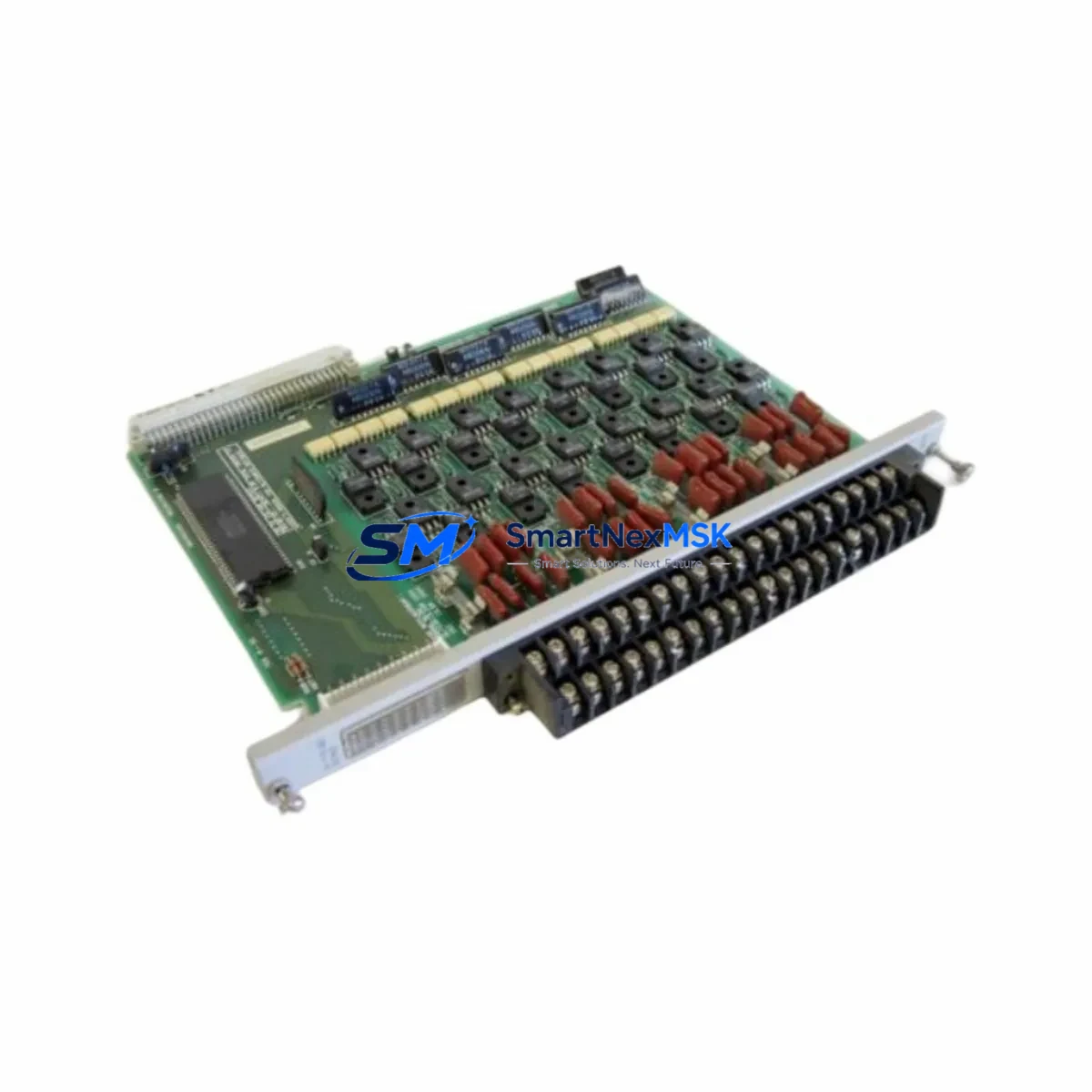
SIEMENS 505-4632 Maintenance-Ready Spare for TI505 Automation
The SIEMENS 505-4632 is a 32-point discrete output module engineered for the SIMATIC TI505 programmable logic controller platform — one of the most widely deployed legacy PLC architectures in continuous process, discrete manufacturing, and utility automation environments. For maintenance engineers managing aging TI505 control systems, sourcing a verified, test-shipped replacement for the 505-4632 is often the single fastest path to restoring production uptime after an unplanned output module failure. This listing provides an original-specification 505-4632 spare, inspected prior to dispatch, backed by a 12-month warranty, and available for rapid worldwide shipment to minimize your plant’s exposure to extended downtime.
Whether your facility operates a single TI505 rack or a distributed multi-rack architecture tied to a central supervisory system, the 505-4632 output module sits at the critical interface between your PLC’s logic execution and the field devices — contactors, solenoid valves, motor starters, and indicator lamps — that drive your process. A failed output module does not merely disable one output point; in many installations it can take down an entire 32-channel output group, halting conveyor lines, shutting off pump control circuits, or disabling safety interlock outputs. Rapid spare availability is therefore not a convenience — it is a core element of your maintenance risk management strategy.
Spare Maintenance Table
| Parameter | Specification |
|---|---|
| Part Number / SKU | 505-4632 |
| Brand | SIEMENS |
| Series | SIMATIC TI505 |
| Module Type | Discrete Output Module |
| Output Points | 32-point |
| Output Type | Relay / Solid-State (field-verified per revision) |
| Rated Voltage | 24 VDC / 120–240 VAC (load-side, application dependent) |
| Backplane Compatibility | SIMATIC TI505 I/O rack (5-slot, 10-slot, 16-slot) |
| Installation | Direct rack insertion, keyed connector, no tools required |
| Operating Temperature | 0°C to +60°C |
| Storage Temperature | -40°C to +85°C |
| Humidity | 5–95% RH, non-condensing |
| Country of Origin | Germany |
| Condition | Original spare, pre-shipment tested |
| Compatibility | Drop-in replacement for SIMATIC TI505 systems; verify rack slot addressing before installation |
| Warranty | 12 months from date of shipment |
| Shipping | Worldwide express; ESD-safe packaging |
Maintenance Planning for Continuous Operation
Replacing the 505-4632 in a live TI505 system is rarely an isolated task. Experienced maintenance engineers know that an output module failure is frequently a symptom of broader electrical stress in the control cabinet. Before returning the system to service, a structured inspection of adjacent components is strongly recommended.
Begin with the TI505 power supply module (such as the 505-6860 or 505-6870 series) — verify output voltage rails are within tolerance, as undervoltage conditions accelerate output driver degradation across all installed I/O modules. Next, inspect the 505-4620 or 505-4622 discrete input modules sharing the same rack; input-side transients caused by field wiring faults can propagate through the backplane and stress output circuitry. Check the TI505 backplane and rack assembly for corrosion, loose connector pins, or heat discoloration at the 505-4632 slot — a damaged backplane connector will cause recurring failures even after module replacement.
On the field wiring side, inspect the terminal blocks and wiring harnesses connected to the 505-4632’s output terminals. Loose terminations, undersized conductors, or corroded lugs are common root causes of output point failures. If the module drives inductive loads such as motor starters or solenoid valves, verify that surge suppression devices (RC snubbers or varistors) are installed across each load — their absence will shorten the service life of any replacement module. For installations using interposing relay modules between the 505-4632 and high-current field devices, inspect relay coil resistance and contact condition; worn relay contacts can back-feed voltage spikes into the output module.
If your TI505 system includes a 505-6850 communications module or a TIWAY network interface, confirm that the network configuration file still correctly maps the replaced module’s slot address after reinsertion. Communication modules that cache I/O configuration may require a cold restart or configuration reload. Similarly, if an HMI panel — such as a legacy SIMATIC OP or TP series operator panel — displays output status from this module, verify that tag addresses remain valid after the replacement. Finally, check any signal isolators or loop-powered transmitters in circuits controlled by the 505-4632 outputs; these devices can be damaged by the same fault conditions that caused the original module failure.
A proactive spare parts inventory for a TI505 installation should include at minimum: one 505-4632 output module, one matched discrete input module, one power supply module, a set of terminal block assemblies, and a communications module if network-connected. This inventory posture reduces mean time to repair (MTTR) from days to hours in the event of a multi-component failure event.
Site Replacement Workflow
Step 1 — Isolation: Follow your site’s lockout/tagout (LOTO) procedure. De-energize the TI505 rack or, if hot-swap is supported by your system revision, confirm the PLC is in STOP mode before removing the 505-4632.
Step 2 — Documentation: Photograph the existing module’s slot position, wiring connections, and any field-applied labels before removal. Record the module’s firmware revision label if visible.
Step 3 — Removal: Release the module locking tab, extract the 505-4632 from the rack, and place it in an ESD-safe bag for return or failure analysis.
Step 4 — Inspection: Inspect the rack slot connector for bent pins, debris, or heat damage. Clean with dry compressed air if required.
Step 5 — Installation: Insert the replacement 505-4632 firmly until the locking tab engages. Do not force — misalignment will damage the backplane connector.
Step 6 — Wiring verification: Reconnect field wiring per your as-built drawings. Verify terminal torque to manufacturer specification.
Step 7 — Power-up and test: Restore power, place the PLC in RUN mode, and exercise each of the 32 output points through your HMI or programming terminal. Confirm field device response for each channel before returning the system to automatic operation.
Step 8 — Documentation update: Record the replacement in your CMMS (Computerized Maintenance Management System), update your spare parts inventory, and reorder a replacement spare to restore your buffer stock.
This workflow is applicable whether you are replacing a failed 505-4632 on an emergency basis or performing a planned swap during a scheduled maintenance window. The same procedure supports system life extension strategies for TI505 installations that are not scheduled for migration to newer PLC platforms in the near term.
Spare Parts Support FAQ
Q1: Is this 505-4632 a new original part or a refurbished unit?
This is an original-specification SIEMENS 505-4632 spare sourced from authorized industrial supply channels. Each unit undergoes pre-shipment functional testing and is dispatched in ESD-safe packaging. The 12-month warranty covers manufacturing defects and functional failures under normal operating conditions.
Q2: How do I verify compatibility with my specific TI505 rack revision?
The 505-4632 is designed for the SIMATIC TI505 I/O rack family. Compatibility is determined by rack slot type (standard I/O slot) and backplane connector format. Before ordering, confirm your rack model number and slot addressing scheme from your system documentation. If you require compatibility verification support, contact our technical team with your rack model and existing module revision details.
Q3: What is your lead time and shipping process for urgent maintenance situations?
In-stock units are dispatched within 1 business day of order confirmation. Express worldwide shipping options are available for emergency maintenance situations. All units are shipped in anti-static, shock-protected packaging suitable for air freight. Tracking information is provided upon dispatch. Contact us directly for same-day dispatch requirements.
Q4: What does the 12-month warranty cover, and what is the claims process?
The 12-month warranty covers functional failure of the 505-4632 under normal industrial operating conditions as specified by SIEMENS. It does not cover damage caused by incorrect installation, overvoltage events, physical impact, or operation outside rated environmental parameters. To initiate a warranty claim, contact our support team with your order reference, a description of the failure mode, and photographic evidence of the installation. Replacement or repair will be arranged promptly to minimize your downtime exposure.
© 2026 SMARTNEXMSK. All rights reserved.
Original Source: https://smartnexmsk.com
Contact: [email protected] | +86 18259474341



