
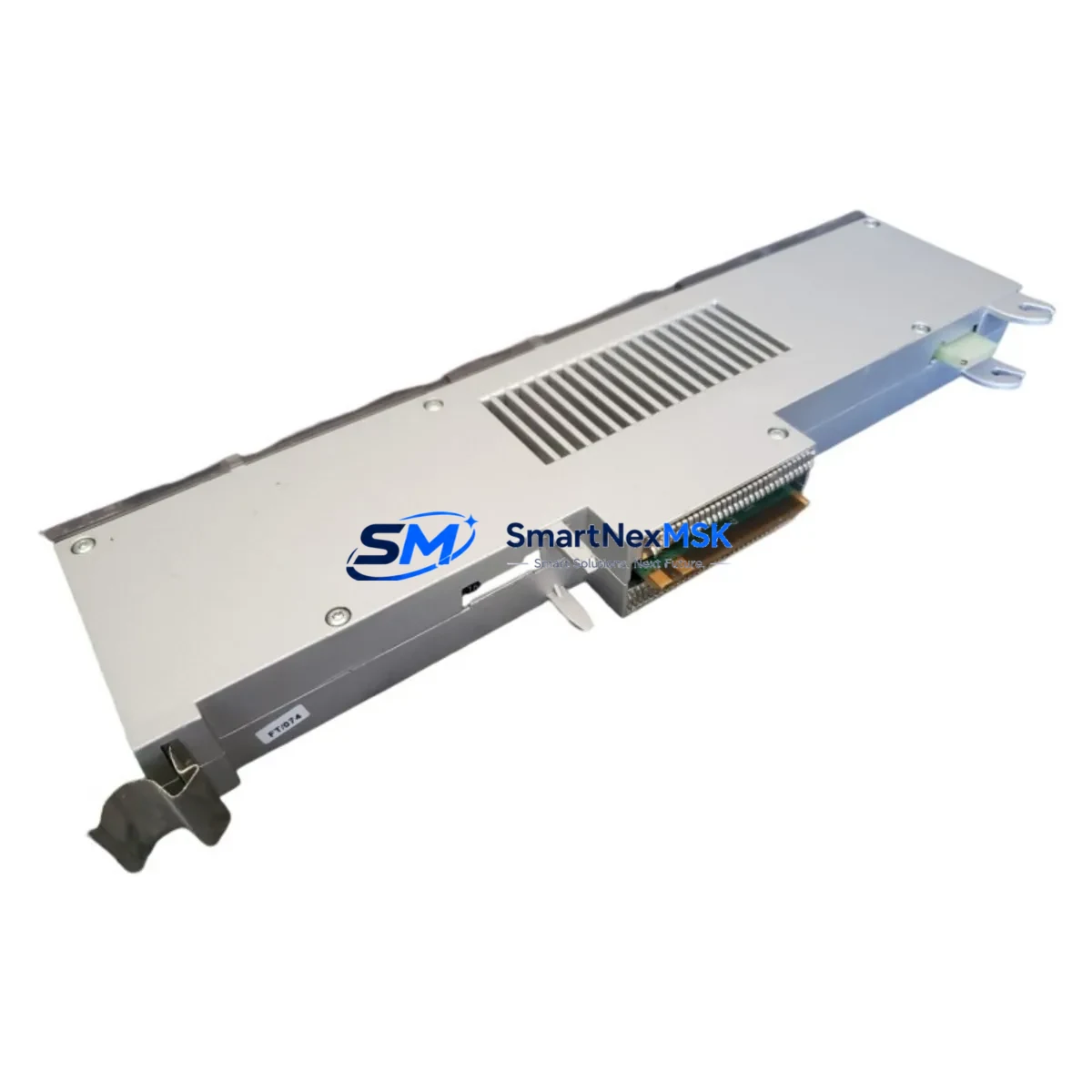
Siemens 562-001 Spare for SIMATIC S5 Automation: Rapid Replacement & Downtime Control
The Siemens 562-001 is an original processor module designed for the SIMATIC S5 programmable logic controller platform — one of the most widely deployed legacy automation systems in industrial facilities worldwide. For maintenance engineers managing aging control infrastructure, sourcing a verified, tested spare for the 562-001 is a critical step in any downtime recovery or planned maintenance strategy. This module serves as the central processing unit within the S5 rack, executing the user program, managing I/O communication, and coordinating system diagnostics. When this component fails or degrades, the entire control loop is interrupted — making rapid, compatible replacement essential to restoring production continuity.
At SMARTNEXMSK, every 562-001 unit is sourced from original Siemens supply channels, inspected for physical integrity, and functionally tested prior to shipment. We maintain standing inventory of this module to support emergency replacement scenarios, planned overhaul cycles, and long-term spare parts stocking programs. Our 12-month warranty covers all shipped units, giving procurement engineers confidence in both quality and lifecycle support.
Spare Maintenance Table
| Parameter | Specification |
|---|---|
| Part Number / SKU | 562-001 |
| Brand | Siemens |
| Series | SIMATIC S5 |
| Module Type | PLC Processor Module (CPU) |
| Compatible Rack | SIMATIC S5 Standard / Extended Rack |
| Supply Voltage | 24 V DC (via backplane / PS module) |
| Program Memory | Integrated RAM / EPROM (S5-series standard) |
| I/O Interface | Via S5 backplane bus; compatible with S5 digital and analog I/O modules |
| Communication | MPI / SINEC L1 (series-dependent); compatible with S5 CP modules |
| Operating Temperature | 0 °C to +60 °C |
| Mounting | DIN rail / rack slot installation |
| Country of Origin | Germany |
| Condition | Original spare; tested before shipment |
| Warranty | 12 Months |
| Delivery | Global express shipping; same-day dispatch available |
Maintenance Planning for Continuous Operation
When replacing the Siemens 562-001 processor module in a SIMATIC S5 system, a thorough site assessment is essential to prevent repeat failures and ensure full system restoration. Maintenance engineers should treat this replacement as an opportunity to audit the entire control cabinet and associated electrical circuit.
Begin with the power supply module — the S5 PS 951 or PS 955 power supply units are common companions to the 562-001 in S5 racks. Verify output voltage stability and check for capacitor aging, which is a frequent root cause of processor resets in legacy systems. Next, inspect the backplane bus connector and rack slot contacts for oxidation or mechanical wear, as poor backplane contact can cause intermittent CPU faults that mimic processor failure.
Review all digital input and output modules installed in the same rack — S5 DI/DO modules such as the 6ES5 420 and 6ES5 430 series should be checked for blown fuses, damaged terminal blocks, and correct wiring polarity. If the system uses analog I/O modules (e.g., 6ES5 460 or 6ES5 470 series), verify signal calibration and shielding integrity, as analog signal noise can cause erratic CPU behavior.
For systems with communication modules — such as the S5 CP 521 SI or CP 523 — confirm that the communication parameters are correctly configured after the CPU swap, as some CP modules store configuration data locally and may require re-initialization. If the installation includes SINEC L1 or L2 network segments, verify bus termination resistors and cable continuity before restarting the system.
Do not overlook signal isolators and relay output modules in the field wiring circuit. Relay coil failures and signal isolator drift are common in systems that have operated for 10+ years without component refresh. Checking terminal strip integrity — particularly screw torque and wire ferrule condition on Phoenix Contact or Weidmüller-style terminal blocks — is a low-cost step that prevents post-replacement wiring faults.
If the facility operates an HMI panel connected to the S5 CPU (such as a Siemens OP7, OP17, or third-party panel via PPI/MPI adapter), confirm that the HMI communication link is re-established after the CPU replacement and that all screen tags are reading correctly. Finally, review the battery backup module for the CPU’s RAM retention — a depleted backup battery will cause program loss on power cycle, which is a common post-replacement oversight in S5 systems.
Site Replacement Workflow
Step 1 — Pre-Replacement Backup: Before removing the 562-001, use a Siemens PG (Programming Device) or compatible S5 programming software (e.g., STEP 5 / S5 for Windows) to perform a full program backup to a PG or PC. Confirm the backup file is readable and complete. Document all current CPU configuration parameters including memory area assignments and I/O addressing.
Step 2 — Safe Isolation: Place the system in a safe state per your site’s lockout/tagout (LOTO) procedure. De-energize the rack power supply and verify zero voltage at the backplane before handling the CPU module. Allow capacitors in the PS module to discharge for a minimum of 60 seconds.
Step 3 — Module Swap: Remove the 562-001 by releasing the front panel locking mechanism and sliding the module out of the rack slot. Insert the replacement 562-001 into the same slot, ensuring the backplane connector is fully seated. Secure the front panel latch.
Step 4 — Program Restore and Configuration: Re-energize the rack and connect the PG. Download the backed-up program to the new CPU. Verify all I/O addresses, timer/counter values, and data block contents match the pre-replacement state. Set the CPU operating mode to RUN and confirm no fault LEDs are active.
Step 5 — Functional Verification: Perform a controlled I/O test — cycle each output and verify field device response. Confirm all analog inputs are reading within expected engineering unit ranges. Check HMI communication and confirm all process values are displayed correctly. Log the replacement in the site maintenance record with date, technician name, and new module serial number.
This workflow minimizes downtime, preserves system compatibility, and ensures the replacement 562-001 is fully operational before returning the system to production.
Spare Parts Support FAQ
Q1: Is the Siemens 562-001 still available as a new original spare?
The SIMATIC S5 series has been officially discontinued by Siemens, but original spare modules including the 562-001 remain available through authorized industrial spare parts suppliers. SMARTNEXMSK maintains verified stock of original 562-001 units sourced from Siemens-authorized channels. Each unit is inspected and tested before shipment to ensure it meets original factory specifications.
Q2: How do I verify compatibility before installation?
Compatibility verification for the 562-001 should include confirming the rack type (S5 standard or extended), the existing CPU firmware version if applicable, and the I/O module addressing scheme currently in use. Our technical team can assist with compatibility confirmation based on your system’s existing configuration. We recommend providing your current CPU order number and rack layout for pre-shipment verification.
Q3: What is included in the 12-month warranty and what does the pre-shipment test cover?
All 562-001 units shipped by SMARTNEXMSK carry a 12-month warranty covering manufacturing defects and functional failure under normal operating conditions. Pre-shipment testing includes power-on verification, backplane communication check, and basic I/O bus response test. Units that do not pass functional testing are not shipped. In the event of a warranty claim, we provide replacement or full refund within the warranty period.
Q4: Can SMARTNEXMSK support long-term spare parts stocking for S5 systems?
Yes. We offer long-term supply agreements for facilities operating legacy SIMATIC S5 systems. This includes reserved stock allocation, priority dispatch for emergency orders, and periodic inventory review to align with your planned maintenance schedule. Contact our team to discuss a customized spare parts stocking program for your site.
© 2026 SMARTNEXMSK. All rights reserved.
Original Source: https://smartnexmsk.com
Contact: [email protected] | +86 18259474341



