
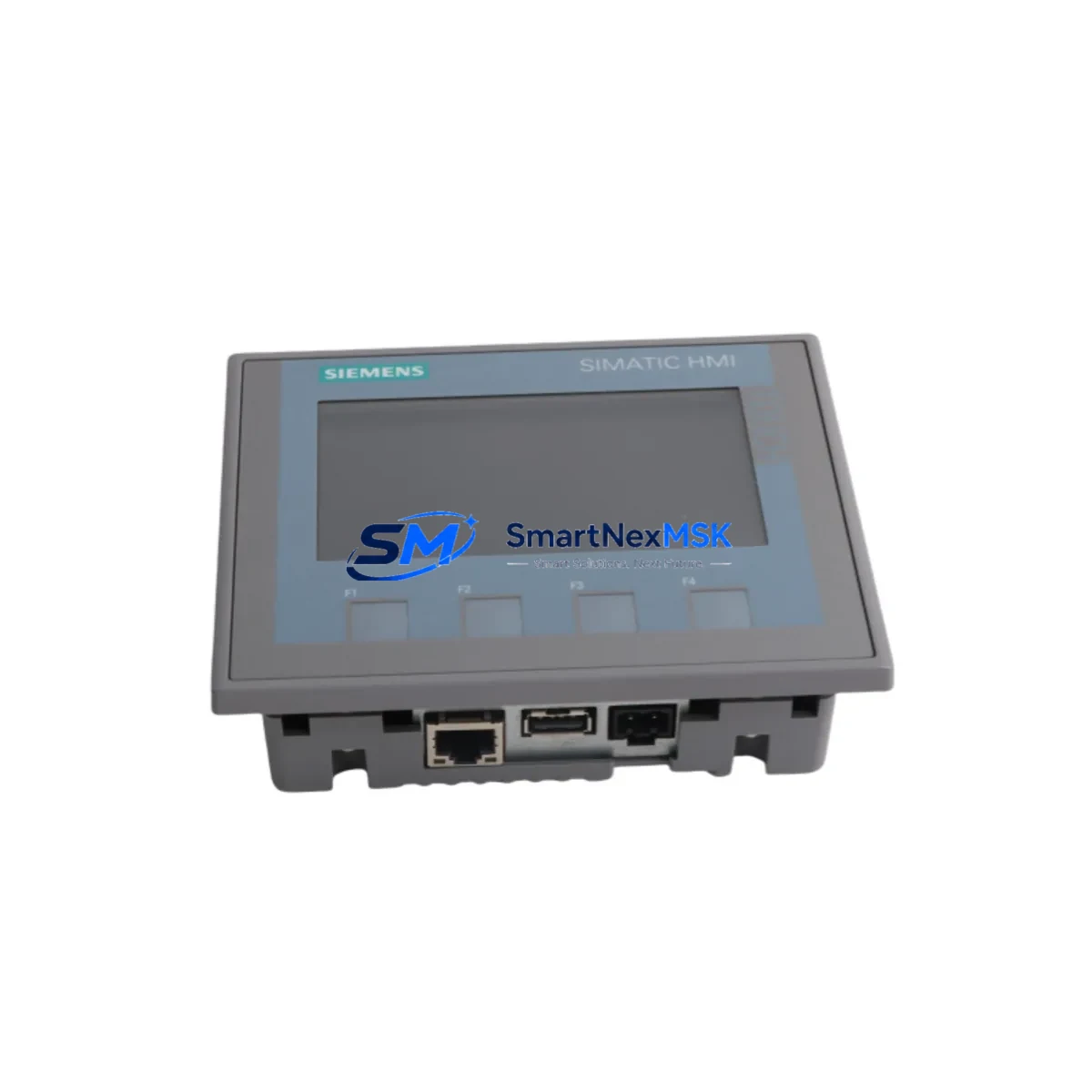
Siemens 6AV2123-2DB03-0AX0 Retrofit-Ready HMI for SIMATIC Control Systems
The Siemens 6AV2123-2DB03-0AX0 is a KTP400 Basic 4-inch key/touch combination HMI panel engineered for seamless integration into SIMATIC S7-1200 and S7-300 control architectures. As legacy operator panels reach end-of-life and production lines demand higher reliability, the 6AV2123-2DB03-0AX0 has become the go-to retrofit solution for system integrators and maintenance engineers managing aging control cabinets. Its PROFINET interface, compact 96 × 96 mm front panel cutout, and TIA Portal-native configuration make it one of the most deployment-ready HMI replacements available for brownfield automation projects.
Whether you are replacing a discontinued OP77B, TP177B, or an older KTP400 Mono panel, the 6AV2123-2DB03-0AX0 delivers a direct upgrade path with minimal re-engineering. The panel supports 4-inch TFT color display at 480 × 272 resolution, 4 MB user memory, and up to 500 tags — sufficient for most machine-level visualization tasks in packaging, conveying, and process control applications. Its 24 VDC power supply requirement aligns with standard control cabinet rail power, and the rear-mount PROFINET RJ45 port connects directly to the same network segment as the S7-1200 CPU 1214C or CPU 1215C without additional hardware.
All units are pre-tested prior to shipment and covered by a 12-month warranty against manufacturing defects. Stock is maintained for immediate dispatch, supporting urgent replacement scenarios where production downtime must be minimized.
Upgrade Compatibility Table
| Parameter | Details |
|---|---|
| SKU / Part Number | 6AV2123-2DB03-0AX0 |
| Series | SIMATIC HMI KTP400 Basic |
| Display | 4″ TFT Color, 480 × 272 px |
| Interface | PROFINET (RJ45) |
| Power Supply | 24 VDC (20.4–28.8 V) |
| Compatible Controllers | S7-1200, S7-300, S7-400 (via PN) |
| Replaces | OP77B, TP177B, KTP400 Mono, KTP400 Basic PN (older firmware) |
| Configuration Tool | TIA Portal V13 SP1 and above |
| Panel Cutout | 96 × 96 mm (standard DIN cutout) |
| Communication Protocol | PROFINET IO, S7 Protocol |
| Retrofit Recommendation | Direct replacement; verify tag mapping and screen layout in TIA Portal before go-live |
| Commissioning Notes | Update firmware via TIA Portal; re-assign IP address; validate all alarm and trend screens |
| Warranty | 12 Months from date of shipment |
Retrofit Planning for Existing Automation Systems
A successful retrofit of the 6AV2123-2DB03-0AX0 into an existing control system begins well before the panel arrives on-site. Engineers should first audit the existing control cabinet to confirm that the 24 VDC supply rail — typically sourced from a SITOP PSU100S or equivalent power supply module — can deliver the required 0.5 A continuous load for the HMI without affecting other consumers on the same rail. If the cabinet also houses a Siemens ET 200SP distributed I/O station or an ET 200M IM 153-4 PN interface module, the network switch port allocation must be reviewed to ensure the new HMI panel receives a dedicated PROFINET slot with appropriate bandwidth reservation.
Terminal wiring for the 6AV2123-2DB03-0AX0 uses a standard 2-pin power connector at the rear of the panel. When replacing an OP77B or TP177B, the existing 24 VDC wiring can typically be reused after verifying polarity and cable cross-section. The PROFINET cable should be Cat 5e or better, with a maximum segment length of 100 m to the nearest managed switch or directly to the S7-1200 CPU’s integrated PROFINET port.
Before removing the old panel, export the existing HMI project from WinCC flexible or the legacy SIMATIC ProTool environment and convert it using the TIA Portal migration wizard. Screen layouts, tag connections, alarm definitions, and recipe structures can be migrated with varying degrees of automation depending on the source version. Plan for manual verification of all operator screens, particularly any screens that reference S7-300 DB blocks or MPI-addressed tags, since the 6AV2123-2DB03-0AX0 communicates exclusively over PROFINET and does not support MPI or PROFIBUS DP natively.
If the existing system includes a Siemens S7-300 CPU 315-2 PN/DP connected via PROFIBUS DP to field devices such as a Siemens SINAMICS G120 drive or a Siemens SIRIUS 3RW soft starter, the HMI retrofit does not affect those field-level connections. The 6AV2123-2DB03-0AX0 connects only to the PROFINET segment and reads/writes data through the S7-300’s integrated PN port or through a CP 343-1 Advanced communications processor if the CPU lacks a native PROFINET interface. Confirm the CP module’s firmware version supports the S7 communication driver used by TIA Portal’s HMI runtime.
For systems where the control cabinet also contains a Siemens SCALANCE X208 industrial Ethernet switch, the HMI can be connected to any available port. Assign a static IP address within the same subnet as the S7-1200 or S7-300 controller, and configure the device name in TIA Portal’s hardware configuration to match the PROFINET device name stored in the panel’s flash memory. A SIMATIC Automation Tool or Primary Setup Tool (PST) can be used to assign the IP address and device name remotely before physical installation, reducing on-site commissioning time significantly.
Downtime Control During System Migration
Minimizing production downtime during an HMI retrofit requires a structured pre-commissioning approach. The recommended practice is to configure and test the new 6AV2123-2DB03-0AX0 panel on a bench setup — using a spare S7-1200 CPU or a PLCSIM Advanced simulation — before the scheduled maintenance window. Load the migrated TIA Portal project, verify all tag connections, simulate alarm triggers, and confirm that recipe download and upload functions operate correctly. This bench validation typically takes 2–4 hours and eliminates the most common causes of extended downtime: incorrect tag mapping, missing alarm texts, and unresolved screen navigation errors.
During the actual swap, the sequence should be: power down the control cabinet, disconnect the old panel’s power and PROFINET cables, remove the panel from the cutout, install the 6AV2123-2DB03-0AX0, reconnect power and PROFINET, power up, and confirm the panel boots and establishes communication with the PLC within 30 seconds. If the panel displays a “Connection to PLC interrupted” message, verify the IP address assignment and PROFINET device name using the TIA Portal online diagnostics. The entire physical swap can be completed in under 15 minutes by a trained technician, keeping the control system offline for the minimum possible duration.
The original PLC program running on the S7-1200 or S7-300 does not need to be modified for the HMI replacement, provided the tag names and DB structures remain unchanged in the TIA Portal project. This is a key advantage of the 6AV2123-2DB03-0AX0 retrofit path: the field control logic, including all PID loops, sequence programs, and safety interlocks, continues to execute uninterrupted on the controller while the HMI is being replaced. Production can resume as soon as the operator confirms that all critical process screens are displaying correctly and alarm acknowledgment is functional.
Retrofit Support FAQ
Q1: Can the 6AV2123-2DB03-0AX0 directly replace an OP77B or TP177B without modifying the PLC program?
In most cases, yes. The PLC program does not need to change. You will need to migrate the HMI project to TIA Portal and re-map tags to the PROFINET communication driver. The physical cutout dimensions are different (96 × 96 mm vs. the OP77B’s 148 × 96 mm), so a panel adapter plate or cutout modification may be required.
Q2: What wiring changes are needed when replacing an older KTP400 Mono with the 6AV2123-2DB03-0AX0?
The power connector pinout is identical (24 VDC, 2-pin). The main change is the communication interface: if the old panel used PROFIBUS DP, you will need to add a PROFINET connection. Ensure the S7-300 CPU or CP module has an available PROFINET port, or install a CP 343-1 Advanced to add PROFINET capability to the existing rack.
Q3: How is compatibility verified before shipment?
All 6AV2123-2DB03-0AX0 units undergo a power-on functional test covering display, touch response, key input, and PROFINET port integrity before dispatch. Units are shipped with original Siemens firmware. A test report is available upon request for quality-critical applications.
Q4: What does the 12-month warranty cover?
The 12-month warranty covers manufacturing defects, display failures, communication port faults, and power supply failures under normal operating conditions (0–50°C, non-condensing). It does not cover damage from incorrect wiring, overvoltage, or physical impact. Warranty claims are processed within 5 business days of receipt of the returned unit.
© 2026 SMARTNEXMSK. All rights reserved.
Original Source: https://smartnexmsk.com
Contact: [email protected] | +86 18259474341



