
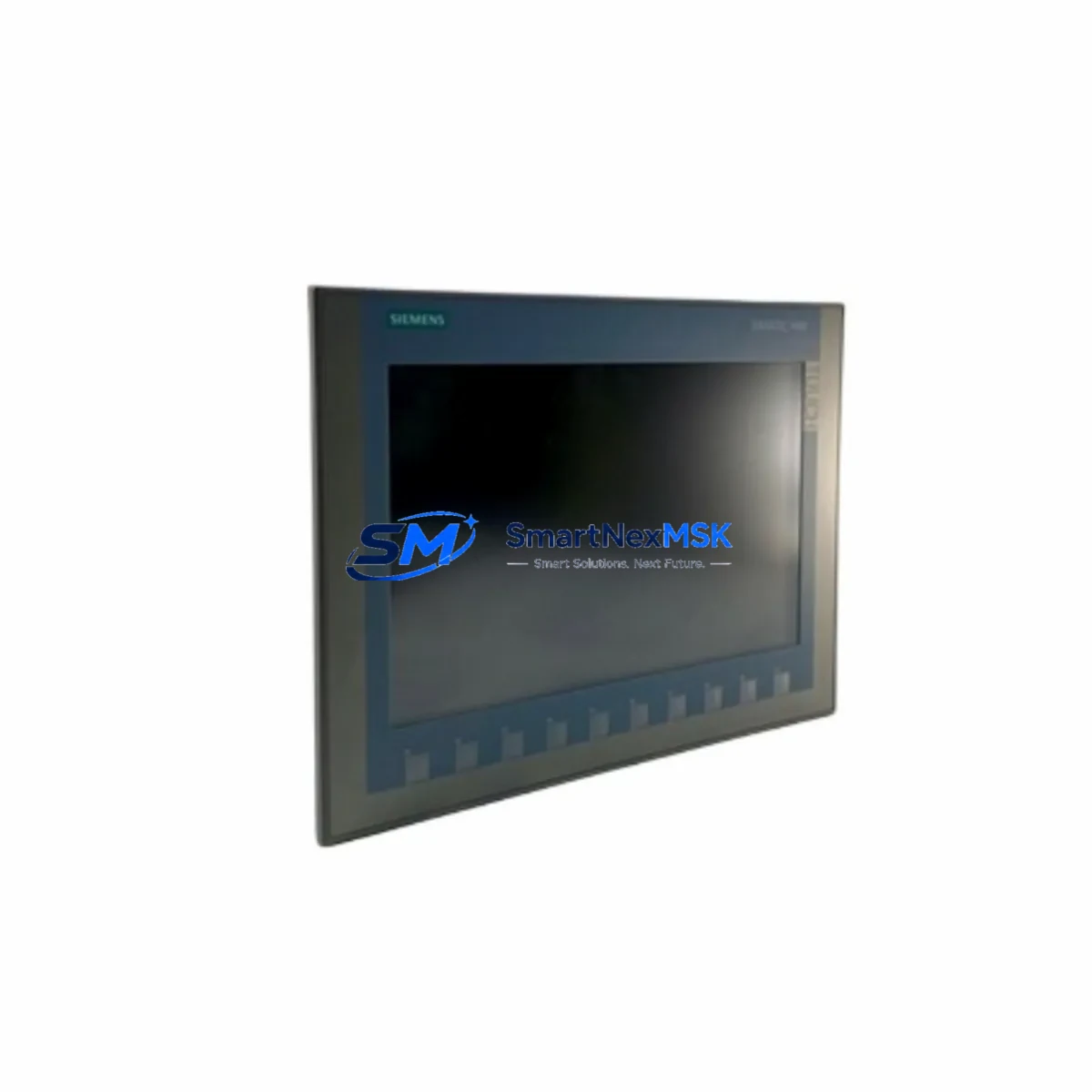
Siemens 6AV2123-2MB03-0AX0 KTP1200 Basic HMI Spare: Rapid Replacement for Industrial Downtime Control
The Siemens 6AV2123-2MB03-0AX0 is the SIMATIC KTP1200 Basic 12-inch key-and-touch HMI panel, a cornerstone operator interface in SIMATIC S7-1200 and S7-1500 automation architectures. When this panel fails or reaches end-of-service life, production lines dependent on real-time process visualization face immediate downtime risk. Maintaining a verified original spare in your parts inventory is the most reliable strategy for minimizing mean time to repair (MTTR) and protecting continuous operation in process, discrete, and hybrid manufacturing environments.
This unit is sourced as an original Siemens component, fully tested prior to shipment, and backed by a 12-month warranty. It is compatible with TIA Portal V13 SP1 and later engineering environments, making it a direct drop-in replacement for aging or damaged KTP1200 Basic panels without requiring software reconfiguration beyond standard project download.
Spare Maintenance Table
| Parameter | Specification |
|---|---|
| Part Number / SKU | 6AV2123-2MB03-0AX0 |
| Series | SIMATIC KTP1200 Basic |
| Display Size | 12.1″ TFT widescreen, 1280 × 800 px |
| Input Method | Touch + 10 configurable function keys |
| Supply Voltage | 24 V DC (20.4–28.8 V DC) |
| Power Consumption | Approx. 18 W typical |
| Communication Interface | PROFINET (1× RJ45), USB (Type A + Mini B) |
| Compatible Controllers | SIMATIC S7-1200, S7-1500, S7-300/400 (via PN) |
| Engineering Software | TIA Portal V13 SP1 and above |
| Protection Rating | IP65 (front panel), IP20 (rear) |
| Operating Temperature | 0 °C to +50 °C |
| Mounting | Panel cutout, portrait or landscape |
| Origin | Germany |
| Weight | Approx. 1,800 g |
| Warranty | 12 Months — tested and verified before shipment |
| Compatibility Verification | Confirmed against SIMATIC KTP1200 Basic product family |
Maintenance Planning for Continuous Operation
A KTP1200 Basic panel replacement should never be treated in isolation. Maintenance engineers and procurement teams planning a scheduled or emergency swap of the 6AV2123-2MB03-0AX0 should simultaneously audit the surrounding control cabinet components to prevent cascading failures and ensure the restored system operates reliably.
Begin with the 24 V DC power supply feeding the HMI — units such as the Siemens SITOP PSU100S 6EP1334-2BA20 are common in S7-1200 cabinets and should be checked for output voltage stability and ripple before reconnecting a new panel. A degraded power supply is a frequent root cause of repeated HMI failures and display anomalies.
Inspect the PROFINET switch or managed switch in the cabinet, such as the SCALANCE X005 or X208, to confirm port integrity and cable termination. The KTP1200 Basic communicates exclusively over PROFINET, so any switch port degradation or cable fault will prevent the panel from establishing a connection with the S7-1200 or S7-1500 CPU after replacement.
Review the CPU module itself — for example, the SIMATIC S7-1200 CPU 1214C (6ES7214-1AG40-0XB0) or S7-1500 CPU 1511-1 PN — for firmware version compatibility with the TIA Portal project loaded on the replacement HMI. A firmware mismatch can cause communication errors that mimic hardware faults.
Check all signal modules and I/O expansion cards connected to the CPU rack, including digital input modules (e.g., SM 1221) and digital output modules (e.g., SM 1222), as process alarms displayed on the KTP1200 are driven by these I/O states. Faulty I/O modules may generate misleading alarm screens on the new panel.
Examine terminal blocks and wiring harnesses at the rear of the panel cutout. Loose or corroded terminals on the 24 V supply lines and USB/PROFINET connectors are a common source of intermittent panel resets. Replace any discolored or heat-stressed terminal blocks as part of the maintenance window.
If the cabinet includes a signal isolator or barrier between field sensors and the PLC analog input modules — such as a Phoenix Contact MINI MCR or Siemens SITRANS signal conditioner — verify isolation resistance and output signal accuracy, as corrupted analog values will produce erroneous trend displays on the HMI.
For systems using SIMATIC S7-300 or S7-400 legacy controllers connected via PROFINET adapter cards (e.g., CP 343-1 or CP 443-1), confirm the communication processor firmware and IP configuration remain unchanged after the HMI swap, as address conflicts will prevent the new panel from going online.
Finally, if the installation includes a UPS module (such as the SITOP UPS1600) protecting the HMI and CPU from power interruptions, test the battery backup capacity and transfer time during the maintenance window. A UPS with a degraded battery will not protect the new panel during grid fluctuations, risking data loss and project corruption.
Site Replacement Workflow
Step 1 — Pre-replacement backup: Using TIA Portal, export the current HMI project from the existing panel via USB or network backup. Store the .ap file on a secure engineering workstation. This ensures zero configuration loss even if the original panel is non-responsive.
Step 2 — Power isolation: De-energize the 24 V DC supply to the HMI panel at the cabinet isolator. Verify absence of voltage with a calibrated multimeter before disconnecting PROFINET and USB cables.
Step 3 — Physical removal: Release the panel mounting clamps from the rear of the cutout. The KTP1200 Basic uses a standard snap-clamp system — no special tooling required. Note the cable routing before disconnection to ensure correct reinstallation.
Step 4 — Install replacement unit: Insert the 6AV2123-2MB03-0AX0 replacement into the same cutout. Reconnect PROFINET, USB, and 24 V DC supply in reverse order. Torque terminal screws to specification to prevent intermittent contact.
Step 5 — Project download: Power on the panel and use TIA Portal to download the backed-up HMI project via PROFINET or USB. Confirm device name and IP address assignment match the original configuration. The replacement panel will accept the same project without hardware reconfiguration if the article number matches.
Step 6 — Functional verification: Navigate all HMI screens, confirm alarm acknowledgment, trend display, and PLC communication status. Perform a simulated I/O test to verify all process values are displayed correctly before returning the system to production.
This workflow typically achieves full system restoration within 60–90 minutes for a prepared maintenance team, significantly reducing unplanned downtime compared to waiting for on-site repair or panel refurbishment.
Spare Parts Support FAQ
Q1: Is this 6AV2123-2MB03-0AX0 a genuine original Siemens unit or a compatible replacement?
This is an original Siemens SIMATIC KTP1200 Basic panel. It is not a third-party compatible or refurbished unit. Each unit is tested for display, touch response, communication interface, and power input before shipment, and is covered by a 12-month warranty from the date of delivery.
Q2: How do I verify compatibility with my existing TIA Portal project before ordering?
The 6AV2123-2MB03-0AX0 is compatible with TIA Portal V13 SP1 and all later versions. If your project was created in an earlier version, a one-time project migration is required — this is a standard TIA Portal upgrade procedure and does not affect HMI functionality. Provide your current TIA Portal version and CPU model when contacting our technical team for pre-order compatibility confirmation.
Q3: What is your recommended spare parts stocking strategy for KTP1200 Basic panels?
For production lines with a single KTP1200 Basic as the primary operator interface, we recommend maintaining at least one verified spare on-site. For multi-line facilities or critical process applications, a 1:5 ratio (one spare per five installed panels) is a common industry benchmark. Given the 6AV2123-2MB03-0AX0’s role as the sole operator interface in many S7-1200 cells, an unplanned failure without a spare can result in full line stoppage until a replacement is sourced and shipped.
Q4: What does the 12-month warranty cover, and what is the return process if a fault is found after installation?
The 12-month warranty covers manufacturing defects, display failures, communication interface faults, and power input failures under normal operating conditions. It does not cover physical damage caused by incorrect installation, overvoltage, or environmental exposure beyond the rated IP65/IP20 specification. If a fault is identified after installation, contact [email protected] with your order number and a description of the fault. We will arrange priority replacement shipment to minimize your downtime.
© 2026 SMARTNEXMSK. All rights reserved.
Original Source: https://smartnexmsk.com
Contact: [email protected] | +86 18259474341



