
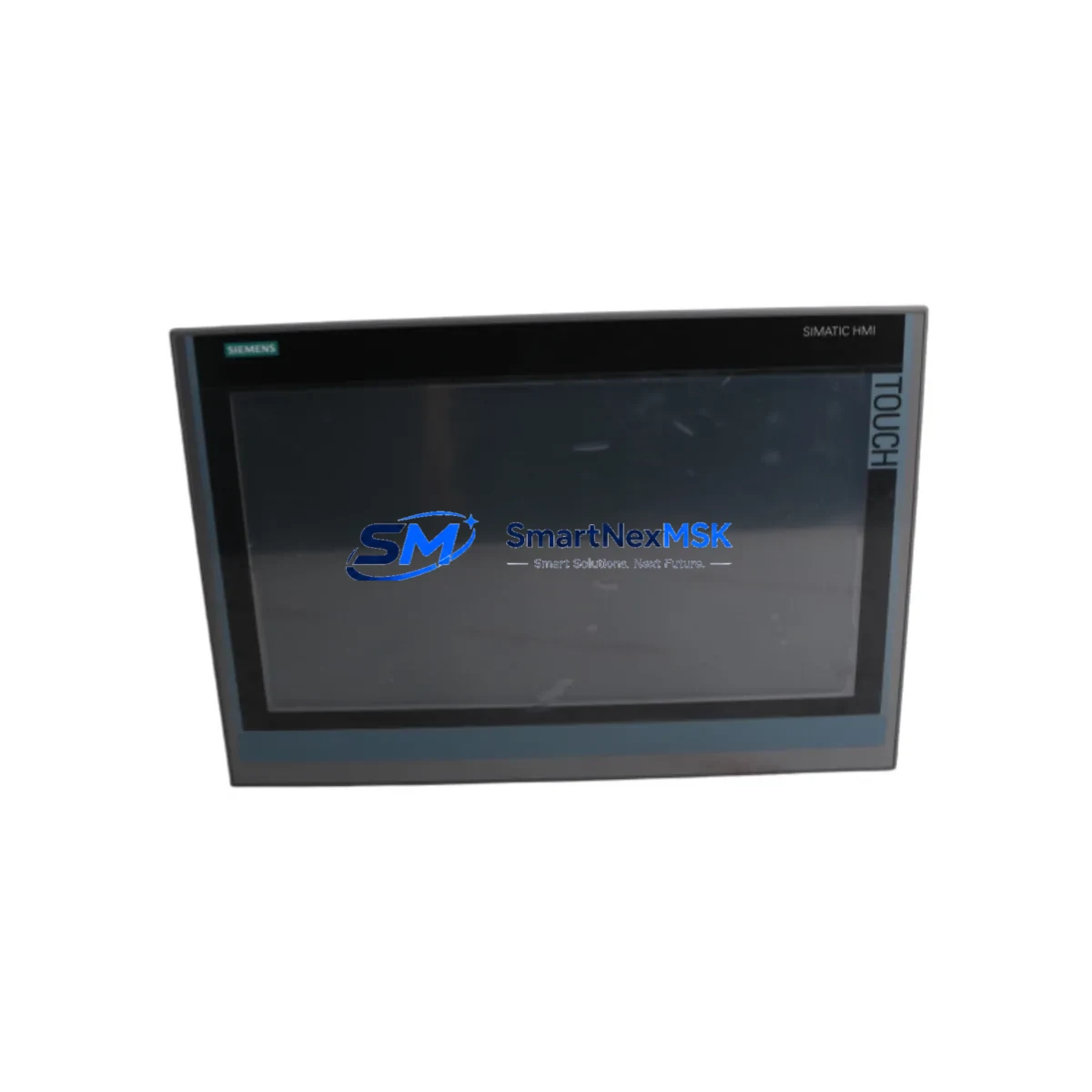
Siemens 6AV2124-0UC02-0AX1 Retrofit-Ready HMI Panel: Seamless Upgrade for Legacy SIMATIC Control Systems
The Siemens 6AV2124-0UC02-0AX1 is a 12-inch widescreen SIMATIC HMI Comfort Panel designed for demanding industrial environments where legacy visualization systems must be replaced without disrupting production continuity. Whether you are retiring an aging TP1200 Comfort predecessor, migrating from an older SIMATIC Panel PC, or upgrading a control cabinet that has been in service for over a decade, this unit provides a direct retrofit path with minimal re-engineering. It supports PROFINET and MPI/PROFIBUS communication interfaces, making it compatible with a wide range of existing S7-300, S7-400, and S7-1500 controller architectures without requiring a full PLC replacement.
For engineers managing brownfield automation sites, the 6AV2124-0UC02-0AX1 addresses the most common retrofit challenges: physical mounting compatibility, communication protocol continuity, and HMI project migration. The panel uses a standard 12-inch cutout dimension consistent with previous Comfort Panel generations, allowing direct installation into existing control cabinet doors without structural modification. The integrated PROFINET port supports both PROFINET IO and S7 routing, enabling the panel to communicate with distributed I/O racks such as ET 200SP and ET 200M without changes to the field wiring or network topology.
Before beginning a retrofit, engineers should verify the following: the existing 24 VDC power supply capacity (the panel draws up to 18 W under full backlight load), terminal block wiring for the power connector, and the availability of a free PROFINET port on the managed switch or directly on the CPU such as the S7-1500 CPU 1515-2 PN. If the legacy system uses MPI or PROFIBUS DP, the panel’s integrated RS-422/485 port supports both protocols, and the existing PC adapter or programming cable such as the PC Adapter USB A2 can be reused for initial commissioning.
HMI project migration from WinCC flexible to TIA Portal WinCC is a critical step in the retrofit workflow. Siemens provides a migration wizard within TIA Portal V16 and later that converts WinCC flexible projects to WinCC (TIA Portal) format. Engineers should audit all tag connections, alarm classes, and screen navigation logic after migration, as some function blocks and script elements require manual adaptation. The migrated project should be validated on a test bench using a PLCSIM Advanced instance before downloading to the live panel to avoid unplanned downtime.
In control cabinet upgrade scenarios where the 6AV2124-0UC02-0AX1 is installed alongside a new S7-1500 CPU, the system integrator should also review the backplane configuration of the existing rack. If the legacy system used a S7-300 rack with a CPU 315-2 PN/DP and multiple signal modules such as SM 321 digital input modules and SM 331 analog input modules, the migration path typically involves retaining the existing I/O wiring while replacing the CPU and HMI. The ET 200SP distributed I/O system offers a compact alternative for I/O consolidation during this process, reducing panel space and simplifying the wiring harness.
Communication link verification is essential before final commissioning. The PROFINET network should be scanned using the TIA Portal device scan function to confirm that the 6AV2124-0UC02-0AX1 is assigned the correct IP address and device name. If the system includes a SCALANCE X208 or similar managed switch, LLDP neighbor detection can be used to verify physical port connections. For systems that retain a PROFIBUS segment, the DP master address and baud rate must match the configuration stored in the CPU project. A CP 343-1 or CP 443-1 communication processor may be present in older racks and should be retained or replaced with an equivalent module to maintain Ethernet connectivity for SCADA or historian systems.
Downtime planning for the HMI swap typically requires a two-hour maintenance window: 30 minutes for physical panel removal and installation, 45 minutes for project download and screen verification, and 45 minutes for functional testing of all operator screens, alarm acknowledgements, and trend displays. Having a pre-loaded project on a USB drive or CF card accelerates the download phase significantly. The panel supports project transfer via USB, PROFINET, and SD card, providing flexibility in environments where network access to the control cabinet is restricted.
All units supplied by SMARTNEXMSK are tested prior to shipment, including power-on verification, display uniformity check, and communication port functionality. Each unit is covered by a 12-month warranty against manufacturing defects and operational failure. Stock is maintained for immediate dispatch, supporting urgent replacement requirements for production lines where extended downtime is not acceptable.
Upgrade Compatibility Table
| Parameter | Details |
|---|---|
| SKU / Part Number | 6AV2124-0UC02-0AX1 |
| Display Size | 12″ Widescreen TFT, 1280 × 800 px |
| Communication Interfaces | PROFINET (2× RJ45), MPI/PROFIBUS DP (RS-422/485), USB (2× Type A, 1× Type B), SD card slot |
| Compatible Controllers | S7-300, S7-400, S7-1200, S7-1500, WinAC RTX |
| Replaces / Upgrades From | 6AV2124-0UC02-0AX0, 6AV6648-0CC11-3AX0 (TP1200 Comfort predecessor), older SIMATIC MP277 |
| Mounting Cutout | Standard 12″ Comfort Panel cutout — no cabinet modification required |
| Power Supply | 24 VDC (20.4–28.8 V), max 18 W |
| Engineering Software | TIA Portal WinCC V14 SP1 or later; WinCC flexible migration supported |
| IP Protection | IP65 (front), IP20 (rear) |
| Operating Temperature | 0 °C to +50 °C |
| Retrofit Commissioning | Project transfer via USB/SD/PROFINET; PLCSIM Advanced test bench recommended |
| Warranty | 12 months — covers manufacturing defects and operational failure |
Retrofit Planning for Existing Automation Systems
A successful retrofit begins with a thorough audit of the existing control architecture. In a typical S7-300-based system, the rack may contain a CPU 315-2 PN/DP, a CP 343-1 Advanced communication processor for Ethernet connectivity, SM 321 24 VDC digital input modules, SM 322 digital output modules, and SM 331 analog input modules for process variable acquisition. When replacing the HMI panel, none of these modules require replacement, and the existing terminal block wiring to the I/O modules remains intact.
For systems that use a PS 307 power supply module to feed the S7-300 rack, engineers should verify that the 24 VDC rail also has sufficient capacity to power the new 6AV2124-0UC02-0AX1 panel. If the existing power supply is already loaded near its rated output, a supplementary SITOP PSU100S 24 VDC stabilized power supply should be added to the cabinet to provide a dedicated feed for the HMI panel.
In systems where the legacy HMI was connected via MPI, the retrofit may present an opportunity to migrate the communication link to PROFINET. This requires assigning a PROFINET device name and IP address to the 6AV2124-0UC02-0AX1 in TIA Portal and connecting it to the PROFINET subnet already used by the CPU. If the CPU is a legacy S7-300 unit without an integrated PROFINET port, a CP 343-1 module must be present in the rack to enable this migration. Alternatively, the MPI/PROFIBUS port on the panel can be used to maintain the existing communication link without any network infrastructure changes.
For larger systems that include distributed I/O via ET 200M or ET 200SP racks connected over PROFIBUS DP, the HMI replacement does not affect the DP master-slave relationship managed by the CPU. The panel communicates directly with the CPU, and the CPU continues to manage all I/O communication independently. This architecture ensures that the HMI retrofit can be completed without any changes to the field device configuration or I/O addressing.
When the retrofit is part of a broader control cabinet upgrade that also includes replacing the CPU with a new S7-1500 CPU 1515-2 PN, the integrator should plan the HMI project migration and CPU project migration in parallel. The S7-1500 uses a different tag structure and data block organization compared to S7-300, so HMI tag connections must be remapped in TIA Portal after migration. Using a SIMATIC Memory Card for the S7-1500 CPU simplifies the firmware and project management process during commissioning.
Downtime Control During System Migration
Minimizing unplanned downtime is the primary concern for any brownfield HMI replacement. The recommended approach is to prepare and validate the complete TIA Portal WinCC project on a test bench before the scheduled maintenance window. Using PLCSIM Advanced, the migrated HMI project can be fully tested against a simulated S7-1500 or S7-300 controller, verifying all screen navigation, tag connections, alarm triggers, and trend logging functions without touching the live system.
During the maintenance window, the original HMI project should be backed up from the existing panel via USB or SD card before the panel is removed. This backup serves as a recovery reference if the new panel installation encounters unexpected issues. The 6AV2124-0UC02-0AX1 supports project restore from USB drive, allowing the validated project to be loaded within minutes of physical installation.
To protect the original PLC program logic during the HMI swap, the CPU should remain in RUN mode throughout the panel replacement process. Since the HMI communicates with the CPU over PROFINET or MPI and does not affect the CPU’s execution of the control program, the process can continue operating under automatic control while the panel is being replaced. Operators should be informed that HMI visualization will be temporarily unavailable during the swap, and any critical process parameters should be monitored via the SCADA system or a portable programming device connected to the CPU’s programming port using a PC Adapter USB A2 cable.
After the new panel is installed and the project is downloaded, a structured commissioning checklist should be followed: verify all operator screens display correct tag values, test alarm acknowledgement functions, confirm trend displays are logging data correctly, and validate any recipe or data record functions used in the production process. This structured approach ensures that the system is fully operational before the maintenance window closes and normal production resumes.
Retrofit Support FAQ
Q: Is the 6AV2124-0UC02-0AX1 a direct drop-in replacement for the 6AV2124-0UC02-0AX0?
A: Yes. The 6AV2124-0UC02-0AX1 is the current production revision of the TP1200 Comfort panel and is physically and functionally compatible with the previous -0AX0 revision. The mounting cutout dimensions, communication interfaces, and TIA Portal project compatibility are identical. Existing HMI projects created for the -0AX0 can be downloaded to the -0AX1 without modification.
Q: Can this panel communicate with an S7-300 CPU using the existing MPI cable?
A: Yes. The 6AV2124-0UC02-0AX1 includes an integrated MPI/PROFIBUS DP port (RS-422/485) that supports MPI communication at standard baud rates. The existing MPI cable and network termination resistors can be reused. No changes to the CPU project or hardware configuration are required to maintain MPI communication after the panel replacement.
Q: What pre-shipment testing is performed on each unit?
A: Every unit supplied by SMARTNEXMSK undergoes power-on verification, display uniformity inspection, and communication port functionality testing before dispatch. Units are packaged in anti-static protective packaging with foam cushioning to prevent transit damage. A 12-month warranty is included, covering manufacturing defects and operational failure from the date of delivery.
Q: How long does the on-site commissioning typically take?
A: For a straightforward HMI panel swap where the TIA Portal project has been pre-validated on a test bench, on-site commissioning typically requires two hours: approximately 30 minutes for physical installation, 45 minutes for project download and initial screen verification, and 45 minutes for functional testing of all operator interface elements. Having the project pre-loaded on a USB drive and a PC Adapter USB A2 cable available for CPU diagnostics will minimize the time required during the maintenance window.
© 2026 SMARTNEXMSK. All rights reserved.
Original Source: https://smartnexmsk.com
Contact: [email protected] | +86 18259474341



