
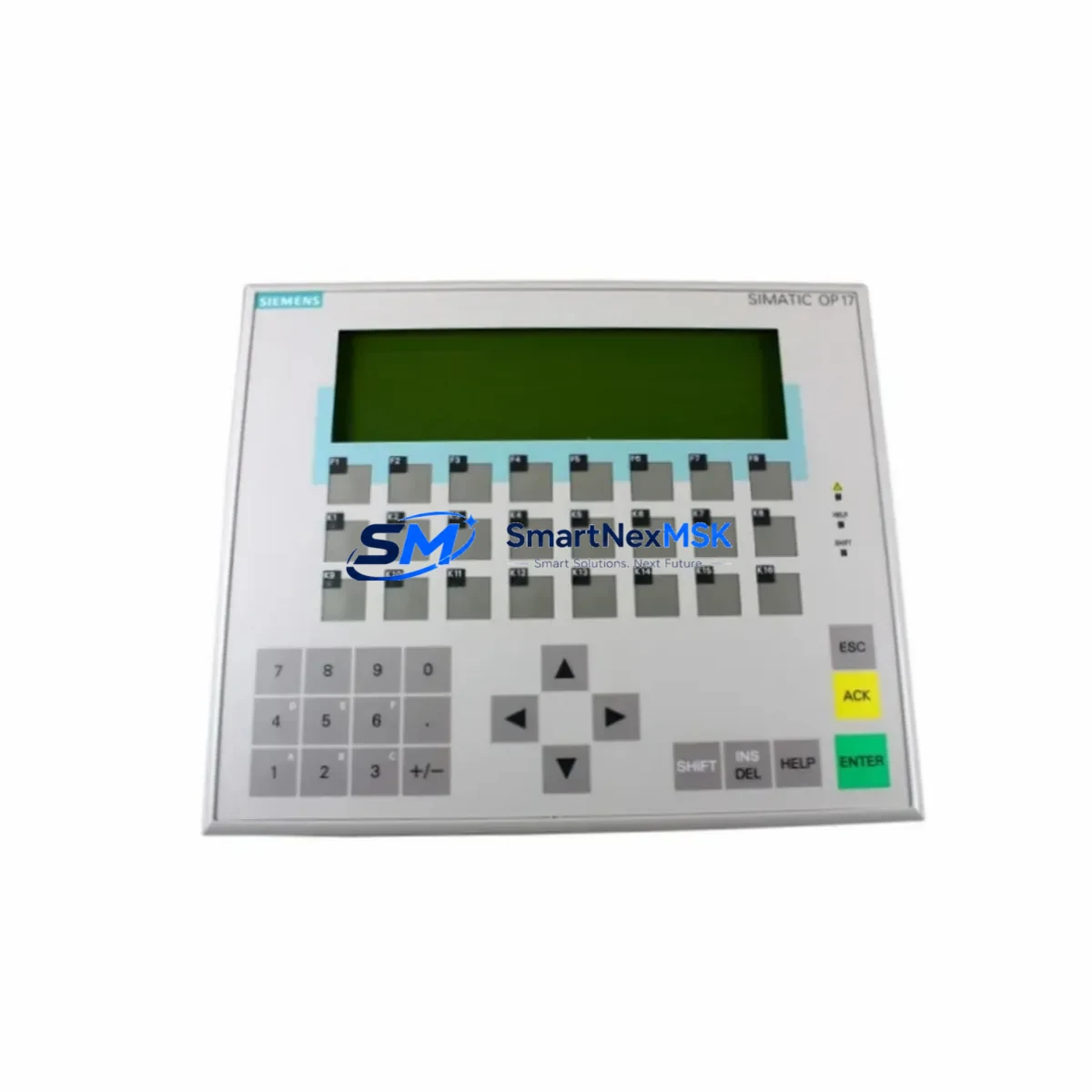
Siemens 6AV3617-5BB00-0AB0 Spare for SIMATIC OP17 Automation: Spare Parts Replacement & Industrial Downtime Risk Control
The Siemens 6AV3617-5BB00-0AB0 is an original SIMATIC OP17 operator panel designed for human-machine interface (HMI) applications in industrial automation environments. As a maintenance-ready spare, this unit supports rapid field replacement in SIMATIC S5, S7-300, and S7-400 PLC-based control systems, enabling maintenance engineers to restore panel communication and operator visibility with minimal disruption to production continuity. Whether you are managing a scheduled overhaul, responding to an unplanned fault, or building a strategic spare parts inventory for aging control cabinets, the 6AV3617-5BB00-0AB0 is a proven, field-tested component that reduces mean time to repair (MTTR) and extends the operational life of legacy automation systems.
For procurement engineers sourcing long-term supply, this unit is available with verified original quality, pre-shipment functional testing, and a 12-month warranty. Each unit is inspected before dispatch to confirm display integrity, keypad response, communication port functionality, and power input compliance — ensuring it arrives ready for immediate installation.
Spare Maintenance Table
| Parameter | Specification |
|---|---|
| Part Number / SKU | 6AV3617-5BB00-0AB0 |
| Series | SIMATIC OP17 (Operator Panel 17) |
| Brand / Manufacturer | Siemens AG, Germany |
| Product Type | HMI Operator Panel |
| Display | LCD with backlight, text-based display |
| Supply Voltage | 24 V DC (nominal) |
| Communication Interface | MPI / PROFIBUS DP, RS-232/RS-422/RS-485 |
| Compatible PLC Systems | SIMATIC S7-300, S7-400, S5 (via adapter) |
| Operating Temperature | 0 °C to +50 °C |
| Protection Rating | IP65 (front panel) |
| Installation | Panel cutout mounting, rear-mount clip |
| Origin | Germany |
| Warranty | 12 Months from date of shipment |
| Pre-Shipment Testing | Yes — power-on, display, keypad, and communication verified |
| Compatibility Confirmation | Available upon request before order |
Maintenance Planning for Continuous Operation
When replacing the 6AV3617-5BB00-0AB0 OP17 panel in the field, a thorough inspection of the surrounding control cabinet components is essential to prevent repeat failures and ensure system stability. Maintenance engineers should begin by verifying the 24 V DC power supply module feeding the HMI — voltage fluctuations or ripple beyond tolerance are a common root cause of display faults and communication dropouts. Check the PROFIBUS DP cable and connector at both the panel port and the PLC CPU (such as the Siemens CPU 315-2DP or CPU 416-2DP) for pin damage, shielding continuity, and correct termination resistor placement.
Inspect the MPI/PROFIBUS network termination resistors at both ends of the bus segment — incorrect termination is frequently overlooked during panel swaps and can cause intermittent communication errors after replacement. If the control cabinet includes a Siemens CP 342-5 or CP 443-5 communication processor, verify that its firmware and configured station address are compatible with the replacement OP17 panel’s project settings.
For cabinets running mixed I/O architectures, also inspect the SM 321 digital input modules and SM 322 digital output modules connected to the same rack — a failing I/O module can generate fault codes that appear on the OP17 display and are misdiagnosed as HMI hardware failures. Similarly, check any signal isolators or signal conditioners in the analog input loop if the panel is configured to display process values from field transmitters.
Relay outputs connected to the PLC’s SM 332 analog output module or intermediate relay terminals should be tested for contact wear, especially in high-cycle applications. Fuse holders and miniature circuit breakers (MCBs) protecting the 24 V DC bus should be inspected for thermal discoloration or loose terminations. Finally, if the system uses a Siemens ET 200M distributed I/O station on the same PROFIBUS segment, confirm that its IM 153-2 interface module is communicating correctly after the OP17 replacement, as bus reconfiguration can occasionally reset station parameters.
Building a spare parts kit around the 6AV3617-5BB00-0AB0 — including a backup SITOP PSU100S 24 V power supply, a spare PROFIBUS connector set, and a replacement CPU memory card — significantly reduces the risk of extended downtime during emergency maintenance windows.
Site Replacement Workflow
The 6AV3617-5BB00-0AB0 is a direct replacement for earlier OP17 variants and select OP7 configurations where panel cutout dimensions and communication protocols are compatible. Before installation, download the existing OP17 project from the SIMATIC ProTool or WinCC flexible engineering station and verify that the project file is compatible with the replacement unit’s firmware version. If the original panel is non-functional and the project backup is unavailable, the project can often be recovered from the PLC CPU’s integrated memory or from a previously archived ProTool project file.
During physical installation, confirm that the panel cutout gasket is intact to maintain the IP65 front-panel protection rating. Reconnect the PROFIBUS DP or MPI cable, apply 24 V DC power, and perform a communication test by navigating to the diagnostics screen. Confirm that all configured tags are updating correctly and that alarm messages are displaying as expected before returning the system to production. Document the replacement in the maintenance log with the new unit’s serial number and the date of installation to support warranty tracking and future audit requirements.
For sites managing multiple legacy SIMATIC panels across several production lines, a standardized replacement procedure — including pre-configured project files stored on a maintenance laptop and a small buffer stock of tested OP17 units — can reduce unplanned downtime from several hours to under 30 minutes per incident.
Spare Parts Support FAQ
Q1: Is the 6AV3617-5BB00-0AB0 compatible with both SIMATIC S7-300 and S7-400 systems?
Yes. The OP17 panel communicates via MPI and PROFIBUS DP, both of which are supported natively by S7-300 and S7-400 CPUs. For S5 systems, a protocol adapter is required. Compatibility can be confirmed against your specific CPU model and ProTool project version before shipment upon request.
Q2: What does the 12-month warranty cover?
The 12-month warranty covers manufacturing defects and functional failures under normal operating conditions from the date of shipment. Each unit undergoes pre-shipment power-on testing, display verification, keypad function check, and communication port inspection. Warranty claims are supported with replacement or repair at no additional cost.
Q3: Can I order this unit for stock without an immediate installation requirement?
Yes. Many maintenance and procurement engineers order the 6AV3617-5BB00-0AB0 as a strategic spare to reduce lead time risk for aging SIMATIC OP17 installations. Units are stored in controlled conditions and dispatched with full test documentation. Long-term supply agreements are available for facilities managing multiple OP17 panels.
Q4: How do I verify the correct firmware version before replacing the panel?
The firmware version of the installed OP17 can be read from the panel’s system menu under diagnostics, or identified from the original ProTool project file. When ordering, provide your current firmware version and ProTool release so compatibility can be confirmed before dispatch. If the firmware version is unknown, our technical team can assist with identification based on the panel’s order number and production date code.
© 2026 SMARTNEXMSK. All rights reserved.
Original Source: https://smartnexmsk.com
Contact: [email protected] | +86 18259474341



