
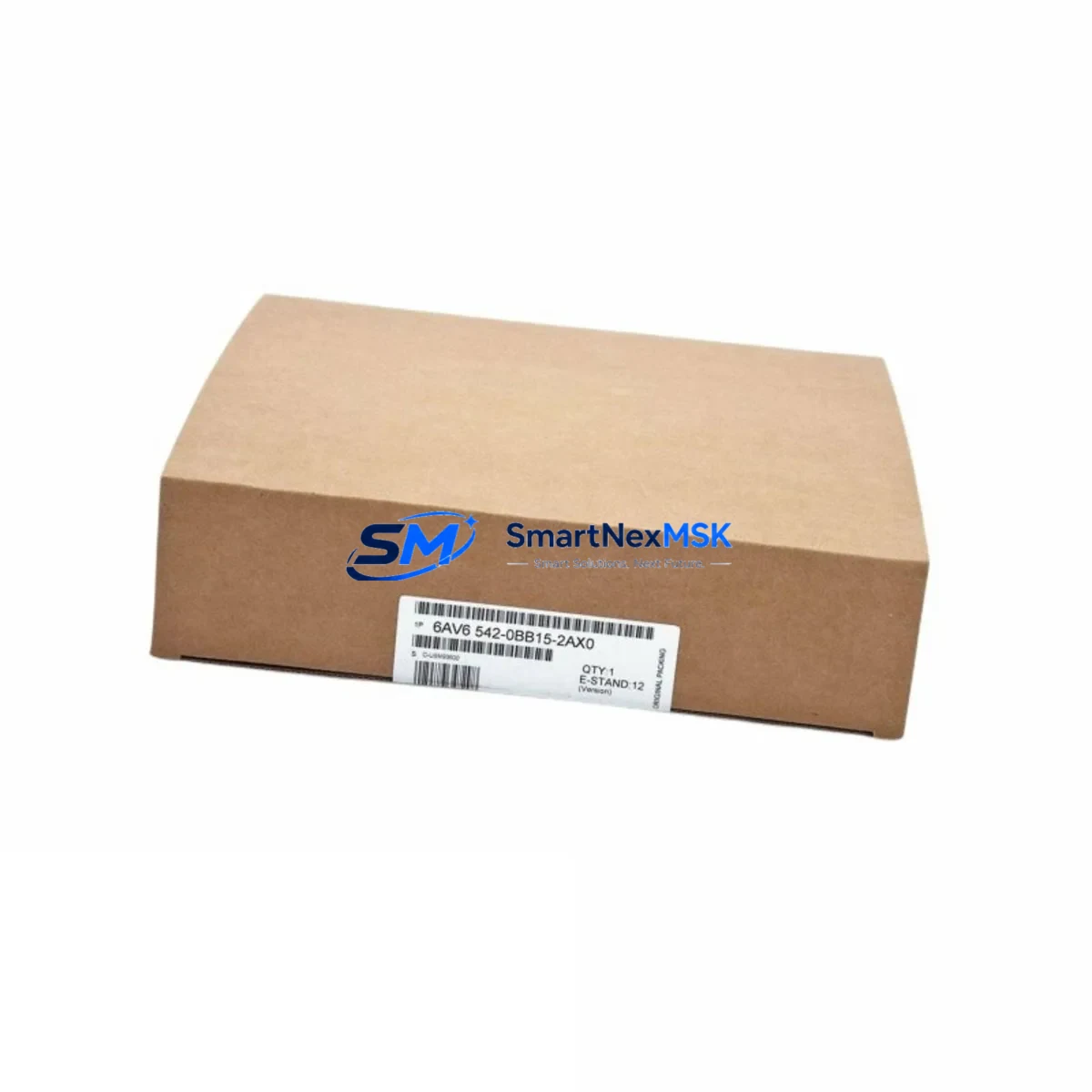
Siemens 6AV6542-0BB15-2AX0 Spare for OP170B Automation: Spare Parts Replacement & Industrial Downtime Risk Control
The Siemens 6AV6542-0BB15-2AX0 is a SIMATIC HMI OP170B operator panel widely deployed in industrial automation environments across manufacturing, process control, and machine tool applications. As a maintenance-ready spare, this unit is sourced, inspected, and dispatched to support rapid field replacement — minimizing unplanned downtime and protecting production continuity. Whether you are managing a planned shutdown, responding to an unexpected panel failure, or building out your critical spare parts inventory, the 6AV6542-0BB15-2AX0 is a direct, drop-in replacement for legacy SIMATIC HMI installations.
Maintenance engineers and procurement teams working with SIMATIC S7-300, S7-400, or legacy S5 control architectures will recognize the OP170B as a long-standing workhorse in operator interface applications. Its STN monochrome display, function key layout, and MPI/PROFIBUS DP communication interface make it a reliable touchpoint between operators and the underlying PLC logic. When this panel fails — whether due to display degradation, backlight failure, keypad wear, or communication faults — the impact on line availability is immediate. Having a verified spare on hand or being able to source one within 24–48 hours is the difference between a controlled maintenance event and a costly production halt.
At SMARTNEXMSK, every 6AV6542-0BB15-2AX0 unit undergoes pre-shipment functional verification. Units are tested for display integrity, communication port continuity, and keypad response before dispatch. All stock is covered by a 12-month warranty, and long-term supply availability is maintained to support customers managing aging SIMATIC installations where OEM lead times are no longer viable.
Spare Maintenance Table
| Parameter | Specification |
|---|---|
| Part Number / SKU | 6AV6542-0BB15-2AX0 |
| Product Family | SIMATIC HMI OP170B |
| Brand | Siemens |
| Display Type | STN Monochrome LCD, 320 × 240 px |
| Display Size | 5.7 inch |
| Communication Interface | MPI / PROFIBUS DP |
| Compatible PLC Systems | SIMATIC S7-300, S7-400, S5 (via adapter) |
| Operating Voltage | 24 V DC |
| Operating Temperature | 0 °C to +50 °C |
| Protection Rating | IP65 (front panel) |
| Country of Origin | Germany |
| Weight | Approx. 1,100 g |
| Mounting | Panel cutout, front-mount with sealing gasket |
| Warranty | 12 Months — covers functional defects, communication faults, and display failure |
| Pre-Shipment Test | Display, keypad, MPI/PROFIBUS port continuity verified |
| Condition | Original spare — new or refurbished-to-spec |
Maintenance Planning for Continuous Operation
When replacing the 6AV6542-0BB15-2AX0 in the field, a thorough maintenance engineer will not stop at the HMI panel itself. The OP170B sits at the intersection of the operator interface layer and the control system backbone, meaning its failure often signals — or coincides with — stress in adjacent components. A structured inspection of the surrounding electrical environment is essential to prevent repeat failures and ensure the replacement unit operates reliably.
Begin with the 24 V DC power supply feeding the panel. Aging SITOP PSU100S or PSU200M power supply modules can deliver marginal voltage under load, causing intermittent HMI resets or communication dropouts that are misdiagnosed as panel faults. Verify output voltage under load and check for ripple. Next, inspect the MPI/PROFIBUS DP cable and bus connector — the 6ES7972-0BB52-0XA0 bus connector is a common wear item, and a damaged termination resistor or loose cable shield can cause the replacement OP170B to exhibit the same communication errors as the failed unit.
Review the SIMATIC S7-300 CPU module (such as the CPU 315-2 DP or CPU 317-2 DP) for diagnostic buffer entries related to HMI communication. If the CPU has logged MPI timeout faults, the issue may be network-level rather than panel-specific. Check the CP 343-1 or CP 343-5 communication processor if the system uses Ethernet or PROFIBUS network extensions — a failing CP module can disrupt HMI polling cycles.
For control cabinet inspections, examine the SM 321 digital input modules and SM 322 digital output modules for blown fuses or failed output channels that may have triggered the alarm conditions leading to the HMI fault. Inspect terminal blocks and marshalling strips — particularly Phoenix Contact or Weidmüller series — for loose connections or corrosion on signal wiring. A loose 24 V common return on the terminal strip can cause erratic HMI behavior that survives a panel swap.
If the installation includes signal isolators or barriers (such as the Siemens SITRANS or P+F KFD series), verify that analog signal integrity is maintained — degraded isolation can introduce noise that affects HMI display accuracy. Finally, check the UPS module or battery backup for the control cabinet. An aging UPS that fails to hold voltage during a power dip can corrupt HMI project data and cause the replacement panel to boot into an error state.
Building a spare parts kit around the 6AV6542-0BB15-2AX0 should include: a spare MPI bus connector, a replacement 24 V DC fuse for the HMI circuit, a backup PROFIBUS cable segment, and — for sites with high panel utilization — a second OP170B unit held in sealed storage. This approach aligns with IEC 62443 maintenance best practices for industrial control system availability.
Site Replacement Workflow
Replacing the 6AV6542-0BB15-2AX0 on-site is a straightforward procedure when the correct spare is available and the replacement unit has been pre-verified. Follow this workflow to minimize downtime and ensure system compatibility:
Step 1 — Backup HMI Project: Before powering down, use SIMATIC WinCC flexible or ProTool/Pro to back up the HMI project from the existing panel via MPI. Store the backup on a USB drive or engineering laptop. If the panel is non-responsive, retrieve the project from the engineering station archive.
Step 2 — Power Down and Isolate: Isolate the 24 V DC supply to the HMI panel at the cabinet fuse or MCB. Confirm voltage absence with a calibrated multimeter before proceeding.
Step 3 — Remove Failed Panel: Disconnect the MPI/PROFIBUS DP cable and 24 V DC power connector. Release the panel mounting clamps from the rear and withdraw the unit from the cutout. Inspect the gasket and cutout edges for damage.
Step 4 — Install Replacement Unit: Insert the 6AV6542-0BB15-2AX0 replacement into the cutout. Secure mounting clamps evenly to maintain IP65 sealing. Reconnect the 24 V DC supply and MPI/PROFIBUS DP cable. Verify bus connector termination resistor setting matches the network topology (terminated at both ends only).
Step 5 — Download HMI Project: Power up the panel and use the engineering tool to download the backed-up HMI project. Confirm all screens, alarms, and tag connections are functional before returning the system to operation.
Step 6 — Functional Verification: Cycle through key HMI screens, trigger test alarms, and verify PLC communication status. Log the replacement in the site maintenance record with the new unit’s serial number and installation date.
This workflow applies equally to planned maintenance windows and emergency replacements. The 6AV6542-0BB15-2AX0 is a direct physical and electrical replacement for earlier OP170B variants, requiring no hardware modification to the control cabinet or PLC configuration.
Spare Parts Support FAQ
Q1: What is the warranty coverage for the 6AV6542-0BB15-2AX0 supplied by SMARTNEXMSK?
All units carry a 12-month warranty covering functional defects, display failure, communication port faults, and keypad malfunction under normal operating conditions. Warranty claims are processed with priority dispatch of a replacement unit. Units are pre-tested before shipment to minimize DOA risk.
Q2: How do I confirm compatibility with my existing SIMATIC installation before ordering?
The 6AV6542-0BB15-2AX0 is compatible with SIMATIC S7-300 and S7-400 PLCs via MPI, and with PROFIBUS DP networks. Confirm your existing panel’s order number matches 6AV6542-0BB15-2AX0 and that your HMI project was created in ProTool/Pro or WinCC flexible. If you are replacing an earlier OP170B variant, contact [email protected] with your existing panel’s nameplate data for compatibility confirmation.
Q3: What is the typical lead time and how is the unit tested before dispatch?
In-stock units are dispatched within 1–2 business days. Each unit undergoes pre-shipment testing covering display function, backlight operation, keypad response, and MPI/PROFIBUS port continuity. A test report is available on request. Express shipping options are available for emergency breakdown situations.
Q4: Can SMARTNEXMSK support long-term supply for sites managing aging SIMATIC OP170B installations?
Yes. SMARTNEXMSK maintains ongoing stock of the 6AV6542-0BB15-2AX0 and related SIMATIC HMI spare parts to support customers with legacy system life extension programs. Blanket order arrangements and reserved stock agreements are available for sites requiring guaranteed supply over a 12–36 month horizon. Contact [email protected] to discuss your site’s spare parts strategy.
© 2026 SMARTNEXMSK. All rights reserved.
Original Source: https://smartnexmsk.com
Contact: [email protected] | +86 18259474341



