
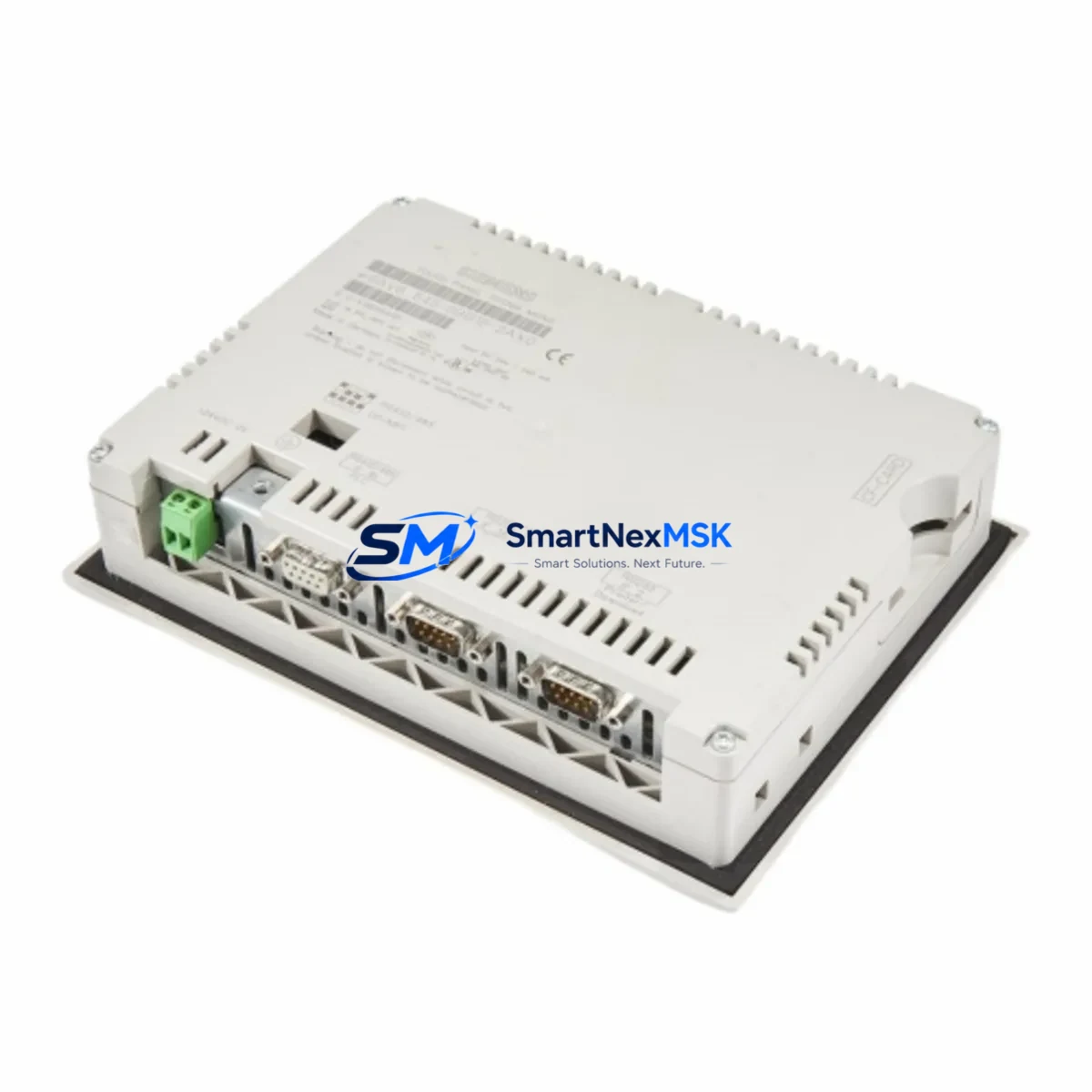
Siemens 6AV6545-0BB15-2AX0 Retrofit-Ready HMI Panel for SIMATIC Control Systems
The Siemens 6AV6545-0BB15-2AX0 is a SIMATIC HMI OP 73 operator panel widely deployed in legacy S7-300 and S7-400 control architectures across manufacturing, process, and utilities sectors. As original equipment reaches end-of-life or becomes increasingly difficult to source through standard channels, this unit serves as a verified retrofit-ready replacement — enabling engineers to restore panel functionality, preserve existing PROFIBUS DP wiring infrastructure, and maintain HMI screen logic without requiring a full control system overhaul.
SMARTNEXMSK maintains in-stock inventory of the 6AV6545-0BB15-2AX0 to support urgent replacement scenarios, planned system upgrades, and long-term spare parts programs. Each unit undergoes pre-shipment functional testing and is covered by a 12-month warranty against manufacturing defects.
Upgrade Compatibility Table
| Parameter | Details |
|---|---|
| SKU / Part Number | 6AV6545-0BB15-2AX0 |
| Product Series | SIMATIC HMI OP 73 |
| Communication Protocol | PROFIBUS DP (MPI compatible configurations) |
| Compatible Controllers | Siemens S7-300, S7-400, S7-1200 (via gateway) |
| Display | 3.8″ STN monochrome, 4-line text display |
| Installation | Panel cutout mount; standard OP 73 footprint |
| Power Supply | 24 V DC (18–30 V DC operating range) |
| Replacement Compatibility | Direct drop-in for 6AV6545-0BB15-2AX0; verify ProTool/WinCC Flexible project version |
| Commissioning Notes | Confirm PROFIBUS address, baud rate, and HMI screen tag mapping before power-on |
| Warranty | 12 months from shipment date |
Retrofit Planning for Existing Automation Systems
Replacing the 6AV6545-0BB15-2AX0 in an operational control environment requires a structured approach that accounts for the full scope of the panel’s integration within the existing system. Before removal, engineers should document the current PROFIBUS DP station address assigned to the OP 73, as this must be replicated on the replacement unit to avoid address conflicts with other nodes on the same network segment — including any S7-300 CPU modules, ET 200M distributed I/O racks, or IM 153 interface modules sharing the bus.
Power supply verification is a critical pre-installation step. The 6AV6545-0BB15-2AX0 operates on 24 V DC; confirm that the existing PS 307 or equivalent power supply module in the control cabinet can sustain the load after the replacement is installed, particularly in cabinets where additional components such as CP 342-5 PROFIBUS communication processors or SM 321/SM 322 digital I/O modules have been added since the original commissioning.
Terminal wiring on the OP 73 is straightforward, but technicians should verify that the PROFIBUS connector — typically a 9-pin Sub-D plug with integrated termination resistor — is in serviceable condition before reuse. In older installations, the bus cable shielding and connector termination may have degraded, which can cause intermittent communication faults that are difficult to distinguish from panel hardware failures.
The HMI project file, originally developed in ProTool or WinCC Flexible, must be re-transferred to the replacement panel using the SIMATIC WinCC Flexible engineering station or a compatible PC Card transfer method. Confirm that the project version is compatible with the firmware on the replacement unit. In some retrofit scenarios, a firmware update via the SIMATIC ProSave utility may be required before the project transfer can proceed.
For systems where the OP 73 communicates with a Siemens S7-400 CPU via an MPI/PROFIBUS combined network, verify that the network topology and repeater configuration — including any RS 485 repeaters used to extend bus length — remain within specification after the panel swap. If the retrofit is part of a broader migration toward a PROFINET-based architecture, consider whether a TP 177B or KTP400 Basic panel with integrated PROFINET port would better serve the long-term system roadmap, though this would require a WinCC Flexible project conversion and potential PLC program adjustments.
Rack and backplane integrity should also be assessed during the retrofit. If the OP 73 is mounted in a control cabinet alongside a SIMATIC S7-300 rack with multiple SM modules, inspect the backplane bus connector on the CPU and any adjacent SM 331 analog input or SM 332 analog output modules for signs of corrosion or mechanical wear that could affect system reliability after the panel replacement is complete.
Downtime Control During System Migration
Minimizing unplanned downtime during an OP 73 replacement requires preparation that begins well before the maintenance window. The most effective approach is to pre-configure the replacement 6AV6545-0BB15-2AX0 off-line: load the HMI project, set the PROFIBUS station address, and verify basic screen navigation before the unit reaches the plant floor. This reduces the on-site installation time to a physical swap and bus reconnection, typically achievable within a single shift.
Where process continuity is critical, coordinate the panel replacement with the PLC program’s safe-state logic. Most S7-300 and S7-400 programs include OB35 (cyclic interrupt) and OB86 (rack failure) organization blocks that govern system behavior during peripheral faults. Ensure that the CPU is configured to maintain output states or transition to a defined safe state during the brief period when the PROFIBUS node is offline for the panel swap.
After reconnection, perform a structured commissioning check: confirm PROFIBUS communication status in the CPU’s diagnostic buffer, verify that all HMI screen tags are updating correctly, and test any alarm or event messages that are critical to operator situational awareness. Document the as-found and as-left configuration for the maintenance record, including the PROFIBUS address, firmware version, and project file version loaded on the replacement panel.
For facilities operating under strict change management protocols, the pre-configured replacement panel can be held in a qualified spare inventory, allowing the actual swap to be executed as a like-for-like replacement with minimal documentation overhead. SMARTNEXMSK supports this approach by providing units that have passed pre-shipment functional testing, reducing the risk of receiving a defective unit during a time-critical maintenance event.
Retrofit Support FAQ
Q: Is the 6AV6545-0BB15-2AX0 a direct drop-in replacement for the original OP 73 panel?
A: Yes. The replacement unit shares the same panel cutout dimensions, 24 V DC power input, and PROFIBUS DP interface as the original. The existing HMI project file can be transferred directly to the replacement panel without modification in most cases, provided the firmware versions are compatible. Verify the ProTool or WinCC Flexible project version before transfer.
Q: What commissioning steps are required after installation?
A: Set the PROFIBUS station address to match the original panel configuration, transfer the HMI project file via PC Card or WinCC Flexible, confirm communication with the S7-300 or S7-400 CPU in the PROFIBUS diagnostic view, and verify that all screen tags and alarm messages are functioning correctly. A full I/O check is recommended before returning the system to production.
Q: Can this panel be used with a Siemens S7-1200 or S7-1500 controller?
A: The OP 73 communicates via PROFIBUS DP and MPI. Direct integration with S7-1200 or S7-1500 controllers — which are PROFINET-native — requires a PROFIBUS/PROFINET gateway such as the IE/PB Link PN IO. For new installations or major upgrades, a PROFINET-capable HMI panel is generally recommended. For legacy system maintenance, the 6AV6545-0BB15-2AX0 remains the correct replacement choice.
Q: What does the 12-month warranty cover, and what is the process for a warranty claim?
A: The 12-month warranty covers manufacturing defects and functional failures under normal operating conditions. Units that fail within the warranty period will be replaced or repaired at no charge. Contact SMARTNEXMSK with the order reference and a description of the fault; our technical team will advise on the return and replacement process. Pre-shipment testing documentation is available upon request.
© 2026 SMARTNEXMSK. All rights reserved.
Original Source: https://smartnexmsk.com
Contact: [email protected] | +86 18259474341



