
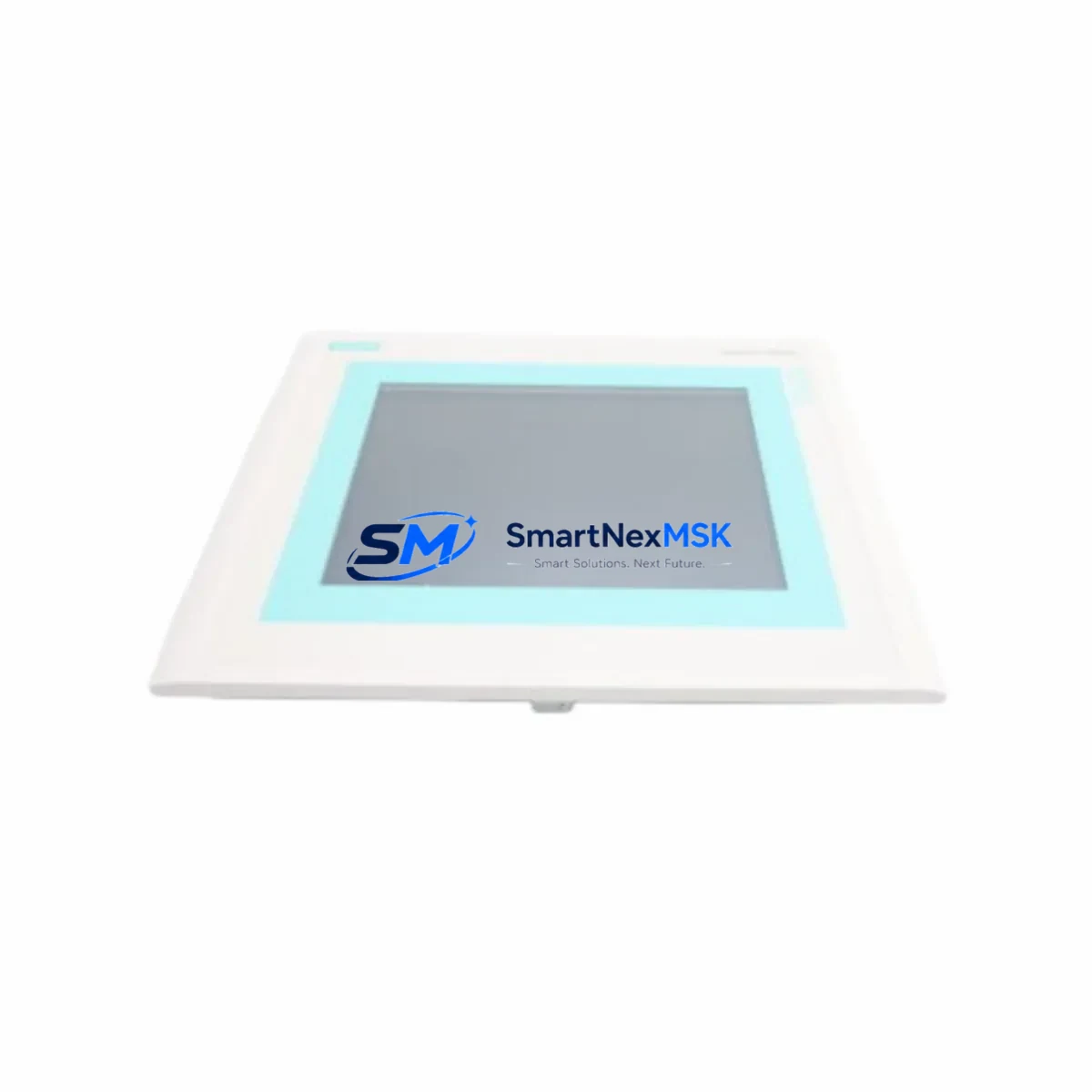
Siemens 6AV6545-0CC10-0AX0 Retrofit-Ready HMI for SIMATIC TP270 Control Systems
The Siemens 6AV6545-0CC10-0AX0 is a 10-inch SIMATIC TP270 Touch Panel designed for seamless integration into legacy Siemens S7-300 and S7-400 control architectures. As production lines age and original SIMATIC TP270 units reach end-of-life, this module provides a verified, drop-in retrofit path that preserves existing MPI and PROFIBUS DP communication links without requiring a full control system overhaul. Whether you are replacing a failed panel, upgrading a discontinued HMI, or modernizing a control cabinet that has been in service for over a decade, the 6AV6545-0CC10-0AX0 delivers the compatibility and reliability that industrial environments demand.
Before initiating a retrofit, engineers should confirm the existing power supply capacity — the TP270 10″ requires a 24 VDC supply rated at a minimum of 1.5 A, and shared cabinet power rails feeding a Siemens PS 307 or PS 305 power supply module must be verified to handle the additional load without voltage drop. Terminal wiring at the MPI/PROFIBUS connector (9-pin Sub-D) should be inspected for correct bus termination resistors, particularly when the TP270 is positioned at either end of the MPI segment. Incorrect termination is one of the most common causes of communication faults during HMI commissioning.
The 6AV6545-0CC10-0AX0 communicates natively over MPI at up to 187.5 kbps and PROFIBUS DP at up to 1.5 Mbps, making it directly compatible with S7-300 CPUs such as the CPU 315-2 DP and CPU 317-2 DP, as well as S7-400 controllers paired with CP 443-1 or IM 153-2 interface modules. When migrating from an older OP270 or TP270 6″ variant, the WinCC flexible project file can typically be adapted with minimal screen layout changes, preserving alarm lists, trend views, and recipe management screens that operators rely on daily.
Upgrade Compatibility Table
| Parameter | Details |
|---|---|
| SKU / Part Number | 6AV6545-0CC10-0AX0 |
| Series | SIMATIC TP270 10″ |
| Display | 10.4″ TFT Color, 640×480 (VGA) |
| Communication Interfaces | MPI, PROFIBUS DP (RS-485) |
| Power Supply | 24 VDC, 1.5 A minimum |
| Replaces / Compatible With | 6AV6545-0BA15-2AX0 (TP270 6″), OP270 series, early TP277 variants |
| Installation | Panel cutout 290×220 mm, front-mount with IP65 front protection |
| Programming Software | WinCC flexible 2008 SP4 or earlier |
| Backplane / Rack | Stand-alone panel; no backplane required |
| Commissioning Notes | Verify MPI node address, bus termination, and baud rate match existing network |
| Warranty | 12 Months from date of shipment |
Retrofit Planning for Existing Automation Systems
A successful retrofit of the 6AV6545-0CC10-0AX0 into an operating production line requires a structured pre-installation audit. Begin by documenting the existing MPI network topology: record all node addresses currently assigned to PLCs, other HMI panels, and programming devices. The TP270 must be assigned a unique MPI address — typically node 1 is reserved for the PG/PC, node 2 for the CPU, and HMI panels are assigned from node 3 upward. Conflicts in node addressing are a leading cause of communication failures that extend commissioning time unnecessarily.
For cabinets that also house a Siemens ET 200M distributed I/O station connected via IM 153-1 or IM 153-2, confirm that the PROFIBUS DP segment baud rate is consistent across all slaves. The 6AV6545-0CC10-0AX0 must be configured to match this baud rate exactly in WinCC flexible. If the cabinet includes a CP 342-5 communications processor for additional PROFIBUS master functionality, ensure the TP270 is connected to the correct DP master segment and not inadvertently bridged to a secondary network.
When the control cabinet also contains a Siemens S7-300 CPU with an integrated MPI port and a separate PROFIBUS DP port, the HMI connection should be made to the MPI port for standard visualization tasks, reserving the DP port for field device communication with frequency inverters, valve islands, or remote I/O racks. In systems where a Siemens SINAMICS G120 or MM440 drive is present on the same PROFIBUS segment, verify that the drive’s DP address and the HMI’s configured slave list do not overlap.
Panel cutout dimensions must be verified before ordering: the TP270 10″ requires a 290×220 mm cutout, which differs from the TP177B 6″ and TP277 10″ form factors. If the existing cutout was sized for an older Siemens OP17 or OP27 operator panel, a sheet metal adapter frame may be required. Sealing gaskets should be replaced during installation to maintain IP65 front-face protection, particularly in food processing, pharmaceutical, or outdoor enclosure applications.
The WinCC flexible project should be backed up from the existing panel using a PC with WinCC flexible 2008 installed and a standard MPI/USB programming cable such as the PC Adapter USB A2. After transfer, the project can be compiled and downloaded to the replacement 6AV6545-0CC10-0AX0 unit. If the original project was created in ProTool, a migration wizard within WinCC flexible can convert the project, though screen layouts and scripted functions should be reviewed manually after conversion.
Downtime Control During System Migration
Minimizing unplanned downtime during an HMI replacement is a primary concern for plant maintenance teams. The recommended approach is to pre-configure and test the replacement 6AV6545-0CC10-0AX0 offline before the scheduled maintenance window. Load the WinCC flexible project onto the new panel in the workshop, connect it to a bench-top S7-300 CPU or PLCSIM simulation, and verify that all screen navigation, alarm acknowledgment, and recipe selection functions operate correctly before the panel reaches the production floor.
During the live switchover, the S7-300 or S7-400 CPU should remain in RUN mode where process safety permits, allowing the PLC program to continue executing while the HMI is disconnected and reconnected. Most S7 CPUs will continue to run their OB1 cyclic program and maintain output states during a brief MPI communication interruption. However, any HMI-triggered setpoint writes or mode changes should be suspended during the swap window, and operators should be briefed to use local control panels or manual overrides if available.
After physical installation, power-on the TP270 and allow the WinCC flexible runtime to initialize. The panel will attempt to establish MPI communication automatically. If the connection is not established within 30 seconds, verify the MPI cable integrity, node address assignment, and bus termination at both ends of the segment. Once communication is confirmed, perform a live tag check by navigating to each screen and verifying that process values, alarm states, and trend data are updating correctly. Document the commissioning result and retain the original WinCC flexible project file as a backup.
For facilities with strict change management requirements, the entire retrofit process — from pre-installation testing to live commissioning sign-off — can typically be completed within a 4-hour planned maintenance window, provided the replacement panel has been pre-configured and tested in advance. This approach protects production continuity and reduces the risk of extended downtime caused by on-site troubleshooting.
Retrofit Support FAQ
Q1: Is the 6AV6545-0CC10-0AX0 a direct replacement for the original SIMATIC TP270 10″ panel?
Yes. The 6AV6545-0CC10-0AX0 is the standard catalog part number for the SIMATIC TP270 10″ Touch Panel. It is a direct form-fit-function replacement for units of the same model that have failed or reached end-of-service life. The panel cutout dimensions, MPI/PROFIBUS connector pinout, and WinCC flexible project compatibility are identical to the original specification.
Q2: Can I reuse my existing WinCC flexible project without modification?
In most cases, yes. If the original project was developed in WinCC flexible 2008 or a compatible earlier version, the project file can be downloaded directly to the replacement panel without modification. If the project was created in ProTool/Pro, use the WinCC flexible migration wizard to convert it, then review all scripted functions and alarm configurations before going live. Always retain a backup of the original project file before making any changes.
Q3: What should I check regarding wiring and terminal connections during installation?
Verify the 24 VDC power supply polarity and voltage level at the panel’s power terminals before connecting. Inspect the MPI/PROFIBUS cable for continuity and correct shielding. Confirm that bus termination resistors are active only at the two physical ends of the MPI segment — activating termination on intermediate nodes is a common wiring error that causes intermittent communication faults. Check that the cable shield is grounded at one end only to avoid ground loops.
Q4: What warranty coverage is provided, and has the unit been tested before shipment?
All units supplied by SMARTNEXMSK carry a 12-month warranty from the date of shipment. Each panel undergoes a pre-shipment functional test that includes power-on verification, display check, touch calibration, and communication port continuity. Units are shipped in anti-static packaging with protective screen film. In the event of a warranty claim, contact our technical support team with the order reference and a description of the fault — replacement or repair will be arranged promptly.
© 2026 SMARTNEXMSK. All rights reserved.
Original Source: https://smartnexmsk.com
Contact: [email protected] | +86 18259474341



