
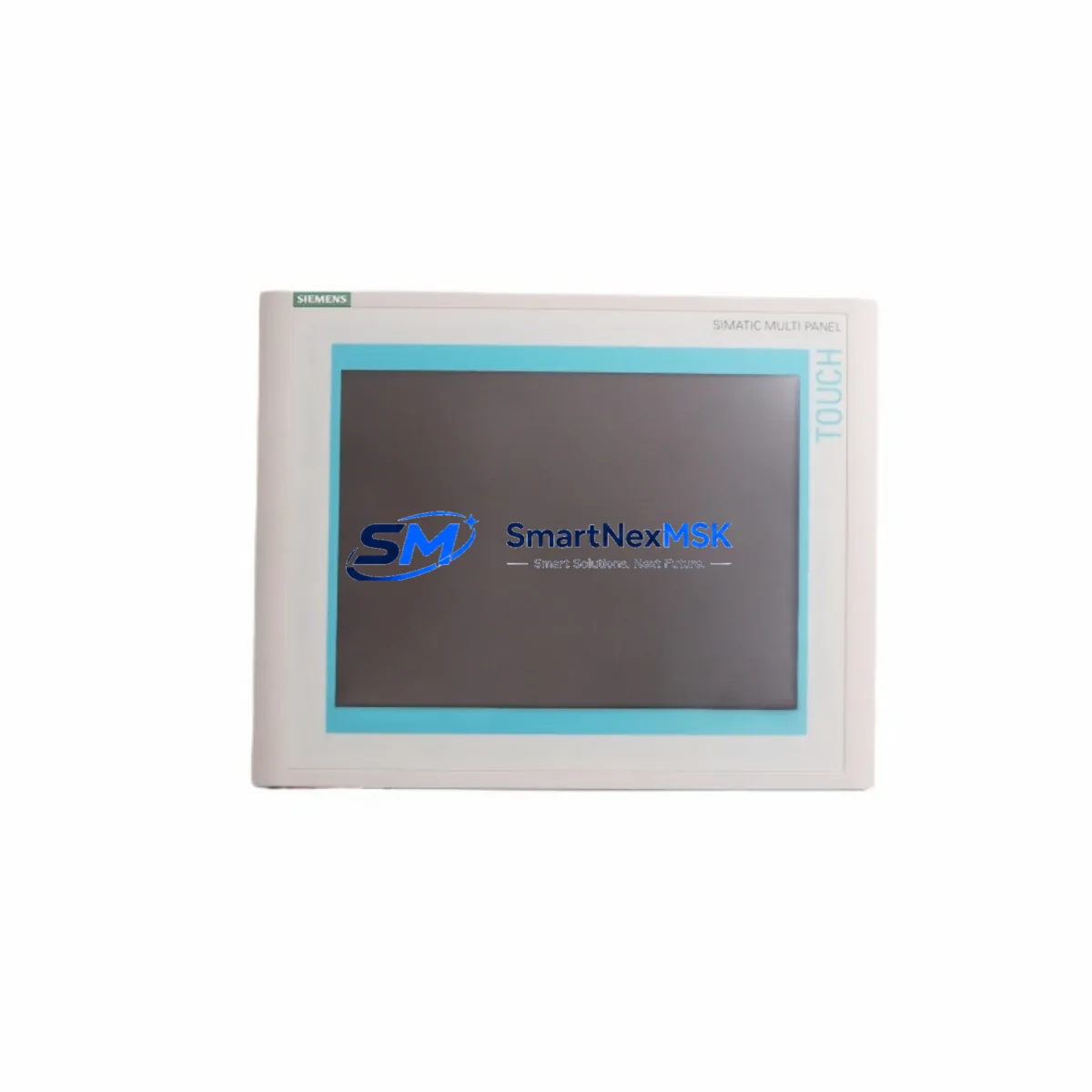
Siemens 6AV6545-0DA10-0AX0 Spare for MP370 Automation: Minimizing Downtime with Maintenance-Ready HMI Replacement
In industrial automation environments where continuous operation is non-negotiable, the Siemens 6AV6545-0DA10-0AX0 SIMATIC MP370 12″ Multi Panel represents a critical operator interface node. When this HMI panel fails or degrades, the entire control loop — from process visualization to operator command input — is interrupted. Maintaining a verified, tested spare of the 6AV6545-0DA10-0AX0 in your site inventory is one of the most effective strategies for reducing mean time to repair (MTTR) and protecting production continuity.
This listing provides an original-grade, maintenance-ready spare unit of the Siemens 6AV6545-0DA10-0AX0, sourced for industrial replacement applications. Each unit undergoes functional verification prior to shipment, ensuring that when your maintenance team installs it, the panel powers up, communicates, and displays correctly — without the uncertainty of untested stock.
Spare Maintenance Table
| Parameter | Specification |
|---|---|
| Part Number / SKU | 6AV6545-0DA10-0AX0 |
| Brand | Siemens |
| Series | SIMATIC MP370 |
| Product Type | HMI Multi Panel (Operator Interface) |
| Display Size | 12″ TFT Color Display |
| Operating System | Windows CE |
| Communication Interfaces | MPI/PROFIBUS DP, Ethernet (RJ45), RS-232/RS-422/RS-485 |
| Compatible PLC/DCS Systems | SIMATIC S7-300, S7-400, S5 (via adapter), WinCC Flexible |
| Power Supply | 24 V DC |
| Protection Rating | IP65 (front panel) |
| Operating Temperature | 0 °C to +50 °C |
| Country of Origin | Germany |
| Condition | Original Spare / Refurbished-to-Spec |
| Pre-Shipment Test | Yes — power-on, display, and communication verified |
| Warranty | 12 Months |
| Shipping | Worldwide, with tracking and protective packaging |
Maintenance Planning for Continuous Operation
Replacing the 6AV6545-0DA10-0AX0 is rarely an isolated task. Experienced maintenance engineers know that an HMI panel failure often signals stress across adjacent components in the same control cabinet. During a planned or emergency replacement of this MP370 panel, a thorough inspection of the surrounding electrical environment is strongly recommended.
Start with the 24 V DC power supply feeding the panel — a degraded SITOP PSU100S or equivalent power module can cause intermittent resets and touchscreen unresponsiveness that mimic panel hardware failure. Verify output voltage stability under load before condemning the HMI itself.
Check the MPI/PROFIBUS DP communication cable and bus termination resistors. A faulty PROFIBUS connector or damaged shielded cable between the MP370 and the S7-300 or S7-400 CPU can cause communication timeouts that appear as HMI freezes. Inspect the CP 343-1 or CP 443-1 Ethernet communication processor if the panel is networked via Industrial Ethernet — these modules are common failure points in aging S7 systems.
Inspect the S7-300 or S7-400 CPU module (e.g., CPU 315-2 DP or CPU 416-3 PN/DP) for battery backup status and memory card integrity. A corrupted project on the CPU will prevent the replacement HMI from loading the correct visualization screens after installation. Always back up the WinCC Flexible project before swapping the panel.
Review the SM 321 digital input modules and SM 322 digital output modules connected to the same rack. If the HMI was displaying I/O fault alarms prior to failure, the root cause may lie in a degraded I/O module rather than the panel itself. Similarly, inspect any SM 331 analog input modules for signal drift that may have triggered operator alarms.
For cabinets with relay logic, check the 24 V DC intermediate relay modules (e.g., Siemens 3RQ or Phoenix Contact relay bases) that interface between PLC outputs and field devices. Relay contact wear is a common source of spurious fault signals that overload HMI alarm buffers.
If the system uses signal isolators or signal conditioners between field transmitters and analog input cards, verify their output ranges. A drifting isolator can cause the HMI to display out-of-range process values, leading operators to suspect panel malfunction. Finally, inspect the terminal blocks and DIN rail wiring within the cabinet for loose connections, especially on the 24 V DC common rail — a high-resistance connection here can cause erratic panel behavior under varying load conditions.
Site Replacement Workflow
Replacing the Siemens 6AV6545-0DA10-0AX0 on-site follows a structured sequence to minimize downtime and ensure system compatibility:
1. Pre-Replacement Preparation: Download and archive the existing WinCC Flexible project from the panel using a PC with WinCC Flexible 2008 or later. Confirm the project version and runtime license. Photograph all cable connections and label each connector before disconnection.
2. Power Isolation: Isolate the 24 V DC supply to the panel at the cabinet’s dedicated circuit breaker or fuse. Verify zero voltage with a calibrated multimeter before proceeding.
3. Panel Removal: Disconnect the MPI/PROFIBUS DP cable, Ethernet cable (if applicable), USB peripherals, and power connector. Remove the panel from the cutout by releasing the mounting clamps from the rear.
4. Spare Installation: Install the 6AV6545-0DA10-0AX0 spare unit into the cutout. Reconnect all cables in reverse order. Verify that the PROFIBUS bus termination is correctly set if this panel is at the end of the bus segment.
5. Project Transfer and Commissioning: Transfer the archived WinCC Flexible project to the replacement panel via USB or Ethernet. Power on the panel and verify display, touchscreen calibration, and PLC communication. Confirm all process screens load correctly and alarm history is accessible.
6. Functional Verification: Cycle through key operator screens, acknowledge any pending alarms, and verify that I/O status displays match field conditions. Document the replacement in the site maintenance log with the date, technician name, and new unit serial number.
This workflow is compatible with legacy MP370 installations running SIMATIC S7-300 and S7-400 systems, and supports migration paths toward newer SIMATIC HMI Comfort Panel series where long-term OS support is a concern.
Spare Parts Support FAQ
Q1: Is the 6AV6545-0DA10-0AX0 still available as a new unit, and what is its lifecycle status?
Siemens has discontinued active production of the SIMATIC MP370 series. However, original spare units and refurbished-to-specification replacements remain available through authorized industrial spare parts suppliers. We maintain long-term stock to support sites that cannot immediately migrate to newer HMI platforms. Each unit supplied carries a 12-month warranty covering hardware defects and communication failures.
Q2: How do I verify compatibility before ordering?
The 6AV6545-0DA10-0AX0 is a direct replacement for any MP370 12″ installation using WinCC Flexible runtime. Confirm your existing panel’s order number matches 6AV6545-0DA10-0AX0 and that your WinCC Flexible project version is compatible with the MP370 runtime. If you are unsure, share your existing panel’s nameplate data and project version with our technical team before ordering.
Q3: What pre-shipment testing is performed on each unit?
Every 6AV6545-0DA10-0AX0 unit is tested for: power-on and boot sequence completion, display uniformity and backlight function, touchscreen calibration and response, MPI/PROFIBUS DP communication port continuity, and Ethernet port link detection. A test report is available upon request. Units are packed in anti-static foam with protective corner guards to prevent transit damage.
Q4: What is the recommended spare parts inventory strategy for MP370-based systems?
For sites with three or more MP370 panels in operation, we recommend maintaining at least one verified spare unit on-site. For critical single-panel installations (e.g., primary operator station for a production line), a hot-spare strategy — where the spare is pre-loaded with the current WinCC Flexible project — reduces replacement time to under 30 minutes. Pair the HMI spare with a backup of the S7 CPU program on a memory card and a spare 24 V DC power supply module to cover the most common failure scenarios in a single maintenance kit.
© 2026 SMARTNEXMSK. All rights reserved.
Original Source: https://smartnexmsk.com
Contact: [email protected] | +86 18259474341



