
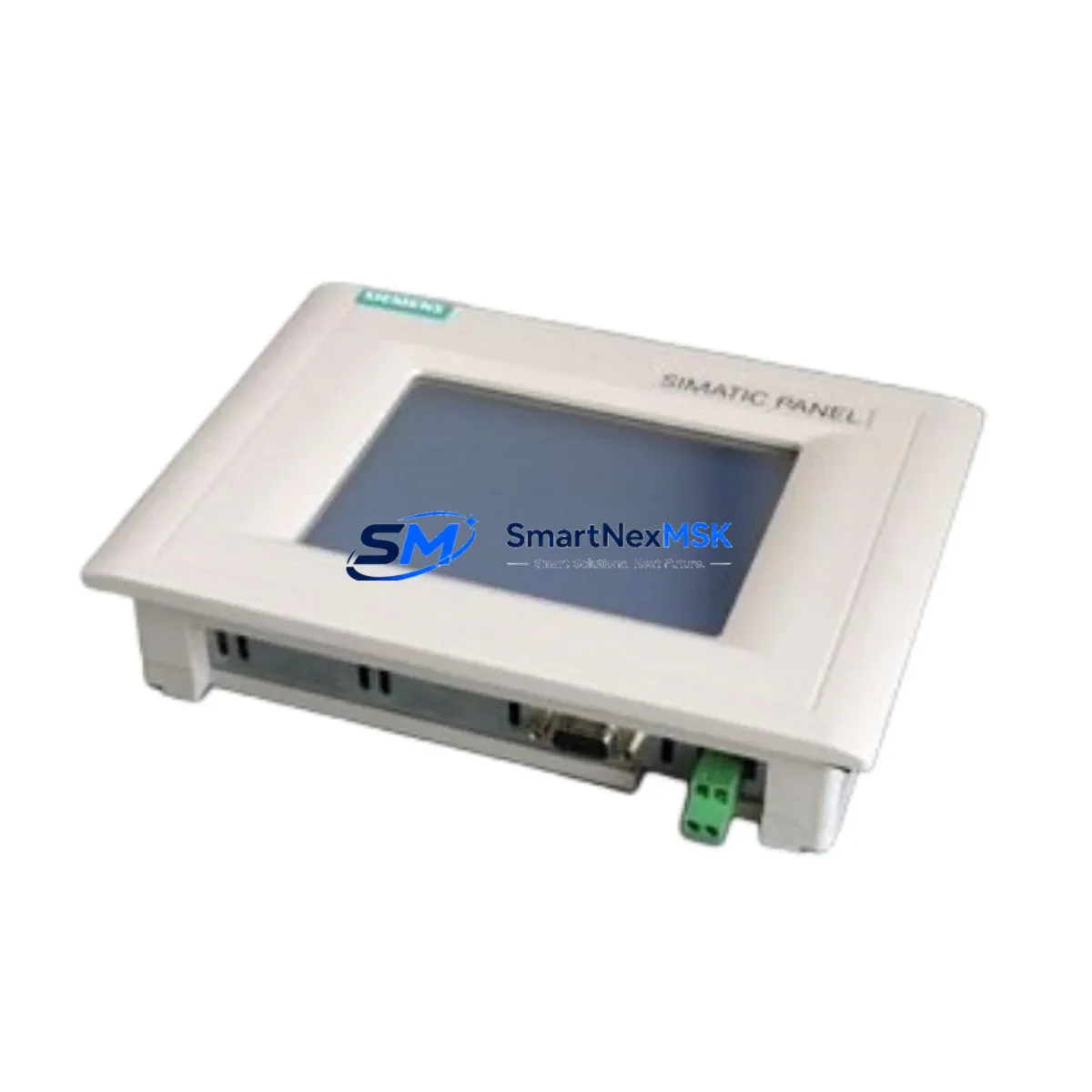
Siemens 6AV6640-0CA11-0AX0 Retrofit-Ready HMI for SIMATIC OP73 Control Systems
The Siemens 6AV6640-0CA11-0AX0 is a SIMATIC OP73 operator panel engineered for demanding industrial environments where legacy HMI infrastructure must be modernized without disrupting ongoing production. As a direct retrofit replacement for discontinued OP73 units, this panel supports seamless integration into existing SIMATIC S7-300, S7-400, and S7-200 control architectures via MPI and PROFIBUS DP communication links. Whether you are upgrading a legacy control cabinet, recovering from an unplanned HMI failure, or executing a planned system modernization, the 6AV6640-0CA11-0AX0 delivers the compatibility, reliability, and supply continuity that industrial buyers require.
This unit features a 3-inch monochrome display with function keys, supporting WinCC flexible Micro runtime for straightforward tag mapping and screen migration from older OP7 and OP17 panels. Its compact form factor fits standard 22.5 mm cutout mounting arrangements, making it a practical drop-in solution for control cabinets originally designed around the SIMATIC OP73 footprint. The panel communicates natively over MPI at 187.5 kbps and PROFIBUS DP up to 1.5 Mbps, eliminating the need for protocol converters or gateway modules in most retrofit scenarios.
Upgrade Compatibility Table
| Parameter | Details |
|---|---|
| SKU / Part Number | 6AV6640-0CA11-0AX0 |
| Series | SIMATIC OP73 |
| Display | 3-inch STN monochrome, 160 × 80 px |
| Communication Interfaces | MPI / PROFIBUS DP (RS-485) |
| Compatible Controllers | SIMATIC S7-200, S7-300, S7-400; also S5 via CP adapters |
| Replaces / Upgrades | OP7, OP17, OP73 (6AV3688-3ED13-0AX0 and similar) |
| Mounting | Panel cutout 138 × 68 mm, IP65 front protection |
| Power Supply | 24 V DC (20.4–28.8 V), max 2.5 W |
| Runtime Software | WinCC flexible Micro |
| Programming Interface | PC/PPI cable or USB-MPI adapter (e.g., PC Adapter USB A2) |
| Commissioning Tool | WinCC flexible 2008 SP4 or later |
| Warranty | 12 Months — tested, serialized, and documented |
| Retrofit Recommendation | Direct replacement; verify tag count and screen layout before migration |
Retrofit Planning for Existing Automation Systems
A successful retrofit begins well before the panel is physically installed. Engineers replacing an OP7 or OP17 with the 6AV6640-0CA11-0AX0 should first audit the existing WinCC flexible or ProTool project file to confirm tag count compatibility — the OP73 supports up to 200 tags, which covers the majority of legacy OP7 applications. If the original project was created in ProTool, it must be migrated to WinCC flexible Micro using the built-in migration wizard before downloading to the new panel.
Power supply verification is a critical pre-installation step. The 6AV6640-0CA11-0AX0 requires a stable 24 V DC rail with a minimum current capacity of 150 mA. In control cabinets where the existing SITOP PSU8200 or SITOP modular power supply is already loaded by a SIMATIC S7-300 CPU, a CP 343-1 communications processor, and multiple SM 321 digital input modules or SM 322 digital output modules, engineers should verify that sufficient headroom remains on the 24 V bus before adding the new HMI panel.
Terminal wiring for the MPI/PROFIBUS connector (9-pin Sub-D) must be carefully reproduced from the original panel’s wiring diagram. Bus termination resistors should be confirmed at both ends of the PROFIBUS segment — particularly important when the OP73 is the last node on a daisy-chained network that also includes an ET 200S distributed I/O station or a DP/PA coupler. The MPI network address assigned to the replacement panel must match the address configured in the PLC project; mismatched node addresses are the most common cause of communication failure during initial commissioning.
For systems using a SIMATIC S7-300 with a CPU 315-2 DP or CPU 317-2 DP, the HMI connection is typically defined in the hardware configuration (HW Config) within STEP 7. After replacing the panel, engineers should verify that the HMI station entry in HW Config reflects the correct panel type and MPI address, then perform a full download to the CPU to synchronize the configuration. If the control system also includes a SIMATIC ET 200M remote I/O rack connected via PROFIBUS, care must be taken to avoid address conflicts during the reconfiguration process.
Where the original installation used a PC Adapter MPI for programming, the same adapter can be reused for the WinCC flexible download to the 6AV6640-0CA11-0AX0. Alternatively, a PC Adapter USB A2 provides a more reliable USB-to-MPI bridge for modern engineering workstations that lack RS-232 ports. Once the project is downloaded, engineers should perform a full tag communication test, cycling through all HMI screens and verifying that process values from the S7 data blocks are displayed correctly before returning the system to production.
Downtime Control During System Migration
Minimizing unplanned downtime during an HMI retrofit requires a structured pre-commissioning approach. Before removing the original OP73 or OP7 panel, engineers should back up the existing WinCC flexible project from the panel’s internal memory using the panel’s transfer mode, and separately archive the STEP 7 or TIA Portal project from the PLC CPU. These backups ensure that the original program logic, screen layouts, and tag assignments can be fully restored if the migration encounters unexpected compatibility issues.
Where production schedules permit only a narrow maintenance window, it is advisable to pre-configure and test the 6AV6640-0CA11-0AX0 on a bench setup before the scheduled cutover. Using a SIMATIC S7-300 CPU on a test rack — or a PLCSIM simulation — engineers can validate all HMI screens, alarm messages, and operator inputs offline. This approach reduces the live installation time to a physical swap, wiring reconnection, and a brief communication verification, typically achievable within a two-hour maintenance window.
During the cutover, the PLC CPU should remain in RUN mode where process safety permits, allowing field instruments, drives, and actuators to maintain their last commanded states while the HMI is temporarily offline. Once the new panel is powered and the MPI/PROFIBUS link is established, operators can resume supervisory control without requiring a full system restart. Post-installation, a 24-hour monitoring period is recommended to confirm stable communication, correct alarm behavior, and accurate process value display across all operating conditions.
Retrofit Support FAQ
Q1: Is the 6AV6640-0CA11-0AX0 a direct replacement for the OP7 (6AV3607-1JC20-0AX1)?
A: Functionally yes — both panels use MPI communication and WinCC flexible / ProTool runtime environments. The OP73 has a slightly different display resolution and key layout, so screen layouts may require minor adjustments. Tag migration from ProTool OP7 projects is supported via the WinCC flexible migration wizard. Physical mounting dimensions differ; a panel cutout adapter plate may be required.
Q2: What programming cable is required to download a project to the 6AV6640-0CA11-0AX0?
A: The panel is programmed via its MPI port using a PC Adapter USB A2 (6ES7972-0CB20-0XA0) or a standard PC Adapter MPI (RS-232 version). The WinCC flexible Micro engineering software must be installed on the programming PC. Direct USB programming is not supported on this panel generation.
Q3: How is wiring compatibility verified when replacing an older OP73 with this unit?
A: The 9-pin Sub-D MPI/PROFIBUS connector pinout is standardized across the SIMATIC OP series. Existing MPI cables can typically be reused without modification. Verify bus termination at both segment ends and confirm the 24 V DC supply polarity at the panel’s power terminals before energizing. A wiring continuity check with a multimeter prior to power-on is strongly recommended.
Q4: What does the 12-month warranty cover, and how is it validated?
A: Every 6AV6640-0CA11-0AX0 unit shipped by SMARTNEXMSK undergoes functional testing including power-on verification, display check, communication port validation, and key function test. The 12-month warranty covers manufacturing defects and component failures under normal operating conditions. Each unit is serialized and documented at dispatch. For warranty claims, contact [email protected] with the order reference and unit serial number.
© 2026 SMARTNEXMSK. All rights reserved.
Original Source: https://smartnexmsk.com
Contact: [email protected] | +86 18259474341



