
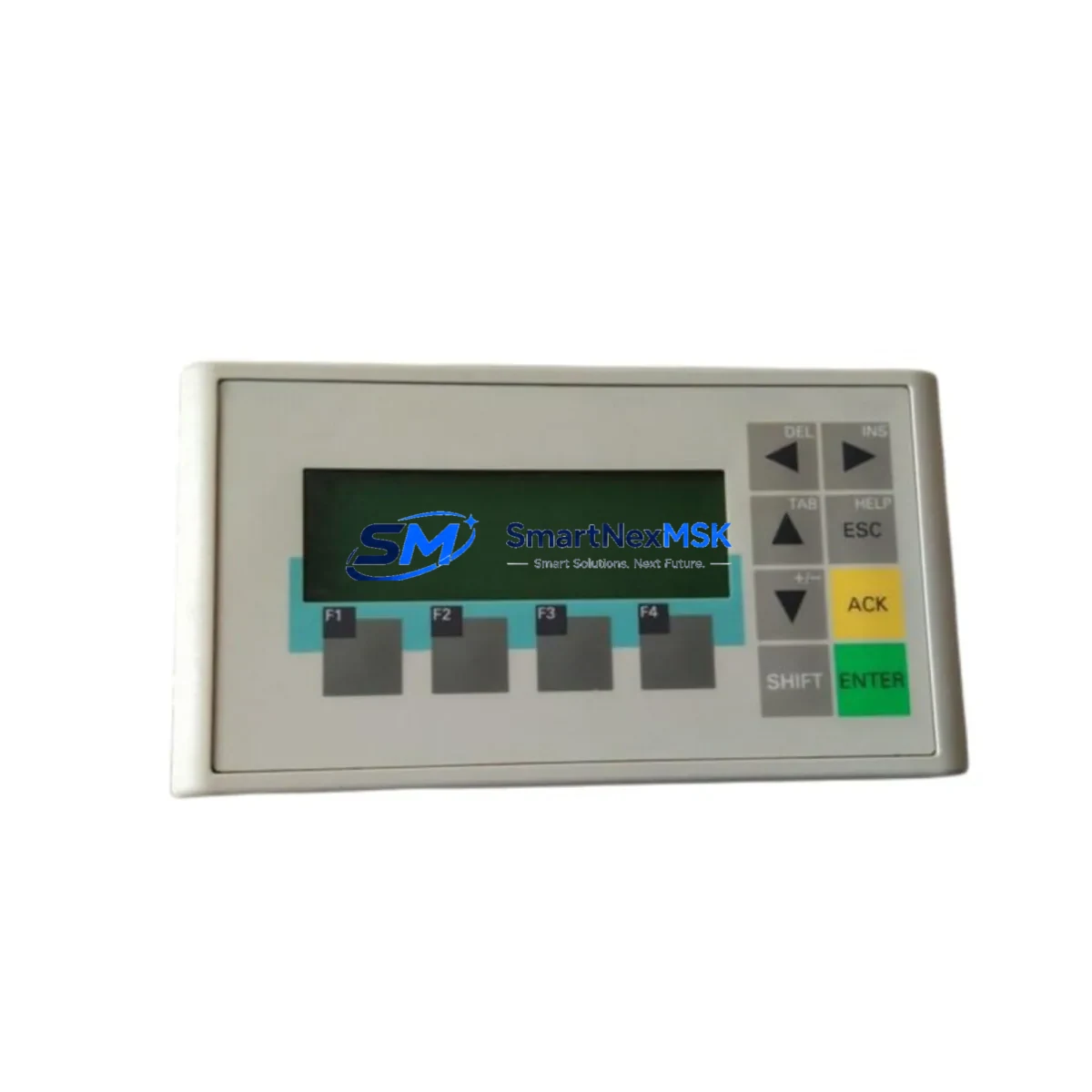
Siemens 6AV6641-0AA11-0AX0 Retrofit-Ready HMI Panel for S7 Control Systems: Compatible Modernization & Smooth Legacy Upgrade
The Siemens 6AV6641-0AA11-0AX0 is a SIMATIC OP73 operator panel designed for human-machine interface applications across a wide range of industrial automation environments. As legacy SIMATIC S7-200 and S7-300 control systems approach end-of-life, the 6AV6641-0AA11-0AX0 has become one of the most sought-after retrofit and replacement components for engineers managing aging production lines, control cabinets, and distributed automation architectures. Whether you are replacing a failed unit, upgrading a discontinued HMI, or migrating from an older operator terminal to a more maintainable platform, this panel offers a proven, field-validated path forward.
At SMARTNEXMSK, we maintain verified stock of the 6AV6641-0AA11-0AX0 to support urgent replacement scenarios, planned system upgrades, and long-term spare parts programs. Every unit ships with a 12-month warranty and passes pre-shipment functional testing to ensure compatibility and operational readiness upon arrival.
Upgrade Compatibility Table
| Parameter | Details |
|---|---|
| Part Number / SKU | 6AV6641-0AA11-0AX0 |
| Product Family | SIMATIC OP73 (HMI Operator Panel) |
| Compatible Controllers | SIMATIC S7-200, S7-300, S7-400; also compatible with S7-1200 via MPI/PPI adapter |
| Communication Interface | MPI, PPI, PROFIBUS DP (RS-485) |
| Display | 3-inch STN monochrome LCD, 4-line text display |
| Power Supply | 24 V DC (20.4–28.8 V), approx. 1.5 W |
| Installation | Panel cutout mounting, IP65 front protection |
| Programming Software | ProTool / WinCC flexible (Micro edition) |
| Replacement Recommendation | Direct drop-in for OP73 units; verify terminal wiring and MPI address before power-on |
| Commissioning Notes | Confirm MPI station address, baud rate (187.5 kbps default), and project download via PC adapter |
| Warranty | 12 months from shipment date — covers manufacturing defects and functional failures |
Retrofit Planning for Existing Automation Systems
Replacing an OP73 in a live production environment requires careful pre-work to avoid extended downtime and configuration loss. Before removing the existing panel, engineers should document the current MPI station address, the baud rate setting, and the project file stored on the unit. If the original project was created in ProTool, it must be converted or re-downloaded using WinCC flexible Micro before commissioning the replacement 6AV6641-0AA11-0AX0.
In most S7-300 retrofit scenarios, the OP73 is mounted in a control cabinet alongside a CPU 314C-2 DP or CPU 315-2 PN/DP, connected via an MPI network segment that may also include a SIMATIC S7-300 SM 321 digital input module, an SM 322 digital output module, and a CP 342-5 PROFIBUS communication processor. When upgrading the HMI, it is important to verify that the MPI cable termination resistors are correctly positioned — particularly if the OP73 is at the end of the MPI bus segment. Incorrect termination is a common cause of communication faults after panel replacement.
For systems using a SIMATIC S7-200 CPU 226 or CPU 224XP, the 6AV6641-0AA11-0AX0 connects via PPI protocol. In these installations, the panel address must be set to a unique node number (typically 1), and the PPI baud rate must match the CPU configuration — usually 9.6 kbps or 19.2 kbps. If the control system also includes an EM 231 analog input expansion module or an EM 222 digital output module, these do not affect HMI communication but should be verified for correct addressing after any CPU restart triggered by the panel replacement process.
In control cabinet upgrade projects where the OP73 is being replaced as part of a broader modernization — for example, alongside a SIMATIC S7-300 PS 307 power supply module replacement or a rack and backplane swap — it is advisable to complete the mechanical installation and wiring verification before downloading the HMI project. This ensures that the 24 V DC supply rail is stable and within tolerance (20.4–28.8 V) before the panel initializes its communication stack. A SIMATIC PC Adapter USB or MPI/PPI cable is required for project transfer from the engineering station.
Where the retrofit involves migrating from an older SIMATIC OP7 or OP17 panel to the OP73, the panel cutout dimensions differ and a new cutout or adapter plate will be required. The OP73 uses a 138 × 68 mm panel cutout, which is smaller than the OP17’s footprint. This dimensional difference is frequently overlooked during retrofit planning and can add unexpected mechanical work to the project schedule.
Downtime Control During System Migration
Minimizing production downtime during an HMI replacement is a primary concern for maintenance engineers and system integrators. For the 6AV6641-0AA11-0AX0, the recommended approach is to pre-configure the replacement panel offline before the scheduled maintenance window. Using WinCC flexible Micro on a laptop with a SIMATIC PC Adapter USB, the project file can be downloaded to the new OP73 unit in advance, so that the physical swap is limited to disconnecting the old panel, mounting the new one, reconnecting the MPI or PPI cable and the 24 V DC power terminals, and verifying communication.
The entire physical replacement process — assuming the project is already loaded — typically takes 15 to 30 minutes for an experienced technician. The PLC program running on the S7-200 or S7-300 CPU does not need to be stopped during the HMI swap, which means the controlled process can remain in a safe hold state rather than a full shutdown. After reconnecting the OP73, the MPI or PPI link will re-establish automatically within seconds, and the operator screens will become available without requiring a CPU restart.
To protect the original program logic, it is strongly recommended to back up the PLC project from the CPU using STEP 7 or STEP 7 Micro/WIN before beginning any hardware work. This backup ensures that if a communication fault or power interruption occurs during the replacement, the CPU program can be restored without re-engineering. Similarly, the HMI project file should be archived from the original OP73 (if it is still functional) before removal, as the panel’s internal memory holds the compiled project and tag configuration.
Retrofit Support FAQ
Q: Is the 6AV6641-0AA11-0AX0 a direct replacement for a failed OP73 unit?
A: Yes. The 6AV6641-0AA11-0AX0 is the standard order number for the SIMATIC OP73 operator panel. A replacement unit will accept the same project download, use the same panel cutout, and connect to the same MPI or PPI wiring as the original. No hardware modification is required provided the power supply and communication cable are within specification.
Q: What commissioning steps are required after installing the replacement panel?
A: After mounting and wiring, set the MPI station address using the panel’s configuration menu (default is address 1 for OP73). Confirm the baud rate matches the MPI network (187.5 kbps is standard for S7-300 systems). Download the HMI project via a SIMATIC PC Adapter USB or MPI cable. Power-cycle the panel and verify that the operator screens display correctly and that tag values update in real time from the PLC.
Q: Does the unit ship with a warranty, and what does it cover?
A: Every 6AV6641-0AA11-0AX0 supplied by SMARTNEXMSK includes a 12-month warranty from the date of shipment. The warranty covers manufacturing defects, display failures, communication port faults, and functional failures under normal operating conditions. Units are pre-tested before dispatch to verify power-on, display function, and communication interface integrity.
Q: Can this panel be used with a SIMATIC S7-1200 or S7-1500 controller?
A: The OP73 communicates via MPI and PPI protocols, which are not natively supported by S7-1200 or S7-1500 CPUs. However, with an appropriate MPI/PROFIBUS communication module or adapter, limited connectivity may be achievable in some configurations. For new S7-1200 or S7-1500 installations, Siemens recommends the SIMATIC KTP400 Basic or KTP700 Basic HMI panels, which use PROFINET. If you are planning a full platform migration rather than a like-for-like replacement, please contact our technical team for guidance.
© 2026 SMARTNEXMSK. All rights reserved.
Original Source: https://smartnexmsk.com
Contact: [email protected] | +86 18259474341



