
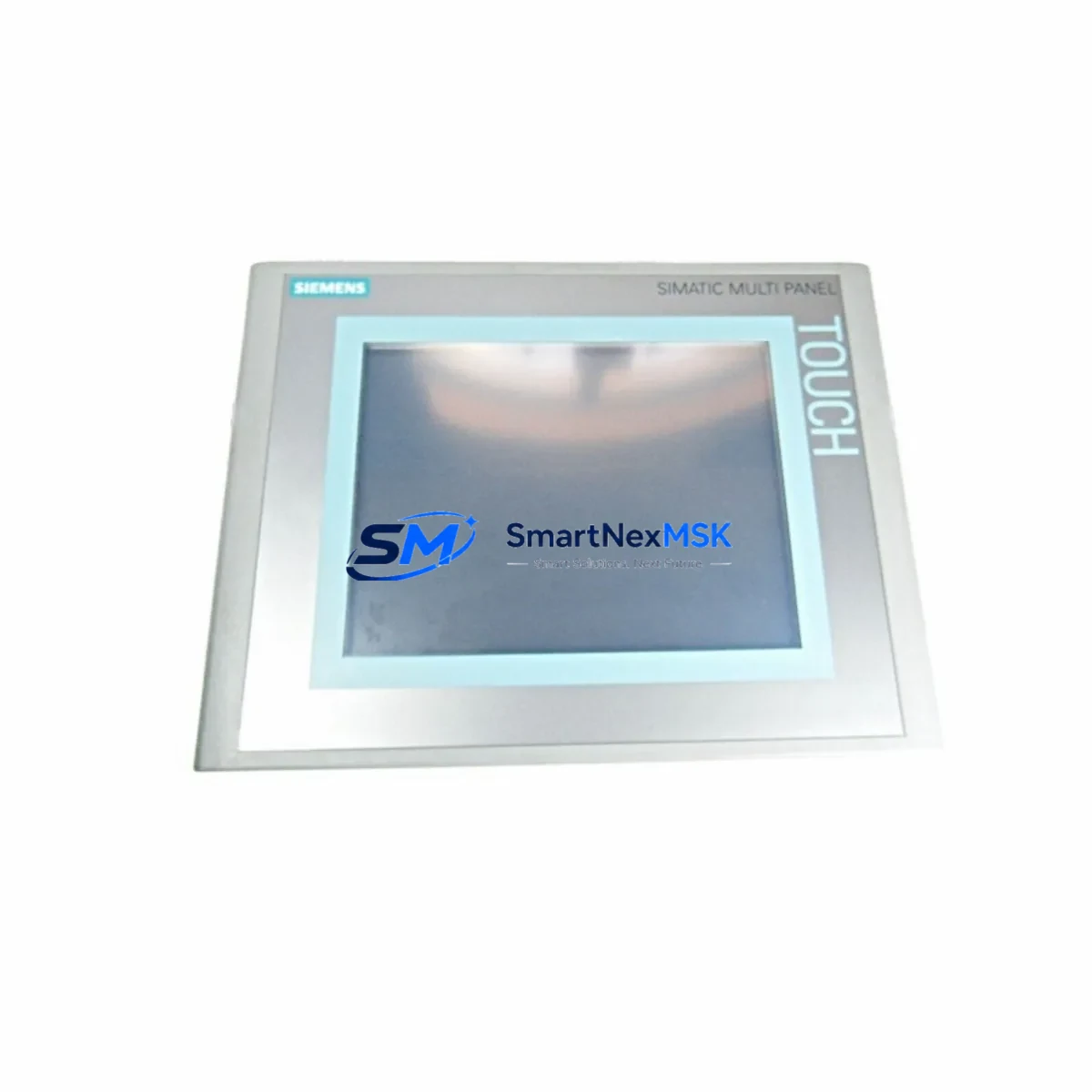
Siemens 6AV6643-0CB01-1AX1 Maintenance-Ready Spare MP277: Spare Parts Replacement & Industrial Downtime Risk Control
The Siemens 6AV6643-0CB01-1AX1 is an original SIMATIC HMI MP277 8-inch Touch Panel designed for demanding industrial automation environments. As a maintenance-ready spare, this unit is sourced, inspected, and dispatched to support rapid field replacement in SIMATIC S7-300 and S7-400 control systems. Whether you are managing a planned shutdown, responding to an unscheduled fault, or building a strategic spare parts inventory for aging automation infrastructure, the 6AV6643-0CB01-1AX1 delivers the compatibility, reliability, and documentation traceability that maintenance engineers and procurement teams require.
Industrial facilities operating SIMATIC-based control cabinets understand the operational risk of HMI panel failure. The MP277 8-inch touch panel serves as the primary operator interface for process visualization, alarm acknowledgment, recipe management, and real-time diagnostics. A failed or degraded HMI can halt production lines, delay fault isolation, and extend unplanned downtime beyond acceptable thresholds. Stocking a verified replacement unit of the 6AV6643-0CB01-1AX1 is a proven strategy for minimizing mean time to repair (MTTR) in critical automation cells.
Each unit supplied by SMARTNEXMSK undergoes pre-shipment functional verification, is packaged for transit protection, and is backed by a 12-month warranty covering manufacturing defects and operational failures under normal industrial use conditions.
Spare Maintenance Table
| Parameter | Specification |
|---|---|
| Part Number / SKU | 6AV6643-0CB01-1AX1 |
| Product Family | SIMATIC HMI MP277 |
| Display Size | 8-inch TFT Touch Screen |
| Resolution | 640 × 480 px (VGA) |
| Operating System | Windows CE 5.0 |
| Communication Interfaces | MPI/PROFIBUS DP, PROFINET (Ethernet), USB, CF Card Slot |
| Compatible PLC Series | SIMATIC S7-300, S7-400, WinCC Flexible |
| Supply Voltage | 24 V DC (SELV) |
| Power Consumption | Approx. 18 W |
| Operating Temperature | 0 °C to +50 °C |
| Protection Rating | IP65 (front panel) |
| Mounting | Panel cutout, portrait/landscape |
| Country of Origin | Germany |
| Condition | Original / New-equivalent, pre-shipment tested |
| Warranty | 12 Months — covers manufacturing defects and operational failure under normal use |
| Compatibility Confirmation | Verified against SIMATIC S7-300/400 and WinCC Flexible project configurations |
| Shipping | Secure industrial packaging; DHL / FedEx / SF Express available |
Maintenance Planning for Continuous Operation
When a maintenance or procurement engineer schedules replacement of the 6AV6643-0CB01-1AX1 MP277 panel, the replacement workflow should extend beyond the HMI unit itself. A comprehensive control cabinet inspection at the time of HMI swap significantly reduces the risk of secondary failures and repeat downtime events.
Begin by verifying the 24 V DC power supply module feeding the HMI and adjacent I/O racks — units such as the Siemens SITOP PSU100S or equivalent regulated DC supplies should be checked for output voltage stability and ripple. A degraded power supply is a common root cause of HMI display faults and communication dropouts that are often misattributed to the panel itself.
Inspect the MPI/PROFIBUS DP communication cable and bus connectors (e.g., Siemens 6ES7972-0BA52-0XA0 bus connector) for pin corrosion, mechanical damage, and correct termination resistor settings. PROFIBUS segment integrity directly affects the MP277’s ability to maintain live communication with the S7-300 or S7-400 CPU.
If the installation uses PROFINET Ethernet for HMI communication, verify the managed switch port configuration, cable shielding continuity, and IP address assignment. Industrial Ethernet switches in the control cabinet should be inspected for port fault indicators and firmware currency.
During the same maintenance window, check the S7-300 or S7-400 CPU module (e.g., CPU 315-2 DP or CPU 414-3 PN/DP) for battery backup status, memory card integrity, and diagnostic buffer entries that may indicate pre-existing faults. A CPU with a low backup battery or corrupted program memory will prevent the replacement HMI from establishing a valid project connection.
Review the digital and analog I/O modules in the same rack — SM321 digital input modules, SM322 digital output modules, and SM331/SM332 analog modules — for channel fault LEDs and wiring terminal tightness. Loose terminals on I/O modules can generate spurious alarms that appear on the HMI and complicate post-replacement commissioning.
Examine relay output modules and intermediate relays in the control circuit. Relay contacts that have exceeded their rated switching cycles can cause intermittent output faults that are difficult to diagnose without a functioning HMI display. Replacing worn relay modules alongside the HMI panel prevents repeat call-outs.
Check signal isolators and barriers on analog input loops — particularly on 4–20 mA process signals feeding the S7-300 analog input modules. Degraded isolation can introduce ground loops that affect measurement accuracy and trigger false alarms on the MP277 display.
Inspect the terminal blocks and DIN rail wiring within the control cabinet for insulation degradation, heat discoloration, and loose ferrule connections. Thermal imaging during a planned shutdown is recommended for cabinets with high-density wiring.
Finally, verify the CF memory card installed in the MP277 (if applicable) for project version currency and backup integrity. A replacement HMI panel loaded with an outdated WinCC Flexible project will require re-commissioning before returning the system to production.
Site Replacement Workflow
Step 1 — Pre-replacement verification: Confirm the existing panel SKU (6AV6643-0CB01-1AX1) against the control cabinet documentation and WinCC Flexible project file. Verify the project runtime version is compatible with the replacement unit’s firmware. Back up the current project to a CF card or engineering workstation before powering down.
Step 2 — Safe isolation: Follow site LOTO (Lockout/Tagout) procedures. Isolate the 24 V DC supply to the HMI panel. Disconnect MPI/PROFIBUS or PROFINET cables and label each connector for reinstallation reference.
Step 3 — Panel removal and installation: Release the panel mounting clamps from the rear of the cutout. Remove the old unit and install the replacement 6AV6643-0CB01-1AX1. Reconnect all communication cables and power supply leads. Verify torque on terminal connections.
Step 4 — Project transfer and commissioning: Load the WinCC Flexible project onto the replacement panel via CF card or direct PC download using the SIMATIC WinCC Flexible engineering tool. Confirm MPI/PROFIBUS address or PROFINET IP settings match the original configuration. Power up and verify communication with the S7-300/400 CPU.
Step 5 — Functional validation: Navigate all HMI screens, acknowledge any pending alarms, and verify real-time tag values against field instrumentation. Confirm recipe and trend data integrity before returning the system to automatic operation.
This structured replacement workflow minimizes total downtime, eliminates configuration errors, and ensures the replacement unit is fully validated before production restart. SMARTNEXMSK supplies the 6AV6643-0CB01-1AX1 with pre-shipment testing documentation to support site acceptance procedures.
Spare Parts Support FAQ
Q1: Is the 6AV6643-0CB01-1AX1 compatible with my existing WinCC Flexible project?
Yes. The MP277 8-inch touch panel (6AV6643-0CB01-1AX1) is fully compatible with WinCC Flexible 2008 and later runtime projects configured for the MP277 platform. If your project was developed on an earlier WinCC Flexible version, a runtime update may be required. SMARTNEXMSK recommends confirming the project runtime version with your automation engineer before ordering to ensure a direct drop-in replacement without re-engineering.
Q2: What pre-shipment testing is performed on each unit?
Each 6AV6643-0CB01-1AX1 unit supplied by SMARTNEXMSK undergoes power-on functional verification, display integrity check, touch calibration test, and communication port inspection prior to dispatch. A test report is available upon request. Units are packaged in anti-static, shock-absorbing materials to maintain condition during international transit.
Q3: How should I manage long-term spare parts inventory for aging SIMATIC HMI systems?
For facilities operating SIMATIC S7-300/400 systems with MP277 panels, we recommend maintaining at least one verified spare unit of the 6AV6643-0CB01-1AX1 per production line or critical process area. As the MP277 series approaches end-of-life support from the OEM, sourcing and holding certified spare units now protects against future supply constraints. SMARTNEXMSK maintains long-term stock availability and can support scheduled replenishment agreements for multi-site operations.
Q4: What does the 12-month warranty cover, and what is the claims process?
The 12-month warranty covers manufacturing defects and operational failures under normal industrial use conditions from the date of shipment. It does not cover damage resulting from incorrect installation, overvoltage events, or physical impact. To initiate a warranty claim, contact SMARTNEXMSK with the order reference, fault description, and photographic evidence. Replacement or repair will be arranged within the warranty period with priority handling to minimize your operational disruption.
© 2026 SMARTNEXMSK. All rights reserved.
Original Source: https://smartnexmsk.com
Contact: [email protected] | +86 18259474341



