
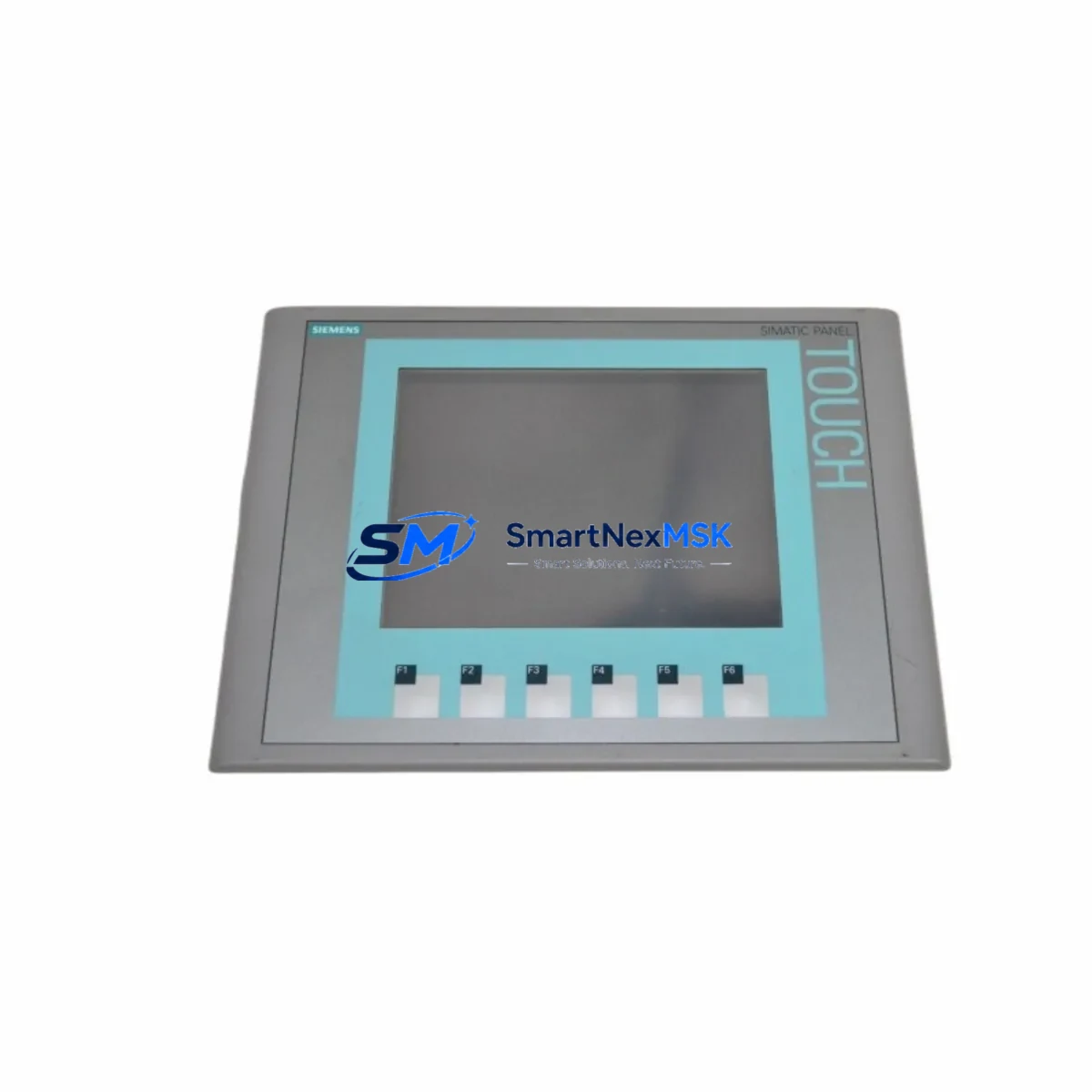
Siemens 6AV6647-0AD11-3AX0 Maintenance-Ready Spare for KTP600 Basic PN HMI Automation
The Siemens 6AV6647-0AD11-3AX0 is a SIMATIC KTP600 Basic PN 6-inch key-and-touch HMI panel designed for machine-level visualization in industrial automation environments. As a maintenance-ready original spare, this unit supports rapid replacement in PROFINET-based control architectures, minimizing unplanned downtime and restoring production continuity with minimal reconfiguration. It is widely deployed across discrete manufacturing, process control, packaging lines, and utility infrastructure where reliable operator interface availability is critical to uptime.
For maintenance engineers managing aging SIMATIC HMI fleets, the 6AV6647-0AD11-3AX0 represents a direct, plug-compatible replacement for failed or end-of-life KTP600 Basic PN units. Its compatibility with TIA Portal and WinCC Basic project files means that existing visualization projects can be transferred and commissioned without reengineering, significantly reducing mean time to repair (MTTR) during emergency callouts.
Spare Maintenance Table
| Parameter | Specification |
|---|---|
| Part Number / SKU | 6AV6647-0AD11-3AX0 |
| Product Series | SIMATIC KTP600 Basic PN |
| Display Size | 5.7″ TFT (640 × 480 px) |
| Interface | PROFINET (RJ45), RS-422/485 |
| Power Supply | 24 V DC (20.4–28.8 V) |
| Power Consumption | Approx. 4.5 W typical |
| Operating Temperature | 0 °C to +50 °C |
| Protection Rating | IP65 (front panel) |
| Compatible Controllers | S7-300, S7-400, S7-1200, S7-1500, ET 200SP CPU |
| Engineering Software | TIA Portal V13 SP1 and above, WinCC Basic |
| Origin | Germany |
| Warranty | 12 Months — Tested and verified before shipment |
| Condition | Original spare, new or refurbished-to-spec |
| Shipping | Global express; ESD-safe packaging |
Maintenance Planning for Continuous Operation
When replacing the 6AV6647-0AD11-3AX0 in a live control cabinet, a disciplined maintenance approach requires inspecting the surrounding electrical ecosystem before and after installation. Begin with the 24 V DC power supply feeding the HMI — units such as the Siemens SITOP PSU100S 24V/5A or equivalent regulated DC supply should be checked for output voltage stability and ripple, as undervoltage conditions are a leading cause of premature HMI failure.
Inspect the PROFINET cabling and switch infrastructure. The KTP600 Basic PN communicates over standard Ethernet at 100 Mbit/s; verify that the connected SCALANCE X-series managed switch or equivalent industrial Ethernet switch is free of port faults and that cable shielding is intact. A degraded network segment can cause intermittent communication alarms that are often misdiagnosed as HMI hardware failure.
Review the S7-1200 or S7-1500 CPU module connected to this HMI. Confirm that the CPU firmware version is compatible with the HMI project version compiled in TIA Portal. Mismatched firmware between the CPU and the HMI project is a common commissioning pitfall during emergency replacements. While the cabinet is open, inspect the SM 1221 or SM 1222 digital I/O modules for blown fuses or damaged terminal connections, as I/O faults frequently trigger HMI alarm floods that can mask the root cause of a shutdown.
Check the 24 V DC terminal blocks and wiring harness connected to the HMI power input. Loose or corroded terminals on Phoenix Contact or Weidmüller-style terminal strips are a frequent source of intermittent power interruptions. If the control cabinet includes a CP 1243-1 or CP 1543-1 communications processor for remote SCADA connectivity, verify its operational status, as a failed CP module can disrupt the broader network segment shared with the HMI.
For facilities running legacy SIMATIC S7-300 systems, also inspect the IM 153-2 interface module and the associated DP/PA coupler if the HMI is part of a PROFIBUS-to-PROFINET migration architecture. Maintaining a stocked spare of the 6AV6647-0AD11-3AX0 alongside a backup CPU memory card (SIMATIC Memory Card for S7-1×00) ensures that both the HMI and the controller program can be restored simultaneously during a multi-component failure event.
Site Replacement Workflow
Step 1 — Pre-replacement verification: Before removing the failed HMI, document the existing IP address, subnet mask, device name, and PROFINET device configuration using TIA Portal’s online diagnostics or the panel’s own network settings menu. Photograph the wiring connections at the rear of the panel.
Step 2 — Safe isolation: De-energize the HMI supply circuit at the 24 V DC distribution terminal. Do not de-energize the entire control cabinet unless required by site safety procedures, as the PLC and field devices may need to remain operational to avoid process upsets.
Step 3 — Physical replacement: Remove the panel from the cutout (standard 192 × 138 mm cutout for KTP600). Install the 6AV6647-0AD11-3AX0 replacement unit, reconnect the PROFINET cable and 24 V DC supply, and secure the panel clamps to the specified torque.
Step 4 — Project transfer and commissioning: Using TIA Portal, download the existing HMI project to the replacement panel via PROFINET or USB. Assign the correct PROFINET device name using the “Assign device name” function. Verify all screen navigation, alarm displays, and tag communications are functioning correctly before returning the system to production.
Step 5 — Post-replacement documentation: Update the maintenance log with the replacement date, serial number of the removed unit, and the new unit’s serial number. Flag the removed unit for evaluation — many KTP600 panels can be refurbished and held as secondary spares.
Spare Parts Support FAQ
Q1: Is the 6AV6647-0AD11-3AX0 compatible with both S7-1200 and S7-300 controllers?
Yes. The KTP600 Basic PN communicates over PROFINET and is compatible with S7-300 (via CP 343-1), S7-400, S7-1200, S7-1500, and ET 200SP CPU platforms. Compatibility is determined by the TIA Portal project version and the firmware level of the connected CPU, not the hardware generation alone.
Q2: What is included in the 12-month warranty and pre-shipment testing?
Every unit is powered on and subjected to functional verification prior to dispatch, including display integrity, touch response, PROFINET port activity, and power input range testing. The 12-month warranty covers manufacturing defects and functional failures under normal operating conditions. Units showing physical damage from improper installation or overvoltage are excluded.
Q3: Can I transfer my existing WinCC Basic project to the replacement panel without reengineering?
Yes, provided the replacement unit runs the same or a compatible firmware version. Projects compiled in TIA Portal V13 SP1 and above are directly transferable. If the original panel’s firmware version is unknown, we recommend updating the replacement unit to the latest compatible firmware before project download to avoid version conflicts.
Q4: What is your recommended spare parts stocking strategy for KTP600-based systems?
For facilities with three or more KTP600 Basic PN panels in service, we recommend maintaining at least one cold spare on-site. For critical production lines with zero-tolerance downtime requirements, a pre-configured hot spare — with the project already loaded and the PROFINET device name assigned — reduces replacement time to under 15 minutes. Long-term supply continuity for the 6AV6647-0AD11-3AX0 is supported through our stocking program with lead times confirmed at order placement.
© 2026 SMARTNEXMSK. All rights reserved.
Original Source: https://smartnexmsk.com
Contact: [email protected] | +86 18259474341



