
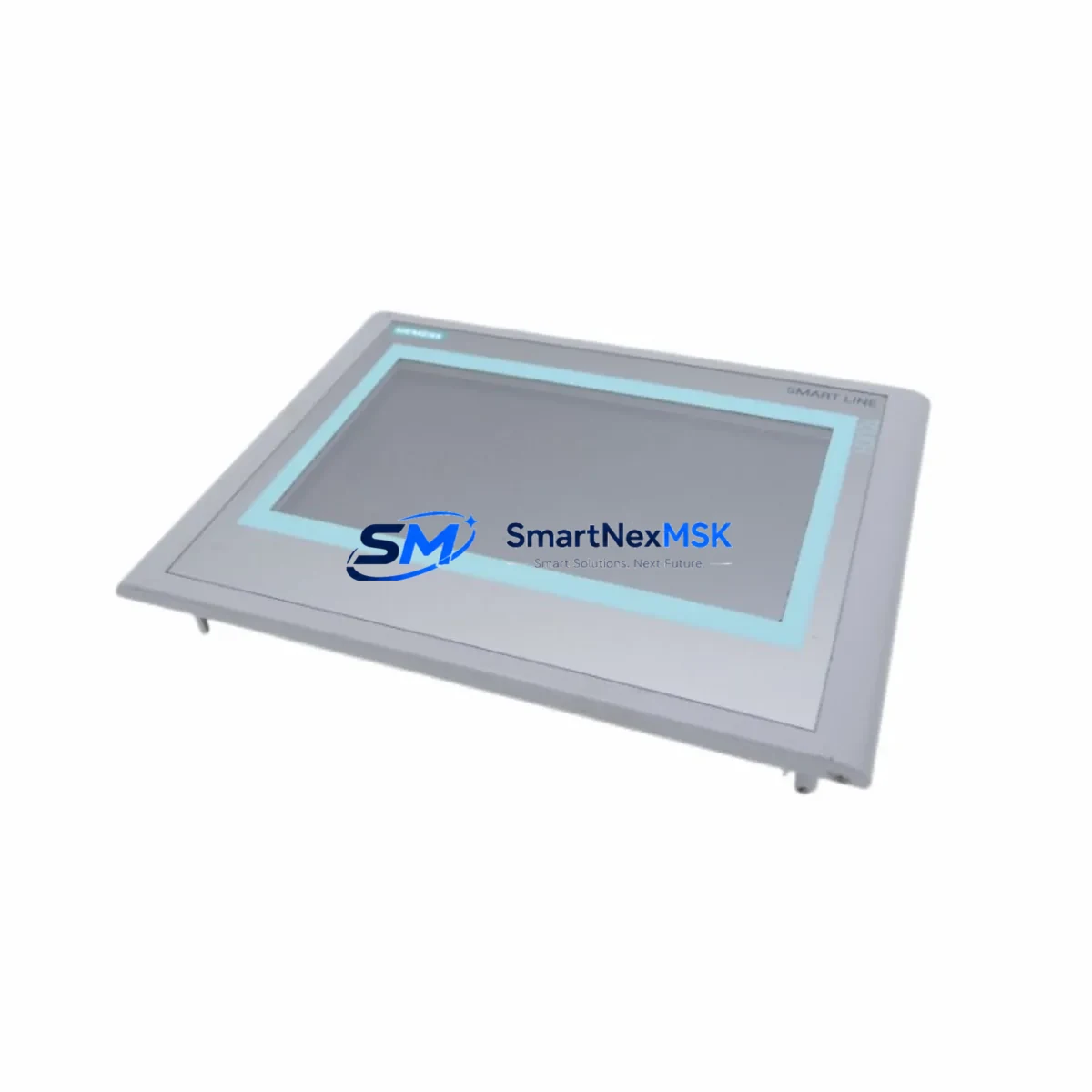
Siemens 6AV6648-0BC11-3AX0 Smart 700 IE HMI Spare: Backup-Ready Replacement for Industrial Downtime Control
The Siemens 6AV6648-0BC11-3AX0 is a 7-inch SIMATIC Smart 700 IE HMI touch panel designed for operator interface applications in industrial automation environments. As a maintenance-ready spare part, this unit supports rapid field replacement in S7-200 SMART and S7-300 PLC-based control systems, minimizing unplanned downtime and restoring production continuity with minimal reconfiguration effort. Whether you are managing a planned overhaul, responding to an emergency panel failure, or building a strategic spare parts inventory for aging SIMATIC infrastructure, the 6AV6648-0BC11-3AX0 delivers a direct, compatible replacement path without requiring system redesign.
Sourced as an original Siemens component, each unit undergoes pre-shipment functional verification to confirm display integrity, touch response accuracy, communication port operation, and power-on self-test results. A 12-month warranty is included with every shipment, providing procurement engineers and maintenance teams with the confidence needed for long-term spare parts planning.
Spare Maintenance Table
| Parameter | Specification |
|---|---|
| Part Number | 6AV6648-0BC11-3AX0 |
| Series | SIMATIC Smart 700 IE |
| Display Size | 7-inch TFT Widescreen |
| Resolution | 800 × 480 px |
| Touch Type | Resistive Touch Screen |
| Supply Voltage | DC 24 V (19.2–28.8 V) |
| Communication Interfaces | Ethernet (RJ45), RS-422/485 |
| PLC Compatibility | S7-200 SMART, S7-300, S7-1200 (via driver) |
| Configuration Software | SIMATIC WinCC flexible Compact / Smart Client |
| Operating Temperature | 0 °C to +50 °C |
| Protection Rating | IP65 (front panel) |
| Mounting | Panel cutout, rear-mount clips |
| Weight | Approx. 1,050 g |
| Origin | Germany |
| Warranty | 12 Months |
| Condition | Original, Pre-shipment Tested |
Maintenance Planning for Continuous Operation
When replacing the 6AV6648-0BC11-3AX0 in a live control cabinet, maintenance engineers should treat the HMI swap as part of a broader system health check rather than an isolated component replacement. The HMI panel interfaces directly with the PLC communication bus, and any degradation in adjacent components can cause recurring faults even after a successful panel replacement.
Begin by inspecting the 24 VDC power supply module feeding the HMI — voltage ripple or marginal output from an aging SITOP PSU8200 or equivalent power supply is a common root cause of HMI reboot loops and communication timeouts. Verify that the supply voltage at the HMI terminal block is within the 19.2–28.8 V operating range under load. If the power supply is more than five years old and shows signs of capacitor aging, plan its replacement alongside the HMI panel.
Next, inspect the Ethernet communication cable and RJ45 connector between the HMI and the S7-200 SMART CPU or managed switch. Damaged shielding, loose crimp connections, or incorrect cable category (Cat5e minimum recommended) can cause intermittent Modbus TCP or S7 protocol dropouts that mimic HMI hardware failure. Replace the cable if continuity or shielding integrity is in doubt.
For systems using the RS-422/485 serial port, check the terminal block wiring and signal isolation on the communication line. In environments with variable-frequency drives (VFDs) or high-current motor starters nearby, common-mode noise on the RS-485 bus can corrupt HMI-PLC communication. A signal isolator or RS-485 repeater should be installed if the cable run exceeds 15 meters or passes near high-EMI equipment.
Inspect the S7-200 SMART CPU module (such as the CPU SR20, CPU ST30, or CPU SR40) for error LEDs, battery backup status, and firmware version compatibility with the HMI project file. Mismatched firmware between the CPU and the WinCC flexible project can prevent the HMI from establishing a connection after replacement. Confirm the project version in SIMATIC WinCC flexible Compact before downloading to the new panel.
If the control cabinet includes digital or analog I/O expansion modules — such as the EM DE08, EM AE04, or EM AM06 — verify that their status LEDs are normal and that no I/O channel faults are latched in the CPU diagnostic buffer. A faulty I/O module can generate alarm floods on the HMI screen that are mistakenly attributed to the panel itself.
Check the 24 VDC relay output modules and intermediate relays in the cabinet. Coil voltage drop across aging relay contacts can cause erratic output behavior that operators report through the HMI alarm system. Replacing the HMI without addressing relay contact wear will result in continued alarm generation. Inspect relay coil resistance and contact resistance with a multimeter during the maintenance window.
Finally, review the cabinet ventilation and thermal management. The 6AV6648-0BC11-3AX0 is rated for operation up to 50 °C ambient. In poorly ventilated enclosures or high-ambient industrial environments, thermal stress accelerates backlight degradation and touch controller drift. Ensure that cabinet cooling fans, filter mats, and heat exchangers are clean and functional before reinstalling the replacement HMI.
Site Replacement Workflow
Step 1 — Backup the existing HMI project. Before powering down the old panel, use SIMATIC WinCC flexible Compact to upload and save the current project file from the HMI. If the panel is non-responsive, retrieve the project from the engineering workstation backup. Confirm the project version and PLC driver settings.
Step 2 — Power isolation and panel removal. Isolate the 24 VDC supply to the HMI at the circuit breaker or fuse terminal. Disconnect the Ethernet and RS-485 cables, label each connector, and remove the rear-mount clips. Slide the old panel out of the cutout carefully to avoid damaging the gasket seal.
Step 3 — Inspect the panel cutout and gasket. Check the cutout dimensions (standard: 192 × 138 mm for Smart 700 IE) and clean the mounting surface. Replace the front gasket if it shows compression set or cracking to maintain IP65 protection after reinstallation.
Step 4 — Install the 6AV6648-0BC11-3AX0 replacement. Insert the new panel, secure the rear clips evenly to achieve uniform gasket compression, and reconnect all cables in the correct orientation. Restore 24 VDC power and confirm the panel powers on to the startup screen.
Step 5 — Download the project and verify communication. Connect the engineering laptop via Ethernet, download the saved project to the new HMI, and confirm PLC communication is established. Navigate through all HMI screens, verify alarm displays, and confirm I/O status values match the PLC data. Document the replacement in the maintenance log with the date, technician name, and new panel serial number.
This workflow supports a typical replacement time of under two hours for a prepared maintenance team, significantly reducing production downtime compared to waiting for OEM repair services.
Spare Parts Support FAQ
Q1: Is the 6AV6648-0BC11-3AX0 a direct replacement for older Smart 700 IE variants?
Yes. The 6AV6648-0BC11-3AX0 is the current production variant of the SIMATIC Smart 700 IE series and is mechanically and electrically compatible with earlier revisions including the 6AV6648-0BC11-3AX0 V3 and V4 hardware generations. Existing WinCC flexible Compact projects can be downloaded to the replacement panel without modification in most cases. Verify the firmware version compatibility in the project properties before downloading.
Q2: What pre-shipment testing is performed on each unit?
Each 6AV6648-0BC11-3AX0 unit is tested for power-on functionality, display uniformity, touch screen calibration, Ethernet port link establishment, and RS-485 signal integrity before shipment. Units that do not pass all test criteria are not shipped. A test report is available upon request for quality-critical procurement processes.
Q3: How should this spare part be stored if not immediately installed?
Store the unit in its original anti-static packaging in a dry environment between −20 °C and +60 °C with relative humidity below 90% non-condensing. Avoid storage near strong magnetic fields or high-vibration areas. For long-term storage exceeding 12 months, inspect the unit and power it on for a functional check before deployment to confirm backlight and touch controller integrity.
Q4: What does the 12-month warranty cover?
The 12-month warranty covers manufacturing defects, component failures under normal operating conditions, and communication port malfunctions. It does not cover damage resulting from incorrect installation voltage, physical impact, liquid ingress, or unauthorized modification. Warranty claims are processed with return shipping support and replacement unit dispatch within 5 business days of fault confirmation.
© 2026 SMARTNEXMSK. All rights reserved.
Original Source: https://smartnexmsk.com
Contact: [email protected] | +86 18259474341



