
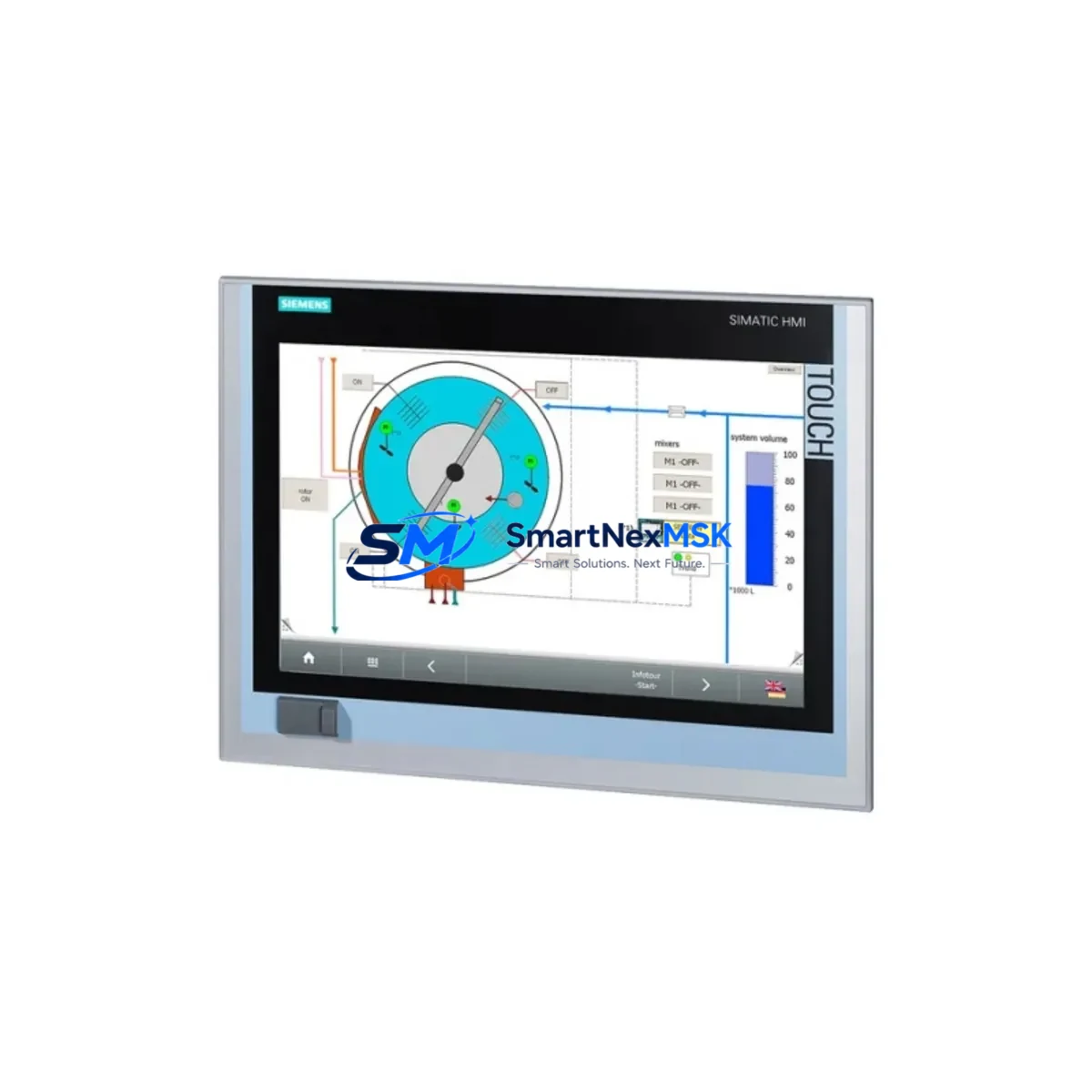
Siemens 6AV7240-0HC07-0PA0 IPC477D Automation Spare: Spare Replacement & Downtime Risk Control
The Siemens 6AV7240-0HC07-0PA0 is an original SIMATIC IPC477D industrial panel PC designed for demanding automation environments. As a maintenance-ready spare, this unit supports rapid replacement in SIMATIC S7-300, S7-400, and TIA Portal-integrated control architectures. For maintenance engineers managing aging HMI infrastructure, having a verified 6AV7240-0HC07-0PA0 on the shelf is a direct line of defense against unplanned production downtime.
This panel PC integrates a multitouch display interface with onboard processing suited for SCADA visualization, operator station duties, and real-time process monitoring. Its compatibility with SIMATIC WinCC and Step 7 environments makes it a preferred replacement in legacy IPC477D installations where sourcing a like-for-like unit is critical to maintaining software configuration integrity and minimizing recommissioning time.
For procurement engineers, the 6AV7240-0HC07-0PA0 represents a strategic spare investment. Sourcing this unit in advance of failure eliminates the risk of extended lead times on obsolete or long-delivery components. Each unit shipped by SMARTNEXMSK undergoes functional verification and is backed by a 12-month warranty, ensuring confidence in both the part and the supply chain.
Spare Maintenance Table
| Parameter | Specification |
|---|---|
| Part Number / SKU | 6AV7240-0HC07-0PA0 |
| Series | SIMATIC IPC477D |
| Brand | Siemens |
| Product Type | Industrial Panel PC / HMI Operator Station |
| Display | Multitouch TFT, 15″ (inferred from HC07 designation) |
| Operating System Compatibility | Windows Embedded Standard 7 / Windows 7 (IPC477D generation) |
| Software Compatibility | SIMATIC WinCC, Step 7, TIA Portal V13+ |
| Communication Interfaces | PROFINET, Ethernet, USB, serial (RS-232/RS-485 via adapter) |
| Mounting | Panel flush-mount, VESA-compatible rear bracket |
| Protection Rating | IP65 front panel (typical IPC477D spec) |
| Power Supply Input | 24 V DC (nominal), via SITOP or equivalent PSU |
| Country of Origin | Germany |
| Application Environment | Industrial control cabinets, operator panels, SCADA stations |
| Compatibility | Direct replacement for IPC477D installations; compatible with S7-300/400 and TIA-based systems |
| Warranty | 12 Months — Tested & Verified Before Shipment |
Maintenance Planning for Continuous Operation
When replacing the 6AV7240-0HC07-0PA0 in a live control cabinet, a thorough inspection of the surrounding electrical ecosystem is essential to prevent repeat failures and ensure system stability. Maintenance engineers should begin by verifying the 24 V DC power supply — typically a SITOP PSU100S or SITOP PSU200M — as undervoltage or ripple on the DC rail is a common root cause of IPC instability and premature display failure.
The PROFINET connection should be inspected at the switch level. If the IPC477D communicates with a SCALANCE X208 or X216 managed switch, verify port configuration, VLAN assignment, and cable integrity before powering the replacement unit. A misconfigured network port can prevent WinCC from establishing its OPC-UA or S7 connection, causing the operator station to appear faulty even after hardware replacement.
Inspect the 24 V I/O terminal blocks and any Phoenix Contact or Weidmüller terminal strips in the cabinet for signs of oxidation, loose ferrules, or thermal discoloration — these are indicators of intermittent faults that may have contributed to the original IPC failure. If the cabinet includes a SIMATIC ET 200SP or ET 200M distributed I/O rack, confirm that the DP/PN coupler firmware is current and that the I/O modules are reporting correctly after the IPC swap.
For cabinets with signal isolation requirements, check any installed SIEMENS SITRANS or Phoenix Contact MINI MCR signal isolators on analog input channels. A failed isolator can introduce ground loops that corrupt process values displayed on the HMI, leading to misdiagnosis of the panel PC itself. Similarly, inspect 24 V relay output modules — such as SIMATIC S7-300 SM 322 relay variants — for contact wear if the IPC controls discrete output sequences.
If the system includes a SIMATIC S7-1500 CPU or S7-300 CPU 315/317 as the primary controller, verify that the PLC program version matches the WinCC project version loaded on the replacement IPC. Version mismatches between the HMI project and the PLC symbol table are a frequent source of commissioning delays after hardware replacement. Backup the existing WinCC project from the failed unit’s SSD or CF card before decommissioning, if accessible.
For older IPC477D installations approaching end-of-life, consider stocking a SIMATIC IPC477E or IPC477E Pro as a forward-compatible upgrade path. The IPC477E series supports Windows 10 IoT and TIA Portal V15+, providing a migration route that preserves panel cutout dimensions while extending system lifecycle by 8–10 years.
Site Replacement Workflow
Step 1 — Pre-Replacement Verification: Confirm the existing unit’s part number (6AV7240-0HC07-0PA0) against the cabinet documentation and the nameplate on the rear of the IPC. Photograph all cable connections, including PROFINET, USB peripherals, power input, and any serial adapters, before disconnection.
Step 2 — Software Backup: If the existing IPC is partially functional, use a USB drive to export the WinCC Runtime project and any locally stored historian data. Confirm the BIOS settings (boot order, COM port assignments) for replication on the replacement unit.
Step 3 — Physical Swap: Disconnect 24 V DC power at the cabinet PSU breaker. Remove the panel mounting clamps (typically M4 screws on IPC477D), slide the unit out from the front panel cutout, and transfer all cables to the replacement 6AV7240-0HC07-0PA0. Torque mounting clamps to specification to maintain IP65 front-panel sealing.
Step 4 — Software Restoration: Restore the WinCC project from backup. Verify PROFINET device name assignment using STEP 7 or TIA Portal’s “Accessible Devices” function. Confirm that the IPC’s IP address matches the network configuration documented in the cabinet drawings.
Step 5 — Functional Test: Power on the system and verify that all HMI screens load correctly, process values update in real time, and alarm functions operate as expected. Log the replacement in the maintenance record with the new unit’s serial number and installation date.
This workflow minimizes recommissioning time to under 2 hours for experienced maintenance teams, significantly reducing the cost impact of unplanned downtime events.
Spare Parts Support FAQ
Q1: Is the 6AV7240-0HC07-0PA0 a direct drop-in replacement for my existing IPC477D installation?
Yes. The 6AV7240-0HC07-0PA0 is the original Siemens part number for the IPC477D panel PC in this configuration. It maintains the same panel cutout dimensions, mounting interface, and electrical connections as the unit it replaces, eliminating the need for mechanical modifications. Software restoration from backup is required to return the system to full operation.
Q2: How is the unit tested before shipment?
Each 6AV7240-0HC07-0PA0 unit supplied by SMARTNEXMSK undergoes a pre-shipment functional verification that includes power-on testing, display integrity check, communication port verification, and visual inspection for physical damage. Units that do not pass verification are not shipped. A 12-month warranty covers defects in materials and workmanship from the date of delivery.
Q3: What is the recommended spare parts inventory strategy for IPC477D-based systems?
For production-critical systems, we recommend maintaining at least one 6AV7240-0HC07-0PA0 on-site as a hot spare, particularly for installations where the IPC477D series is approaching Siemens’ announced end-of-repair support dates. Pairing this with a spare SITOP 24 V PSU and a backup CF card or SSD image of the WinCC project provides a complete recovery kit capable of restoring operations within a single shift.
Q4: Can SMARTNEXMSK support long-term supply for multiple units across a plant-wide IPC477D fleet?
Yes. SMARTNEXMSK maintains stock of industrial automation spare parts including IPC477D series components and can support blanket orders, scheduled deliveries, and multi-unit procurement for plant maintenance programs. Contact our team to discuss volume pricing and delivery scheduling tailored to your maintenance calendar.
© 2026 SMARTNEXMSK. All rights reserved.
Original Source: https://smartnexmsk.com
Contact: [email protected] | +86 18259474341



