
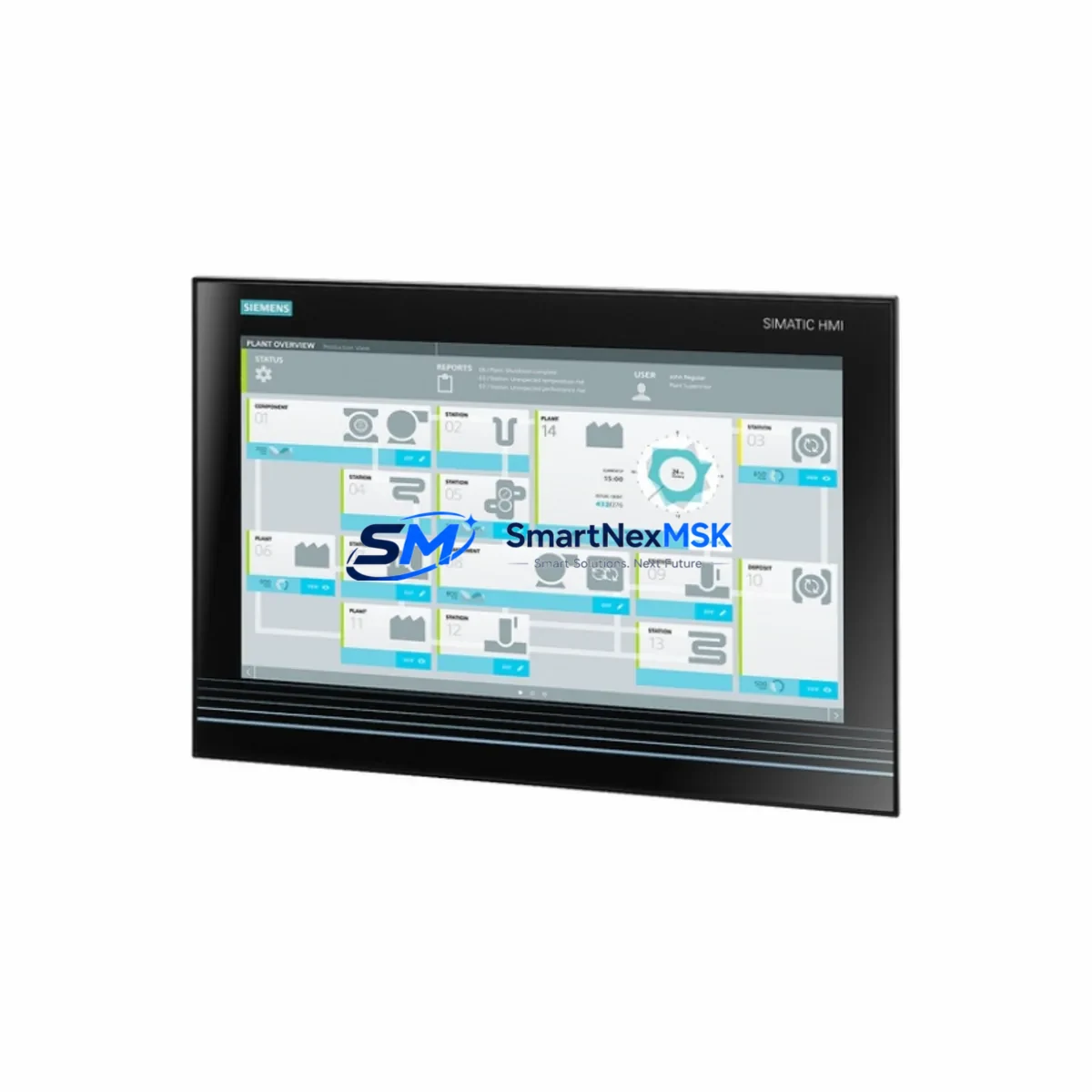
Siemens 6AV7260-5GA10-0BX0 Spare for SIMATIC Panel PC 677B Automation
The Siemens 6AV7260-5GA10-0BX0 is a SIMATIC Panel PC 677B series industrial panel computer designed for demanding HMI and SCADA applications in factory automation, process control, and machine visualization environments. As a maintenance-ready original spare, this unit enables rapid replacement of failed or end-of-life panel PCs without requiring system redesign, software migration, or extended downtime. For maintenance engineers managing aging SIMATIC installations, having a verified spare of the 6AV7260-5GA10-0BX0 on hand is a critical element of any proactive downtime-reduction strategy.
Industrial panel PCs in continuous-duty environments are subject to thermal cycling, vibration, dust ingress, and power fluctuation — all of which accelerate component wear. When a SIMATIC Panel PC 677B fails on the production floor, every hour of unplanned downtime translates directly into lost throughput and recovery costs. The 6AV7260-5GA10-0BX0 is engineered to slot into existing 677B mounting cutouts and electrical connections, preserving your existing STEP 7 or TIA Portal project configuration and minimizing commissioning time during emergency replacement.
Spare Maintenance Table
| Parameter | Specification |
|---|---|
| SKU / Order No. | 6AV7260-5GA10-0BX0 |
| Series | SIMATIC Panel PC 677B |
| Brand | Siemens |
| Product Type | Industrial Panel PC (HMI) |
| Display | 15″ TFT LCD, 1024×768 (XGA) |
| Processor | Intel Core 2 Duo (estimated, 677B generation) |
| Operating System | Windows XP Embedded / Windows 7 (configuration-dependent) |
| Interface | USB, Ethernet (RJ45), COM, DVI / VGA |
| Protection Rating | IP65 (front panel) |
| Power Supply | 24 V DC (nominal) |
| Operating Temperature | 0 °C to +50 °C |
| Mounting | Panel cutout, rear-mount |
| Origin | Germany |
| Compatibility | SIMATIC Panel PC 677B series; compatible with existing 677B cutout dimensions and 24 V DC wiring |
| Warranty | 12 Months |
| Condition | Original spare, tested before shipment |
Maintenance Planning for Continuous Operation
When replacing the 6AV7260-5GA10-0BX0 in a live control cabinet, a thorough inspection of the surrounding electrical infrastructure is essential to prevent repeat failures and ensure stable recommissioning. Maintenance engineers should begin by verifying the 24 V DC panel power supply — a degraded or undersized SITOP PSU8200 or equivalent power supply module can cause intermittent resets or premature HMI failure. Check input voltage stability and ripple before energizing the replacement unit.
Inspect all signal and communication cabling connected to the panel PC, including Profibus DP connectors, PROFINET patch cables, and USB peripheral leads. Corroded or loose connectors on the Profibus network can introduce communication errors that appear as HMI faults but originate upstream. If the 677B communicates with a SIMATIC S7-300 or S7-400 PLC via MPI or Profibus, verify the CP 343-1 or CP 443-1 communication processor is functioning correctly and that network termination resistors are properly set.
For installations where the Panel PC interfaces with distributed I/O, inspect the ET 200S or ET 200M remote I/O stations for loose terminal connections, blown fuses on the power bus, or failed I/O modules. A faulty SM 321 digital input module or SM 322 digital output module can generate spurious alarms that overload the HMI display process. Similarly, check any signal isolators or barriers in the analog input circuits — degraded isolation can introduce ground loops that corrupt 4–20 mA signals displayed on the SCADA screen.
If the control cabinet includes relay output modules or contactor control circuits, inspect the relay coil voltages and contact wear. Relay chatter caused by voltage fluctuation is a common source of HMI communication interruptions. Terminal blocks and DIN rail connections should be re-torqued to specification during any planned maintenance window involving the Panel PC replacement. For systems with a UPS module protecting the panel PC, verify battery health and transfer time before returning the cabinet to service.
Site Replacement Workflow
Replacing the 6AV7260-5GA10-0BX0 on-site follows a structured sequence to minimize downtime and avoid configuration loss. Begin by backing up the existing WinCC flexible or TIA Portal project from the panel PC’s internal storage or a connected engineering station. If the unit is non-responsive, the project backup may be recoverable from the SIMATIC Automation Tool or from a previously archived project on the PLC’s memory card.
Power down the control cabinet following your site LOTO (Lockout/Tagout) procedure. Disconnect all peripheral cables — USB, Ethernet, COM, and power — labeling each connector for accurate reconnection. Remove the panel PC from the cutout by releasing the mounting clamps from the rear. Install the 6AV7260-5GA10-0BX0 replacement into the same cutout, reconnect all cables in reverse order, and restore 24 V DC power. On first boot, verify the OS loads correctly and restore the WinCC project. Perform a full I/O communication test with the connected PLC before releasing the line to production.
This workflow is compatible with legacy 677B installations running STEP 7 V5.x projects and does not require hardware reconfiguration of the PLC or network topology. The 6AV7260-5GA10-0BX0 maintains the same physical footprint and electrical interface as earlier 677B variants, making it a direct drop-in replacement that preserves system compatibility and reduces commissioning risk.
Spare Parts Support FAQ
Q1: Is the 6AV7260-5GA10-0BX0 compatible with my existing SIMATIC Panel PC 677B installation?
Yes. The 6AV7260-5GA10-0BX0 is a 677B series unit and is designed to fit the standard 677B panel cutout dimensions with the same 24 V DC power interface. Compatibility with your specific project configuration should be verified against your existing hardware revision and OS image before deployment.
Q2: What is included in the 12-month warranty?
All units are tested before shipment and covered by a 12-month warranty against manufacturing defects and functional failure under normal operating conditions. Warranty claims are supported by SMARTNEXMSK with replacement or repair at no additional cost within the warranty period.
Q3: How do you manage long-term spare parts availability for discontinued SIMATIC 677B models?
SMARTNEXMSK maintains dedicated inventory of legacy SIMATIC Panel PC models to support customers extending the life of older automation systems. We source original units through verified supply channels and perform pre-shipment functional testing to ensure each spare meets operational standards before delivery.
Q4: Can I request compatibility verification before placing an order?
Yes. Provide your existing panel PC order number, hardware revision, and OS version to our technical team at [email protected]. We will confirm compatibility with your 677B installation and advise on any configuration considerations before shipment.
© 2026 SMARTNEXMSK. All rights reserved.
Original Source: https://smartnexmsk.com
Contact: [email protected] | +86 18259474341



