
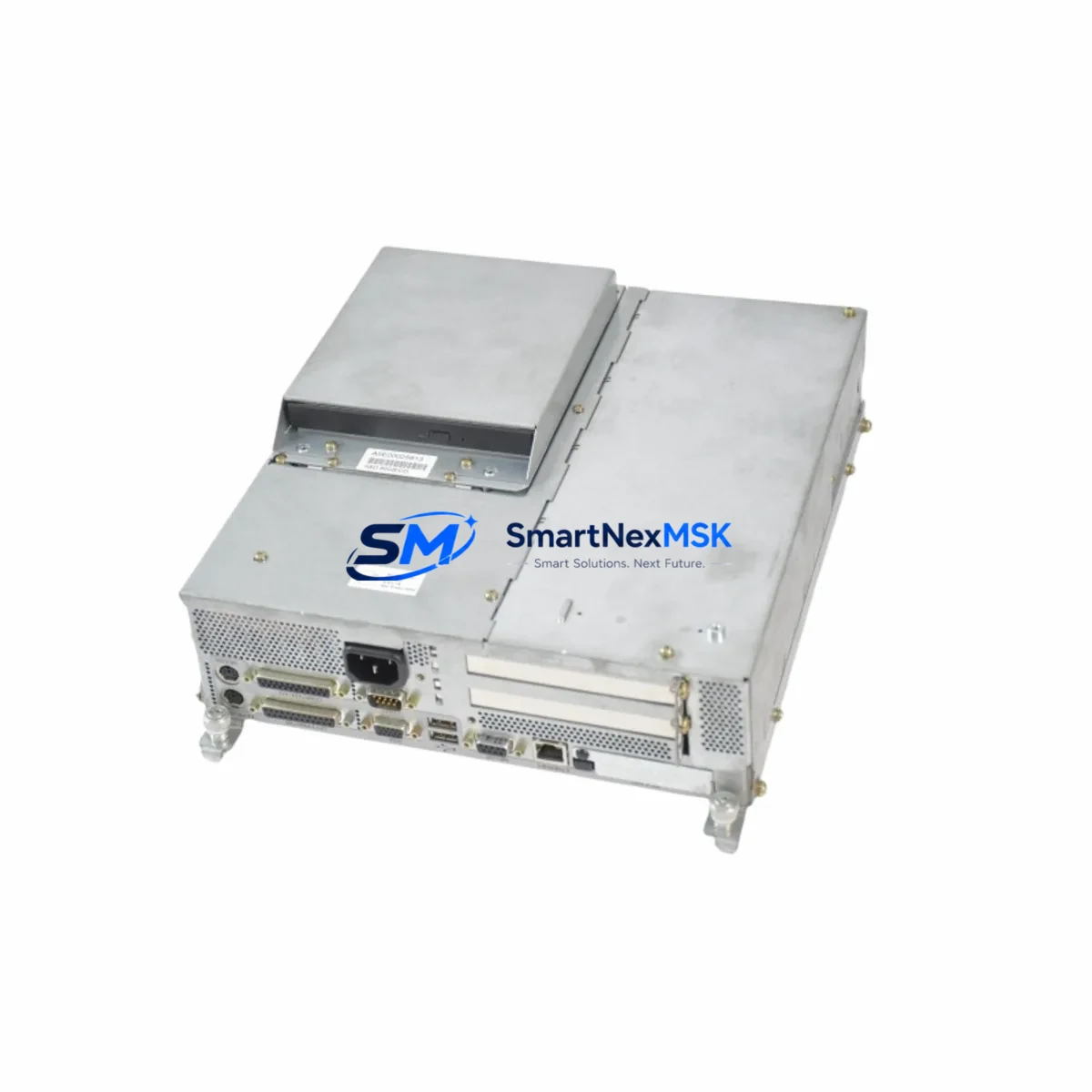
Siemens 6AV7724-1AB10-0AD0 Spare for SIMATIC Panel PC 670 Automation
The Siemens 6AV7724-1AB10-0AD0 is a maintenance-critical spare component for the SIMATIC Panel PC 670 series — one of Siemens’ most widely deployed industrial HMI platforms in process automation, machine control, and SCADA environments. When this unit fails or degrades, the downstream impact on production continuity is immediate. Unplanned downtime in industrial facilities running SIMATIC Panel PC 670 systems can cost thousands per hour, making rapid spare availability a core element of any maintenance strategy.
This listing provides an original-specification 6AV7724-1AB10-0AD0 unit, tested prior to dispatch, backed by a 12-month warranty, and ready for same-week shipment. Whether you are a maintenance engineer executing a planned replacement or a procurement engineer building a critical spare inventory, this component is sourced and verified to meet OEM specifications.
Spare Maintenance Table
| Parameter | Specification |
|---|---|
| Part Number / SKU | 6AV7724-1AB10-0AD0 |
| Brand | Siemens |
| Series | SIMATIC Panel PC 670 |
| Product Type | Industrial HMI Panel PC |
| Country of Origin | Germany (DE) |
| Compatible Systems | SIMATIC Panel PC 670, SIMATIC WinCC, Step 7 / TIA Portal environments |
| Mounting / Installation | Panel-mount, standard 19″ rack or control cabinet integration |
| Operating Environment | Industrial — suitable for control rooms, machine cabinets, process panels |
| Communication Interfaces | Ethernet (PROFINET-compatible), USB, serial (application-dependent) |
| Power Supply Compatibility | 24 VDC industrial power rail (verify with site PSU specification) |
| Pre-shipment Testing | Function-verified before dispatch |
| Warranty | 12 Months |
| Condition | Original spare — new or refurbished to OEM specification |
| Lead Time | Same-week dispatch available for in-stock units |
Maintenance Planning for Continuous Operation
Replacing the 6AV7724-1AB10-0AD0 in a SIMATIC Panel PC 670 installation is rarely an isolated task. Experienced maintenance engineers know that an HMI panel failure is often a symptom of broader electrical stress in the control cabinet. Before or during replacement, a thorough inspection of the surrounding system is strongly recommended.
Start with the 24 VDC power supply module feeding the panel — units such as the Siemens SITOP PSU100S or equivalent should be checked for output voltage stability and ripple, as undervoltage conditions are a leading cause of premature HMI board failure. Inspect the power distribution terminal blocks (e.g., Phoenix Contact or Weidmüller DIN-rail terminals) for signs of oxidation, loose crimps, or thermal discoloration.
Next, verify the PROFINET or Industrial Ethernet switch connecting the Panel PC 670 to the PLC network — a degraded switch port or faulty patch cable can cause communication timeouts that are misdiagnosed as HMI hardware failure. If the system uses a Siemens S7-300 or S7-400 CPU as the host controller, confirm that the CPU’s communication module (e.g., CP 343-1 or CP 443-1) is operating without fault codes.
For systems with analog or digital I/O expansion, inspect the associated SM 321 / SM 331 signal modules for blown fuses or wiring faults that may have caused voltage spikes reaching the HMI. Check any installed signal isolators or barriers in the I/O loop — degraded isolation can introduce ground loops that stress panel electronics over time.
If the Panel PC 670 interfaces with field devices via PROFIBUS DP, inspect the bus termination resistors and cable shielding continuity. A poorly terminated PROFIBUS segment can generate reflections that corrupt HMI communication and trigger false fault states. Also review any relay output modules (e.g., Siemens SM 322 relay variants) for contact wear, as inductive load switching without proper suppression diodes is a common source of electrical noise in the cabinet.
Finally, inspect the UPS module (if installed) for battery health — a failing UPS that cuts power abruptly during a write cycle is a known cause of HMI software corruption requiring full panel replacement rather than a simple board swap.
Site Replacement Workflow
Step 1 — Pre-replacement verification: Confirm the exact order number of the installed unit by checking the nameplate on the rear of the Panel PC 670 chassis. The 6AV7724-1AB10-0AD0 designation encodes the hardware revision and display configuration — substituting an incorrect revision may result in driver incompatibility with the installed WinCC runtime version.
Step 2 — Data backup: Before powering down, back up the WinCC project, PLC program, and any locally stored historian data to a USB drive or network share. SIMATIC Panel PC 670 units store runtime data locally, and this data is lost if the storage medium is damaged.
Step 3 — Safe isolation: Isolate the panel from the 24 VDC supply and discharge any residual capacitance before disconnecting cables. Label all connectors — Ethernet, USB, serial, and power — before removal to ensure correct reconnection.
Step 4 — Installation and commissioning: Install the replacement 6AV7724-1AB10-0AD0, reconnect all cables per the original wiring diagram, and restore power. Load the WinCC project from backup and verify communication with the host PLC (S7-300/400 or S7-1500 via TIA Portal). Confirm all I/O tags are reading correctly before returning the system to production.
Step 5 — Post-replacement documentation: Record the replacement in the site maintenance log, including the date, replaced part number, new unit serial number, and technician name. Update the spare parts inventory to trigger a reorder for the consumed unit.
Spare Parts Support FAQ
Q: Is the 6AV7724-1AB10-0AD0 compatible with all SIMATIC Panel PC 670 variants?
A: The 6AV7724-1AB10-0AD0 is specific to a defined hardware and display configuration within the Panel PC 670 family. Always verify the full order number on the installed unit’s nameplate before ordering. If you are unsure, contact our technical team with the nameplate photo for confirmation prior to purchase.
Q: What pre-shipment testing is performed on this unit?
A: Each unit undergoes functional verification before dispatch, including power-on testing and basic interface checks. Units are packed in anti-static, shock-protected packaging to prevent transit damage. A test report is available on request.
Q: What does the 12-month warranty cover?
A: The 12-month warranty covers manufacturing defects and functional failures under normal operating conditions. It does not cover damage caused by incorrect installation, overvoltage events, or physical impact. Warranty claims are processed with a replacement unit dispatched upon confirmation of the fault.
Q: Can you supply this part on an ongoing basis for our spare parts program?
A: Yes. We support long-term spare parts programs for industrial facilities running legacy SIMATIC systems. We can reserve stock, provide scheduled delivery, and issue framework agreements for multi-unit procurement. Contact our sales team to discuss your site’s requirements.
© 2026 SMARTNEXMSK. All rights reserved.
Original Source: https://smartnexmsk.com
Contact: [email protected] | +86 18259474341



