
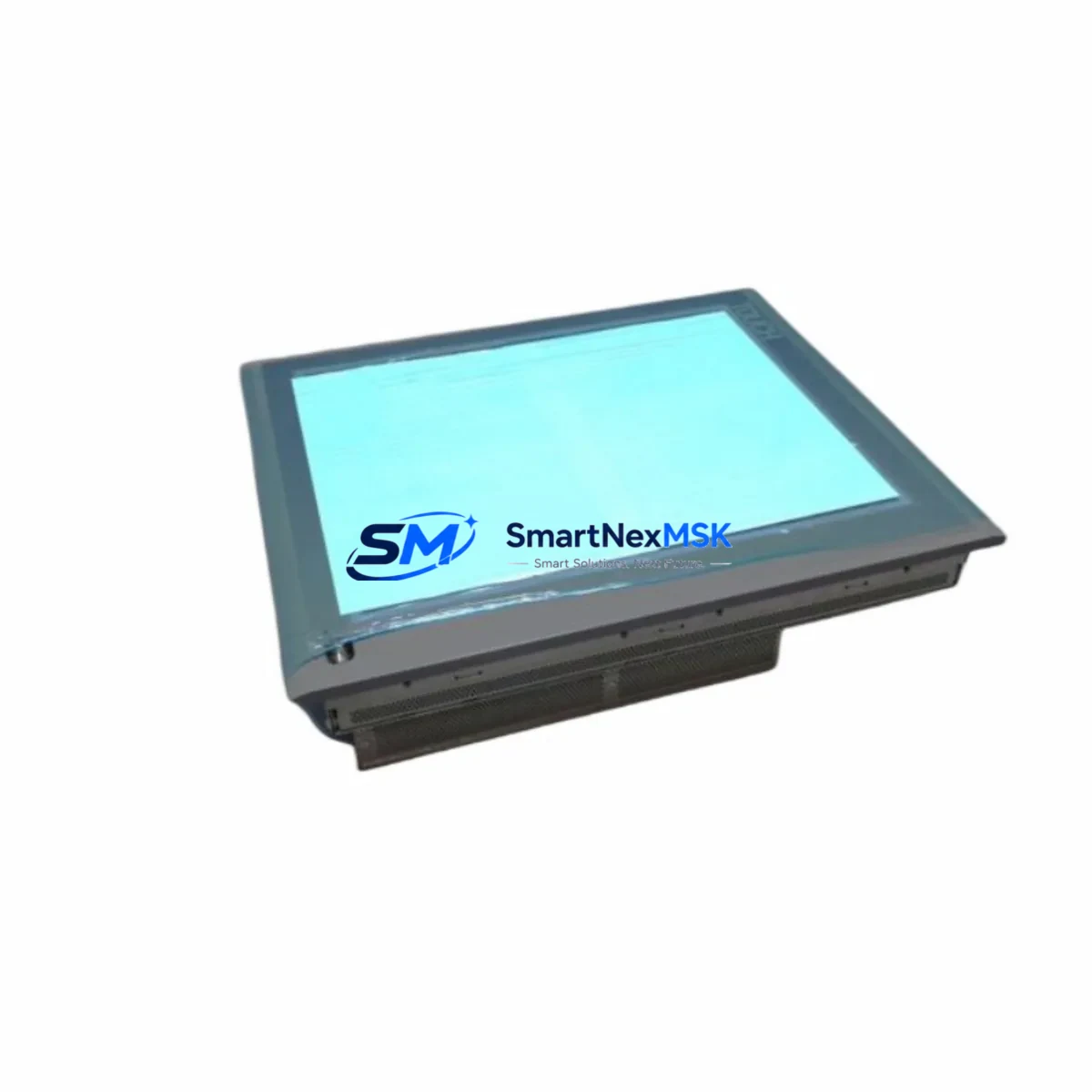
Siemens 6AV7856-0AE20-1AA0 Maintenance-Ready Spare for 477B Automation
The Siemens 6AV7856-0AE20-1AA0 is a SIMATIC Panel PC 477B 15″ industrial HMI panel designed for demanding process visualization and operator control environments. As a maintenance-ready original spare, this unit is sourced, inspected, and dispatched to support rapid replacement in S7-300, S7-400, and compatible SIMATIC automation architectures. For maintenance engineers managing aging control systems or procurement engineers building strategic spare parts inventories, having a verified 6AV7856-0AE20-1AA0 on hand is a critical element of any downtime-reduction strategy.
Unplanned HMI failure in a production environment can halt an entire line within minutes. The 6AV7856-0AE20-1AA0 Panel PC 477B serves as the operator interface hub — loss of this unit means loss of process visibility, alarm acknowledgment capability, and manual override access. Stocking this spare eliminates the risk of extended downtime caused by sourcing delays on an obsolete or long-lead-time component.
Spare Maintenance Table
| Parameter | Specification |
|---|---|
| Part Number / SKU | 6AV7856-0AE20-1AA0 |
| Product Series | SIMATIC Panel PC 477B |
| Brand | Siemens |
| Display Size | 15″ TFT LCD |
| Operating System | Windows XP / Windows Embedded (factory configuration) |
| Processor | Intel Celeron M / Pentium M (series-dependent) |
| Interface Compatibility | PROFIBUS, PROFINET, MPI, Industrial Ethernet |
| PLC Compatibility | SIMATIC S7-300, S7-400, S7-1500 (via legacy gateway) |
| Mounting | Panel flush-mount, VESA compatible |
| Protection Rating | IP65 (front panel) |
| Power Supply | 24 V DC nominal |
| Operating Temperature | 0 °C to +50 °C |
| Country of Origin | Germany |
| Condition | Original, tested before shipment |
| Warranty | 12 Months |
| Shipping | Worldwide, tracked express |
Maintenance Planning for Continuous Operation
When replacing the 6AV7856-0AE20-1AA0 Panel PC 477B in a live control cabinet, a thorough site inspection should extend beyond the HMI unit itself. Maintenance engineers should simultaneously verify the condition and availability of the following associated components to prevent secondary failures after HMI restoration:
Power Supply: The SITOP PSU100S 24 V DC power supply feeding the Panel PC should be load-tested during the replacement window. A degraded power supply is a common root cause of intermittent HMI reboots and display corruption that is often misdiagnosed as an HMI fault. Similarly, the SIMATIC S7-300 PS 307 power supply module in the same rack should be inspected for output voltage stability.
Communication Infrastructure: The CP 343-1 PROFINET communication processor and any associated Industrial Ethernet switches (e.g., SCALANCE X208) should be checked for firmware currency and port integrity. If the system uses PROFIBUS, the CP 342-5 DP module and bus termination resistors should be verified. A failed communication module will prevent the replacement Panel PC from establishing a connection to the PLC, extending effective downtime even after the HMI is physically installed.
I/O and Signal Integrity: During the maintenance window, inspect the SM 321 digital input modules and SM 322 digital output modules connected to the same S7-300 rack. Loose terminal connections on the SM 331 analog input module can introduce signal noise that manifests as erratic HMI readings — a fault that is difficult to diagnose remotely. Signal isolators in the 4–20 mA loops feeding the HMI trend displays should also be checked for drift.
Relay and Protection Components: The 3RT2 contactor series and associated 3RV2 motor protection circuit breakers in the same control cabinet should be visually inspected for contact wear and thermal discoloration. Fuse holders and NH fuse links protecting the 24 V DC bus should be replaced on a scheduled basis rather than reactively.
Terminal Blocks and Wiring: WAGO 750-series or Phoenix Contact CLIPLINE terminal blocks used for field signal termination should be inspected for corrosion, especially in high-humidity or coastal environments. Loose or oxidized terminals are a leading cause of intermittent I/O faults that generate nuisance alarms on the HMI.
Maintaining a consolidated spare parts kit that includes the 6AV7856-0AE20-1AA0 alongside these associated components ensures that a single maintenance visit can resolve the majority of foreseeable failure modes without requiring a second site mobilization.
Site Replacement Workflow
Replacing the 6AV7856-0AE20-1AA0 in the field follows a structured sequence to minimize downtime and ensure system compatibility:
1. Pre-Replacement Preparation: Before powering down, capture a full backup of the WinCC or SIMATIC WinCC flexible project from the existing Panel PC using a USB drive or network share. Document the current IP address, subnet mask, gateway, and MPI/PROFIBUS node address configured on the unit. Photograph all cable connections and label each connector.
2. Physical Replacement: Isolate the 24 V DC supply to the Panel PC. Disconnect all cables — power, Ethernet, USB peripherals, and any serial connections. Remove the panel from the cutout by releasing the panel clamps from the rear. Install the replacement 6AV7856-0AE20-1AA0 and reconnect all cables in reverse order. Verify that the panel gasket is seated correctly to maintain IP65 protection.
3. Software Restoration: Restore the WinCC project from backup. Reconfigure the network parameters to match the original unit. Verify PROFINET or PROFIBUS communication with the S7-300/400 PLC using SIMATIC NET diagnostics. Confirm that all process tags are updating correctly before returning the system to production.
4. Compatibility Verification: The 6AV7856-0AE20-1AA0 is a direct form-fit-function replacement for other Panel PC 477B variants. If replacing an older 477 (non-B) variant, verify that the WinCC runtime version is compatible with the replacement unit’s operating system. In most cases, a WinCC runtime upgrade is straightforward and does not require project redesign.
5. Post-Installation Testing: Run a 30-minute observation period with the system in production mode. Monitor CPU temperature, communication cycle times, and alarm response latency. Document the replacement in the equipment maintenance log with the new unit’s serial number and installation date.
Spare Parts Support FAQ
Q: Is the 6AV7856-0AE20-1AA0 still available as a new original spare?
A: Yes. We maintain stock of original Siemens 6AV7856-0AE20-1AA0 units sourced through authorized industrial channels. Each unit is inspected and function-tested prior to shipment. Given that the Panel PC 477B series has reached end-of-life status with Siemens, securing spare units now is strongly recommended for facilities operating legacy SIMATIC systems. All units are shipped with a 12-month warranty covering manufacturing defects and functional failures.
Q: How do I verify compatibility before ordering?
A: The 6AV7856-0AE20-1AA0 is compatible with SIMATIC S7-300 and S7-400 systems communicating via PROFIBUS DP, MPI, or PROFINET. Confirm your existing panel’s part number from the rating plate on the rear of the unit. If you are replacing a different 477B variant, contact our technical team at [email protected] with your existing part number and WinCC version for a compatibility confirmation before ordering.
Q: What pre-shipment testing is performed on each unit?
A: Every 6AV7856-0AE20-1AA0 unit undergoes power-on functional testing, display verification, touchscreen calibration check, and communication port integrity testing before dispatch. Units that do not pass all test criteria are not shipped. A test report is available upon request. All units are packed in anti-static, shock-absorbing packaging suitable for international air freight.
Q: What is the warranty coverage and what does it include?
A: All units carry a 12-month warranty from the date of shipment. The warranty covers functional failures and manufacturing defects under normal operating conditions. It does not cover damage resulting from incorrect installation, overvoltage events, or physical impact. In the event of a warranty claim, we provide advance replacement shipping to minimize your downtime, subject to stock availability. Contact [email protected] to initiate a warranty claim.
© 2026 SMARTNEXMSK. All rights reserved.
Original Source: https://smartnexmsk.com
Contact: [email protected] | +86 18259474341



