
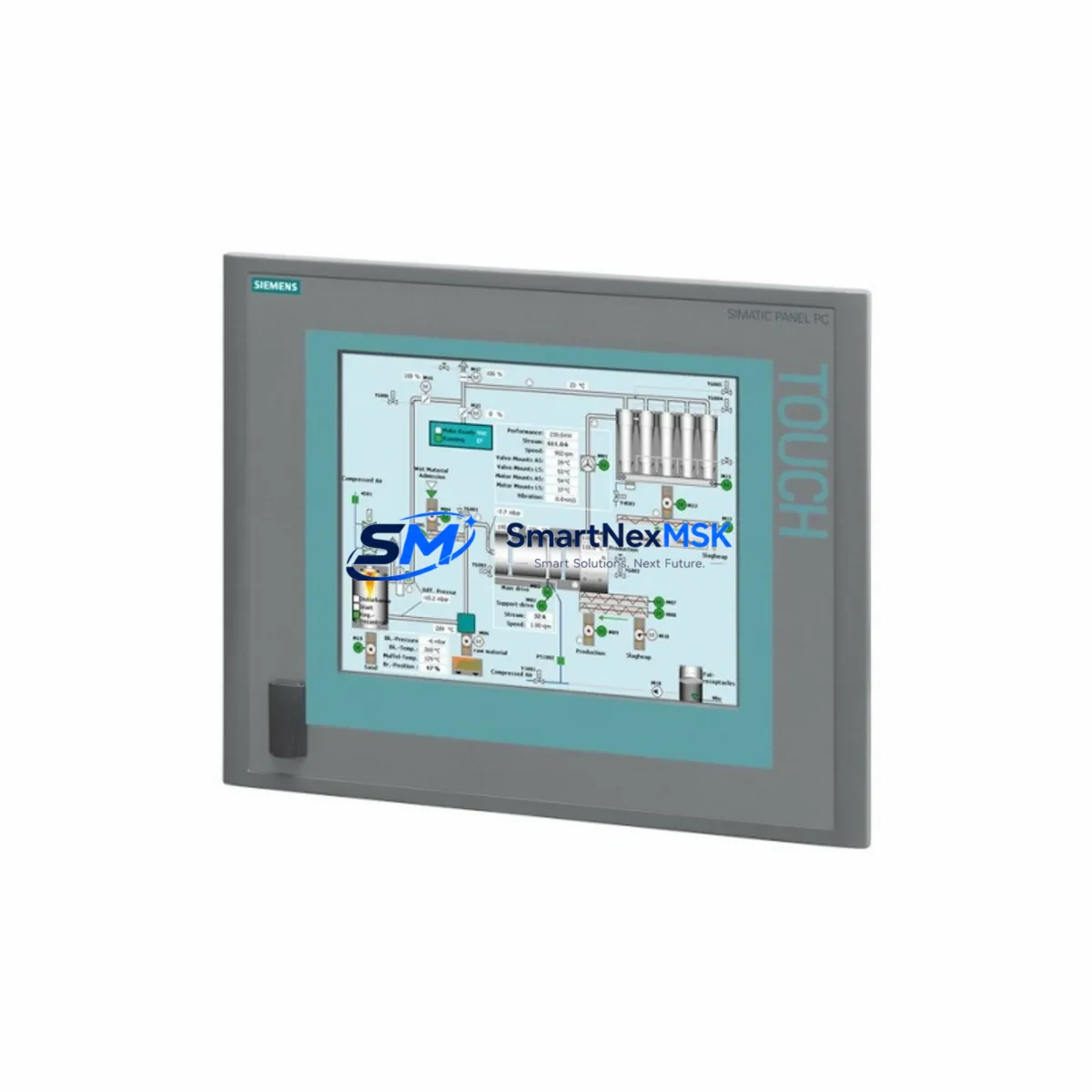
Siemens 6AV7884-2AA10-2BA0 Retrofit-Ready Panel PC for SIMATIC IPC 477C Control Systems
The Siemens 6AV7884-2AA10-2BA0 is a 15-inch SIMATIC IPC 477C industrial panel PC engineered for demanding process control and machine automation environments. As legacy SIMATIC IPC 477C units reach end-of-life or become unavailable through standard supply channels, this retrofit-ready replacement provides a verified, drop-in upgrade path for existing control cabinets, SCADA workstations, and HMI-integrated PLC architectures. SMARTNEXMSK maintains in-stock inventory of the 6AV7884-2AA10-2BA0 with full pre-shipment functional testing and a 12-month warranty, enabling engineers to minimize unplanned downtime and restore production continuity with confidence.
This unit is designed for seamless integration into SIMATIC S7-300, S7-400, and S7-1500 control platforms via PROFIBUS DP and PROFINET IO communication links. It supports WinCC flexible and TIA Portal visualization projects, making it directly compatible with existing HMI screen configurations without requiring full project migration. Engineers replacing a failed or obsolete IPC 477C can retain their original WinCC runtime project, preserving alarm logic, trend displays, and operator interface layouts developed over years of production operation.
Upgrade Compatibility Table
| Parameter | Details |
|---|---|
| SKU / Part Number | 6AV7884-2AA10-2BA0 |
| Series | SIMATIC IPC 477C |
| Display | 15″ TFT LCD, 1024×768 |
| Interface / Backplane | PROFIBUS DP, PROFINET IO, USB, DVI, COM |
| Communication Compatibility | S7-300 / S7-400 / S7-1500 via PROFIBUS / PROFINET |
| HMI Software | WinCC flexible 2008 SP3+, TIA Portal WinCC RT Advanced |
| Mounting | Panel cutout, VESA 75/100 compatible |
| Replacement For | 6AV7884-2AA10-2BA0 (IPC 477C), 6AV7884-2AA10-4BA0 (IPC 477D cross-ref) |
| Installation Requirement | Verify panel cutout dimensions; confirm 24 VDC power supply capacity ≥ 90 W |
| Commissioning Focus | IP address reassignment, MPI/PROFIBUS node address, WinCC project reload |
| Warranty | 12 Months — covers hardware defects, functional failure on arrival |
Retrofit Planning for Existing Automation Systems
A successful retrofit of the 6AV7884-2AA10-2BA0 begins well before the unit arrives on site. Engineers should audit the existing control cabinet layout to confirm that the 24 VDC power supply — typically a Siemens SITOP PSU100S or equivalent — can deliver the sustained 90 W load required by the IPC 477C platform. Where the original cabinet uses a shared rail supplying both the panel PC and a CPU 315-2 DP or CPU 317-2 PN/DP, load calculations must account for peak draw during boot sequences.
Terminal wiring for the replacement unit follows the same 24 VDC positive/negative terminal block layout as the original IPC 477C, but engineers should photograph and document all existing cable routing before disconnection. The PROFIBUS DP connector — typically a 9-pin Sub-D plug with integrated termination resistor — must be transferred to the new unit with the termination switch set correctly based on the node’s position in the bus segment. If the system uses a CP 5611 or CP 5613 PROFIBUS communication card installed in the original IPC, verify whether the replacement unit’s onboard PROFIBUS port is sufficient or whether a PCIe expansion card is required.
For PROFINET-based architectures, the replacement IPC 477C must be assigned the same device name and IP address as the original unit within the TIA Portal project. This ensures that the S7-1500 CPU — or an ET 200SP distributed I/O head station — recognizes the HMI device without requiring a full hardware reconfiguration download. Where the original system uses an S7-300 with a CP 343-1 Ethernet module, the same IP assignment procedure applies through STEP 7 Classic.
I/O expansion modules connected to the control system — such as SM 321 digital input modules, SM 331 analog input modules, or SM 332 analog output modules installed in a S7-300 rack — are unaffected by the panel PC replacement and continue operating normally during the HMI swap. This isolation of the I/O layer from the HMI layer is a key advantage of the SIMATIC architecture and significantly reduces retrofit risk. Similarly, distributed I/O nodes connected via ET 200M or ET 200S remote I/O stations remain online throughout the panel PC replacement procedure when the PLC CPU is left running in RUN mode.
Before powering down the original IPC 477C, back up the WinCC project archive to a USB drive or network share. Confirm that the SIMATIC Logon user database, alarm archive, and trend data are included in the backup. On the replacement unit, restore the project archive and verify that all tag connections resolve correctly against the configured PLC data blocks. Where the original system uses a Siemens TP1500 Comfort Panel or KTP1200 Basic Panel as a secondary operator station, confirm that the HMI network topology remains intact after the IPC replacement.
Downtime Control During System Migration
Minimizing production downtime during an IPC 477C replacement requires a structured pre-commissioning approach. The recommended sequence is: (1) complete all software backup and documentation steps while the original unit is still operational; (2) pre-configure the replacement 6AV7884-2AA10-2BA0 off-line — assign IP address, restore WinCC project, verify tag communication in simulation mode; (3) schedule the physical swap during a planned maintenance window, targeting a mechanical and electrical changeover time of under 30 minutes for a standard panel-mount installation.
During the swap window, the S7-300 or S7-1500 PLC CPU should remain in RUN mode where process safety permits, maintaining control of field devices, variable frequency drives, and safety relay modules without interruption. The HMI loss during the swap period is managed by ensuring field operators are briefed on manual override procedures at the local control panels. Once the replacement IPC 477C is powered and the WinCC runtime is confirmed active, perform a full alarm acknowledgment check and verify that all analog trend displays are receiving live data from the PLC data blocks before returning the system to normal supervised operation.
SMARTNEXMSK ships the 6AV7884-2AA10-2BA0 with a pre-shipment functional test report. Each unit is powered on, display output verified, communication ports tested, and operating system boot confirmed before packaging. This eliminates the risk of receiving a DOA unit and allows engineers to proceed directly to project restoration on arrival.
Retrofit Support FAQ
Q1: Is the 6AV7884-2AA10-2BA0 a direct drop-in replacement for my existing SIMATIC IPC 477C?
Yes. The 6AV7884-2AA10-2BA0 is the same model designation as the original IPC 477C unit. It uses the same panel cutout dimensions, 24 VDC power input, and communication interface layout. No mechanical modifications to the control cabinet are required. Confirm your existing WinCC project version compatibility before restoring the archive.
Q2: Can I reuse my existing WinCC project and PLC program without modification?
In most cases, yes. The WinCC runtime project, PLC tag connections, and alarm configurations are stored independently of the hardware and can be restored directly to the replacement unit. If your project was developed under WinCC flexible 2008, verify that the replacement unit’s operating system image includes the correct WinCC flexible runtime version. TIA Portal WinCC RT Advanced projects are fully portable across IPC 477C hardware revisions.
Q3: What should I verify regarding terminal wiring and PROFIBUS/PROFINET connections before the swap?
Document all terminal connections, cable labels, and bus connector positions before disconnecting the original unit. For PROFIBUS, confirm the node address and termination resistor setting. For PROFINET, note the device name and IP address assigned in the TIA Portal hardware configuration. Reassign these parameters to the replacement unit during pre-commissioning to ensure the PLC recognizes the HMI device immediately on power-up.
Q4: What does the 12-month warranty cover, and what is the return process?
The 12-month warranty covers hardware defects and functional failures under normal operating conditions. Units that fail to power on, display output, or establish communication on arrival are replaced or refunded. Contact SMARTNEXMSK at [email protected] with your order number and a description of the fault. Our technical team will assess the case and arrange return logistics within 2 business days.
© 2026 SMARTNEXMSK. All rights reserved.
Original Source: https://smartnexmsk.com
Contact: [email protected] | +86 18259474341



