
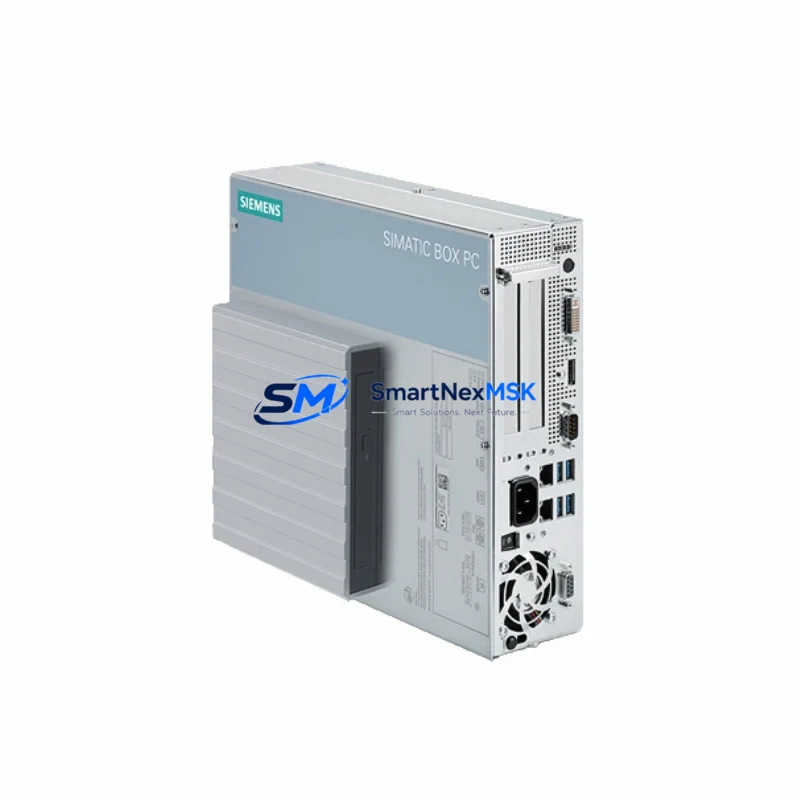
Siemens 6BK1000-6AA00-0XX0 Spare for IPC627D Automation: Spare Replacement & Industrial Downtime Risk Control
The Siemens 6BK1000-6AA00-0XX0 is an original SIMATIC IPC627D 4U rack-mount industrial PC designed for demanding process automation, SCADA, and MES environments. As a maintenance-ready spare, this unit enables maintenance engineers to execute rapid like-for-like replacements in control rooms and panel enclosures without reconfiguration delays. Whether you are managing a planned shutdown, responding to an unscheduled fault, or building a strategic spare parts inventory for aging SIMATIC IPC platforms, the 6BK1000-6AA00-0XX0 provides the hardware continuity your production line depends on.
Sourced as an original Siemens component, this IPC627D spare is fully compatible with existing rack infrastructure, backplane connections, and SIMATIC software environments. Each unit undergoes functional verification and burn-in testing prior to shipment, and is covered by a 12-month warranty against manufacturing defects and operational failure.
Spare Maintenance Table
| Parameter | Specification |
|---|---|
| SKU / Order Number | 6BK1000-6AA00-0XX0 |
| Brand | Siemens |
| Series | SIMATIC IPC627D |
| Form Factor | 4U Rack-Mount Industrial PC |
| Product Type | Industrial PC (IPC) |
| Origin | Germany (DE) |
| Compatibility | SIMATIC IPC627D series; compatible with standard 19″ rack enclosures |
| Operating Environment | Industrial control rooms, SCADA stations, MES servers, process automation panels |
| Power Input | Wide-range AC input (per IPC627D platform specification) |
| Installation | 19″ rack mount, standard IPC627D rail and backplane interface |
| Maintenance Recommendation | Replace as complete unit; verify BIOS settings, OS image, and network configuration post-swap |
| Pre-Shipment Testing | Functional verification and burn-in test completed |
| Warranty | 12 Months — covers manufacturing defects and operational failure |
| Weight | 12 kg (approx.) |
Maintenance Planning for Continuous Operation
When a SIMATIC IPC627D running on the 6BK1000-6AA00-0XX0 platform is flagged during routine control cabinet inspection or shows signs of instability — such as unexpected reboots, watchdog faults, or communication dropouts — a structured replacement plan is essential to minimize production impact. Maintenance engineers should treat the IPC replacement as part of a broader system health review rather than an isolated swap.
Before or during the replacement of the 6BK1000-6AA00-0XX0, the following associated components should be inspected and, where necessary, replaced as part of the same maintenance window:
- 24 VDC Power Supply Module (e.g., SITOP PSU100S or equivalent) — Verify output voltage stability and ripple. An aging or undersized power supply is a common root cause of IPC instability and should be tested before commissioning the replacement unit.
- UPS Module / Battery Backup Unit — IPC627D installations in critical SCADA environments often rely on an integrated or external UPS. Inspect battery health and transfer time to ensure the replacement IPC is protected against power transients.
- PROFINET / Ethernet Communication Modules — Check all network interface connections, managed switch ports, and cable integrity. Communication faults can be misdiagnosed as IPC hardware failure.
- SIMATIC S7-300 or S7-400 PLC Rack and CPU Modules — If the IPC627D serves as an operator station or data server for a connected S7 PLC system, verify that the PLC CPU, communication processors (CP modules), and I/O racks are operating within specification.
- Digital and Analog I/O Modules (SM321, SM331, SM332 series) — Inspect signal wiring, terminal blocks, and module status LEDs. Faulty I/O modules can generate erroneous process data that triggers IPC-level alarms.
- Signal Isolators and Barriers — In mixed-signal environments, signal isolators between field instruments and the IPC’s data acquisition interfaces should be checked for drift or failure, particularly in high-temperature or high-humidity installations.
- Terminal Blocks and Wiring Harnesses — Inspect all terminal connections in the control cabinet for corrosion, loose terminations, or thermal damage. Poor connections are a leading cause of intermittent IPC faults.
- SIMATIC HMI Panels (e.g., TP1200 Comfort or MP377) — If the IPC627D is paired with a SIMATIC HMI for operator interaction, verify HMI firmware compatibility with the replacement IPC’s OS image and SCADA software version.
- Industrial Ethernet Switches (SCALANCE X series) — Confirm switch firmware, port configuration, and VLAN settings are compatible with the replacement IPC’s network identity and PROFINET device name.
- Fuse Holders and Circuit Protection Devices — Replace any blown or degraded fuses in the IPC power circuit. Document fuse ratings and verify they match the IPC627D platform’s power consumption specification.
Stocking the 6BK1000-6AA00-0XX0 as a ready spare — alongside the above components — enables maintenance teams to execute a complete cabinet restoration within a single planned maintenance window, dramatically reducing mean time to repair (MTTR) for critical automation infrastructure.
Site Replacement Workflow
Replacing the 6BK1000-6AA00-0XX0 in an active IPC627D installation follows a structured sequence to ensure system compatibility and minimize downtime:
- Pre-Replacement Backup: Export the current OS image, SCADA project files, BIOS configuration, and network settings from the existing IPC627D unit. Store backups on an external medium independent of the IPC.
- Power Isolation: Follow site lockout/tagout (LOTO) procedures. Isolate the IPC627D from its 24 VDC supply and UPS before removal.
- Physical Swap: Remove the existing 6BK1000-6AA00-0XX0 from the 4U rack slot. Install the replacement unit, ensuring correct seating of all backplane connectors and secure rack fastening.
- Configuration Restore: Restore the OS image and SCADA project to the replacement IPC. Reconfigure BIOS settings, network identity (IP address, PROFINET device name), and any hardware-specific drivers.
- Communication Verification: Power up the system and verify PROFINET, Ethernet, and serial communication links to connected PLCs, HMIs, and field devices. Confirm all I/O signals are reading correctly before returning the system to automatic mode.
- Functional Test: Run a full system functional test in manual mode before resuming automated production. Document the replacement in the site maintenance log.
This workflow is applicable to both like-for-like replacements of the 6BK1000-6AA00-0XX0 and upgrades from earlier IPC627C or IPC547 generation units. The 4U rack form factor and standard SIMATIC software compatibility ensure that the replacement process does not require structural modifications to the control cabinet.
Spare Parts Support FAQ
Q1: Is the 6BK1000-6AA00-0XX0 a direct replacement for earlier SIMATIC IPC627 generation units?
The 6BK1000-6AA00-0XX0 is designed for the IPC627D platform. While the 4U rack form factor is shared with earlier IPC627C units, software and driver compatibility should be verified against your site’s SCADA and OS configuration before installation. Our technical team can assist with compatibility confirmation prior to shipment.
Q2: What pre-shipment testing is performed on each unit?
Every 6BK1000-6AA00-0XX0 unit undergoes functional power-on verification and a burn-in test cycle before dispatch. Units are inspected for physical integrity, connector condition, and basic OS boot capability. A test report is available upon request.
Q3: How should this spare be stored if not immediately installed?
Store the unit in its original anti-static packaging in a dry, temperature-controlled environment (5–40°C, <85% RH non-condensing). Avoid exposure to vibration, dust, or corrosive atmospheres. Inspect the unit annually if held in long-term storage and verify BIOS battery condition before deployment.
Q4: What does the 12-month warranty cover, and how is a warranty claim initiated?
The 12-month warranty covers manufacturing defects and operational failure under normal industrial operating conditions. It does not cover damage resulting from incorrect installation, overvoltage events, or unauthorized modification. To initiate a warranty claim, contact [email protected] with the order number, unit serial number, and a description of the fault. Replacement or repair will be arranged within the warranty period.
© 2026 SMARTNEXMSK. All rights reserved.
Original Source: https://smartnexmsk.com
Contact: [email protected] | +86 18259474341



