
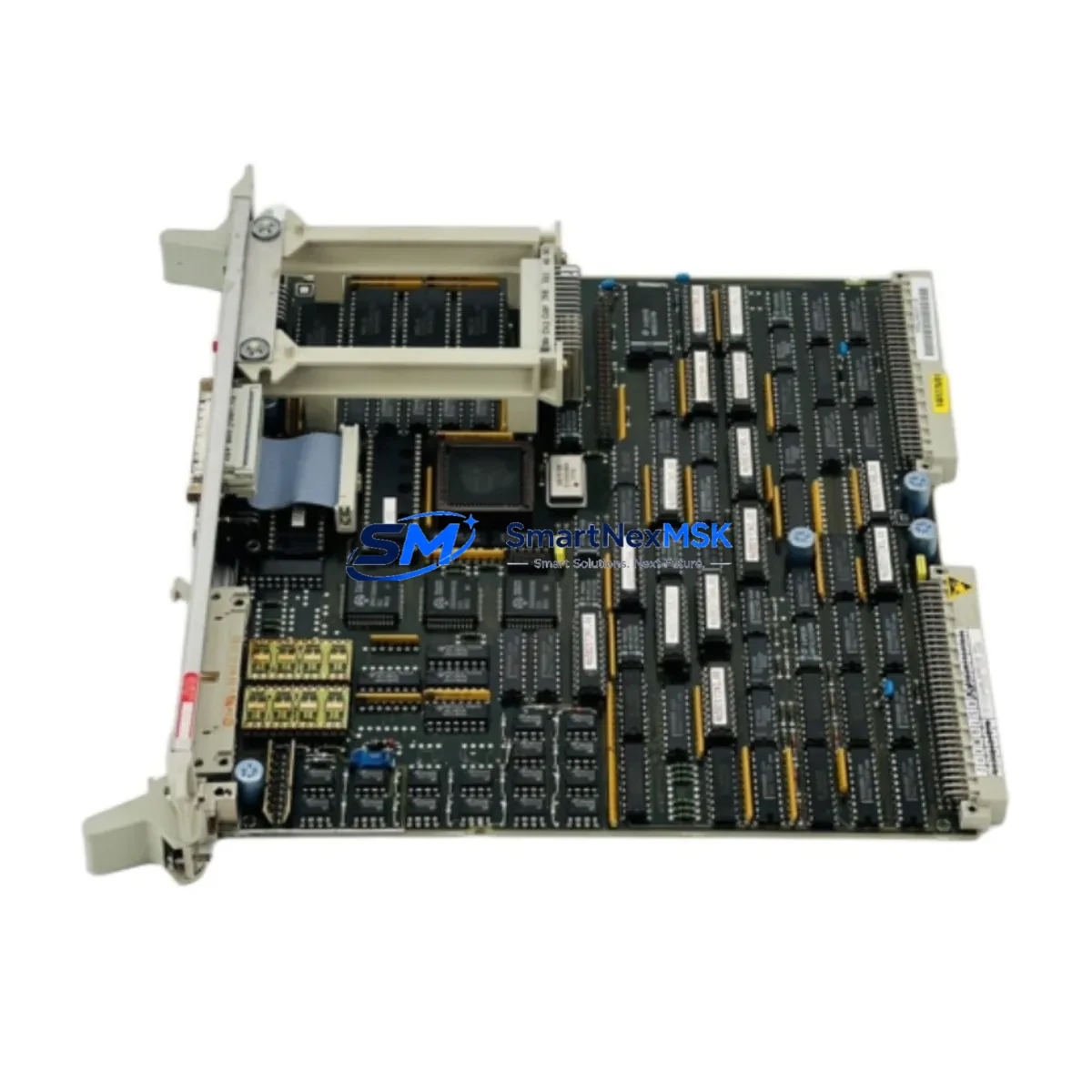
Siemens 6DD1600-0AF0 Retrofit-Ready PM16 Processor for Simadyn D Control Systems
The Siemens 6DD1600-0AF0 is a PM16 Processor Module engineered for the Simadyn D distributed control platform — one of Siemens’ most widely deployed process automation architectures in steel mills, paper machines, rolling lines, and large-scale drive systems. As the Simadyn D series has reached end-of-production status, the 6DD1600-0AF0 has become a critical retrofit and replacement component for facilities that must maintain operational continuity without a full DCS migration.
SMARTNEXMSK maintains verified stock of the 6DD1600-0AF0, sourced from controlled supply chains and subject to pre-shipment functional testing. Each unit ships with a 12-month warranty covering manufacturing defects and operational failures under normal industrial conditions.
Upgrade Compatibility Table
| Parameter | Details |
|---|---|
| Module Designation | PM16 Processor Module |
| Order Number | 6DD1600-0AF0 |
| Compatible Platform | Siemens Simadyn D |
| Backplane Interface | Simadyn D rack bus (CS7 / CS12 rack compatible) |
| Communication Protocols | PROFIBUS-DP, point-to-point serial, internal rack bus |
| Power Supply Requirement | 24 V DC via rack backplane (verify PS407 / PS405 capacity) |
| Slot / Address Configuration | Module address set via DIP switch on front panel |
| Replacement Compatibility | Direct drop-in for failed or end-of-life PM16 units in existing Simadyn D racks |
| Program Compatibility | Retains existing CFC/SFC logic when address and firmware version match |
| HMI Interface | Compatible with WinCC and OP/TP panel configurations linked via PROFIBUS |
| Commissioning Requirement | Address verification, firmware check, and I/O force test recommended |
| Warranty | 12 months from shipment date |
| Pre-Shipment Testing | Functional power-on and communication link test performed |
| Country of Origin | Germany |
Retrofit Planning for Existing Automation Systems
Replacing the 6DD1600-0AF0 in a live Simadyn D installation requires careful pre-work to avoid extended downtime. Before pulling the failed module, engineers should document the existing DIP switch address settings on the front panel — these must be replicated exactly on the replacement unit to ensure the rack bus recognizes the new PM16 at the correct logical address.
Power supply capacity is a frequent oversight in Simadyn D retrofits. The Siemens PS407 or PS405 power supply modules feeding the CS7 or CS12 rack must be verified to have sufficient headroom for the replacement PM16, particularly if other modules such as the 6DD1610-0AK0 IM16 Interface Module or additional 6DD1607-0AA0 AM16 Analog I/O Modules have been added to the rack since the original commissioning. Overloaded backplanes are a common cause of intermittent processor faults that are misdiagnosed as module failure.
Terminal wiring on the Simadyn D platform is handled through the rack’s I/O modules rather than directly on the PM16 itself, which simplifies the physical swap. However, if the system includes 6DD1681-0AE0 PROFIBUS communication modules or 6DD1682-0BD0 point-to-point link modules, the communication cable routing and termination resistors must be inspected before restart. A missing or misplaced PROFIBUS terminator after a module swap is a common source of bus faults that can prevent the entire rack from initializing.
For systems that include Siemens SIMATIC S7-400 controllers operating alongside the Simadyn D platform — a common architecture in hybrid modernization projects — the inter-system PROFIBUS segment must be re-validated after the PM16 replacement. The S7-400 CPU, such as a 6ES7414-3XM05-0AB0, may need its hardware configuration reloaded if the Simadyn D node address has changed or if the GSD file for the PM16 was not previously imported into STEP 7 or TIA Portal.
HMI screens built on Siemens WinCC or legacy OP37 / TP270 operator panels that display Simadyn D process variables should be tested after the swap. Tag addresses linked to the PM16’s internal data blocks may require re-mapping if the replacement module runs a different firmware revision. Always compare the firmware version printed on the module label against the version recorded in the original project documentation before powering up.
Programming cables such as the Siemens 6ES7972-0CB20-0XA0 PC Adapter USB are required for any firmware update or CFC program re-download via the SIMATIC Manager or TIA Portal environment. Ensure the engineering workstation has the correct version of the Simadyn D toolset installed before beginning the retrofit, as version mismatches between the programming software and the module firmware can prevent successful program transfer.
Downtime Control During System Migration
Minimizing unplanned downtime during a Simadyn D PM16 replacement begins with preparation, not execution. The most effective approach is to pre-configure the replacement 6DD1600-0AF0 offline: set the DIP switches to match the failed module’s address, verify the firmware version, and perform a bench power-on test before the scheduled maintenance window.
Where the process allows, a cold-swap procedure is strongly preferred over hot-swap attempts. Power down the affected rack section, replace the PM16, restore power, and observe the rack initialization sequence on the front-panel LEDs before reconnecting the PROFIBUS segment. This sequence protects the original program logic stored in the rack’s battery-backed memory and prevents bus collisions that can corrupt data in adjacent modules such as the 6DD1607-0AA0 AM16 or connected 6DD1610-0AK0 IM16 interface modules.
For critical continuous processes where even a brief shutdown is costly, a parallel rack strategy can be employed: a pre-configured spare rack with a loaded PM16 is brought online in shadow mode, validated against the live system’s I/O states, and then switched over during a planned micro-outage. This approach is particularly effective in rolling mill and paper machine applications where Simadyn D controls tension, speed, and position loops that cannot tolerate extended interruption.
After the swap, a structured commissioning checklist should cover: rack bus status LEDs, PROFIBUS segment diagnostics, I/O force tests on critical analog and digital channels, HMI tag verification, and a timed observation period under normal load before returning the system to automatic mode. Documenting the as-found and as-left states of all DIP switch settings, firmware versions, and cable terminations protects against repeat failures and supports future maintenance planning.
Retrofit Support FAQ
Q: Is the 6DD1600-0AF0 a direct drop-in replacement for my existing Simadyn D PM16?
A: Yes, provided the replacement unit carries the same order number (6DD1600-0AF0) and a compatible firmware revision. The module is mechanically and electrically identical to the original, and the DIP switch address configuration ensures the rack bus recognizes it at the correct logical slot. If your existing module has a different suffix or revision letter, contact our technical team before ordering to confirm compatibility.
Q: What wiring changes are required when replacing the PM16?
A: The 6DD1600-0AF0 connects to the Simadyn D rack via the backplane connector — no field wiring is attached directly to the processor module. Terminal wiring to I/O signals is managed through the rack’s AM16 analog modules and DM16 digital modules. The only external connections to verify are the PROFIBUS cable and any point-to-point serial links, which should be re-seated and termination resistors confirmed after the swap.
Q: How do I verify that my replacement module is compatible with my existing CFC program?
A: Compare the firmware version on the replacement module’s label against the version recorded in your SIMATIC Manager project. If the versions match, the existing CFC/SFC logic will load without modification. If the firmware differs, a program re-download may be required using the Siemens PC Adapter USB cable and the appropriate version of the Simadyn D engineering tool. SMARTNEXMSK can advise on firmware version matching prior to shipment.
Q: What does the 12-month warranty cover, and what is the claims process?
A: The 12-month warranty covers manufacturing defects and operational failures under normal industrial operating conditions from the date of shipment. It does not cover damage resulting from incorrect installation, overvoltage, or physical impact. To initiate a warranty claim, contact [email protected] with your order number, a description of the fault, and photos of the module and installation environment. Replacement or repair will be arranged within 5 business days of claim approval.
© 2026 SMARTNEXMSK. All rights reserved.
Original Source: https://smartnexmsk.com
Contact: [email protected] | +86 18259474341



