
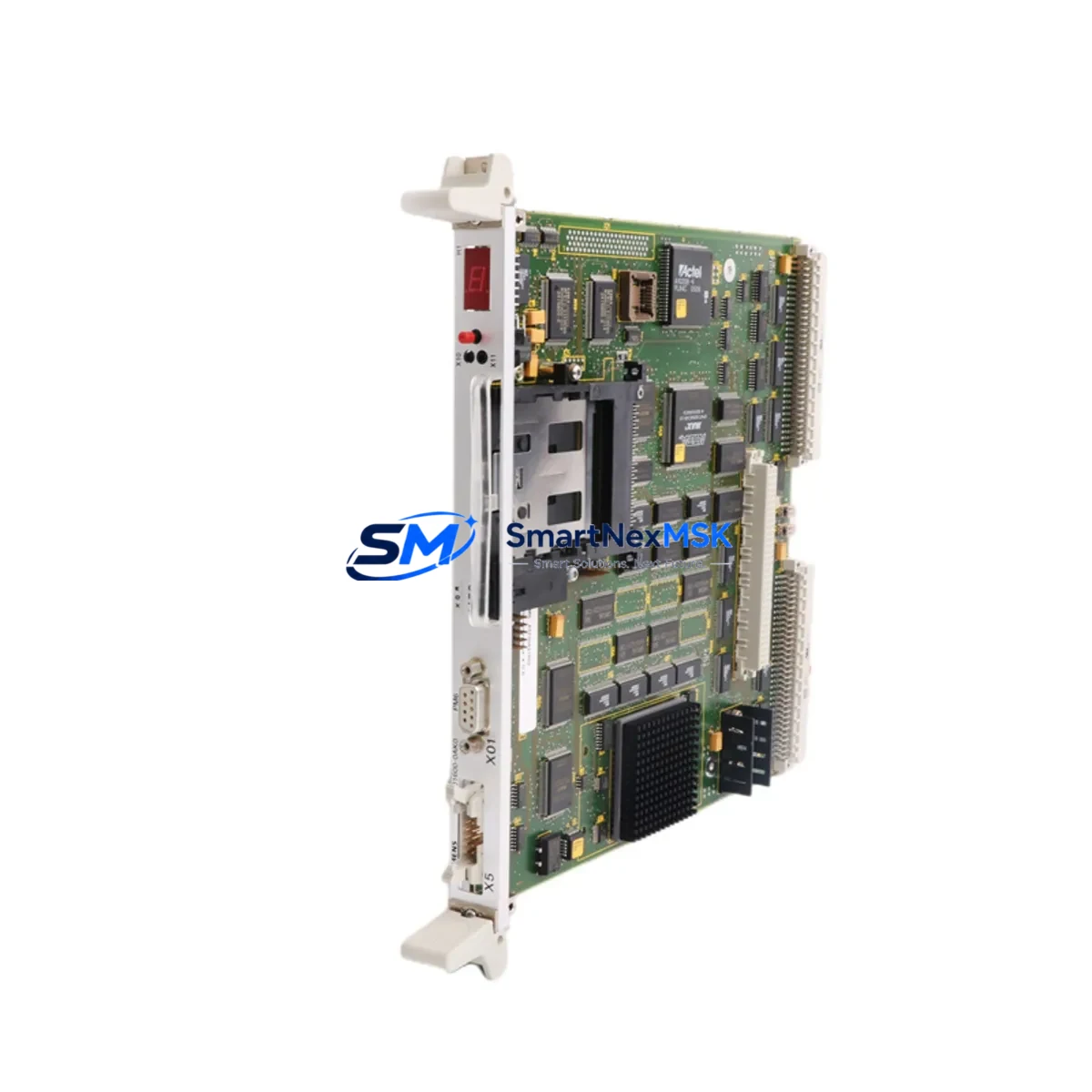
SIEMENS 6DD1600-0AK0 Spare for SIMATIC TDC Automation
The SIEMENS 6DD1600-0AK0 is the PM6 Processor Module for the SIMATIC TDC (Technology and Drive Control) platform — a high-performance, real-time control system widely deployed in steel mills, rolling lines, paper machines, crane drives, and heavy industrial automation. When this processor module fails or degrades, the entire TDC rack loses its central computing function, resulting in unplanned downtime that can cost thousands of dollars per hour. Maintaining a verified, original-spec spare of the 6DD1600-0AK0 in your site inventory is the single most effective strategy for rapid downtime recovery in SIMATIC TDC-based control systems.
This listing provides an original-grade 6DD1600-0AK0 PM6 module, sourced, inspected, and tested prior to shipment. Each unit is verified for firmware compatibility, backplane interface integrity, and communication bus function before dispatch. A 12-month warranty is included on every unit, covering manufacturing defects and functional failures under normal operating conditions.
Spare Maintenance Table
| Parameter | Specification |
|---|---|
| Part Number / SKU | 6DD1600-0AK0 |
| Module Designation | PM6 Processor Module |
| Compatible System | SIEMENS SIMATIC TDC (Technology and Drive Control) |
| Rack Compatibility | UR2, UR2-H, UR1 TDC Racks |
| Processor Architecture | Multi-processor real-time control |
| Communication Interface | PROFIBUS DP, internal TDC bus |
| Operating Voltage | DC 5 V via backplane (rack-supplied) |
| Operating Temperature | 0 °C to +55 °C |
| Storage Temperature | -40 °C to +70 °C |
| Country of Origin | Germany |
| Weight (approx.) | 460 g |
| Application Environment | Industrial automation, drive control, process control |
| Maintenance Recommendation | Inspect annually; replace on first sign of CPU fault LED or communication loss |
| Warranty | 12 Months — covers manufacturing defects and functional failures |
| Pre-shipment Testing | Power-on, backplane communication, and firmware integrity verified |
Maintenance Planning for Continuous Operation
Experienced maintenance engineers know that the 6DD1600-0AK0 PM6 processor does not operate in isolation. A complete site replacement plan for a SIMATIC TDC control cabinet must account for the full electrical and communication ecosystem surrounding this module. When scheduling a planned outage or responding to an emergency fault, the following components should be inspected or held as co-spares alongside the PM6 processor:
The 6DD1607-0AA0 CP51M1 Communication Processor handles PROFIBUS DP master functions within the TDC rack. A degraded CP51M1 can produce intermittent communication faults that are often misdiagnosed as PM6 processor failures — always verify the communication processor before condemning the PM6. Similarly, the 6DD1606-0AA0 IM61 Interface Module manages inter-rack communication in multi-rack TDC configurations; a failed IM61 will isolate entire rack segments from the master processor.
On the power supply side, the 6DD1681-0AE0 PS60 Power Supply Module provides regulated DC voltage to the TDC rack backplane. Voltage ripple or dropout from a degraded PS60 is a leading cause of PM6 processor resets and memory corruption. Maintenance teams should verify backplane voltage rails with a calibrated meter before inserting a replacement PM6. The 6DD1682-0BD0 PS61 redundant power supply is recommended for critical drive applications where power continuity is mandatory.
For I/O integrity, the 6DD1681-0AC0 AM61 Analog I/O Module and 6DD1681-0AB0 DM61 Digital I/O Module should be checked for channel faults, blown fuses, and terminal block corrosion during any PM6 replacement event. Faulty I/O modules can generate spurious signals that trigger processor watchdog faults, creating a false impression of PM6 failure. Terminal blocks and wiring harnesses within the TDC cabinet should also be inspected for loose connections, insulation degradation, and corrosion — particularly in high-vibration or high-humidity environments.
If the TDC system interfaces with a SIMATIC HMI panel such as the TP177B or MP277 series, verify the HMI communication link and project version compatibility after any processor module replacement. Firmware mismatches between the PM6 and the HMI runtime can cause display faults or operator interface lockouts. For systems using SIMATIC S7-400 PLCs in a coordinated drive-control architecture, confirm that the S7 program and TDC application software versions remain synchronized post-replacement.
Signal isolation barriers and surge protection devices installed on analog input channels — such as PHOENIX CONTACT MACX or SIEMENS SITRANS signal isolators — should be tested for drift and isolation resistance during planned maintenance windows. These components protect the PM6 from field-side transients and are often overlooked until a second processor failure occurs.
Site Replacement Workflow
Replacing the 6DD1600-0AK0 PM6 in a live SIMATIC TDC installation requires a structured approach to minimize downtime and avoid configuration loss. Follow this sequence for a safe, efficient swap:
Step 1 — Pre-replacement backup: Use SIMATIC TDC Engineering software (CFC/SFC toolset) to export the current application program, parameter sets, and hardware configuration. Store the backup on a local engineering station and a removable medium. Confirm the firmware version of the existing PM6 before removal.
Step 2 — Power isolation: Follow site LOTO (Lockout/Tagout) procedures. De-energize the TDC rack via the PS60 power supply module. Verify zero voltage on the backplane rails before handling any modules.
Step 3 — Module extraction: Release the PM6 module locking levers and extract it from the rack slot. Note the slot position — the PM6 must be reinstalled in the same slot to maintain rack addressing.
Step 4 — Replacement insertion: Insert the new 6DD1600-0AK0 into the correct rack slot. Ensure the backplane connector is fully seated. Re-engage the locking levers.
Step 5 — Firmware and program restore: Power up the rack. Use the TDC engineering tool to download the backed-up application program and parameter sets to the new PM6. Verify that the CPU RUN LED illuminates and no fault LEDs are active.
Step 6 — Communication verification: Confirm PROFIBUS DP communication with all connected drives and I/O nodes. Check the CP51M1 communication processor diagnostics for any bus errors. Verify HMI connectivity and operator display function.
Step 7 — Functional test: Run a controlled functional test of the drive or process loop controlled by the TDC system before returning to full production. Document the replacement in the site maintenance log.
This workflow applies equally to planned maintenance replacements and emergency fault recovery. Keeping a pre-configured, tested 6DD1600-0AK0 spare on-site reduces the replacement cycle from days to hours, directly limiting production loss exposure.
Spare Parts Support FAQ
Q1: Is this 6DD1600-0AK0 an original SIEMENS module or a compatible replacement?
This is an original-specification 6DD1600-0AK0 PM6 Processor Module, sourced from verified supply channels. Each unit undergoes pre-shipment power-on and communication testing. It is not a third-party compatible or remanufactured substitute. Original-spec modules ensure full firmware compatibility and backplane interface integrity with existing SIMATIC TDC racks.
Q2: What is the warranty coverage and what does it include?
Every 6DD1600-0AK0 unit ships with a 12-month warranty covering manufacturing defects and functional failures under normal operating conditions. The warranty does not cover damage resulting from incorrect installation, overvoltage events, or physical mishandling. Warranty claims are processed with priority turnaround to minimize site downtime.
Q3: How do I verify compatibility with my existing SIMATIC TDC rack before installation?
The 6DD1600-0AK0 PM6 is compatible with SIMATIC TDC UR2, UR2-H, and UR1 rack configurations. Before installation, confirm your rack type and existing firmware version using the SIMATIC TDC Engineering software. If your system uses a specific firmware revision, contact our technical team with your rack order number and current PM6 firmware version — we will confirm compatibility before shipment.
Q4: What is your typical lead time and how do you support emergency spare requirements?
Standard orders are processed and dispatched within 1–3 business days. For emergency downtime recovery situations, expedited dispatch is available — contact us directly at [email protected] or +86 18259474341 to discuss priority shipment options. We maintain standing inventory of high-demand SIMATIC TDC modules to support urgent site requirements.
© 2026 SMARTNEXMSK. All rights reserved.
Original Source: https://smartnexmsk.com
Contact: [email protected] | +86 18259474341



