
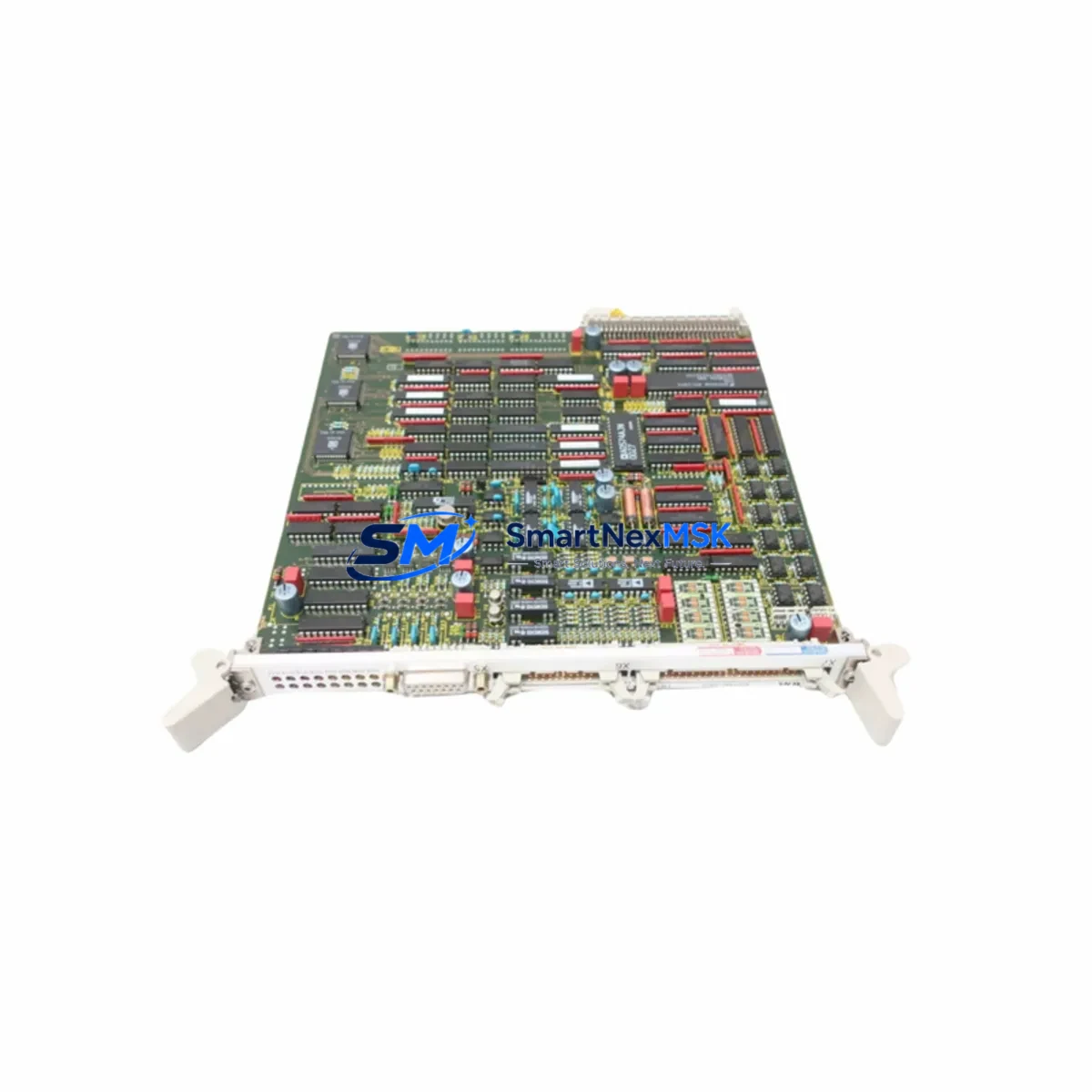
Siemens 6DD1640-0AC0 Spare for SIMADYN D Automation: Spare Replacement & Downtime Risk Control
The Siemens 6DD1640-0AC0 is the EM11 Expansion I/O Module designed for the SIMADYN D modular real-time control system — a platform widely deployed in heavy industry, power generation, rolling mills, and drive control applications. As original production of SIMADYN D hardware has been discontinued, maintaining a verified stock of the 6DD1640-0AC0 is a critical element of any long-term maintenance strategy for facilities still operating this platform. SMARTNEXMSK supplies this module as a tested, original spare with a 12-month warranty, ready for immediate dispatch to minimize unplanned downtime.
For maintenance engineers managing aging SIMADYN D installations, the 6DD1640-0AC0 serves as the primary expansion I/O interface between the central processor and field-level signals. Its failure — whether from electrical surge, connector wear, or firmware incompatibility after a partial system upgrade — can halt an entire production line. Keeping at least one verified replacement unit on-site or with a trusted supplier is the most effective insurance against extended outages.
Spare Maintenance Table
| Parameter | Specification |
|---|---|
| Part Number / SKU | 6DD1640-0AC0 |
| Module Designation | EM11 Expansion I/O Module |
| Compatible System | Siemens SIMADYN D |
| Module Type | Digital/Analog Expansion I/O |
| Backplane Interface | SIMADYN D VMEbus-compatible rack |
| Supply Voltage | 24 V DC (via backplane) |
| Operating Temperature | 0 °C to +55 °C |
| Country of Origin | Germany (DE) |
| Condition | Original spare — tested before shipment |
| Warranty | 12 months from date of shipment |
| Typical Application | Drive control, rolling mill automation, power plant auxiliary systems |
| Maintenance Recommendation | Inspect connector pins and backplane slot contacts during scheduled shutdowns; verify firmware revision compatibility before installation |
| Replacement Lead Time | In-stock units ship within 1–3 business days |
Maintenance Planning for Continuous Operation
When a 6DD1640-0AC0 failure is identified — or when the module is flagged during a routine control cabinet inspection — experienced maintenance engineers know that the I/O module rarely fails in isolation. A systematic inspection of the surrounding hardware is essential before returning the system to service.
Begin with the SIMADYN D power supply module (such as the PS series units in the same rack): verify output voltage stability under load, as a marginal power supply is a common root cause of I/O module faults. Next, inspect the backplane and VMEbus connector for oxidation, bent pins, or mechanical damage — a compromised backplane slot can damage a replacement module within hours of installation.
The central processor module (PM) and any co-processor cards in the rack should be checked for firmware version alignment with the replacement EM11 module. Mismatched firmware revisions between the PM and expansion I/O modules are a known source of intermittent faults in SIMADYN D systems. If the installation includes communication modules such as the CS31 or PROFIBUS interface cards, verify that their configuration files remain intact after any rack disturbance.
On the field wiring side, inspect all terminal blocks and I/O wiring harnesses connected to the EM11’s signal connectors. Loose terminations or corroded contacts at the field interface can generate fault signals that are incorrectly attributed to the module itself. Signal isolators and surge protection devices on analog input channels should also be tested — these components absorb transient energy that would otherwise reach the I/O module’s input circuits.
For installations where the SIMADYN D system interfaces with a SIMATIC S5 or S7 PLC via a gateway or coupling module, confirm that the inter-system communication link is re-established and error-free after the I/O module replacement. In drive applications, check the SIMOREG or MASTERDRIVES converter interface connections and verify that speed reference and feedback signals are within expected ranges before resuming production.
Finally, review the HMI or operator panel (such as a SIMATIC OP or TP series panel) for any latched alarms or diagnostic messages that may have been generated during the fault period. Clearing these correctly ensures that the maintenance record accurately reflects the repair and that no secondary faults are masked by residual alarm states.
Procurement engineers should note that the 6DD1640-0AC0 is an end-of-life Siemens part. Establishing a standing spare parts agreement with a specialist supplier — covering not only the EM11 module but also associated fuse holders, rack guide rails, and module ejector hardware — is strongly recommended for facilities planning to operate SIMADYN D systems beyond their original design life.
Site Replacement Workflow
Step 1 — Pre-replacement verification: Confirm the failed module’s part number (6DD1640-0AC0) and firmware label against the replacement unit. Document the slot position within the SIMADYN D rack before removal.
Step 2 — Safe isolation: Follow site-specific lockout/tagout procedures. De-energize the rack via the main disconnect; do not rely solely on the module’s front-panel power LED as an isolation indicator.
Step 3 — Module extraction: Use the module’s ejector levers to disengage the VMEbus connector. Avoid applying lateral force to the front panel. Inspect the backplane connector on the rack side before inserting the replacement.
Step 4 — Replacement installation: Seat the 6DD1640-0AC0 replacement firmly until the ejector levers click into the locked position. Re-connect all field wiring connectors in the correct sequence as documented in Step 1.
Step 5 — Power-up and diagnostics: Restore power and observe the module’s status LEDs. Access the SIMADYN D diagnostic interface to confirm that the EM11 module is recognized by the central processor and that all I/O channels report correctly.
Step 6 — Functional test: Execute a controlled test cycle — do not return to full production until all I/O signals have been verified against the process baseline. Log the replacement in the site maintenance management system with the module serial number and date.
This workflow is designed to minimize total downtime from fault identification to production resumption, typically achievable within two to four hours for a prepared maintenance team with a verified spare on hand.
Spare Parts Support FAQ
Q: Is the 6DD1640-0AC0 still available as a new original part?
A: Siemens has discontinued active production of SIMADYN D hardware, including the 6DD1640-0AC0 EM11 module. SMARTNEXMSK sources verified original units from authorized channels and controlled inventory. Each unit undergoes functional testing prior to shipment. Stock availability is subject to change; we recommend securing critical spares in advance of planned maintenance windows.
Q: How is compatibility with my existing SIMADYN D rack confirmed before shipment?
A: Compatibility is verified against the module’s part number, hardware revision, and firmware label. Please provide your rack configuration and existing module revision details when placing an order. Our technical team will cross-reference these against the available stock to confirm a compatible match before dispatch.
Q: What does the 12-month warranty cover?
A: The 12-month warranty covers manufacturing defects and functional failures under normal operating conditions as specified in the Siemens SIMADYN D technical documentation. It does not cover damage resulting from incorrect installation, overvoltage events, or operation outside the specified environmental parameters. Warranty claims are supported by our technical team with replacement or repair as appropriate.
Q: What is the recommended spare parts inventory strategy for SIMADYN D systems?
A: For facilities operating SIMADYN D as a critical control platform, we recommend maintaining a minimum of one 6DD1640-0AC0 on-site as a hot spare, supplemented by a supplier-held reserve for longer-term coverage. A comprehensive spare parts list should also include the central processor module, power supply units, communication interface cards, and key passive components such as fuses and terminal connectors. SMARTNEXMSK can assist with a tailored spare parts plan based on your system configuration and maintenance cycle.
© 2026 SMARTNEXMSK. All rights reserved.
Original Source: https://smartnexmsk.com
Contact: [email protected] | +86 18259474341



