
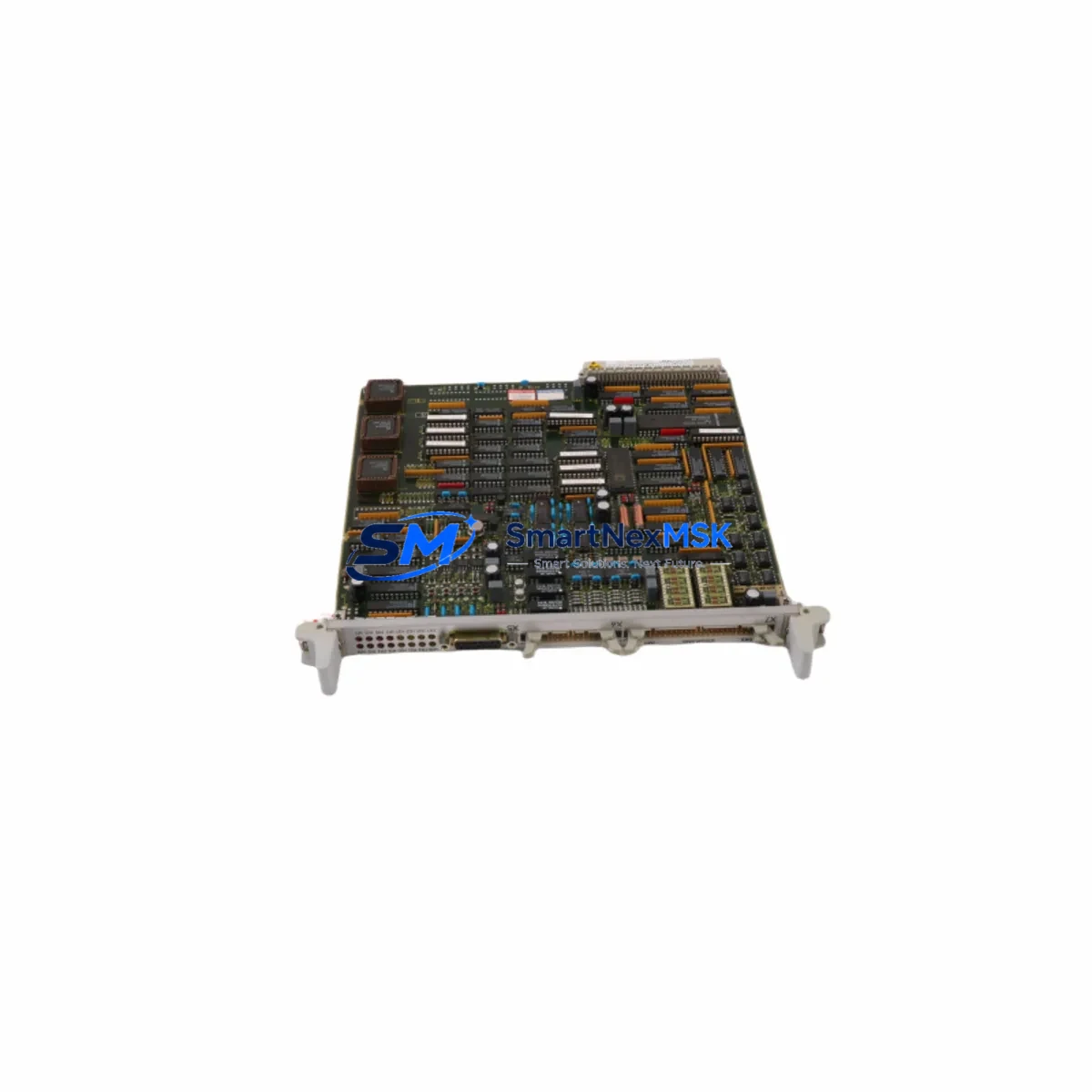
Siemens 6DD1640-0AD0 Maintenance-Ready Spare for SIMATIC TDC Automation
The Siemens 6DD1640-0AD0 (EM11T) is a high-density digital I/O expansion module designed for the SIMATIC TDC (Technology and Drive Control) platform — one of Siemens’ most demanding real-time automation architectures, widely deployed in steel mills, rolling lines, paper machines, and heavy-process industries. When this module fails or reaches end-of-service life, the consequences are immediate: unplanned downtime, production loss, and cascading faults across the control loop. Holding a verified original spare of the 6DD1640-0AD0 in your maintenance inventory is the single most effective measure to restore system availability within hours rather than days.
Each unit supplied by SMARTNEXMSK is sourced from authorized industrial channels, individually inspected, and function-tested prior to dispatch. The module ships with a 12-month warranty covering manufacturing defects and operational failures under normal industrial use conditions. Our logistics team supports urgent same-day or next-day dispatch for critical breakdown orders, with export documentation available for international shipments.
Spare Maintenance Table
| Parameter | Specification |
|---|---|
| Part Number / SKU | 6DD1640-0AD0 |
| Module Designation | EM11T — Digital I/O Expansion Module |
| Compatible Platform | SIMATIC TDC (Technology and Drive Control) |
| Compatible Rack | UR2 / UR2-H / UR1 TDC Expansion Racks |
| Digital Inputs | 16 × 24 V DC, IEC 61131-2 Type 1/3 |
| Digital Outputs | 16 × 24 V DC, 0.5 A per channel |
| Supply Voltage | 24 V DC (via backplane bus) |
| Cycle Time | Synchronized with TDC CPU cycle (≥ 1 ms) |
| Operating Temperature | 0 °C to +60 °C |
| Storage Temperature | −40 °C to +70 °C |
| Degree of Protection | IP20 |
| Dimensions (W × H × D) | Approx. 25 × 290 × 210 mm (standard TDC form factor) |
| Weight | Approx. 300 g |
| Country of Origin | Germany |
| Firmware / Hardware | Confirm revision compatibility with existing TDC CPU firmware |
| Warranty | 12 Months — SMARTNEXMSK Verified Spare |
| Condition | Original New / Tested Surplus (confirmed per order) |
Maintenance Planning for Continuous Operation
Replacing the 6DD1640-0AD0 in a live SIMATIC TDC cabinet is rarely an isolated task. Maintenance engineers and procurement teams should treat this module replacement as an opportunity to audit the surrounding electrical environment and pre-empt secondary failures. The following components share the same control cabinet, power bus, or I/O loop and should be inspected or stocked alongside the EM11T:
Power Supply Module (e.g., Siemens 6DD1681-0AE0 or equivalent TDC PSU): Verify output voltage stability at 24 V DC and 5 V DC backplane rails. A degraded power supply is a leading cause of intermittent I/O module faults and should be tested before the new 6DD1640-0AD0 is commissioned.
TDC CPU Module (e.g., 6DD1607-0AA1 / 6DD1607-0AA2): Confirm that the CPU firmware revision is compatible with the replacement EM11T hardware revision. Mismatched firmware can cause the module to be unrecognized or generate persistent diagnostic alarms. Update the CPU firmware if required before hot-swapping the expansion module.
Backplane Bus Connector and UR2 Rack: Inspect the backplane connector pins on the rack slot for oxidation, mechanical damage, or bent contacts. A faulty rack slot can destroy a new module within hours of installation. Clean contacts with isopropyl alcohol and verify slot integrity before insertion.
24 V DC Field Wiring and Terminal Blocks (e.g., Weidmüller or Phoenix Contact terminal strips): Check all field-side wiring connected to the I/O channels for insulation damage, loose terminations, and correct polarity. Miswired field devices are a common root cause of output channel burnout on digital I/O modules.
Protective Fuses and Circuit Breakers: Each output group on the EM11T should be protected by appropriately rated fuses (typically 1 A–2 A fast-blow per group). Inspect and replace any blown or degraded fuses. Consider upgrading to electronic circuit breakers (e.g., Siemens SITOP PSE series) for improved diagnostics.
Signal Isolators and Surge Protection Devices: For I/O channels connected to field instruments in electrically noisy environments (drives, motors, welding equipment), verify that signal isolators (e.g., Phoenix Contact MINI Analog or HART isolators) and surge protection modules are intact and correctly rated.
PROFIBUS DP or MPI Communication Cables: If the TDC system communicates with SCADA, HMI, or drive controllers via PROFIBUS DP or MPI, inspect cable shielding, connector termination resistors, and bus topology. A degraded communication link can cause the replacement module to appear faulty during commissioning.
HMI / Operator Panel (e.g., Siemens TP700 / MP377): After module replacement, verify that the HMI correctly reflects the restored I/O status. Persistent alarm states on the HMI may indicate that the PLC program requires a warm restart or that diagnostic buffers need to be cleared.
Relay Output Modules and Intermediate Relays: For output channels driving relay coils or solenoid valves, inspect the intermediate relay contacts for wear and verify coil resistance. Worn relay contacts can cause output channel overcurrent events that damage the new I/O module.
Stocking the 6DD1640-0AD0 alongside these associated components — particularly the TDC power supply, CPU module, and field-side protection devices — transforms a reactive breakdown response into a structured, time-bounded recovery procedure. Target a mean-time-to-restore (MTTR) of under four hours for TDC I/O module failures when a verified spare and pre-inspected ancillary components are available on-site.
Site Replacement Workflow
Step 1 — Fault Isolation: Use the SIMATIC TDC diagnostic software (TDC Engineering Tool or STEP 7 with TDC add-on) to identify the faulted slot and confirm the 6DD1640-0AD0 as the failed component. Document the slot address, rack number, and current I/O configuration before proceeding.
Step 2 — Safe Isolation: Follow your site’s Lockout/Tagout (LOTO) procedure. De-energize the 24 V DC field supply to the affected I/O group. Do not remove the module under live bus conditions unless the TDC rack supports hot-swap for this module type — verify in the hardware manual before attempting.
Step 3 — Hardware Revision Check: Compare the hardware revision label on the replacement 6DD1640-0AD0 with the original module and the CPU firmware compatibility matrix. If revisions differ, consult the Siemens compatibility note for the TDC platform before installation.
Step 4 — Physical Installation: Insert the replacement module into the correct rack slot. Ensure the module is fully seated and the front connector is locked. Re-connect field wiring according to the documented terminal assignment. Verify cable routing and strain relief.
Step 5 — System Restart and Verification: Restore power and perform a controlled CPU restart if required. Monitor the diagnostic buffer for any new faults. Verify all I/O channels are reporting correctly in the TDC engineering tool and on the HMI. Conduct a functional test of all field devices connected to the restored module before returning the system to production.
Step 6 — Documentation Update: Record the replacement in the maintenance log, including the date, replaced module serial number, new module serial number, and technician name. Update the spare parts inventory to trigger reorder of the consumed 6DD1640-0AD0 unit.
Spare Parts Support FAQ
Q1: What is the warranty coverage for the 6DD1640-0AD0 supplied by SMARTNEXMSK?
All units carry a 12-month warranty from the date of dispatch. The warranty covers manufacturing defects and operational failures under normal industrial operating conditions. Units that fail within the warranty period are replaced or refunded after fault verification. Warranty claims are processed within 5 business days of receiving the returned unit.
Q2: How do I verify compatibility between the replacement 6DD1640-0AD0 and my existing TDC CPU firmware?
Check the hardware revision label on the module (printed on the front panel or side label). Cross-reference this revision against the Siemens TDC compatibility matrix available in the system manual (order number 6DD1900-0AD0 or equivalent). If you are unsure, provide your CPU module part number and firmware version to our technical team and we will confirm compatibility before dispatch.
Q3: Can SMARTNEXMSK support long-term or scheduled spare parts supply for the 6DD1640-0AD0?
Yes. We support blanket purchase orders and scheduled delivery agreements for maintenance teams managing multiple TDC systems or planning annual maintenance windows. Contact our sales team to discuss volume pricing, reserved stock allocation, and lead-time guarantees for critical spare parts.
Q4: What pre-shipment testing is performed on each 6DD1640-0AD0 unit?
Each unit undergoes visual inspection for physical damage, connector integrity check, and functional power-on test before dispatch. Units sourced as tested surplus are additionally verified for correct I/O channel response. A test report is available upon request for quality-critical procurement processes.
© 2026 SMARTNEXMSK. All rights reserved.
Original Source: https://smartnexmsk.com
Contact: [email protected] | +86 18259474341



