
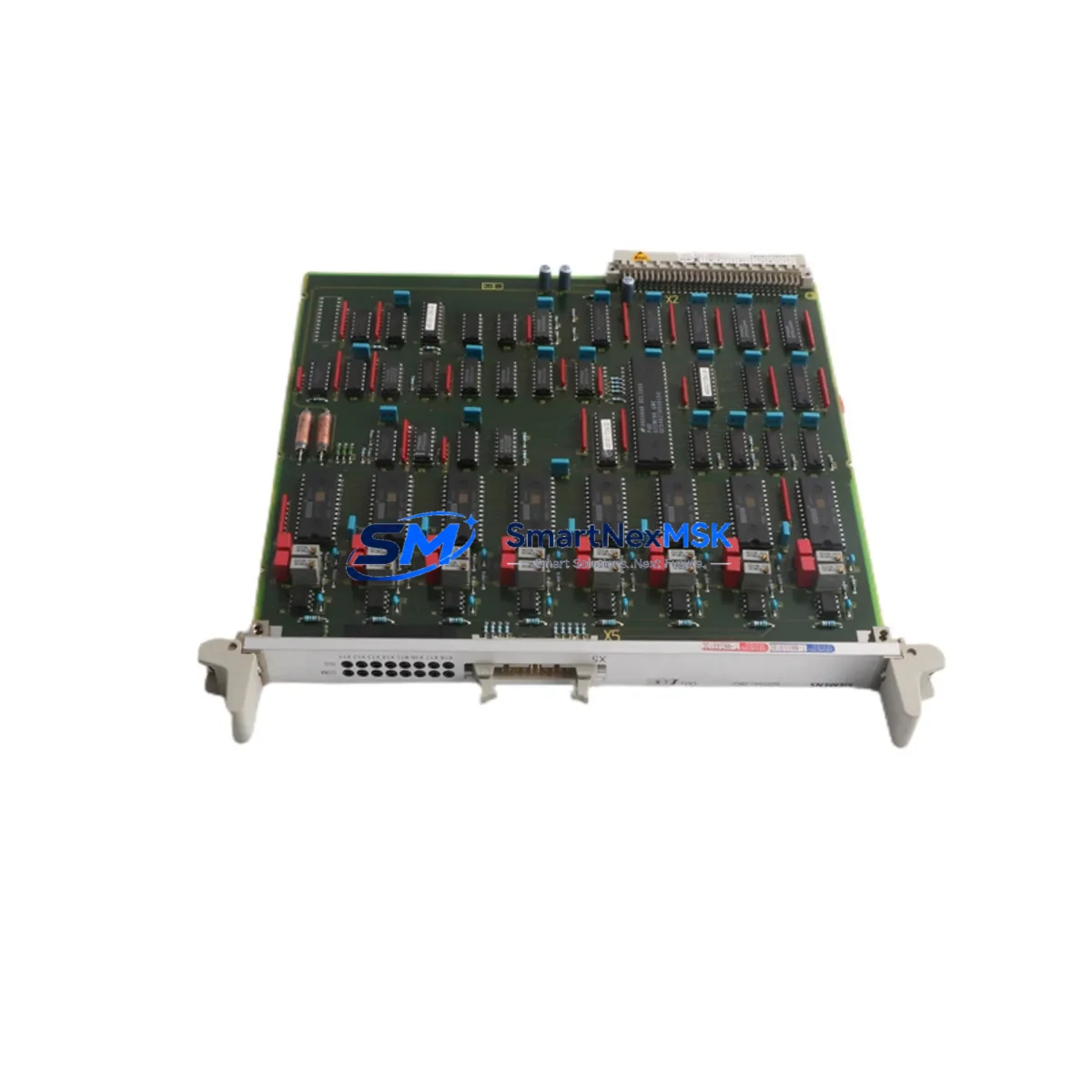
Siemens 6DD1642-0BC0 Spare for SIMADYN D Automation: Spare Replacement & Industrial Downtime Risk Control
The Siemens 6DD1642-0BC0 is an EA12 Analog Output Module designed for the SIMADYN D modular real-time control system — a platform widely deployed in high-demand drive control, process automation, and power generation applications. When this module fails or degrades, the impact on production continuity is immediate. Sourcing a verified, tested replacement unit is the fastest path to restoring system integrity and minimizing unplanned downtime.
This listing provides a maintenance-ready original spare for the 6DD1642-0BC0, sourced, inspected, and dispatched with a 12-month warranty. Each unit undergoes functional verification prior to shipment, ensuring that the replacement module meets the electrical and signal performance specifications required by the SIMADYN D backplane architecture. Whether you are executing a planned overhaul, responding to an emergency fault, or building a strategic spare parts inventory, this module is available for immediate dispatch.
Maintenance engineers and procurement teams working with SIMADYN D systems understand that analog output integrity is critical to closed-loop control performance. A degraded or failed 6DD1642-0BC0 can cause erratic actuator behavior, loss of process variable control, or complete shutdown of the affected control loop. Rapid replacement with a pre-tested spare eliminates the diagnostic uncertainty that often extends downtime beyond the initial fault event.
Spare Maintenance Table
| Parameter | Specification / Detail |
|---|---|
| Part Number / SKU | 6DD1642-0BC0 |
| Module Designation | EA12 Analog Output Module |
| Compatible System | Siemens SIMADYN D Modular Real-Time Control System |
| Brand / Manufacturer | Siemens AG |
| Country of Origin | Germany (DE) |
| Output Type | Analog (voltage / current signal outputs) |
| Backplane Compatibility | SIMADYN D standard rack / backplane bus |
| Application Environment | Drive control, process automation, power generation, turbine control |
| Installation | Direct slot replacement — no hardware modification required for same-series racks |
| Condition | Original, tested, functional verified |
| Weight | Approx. 380 g |
| Warranty | 12 Months from date of shipment |
| Dispatch | Ready stock — same or next business day |
| Maintenance Recommendation | Inspect backplane connectors, signal wiring, and adjacent I/O modules during replacement |
Maintenance Planning for Continuous Operation
Replacing the 6DD1642-0BC0 in a live SIMADYN D cabinet is rarely an isolated task. Experienced maintenance engineers treat module replacement as an opportunity to audit the surrounding electrical environment and reduce the risk of secondary failures. During the replacement procedure, the following components and subsystems should be inspected or tested as part of a comprehensive maintenance pass:
The SIMADYN D power supply module (such as the 6DD1600-0AE0 or equivalent PS series unit) should be checked for output voltage stability and ripple, as a marginal power supply can cause intermittent analog output errors that mimic module failure. The backplane bus connector and rack slot contacts should be cleaned and inspected for oxidation or mechanical wear, particularly in high-vibration or high-humidity environments.
Adjacent digital input/output modules (DI/DO) in the same rack — such as the 6DD1661 series — should be verified for correct signal states, as a failed analog output can sometimes mask upstream logic faults. The communication processor module (CP) responsible for PROFIBUS or serial data exchange should be checked for active fault codes, since loss of analog feedback can trigger cascading alarms in the supervisory control layer.
Signal wiring to field actuators — including 4–20 mA current loop circuits, shielded cable terminations, and signal isolator modules — should be inspected for insulation integrity and correct grounding. A damaged cable or a failed signal isolator can destroy a replacement analog output module within hours of installation if not identified beforehand.
The HMI or operator panel connected to the SIMADYN D system (such as a Siemens OP or TP series panel) should be used to verify that analog output values are correctly reflected in the process visualization after module swap. Any discrepancy between the commanded output and the displayed value indicates a configuration or wiring issue rather than a module fault.
For systems approaching end-of-life, it is also advisable to inspect the battery-backed memory module and CPU card (such as the 6DD1606 series) for firmware integrity and parameter retention. A corrupted parameter set can cause the replacement analog output module to operate outside its intended range, leading to process upsets that are difficult to diagnose without access to the original configuration backup.
Finally, terminal blocks and fuse holders in the control cabinet should be checked for loose connections and blown fuses, particularly on the 24 VDC auxiliary circuits that power field transmitters and actuators connected to the analog outputs.
Site Replacement Workflow
Step 1 — Fault Isolation: Use the SIMADYN D diagnostic software or the system’s fault log to confirm that the 6DD1642-0BC0 is the source of the analog output fault. Record the slot address and current parameter configuration before powering down the rack.
Step 2 — Safe Isolation: Follow your site’s lockout/tagout (LOTO) procedure. Isolate the rack power supply and discharge any residual voltage on the backplane before removing the module.
Step 3 — Module Removal: Release the module locking mechanism, disconnect any front connector wiring harness, and extract the 6DD1642-0BC0 from its slot. Inspect the slot contacts and front connector pins for damage.
Step 4 — Replacement Installation: Insert the new 6DD1642-0BC0 into the same slot. Reconnect the front connector wiring harness, ensuring correct pin assignment per the original wiring diagram. The module is a direct slot replacement — no jumper or DIP switch reconfiguration is required for same-series racks.
Step 5 — Power-Up and Verification: Restore rack power and observe the module status LEDs. Use the SIMADYN D configuration tool to verify that the module is recognized and that analog output channels are producing the correct signal values. Confirm process response at the field actuator level before returning the system to automatic control.
Step 6 — Documentation: Record the replacement in your maintenance management system (CMMS), including the new module serial number, installation date, and post-replacement test results. Update your spare parts inventory to trigger reorder of a replacement unit.
Spare Parts Support FAQ
Q1: Is the 6DD1642-0BC0 still available as a new original spare?
A: Yes. We maintain stock of original Siemens 6DD1642-0BC0 modules sourced from authorized supply chains. Each unit is functionally tested before dispatch. Given that SIMADYN D is a mature platform, we recommend holding at least one spare unit on-site to avoid lead-time exposure during emergency replacement scenarios.
Q2: How do I verify compatibility before installation?
A: The 6DD1642-0BC0 is compatible with standard SIMADYN D racks that support the EA12 module type. Verify your rack’s slot assignment and backplane bus version against the SIMADYN D system manual. If you are replacing an older revision of the same module, confirm that the firmware version of the CPU card supports the replacement unit’s hardware revision. Contact our technical team with your system configuration details for pre-installation compatibility confirmation.
Q3: What testing is performed before shipment?
A: Every 6DD1642-0BC0 unit is powered up and subjected to functional output verification across all analog channels prior to dispatch. Modules that fail any test parameter are quarantined and not shipped. A test report is available upon request for quality-critical applications.
Q4: What does the 12-month warranty cover?
A: The 12-month warranty covers manufacturing defects and functional failures under normal operating conditions as specified in the Siemens SIMADYN D technical documentation. It does not cover damage resulting from incorrect installation, overvoltage events, or use outside the module’s rated environmental conditions. Warranty claims are processed with priority dispatch of a replacement unit to minimize your system downtime.
© 2026 SMARTNEXMSK. All rights reserved.
Original Source: https://smartnexmsk.com
Contact: [email protected] | +86 18259474341



