
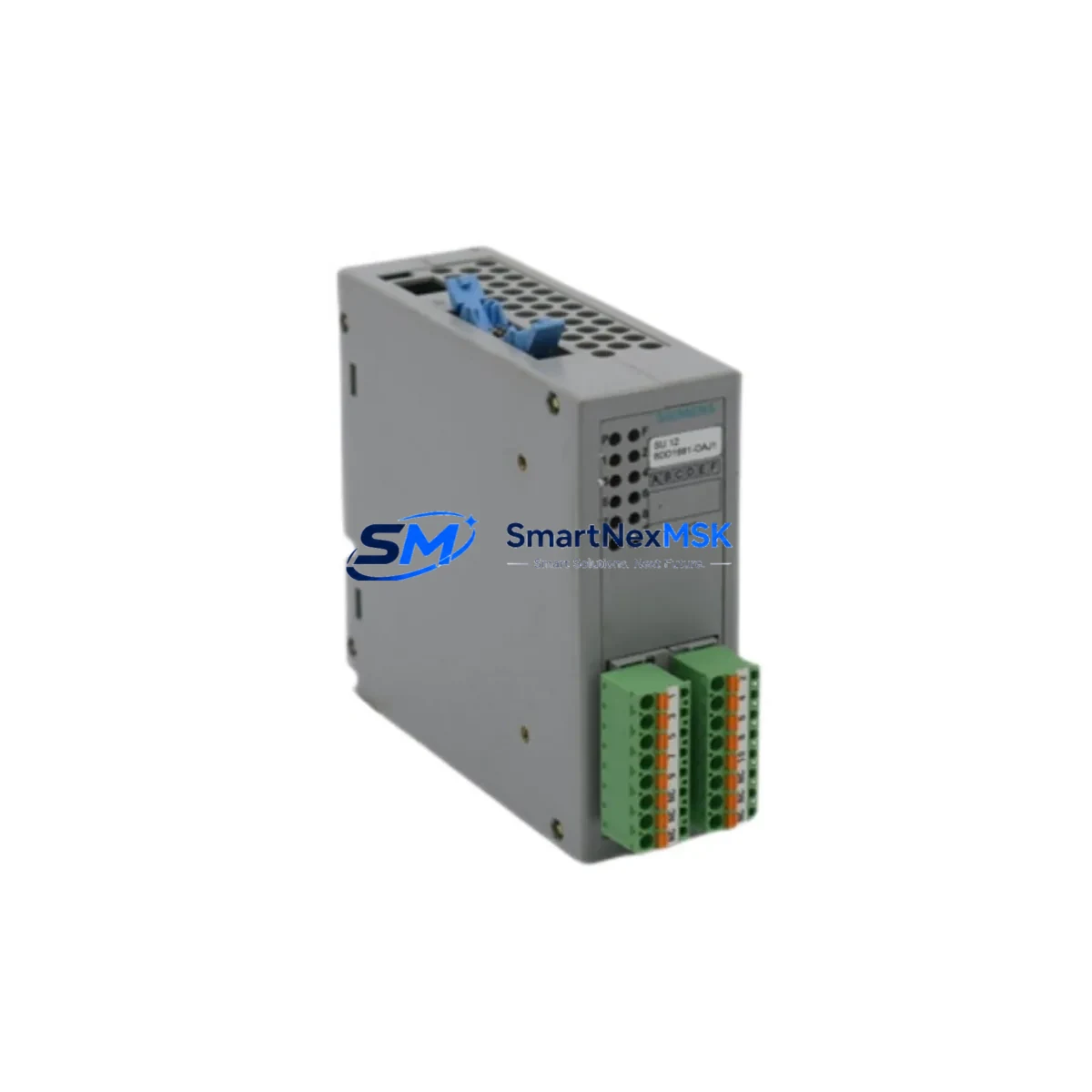
Siemens 6DD1681-0AJ1 Maintenance-Ready Spare for SIMATIC TDC Automation
The Siemens 6DD1681-0AJ1 is an original analog signal unit (SU 12) designed for the SIMATIC TDC (Technology and Drive Control) platform — a high-performance, multi-processor automation system widely deployed in steel mills, rolling lines, paper machines, and heavy-process industries. When this module fails or degrades, the consequences extend far beyond a single I/O channel: the entire coordinated drive sequence can halt, triggering unplanned downtime that costs thousands per hour in lost production.
Sourced directly from authorized supply chains and subjected to pre-shipment functional testing, this spare is stocked to support maintenance engineers who cannot afford to wait weeks for OEM lead times. Whether you are executing a planned annual shutdown, responding to an emergency fault, or building a strategic spare parts buffer for aging SIMATIC TDC cabinets, the 6DD1681-0AJ1 is ready to ship.
Spare Maintenance Table
| Parameter | Specification / Detail |
|---|---|
| Part Number (SKU) | 6DD1681-0AJ1 |
| Module Designation | SU 12 — Analog Signal Unit |
| Compatible Platform | Siemens SIMATIC TDC (Technology and Drive Control) |
| Signal Type | Analog Input / Output (multi-channel) |
| Mounting | Rack-mount, SIMATIC TDC backplane slot |
| Operating Voltage | 24 V DC (supplied via backplane) |
| Operating Temperature | 0 °C to +55 °C |
| Storage Temperature | -40 °C to +70 °C |
| Origin | Germany (Original Siemens manufacture) |
| Condition | Original spare — new or fully refurbished & tested |
| Pre-Shipment Test | Functional verification performed before dispatch |
| Warranty | 12 Months from date of shipment |
| Typical Application | Steel, paper, cement, power generation, heavy process |
| Replacement Compatibility | Direct drop-in for 6DD1681-0AJ1 in existing TDC racks |
| Lead Time | In stock — same-day or next-business-day dispatch available |
Maintenance Planning for Continuous Operation
Replacing the 6DD1681-0AJ1 analog signal unit is rarely an isolated task. Experienced maintenance engineers treat every module swap as an opportunity to audit the surrounding electrical environment and prevent the next failure. During a planned or emergency replacement of this SU 12 unit, the following components in the same SIMATIC TDC control cabinet should be inspected or tested concurrently:
Backplane and rack integrity: The SIMATIC TDC rack (e.g., UR series backplane) carries both power and communication signals to the 6DD1681-0AJ1. Inspect backplane connectors for oxidation, bent pins, or thermal stress marks. A degraded backplane slot can damage a new module within weeks of installation.
CPU and synchronization modules: The TDC central processing unit — such as the 6DD1600-0AK0 (CPU 551) or 6DD1607-0AA0 (CP 51M1 communication processor) — coordinates all signal units in the rack. If the CPU has logged persistent analog channel errors, the fault may originate upstream of the SU 12 itself. Verify CPU firmware version compatibility with the replacement module.
Power supply modules: The 6DD1682-0BD0 or equivalent TDC power supply module feeds regulated DC to the entire rack. Measure output voltage under load before inserting the new 6DD1681-0AJ1; a sagging or noisy supply is a leading cause of premature analog module failure.
Signal conditioning and isolation: Analog field signals entering the SU 12 often pass through signal isolators or barriers (e.g., PHOENIX CONTACT MINI Analog isolators or equivalent DIN-rail signal conditioners). Check isolation resistance and calibration drift on these devices — a failed isolator can inject noise or overvoltage directly into the new module’s input channels.
Terminal blocks and field wiring: Inspect the associated terminal strips (e.g., Siemens SIRIUS or equivalent screw-type terminal blocks) for loose connections, corrosion, or insulation breakdown. Analog signals are particularly sensitive to contact resistance variations; even a partially loose terminal can cause erratic readings that mimic module failure.
Fuses and surge protection: Verify that the channel-level fuses or miniature circuit breakers protecting the analog inputs are intact and correctly rated. Surge protection devices (SPDs) on field cable entries should also be tested — a single lightning event or switching transient can silently degrade SPD performance, leaving subsequent modules unprotected.
Communication and fieldbus modules: If the SIMATIC TDC system communicates via PROFIBUS DP or Industrial Ethernet, inspect the associated communication module (e.g., 6DD1607-0AA1 CP 51M1) and bus connectors. A communication fault can mask analog channel errors and complicate fault isolation.
HMI and operator panel connections: Where a SIMATIC Panel PC or OP (Operator Panel) displays analog process values sourced from the SU 12, verify that the HMI tag configuration correctly maps to the replacement module’s channel addresses. Incorrect tag mapping after a module swap is a common source of post-maintenance alarms.
Stocking a minimum of one spare 6DD1681-0AJ1 per TDC rack — alongside a spare CPU module and power supply — is the industry-standard recommendation for facilities running continuous processes where a 4-hour unplanned outage exceeds the annual cost of the spare inventory.
Site Replacement Workflow
Step 1 — Fault confirmation: Before ordering or installing a replacement, confirm the 6DD1681-0AJ1 is the root cause. Use the TDC diagnostic software (STEP 7 or TDC Engineering Tool) to read module status registers and channel-level fault codes. Document the fault log for warranty and root-cause records.
Step 2 — Safe isolation: Follow your site’s Lockout/Tagout (LOTO) procedure. De-energize the rack section, discharge any residual voltage on analog input lines, and verify isolation with a calibrated multimeter before touching the module.
Step 3 — Module extraction: Release the module locking lever, slide the 6DD1681-0AJ1 out of its backplane slot, and inspect the ejected module’s connector for burn marks or contamination. Retain the faulty unit for failure analysis or warranty return.
Step 4 — Replacement insertion: Align the new 6DD1681-0AJ1 with the rack guide rails and slide firmly until the backplane connector seats fully. Engage the locking lever. Do not force — misalignment can damage backplane pins.
Step 5 — Power-up and diagnostics: Re-energize the rack and observe the module’s status LEDs. A solid green RUN LED with no SF (System Fault) indication confirms successful initialization. Run a channel-level analog test from the engineering workstation to verify all I/O channels are reading correctly before returning the system to production.
Step 6 — Documentation: Update your CMMS (Computerized Maintenance Management System) with the replacement date, new module serial number, and any observations from the fault investigation. This record supports future predictive maintenance scheduling and warranty claims.
This workflow applies equally to planned maintenance windows and emergency breakdowns. Having a pre-tested, in-stock 6DD1681-0AJ1 reduces the critical-path duration of Step 4 from days (OEM order) to minutes (shelf pull), directly compressing total downtime.
Spare Parts Support FAQ
Q1: Is this 6DD1681-0AJ1 an original Siemens module or a third-party compatible?
This is an original Siemens 6DD1681-0AJ1 SU 12 analog signal unit sourced from authorized industrial supply channels. It is not a clone, copy, or third-party compatible. Each unit undergoes pre-shipment functional testing and ships with a 12-month warranty covering defects in materials and workmanship.
Q2: How do I verify compatibility with my existing SIMATIC TDC rack before installation?
Compatibility is confirmed by matching the module order number (6DD1681-0AJ1) to your existing rack’s slot assignment in the TDC hardware configuration. Check the STEP 7 or TDC Engineering Tool hardware catalog for the exact firmware revision requirements. If your rack runs an older TDC firmware baseline, contact our technical team with your CPU order number and we will confirm compatibility before shipment.
Q3: What does the 12-month warranty cover, and how is a warranty claim processed?
The 12-month warranty covers functional failure under normal operating conditions — including defective analog channels, communication faults, and power-related failures attributable to the module itself. It does not cover damage from incorrect installation, overvoltage events beyond rated limits, or physical mishandling. To initiate a claim, contact [email protected] with your order number, fault description, and diagnostic log. We will arrange return shipping and either repair, replace, or refund at our discretion within 10 business days of receiving the returned unit.
Q4: Can you supply multiple units for a spare parts buffer program, and what are the lead times?
Yes. We support bulk spare parts procurement for facilities maintaining multiple SIMATIC TDC systems. Standard stock quantities (1–5 units) ship within 1–2 business days. For larger buffer orders (6+ units), lead times are confirmed at the time of inquiry. Volume pricing is available — contact [email protected] or call +86 18259474341 to discuss your annual maintenance spare requirements.
© 2026 SMARTNEXMSK. All rights reserved.
Original Source: https://smartnexmsk.com
Contact: [email protected] | +86 18259474341



