
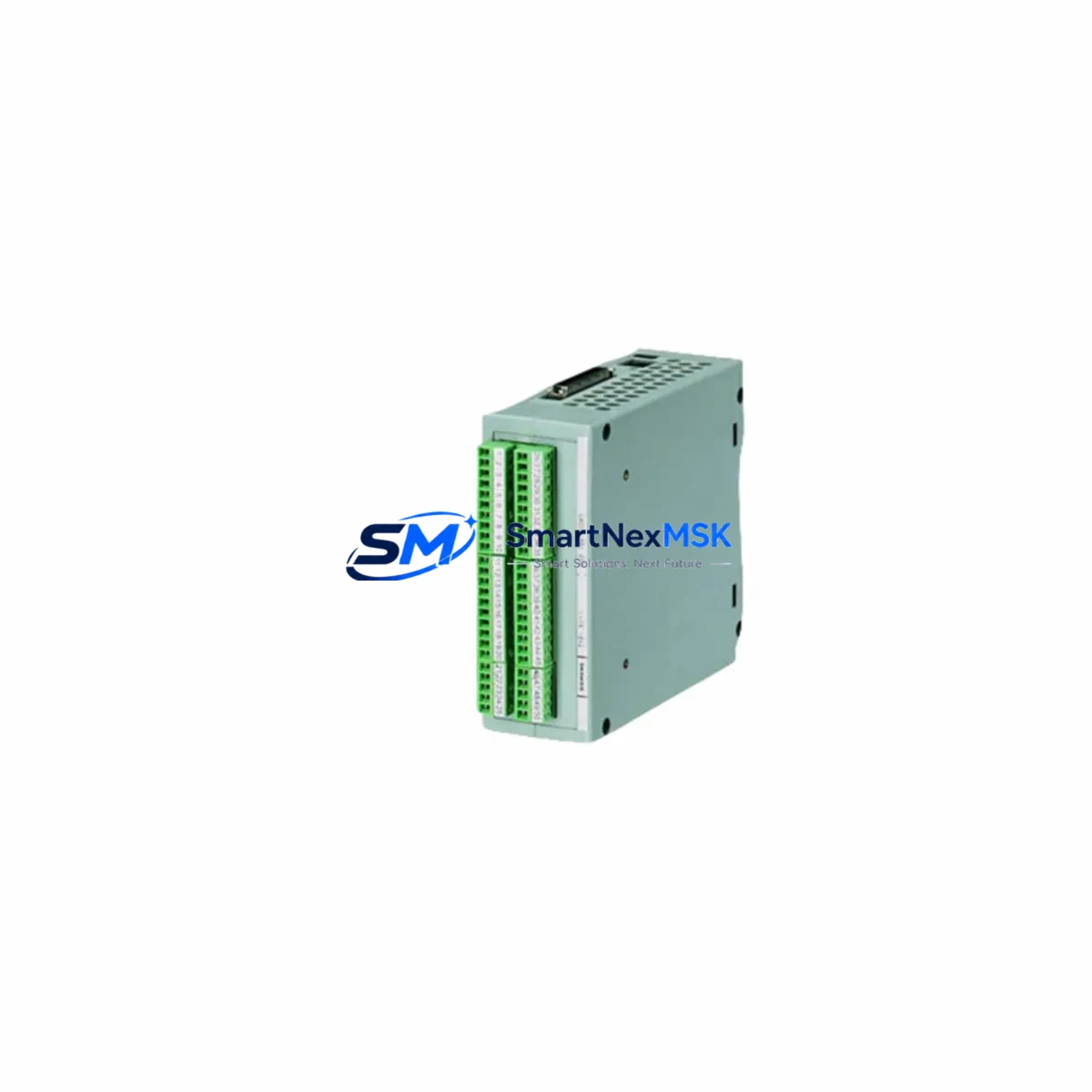
Siemens 6DD1681-0GK0 Retrofit-Ready SINEC H1 Interface Module for SIMADYN D Control Systems
The Siemens 6DD1681-0GK0 is a SINEC H1 Interface Module originally designed for the SIMADYN D modular digital control platform — a system widely deployed across power generation, steel processing, paper mills, and heavy industrial drive applications throughout the 1990s and 2000s. As Siemens has progressively discontinued SIMADYN D hardware, sourcing verified replacement modules has become a critical challenge for plant engineers managing aging control infrastructure. SMARTNEXMSK maintains verified stock of the 6DD1681-0GK0 to support ongoing retrofit, emergency replacement, and system stabilization projects.
This module provides the SINEC H1 Ethernet communication interface between the SIMADYN D rack and supervisory control networks, SCADA systems, or higher-level SIMATIC S5 and S7 controllers. It occupies a standard SIMADYN D slot on the 6DD1600-0AE0 or compatible expansion rack and communicates via the internal rack bus. Engineers replacing a failed 6DD1681-0GK0 should verify the firmware revision level on the existing rack controller — typically the 6DD1600-0BA0 CS (Central Submodule) — to confirm protocol handshake compatibility before installation.
Upgrade Compatibility Table
| Parameter | Details |
|---|---|
| SKU / Part Number | 6DD1681-0GK0 |
| Brand / Manufacturer | Siemens AG |
| Series / Platform | SIMADYN D |
| Communication Protocol | SINEC H1 (Industrial Ethernet, 10 Mbit/s) |
| Compatible Racks | 6DD1600-0AE0, 6DD1600-0AF0 (SIMADYN D expansion racks) |
| Slot Interface | SIMADYN D internal rack bus (parallel backplane) |
| Installation Requirement | Module address assignment via DIP switch; confirm rack slot assignment before power-on |
| Wiring Compatibility | Standard RJ-45 / AUI Ethernet port; no rewiring required for direct replacement |
| Replacement Recommendation | Direct drop-in replacement for failed or end-of-life 6DD1681-0GK0 units |
| Commissioning Note | Verify SINEC H1 network parameters (IP address, subnet, gateway) in STEP 5 or SIMATIC Manager after swap |
| Origin | Germany |
| Warranty | 12-Month Warranty — all units tested prior to shipment |
Retrofit Planning for Existing Automation Systems
A successful SIMADYN D retrofit begins well before the replacement module arrives on-site. Engineers should start by auditing the full rack configuration — documenting every occupied slot, including the 6DD1600-0BA0 Central Submodule, any installed 6DD1606-0AA0 analog input/output submodules, and the 6DD1607-0AA0 digital I/O submodules. This inventory establishes the baseline for verifying that the replacement 6DD1681-0GK0 will restore communication without disrupting adjacent I/O addressing.
Power supply capacity is a frequent oversight in retrofit projects. The SIMADYN D rack draws regulated 24 VDC from dedicated power supply units such as the 6DD1682-0BC0. Before inserting a replacement interface module, confirm that the existing PSU has sufficient headroom — particularly if other modules have been added to the rack since the original commissioning. Overloaded power rails are a common cause of intermittent communication faults that are misdiagnosed as module failures.
For plants migrating from SIMADYN D toward a modern SIMATIC S7-400 or S7-1500 platform, the 6DD1681-0GK0 often serves as a bridge module during a phased migration. The SINEC H1 network can be maintained in parallel with a new PROFINET segment, allowing the legacy SIMADYN D rack to continue controlling critical drive loops — such as those managed by 6SE70 series MASTERDRIVES — while new S7 logic is validated offline. This parallel-run strategy is particularly effective in continuous-process industries where a full cutover shutdown is not operationally feasible.
Communication link integrity should be verified using the SINEC NCM (Network Configuration Manager) or equivalent diagnostic tools. Engineers should confirm that the 6DD1681-0GK0’s MAC address is correctly registered in the network configuration and that the STEP 5 project file reflects the updated hardware configuration. If the plant uses a 6GK1500-0FC10 SINEC H1 OLM (Optical Link Module) for fiber-based network segments, verify that the OLM port assignment matches the replaced module’s network address.
HMI screens connected to the SIMADYN D system — often running on legacy SIMATIC OP7 or OP17 operator panels via MPI or PROFIBUS — should be tested after the interface module swap to confirm that all process variable tags are updating correctly. Tag address mapping is stored in the HMI project file and is not affected by the module replacement itself, but communication timeouts can cause tag polling failures if the SINEC H1 link is not fully re-established before the HMI reconnects.
Downtime Control During System Migration
Minimizing unplanned downtime during a SIMADYN D interface module replacement requires a structured pre-swap checklist. Before removing the 6DD1681-0GK0, perform a full backup of the STEP 5 project and any SIMATIC Manager configurations associated with the rack. Export the current SINEC H1 network topology from NCM so that the replacement module can be configured with identical network parameters without relying on memory or undocumented site records.
Where possible, schedule the physical swap during a planned maintenance window. Power down the rack in the correct sequence — isolating the SINEC H1 network connection before removing rack power — to prevent bus errors from propagating to connected controllers. After installing the replacement 6DD1681-0GK0, restore power and allow the module to complete its self-test cycle before reconnecting the network cable. The module’s status LEDs will indicate successful initialization; a steady green RUN indicator confirms that the SINEC H1 interface is active and ready for network configuration download.
For sites where continuous control is mandatory, consider deploying a temporary 6GK1561-1AA01 CP 5611 communications processor in a parallel PC-based monitoring station to maintain SCADA visibility during the swap window. This approach preserves process data logging continuity and allows operators to monitor critical parameters — such as drive speed references and fault registers on connected 6RA70 series DC drives — without interruption. Once the replacement module is confirmed online, the temporary monitoring connection can be removed and the primary SINEC H1 link restored to normal operation.
All units supplied by SMARTNEXMSK undergo functional testing prior to shipment, including communication interface verification and rack bus integrity checks. This pre-shipment testing protocol significantly reduces the risk of a second unplanned outage caused by a defective replacement module — a scenario that is disproportionately costly in continuous-process environments where every hour of downtime carries measurable production loss.
Retrofit Support FAQ
Q1: Is the 6DD1681-0GK0 a direct drop-in replacement for a failed unit in my existing SIMADYN D rack?
Yes. The 6DD1681-0GK0 is a direct slot-compatible replacement for any existing unit of the same part number within a SIMADYN D rack. No mechanical modifications are required. After installation, you will need to confirm the module’s DIP switch address settings match the original configuration and re-download the SINEC H1 network parameters via STEP 5 or SIMATIC Manager.
Q2: What wiring changes are needed when replacing the 6DD1681-0GK0?
No wiring changes are required for a like-for-like replacement. The SINEC H1 network cable (RJ-45 or AUI, depending on your network topology) reconnects to the same port on the replacement module. If your site uses fiber optic segments via an OLM, verify that the fiber patch cable is undamaged and that the OLM port configuration is unchanged before restoring the network link.
Q3: How do I verify compatibility before installation?
Confirm the rack type (6DD1600-0AE0 or compatible), the firmware version of the Central Submodule (6DD1600-0BA0), and the SINEC H1 network configuration currently in use. Cross-reference these against the module’s technical datasheet. SMARTNEXMSK’s technical team can assist with compatibility verification prior to order confirmation — contact [email protected] with your rack configuration details.
Q4: What warranty and testing does SMARTNEXMSK provide?
All 6DD1681-0GK0 units are covered by a 12-month warranty from the date of shipment. Each unit undergoes functional testing including rack bus communication verification and SINEC H1 interface checks before dispatch. A test report is available upon request. In the event of a warranty claim, SMARTNEXMSK provides advance replacement to minimize site downtime.
© 2026 SMARTNEXMSK. All rights reserved.
Original Source: https://smartnexmsk.com
Contact: [email protected] | +86 18259474341



