
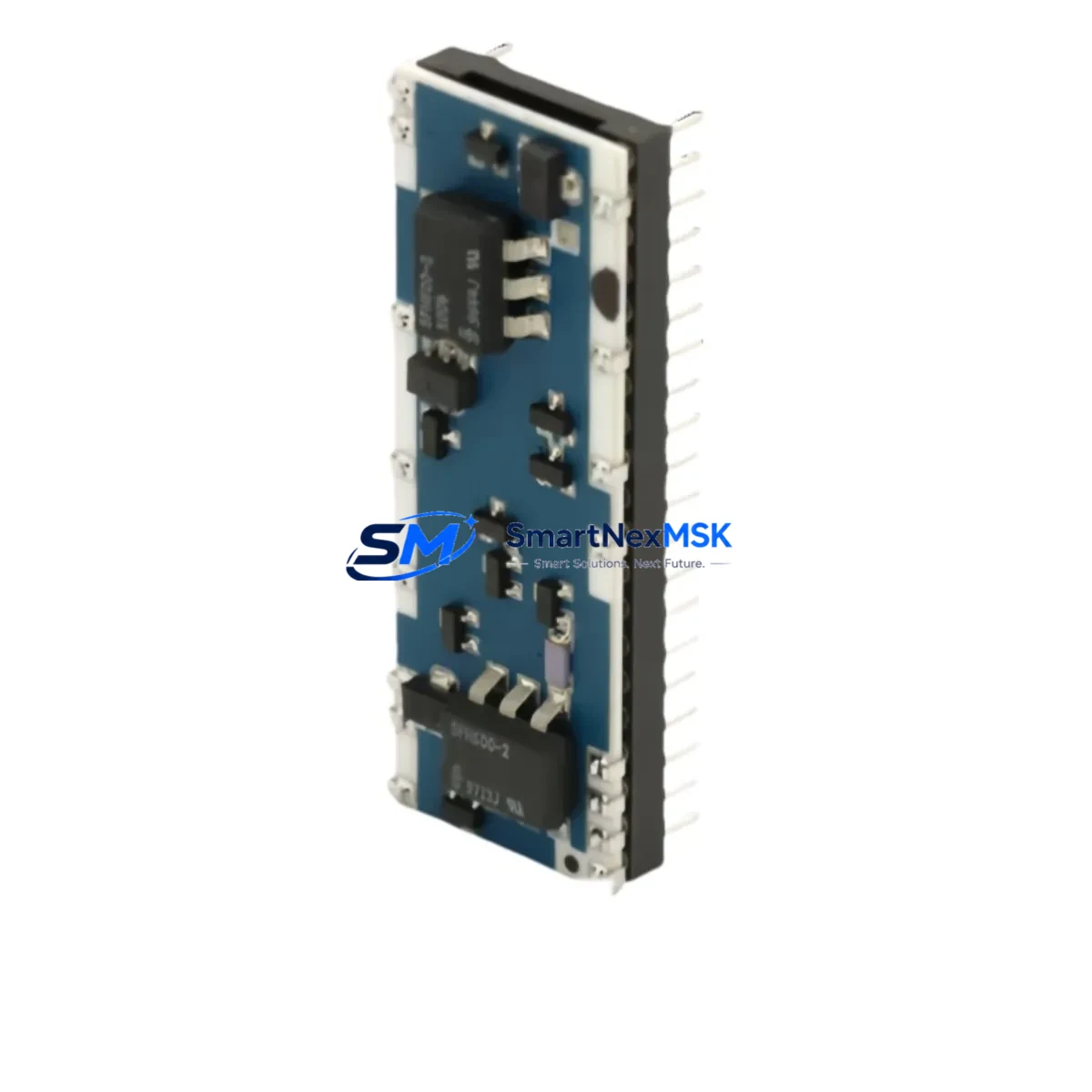
Siemens 6DD1688-1AA0 Spare for SIMADYN D Automation: Precision Interface Replacement for Industrial Downtime Control
The Siemens 6DD1688-1AA0 is an original interface submodule designed for the SIMADYN D modular drive and automation control system — one of Siemens’ most widely deployed platforms in heavy industry, power generation, rolling mills, and process automation. When this submodule fails or degrades, the consequences extend beyond a single card: the entire SIMADYN D rack loses its communication bridge, triggering cascading faults across the drive control loop. Sourcing a verified, tested replacement is the fastest path to restoring production continuity.
At SMARTNEXMSK, every 6DD1688-1AA0 unit is inspected, function-tested, and shipped with a 12-month warranty. We maintain ready stock to support both emergency replacement and planned maintenance cycles, ensuring your procurement team can act without lead-time uncertainty.
Spare Maintenance Table
| Parameter | Specification / Value |
|---|---|
| Part Number (SKU) | 6DD1688-1AA0 |
| Brand | Siemens |
| Series | SIMADYN D |
| Module Type | Interface Submodule |
| Product Category | PLC / Drive Control Interface Module |
| Origin | Germany (OEM) |
| Compatibility | SIMADYN D racks; compatible with PM5, PM6, PM10 processor modules and associated I/O submodule configurations |
| Application Environment | Industrial drive control, rolling mill automation, power plant auxiliary systems, process control cabinets |
| Installation | Direct submodule slot insertion into SIMADYN D rack; no hardware modification required for like-for-like replacement |
| Maintenance Recommendation | Inspect connector pins and backplane contacts during each planned shutdown; replace if intermittent communication faults are logged |
| Condition | Original / Refurbished — 100% function-tested prior to shipment |
| Warranty | 12 Months |
| Shipping | Worldwide express; ESD-safe packaging |
Maintenance Planning for Continuous Operation
Replacing the 6DD1688-1AA0 in a live SIMADYN D system is rarely an isolated task. Maintenance engineers familiar with this platform know that an interface submodule fault is often a symptom of broader stress in the control cabinet. Before returning the system to service, a structured inspection of adjacent components is strongly recommended.
Start with the SIMADYN D processor module (such as the PM5 or PM6 series) — verify that firmware is current and that no latent communication errors are logged in the diagnostic buffer. The backplane bus connector and rack slot contacts should be cleaned and inspected for oxidation, as poor contact resistance is a leading cause of premature interface module failure.
On the power supply side, confirm that the 6DD1607-0AA0 or equivalent SIMADYN D power supply module is delivering stable DC rail voltages within specification. Voltage ripple or transient spikes are known to stress interface logic circuits. If the cabinet also houses a Siemens SIMOREG DC Master converter or a SINAMICS drive unit, check the inter-system communication cables — particularly the SIMOLINK or RS485 fiber-optic links — for continuity and signal integrity.
I/O submodules in the same rack, such as analog input/output boards (6DD16xx series) and digital I/O submodules, should be seated firmly and their terminal blocks checked for loose wiring. Signal isolators on 4–20 mA loops feeding into the SIMADYN D system are worth verifying, as ground loops introduced through field wiring can corrupt interface data.
If the system includes a SIMATIC S5 or S7 PLC communicating with the SIMADYN D via a PROFIBUS DP or MPI link, test the communication cycle after the replacement to confirm address mapping is intact. For systems with an OP7, OP17, or TP270 HMI panel connected to the drive controller, verify that the HMI is receiving valid process values before signing off on the repair.
Finally, check the fuse holders and miniature circuit breakers in the control cabinet supply circuit. A blown fuse upstream of the SIMADYN D rack is sometimes the root cause of an apparent interface module failure — replacing the submodule without restoring proper supply protection will shorten the new module’s service life.
Site Replacement Workflow
Step 1 — Identify and document: Record the existing module’s slot position, firmware label (if visible), and any active fault codes from the SIMADYN D diagnostic display before powering down. Photograph the wiring and connector orientation.
Step 2 — Safe isolation: Follow your site’s lockout/tagout procedure. De-energize the SIMADYN D rack and allow capacitors in the associated drive section to discharge fully before handling any submodule.
Step 3 — Module extraction: Release the submodule retaining latch and withdraw the 6DD1688-1AA0 from its slot. Inspect the backplane connector for bent pins or contamination before inserting the replacement.
Step 4 — Install replacement: Insert the new 6DD1688-1AA0 firmly until the latch engages. Do not force — misalignment will damage the backplane connector. Restore power and observe the system startup sequence.
Step 5 — Functional verification: Confirm that the SIMADYN D system completes its self-test without interface faults. Verify communication with the connected drive or PLC, check I/O signal mapping, and run a short loaded test cycle before returning the equipment to full production.
This workflow minimizes downtime and reduces the risk of repeat failures caused by installation errors or undetected upstream faults — a critical consideration when the equipment supports continuous-process or safety-critical applications.
Spare Parts Support FAQ
Q1: Is the 6DD1688-1AA0 still available as a new OEM part, or is it discontinued?
The 6DD1688-1AA0 is a legacy SIMADYN D component. Siemens has phased out active production of many SIMADYN D submodules as the platform approaches end-of-life support. SMARTNEXMSK maintains a dedicated stock of original and professionally refurbished units to support customers who cannot migrate their systems in the short term. Each unit is tested to OEM functional standards before shipment.
Q2: How do I verify compatibility before ordering?
Confirm your rack type (SIMADYN D), the slot designation in your system documentation, and the existing module’s part number label. If you have a system schematic or spare parts list from the original commissioning documentation, share it with our technical team at [email protected] — we will cross-reference and confirm compatibility before the order is processed.
Q3: What does the 12-month warranty cover, and what is the claims process?
The 12-month warranty covers functional failure under normal operating conditions — including communication faults, logic errors, and hardware defects attributable to the module itself. It does not cover damage caused by incorrect installation, overvoltage events, or physical mishandling. To initiate a warranty claim, contact us with your order number and a description of the fault. We will arrange return shipping and provide a replacement or repair within an agreed lead time.
Q4: Can I order multiple units for strategic spare stock?
Yes. We actively support customers who maintain a minimum spare parts inventory for critical automation systems. Volume pricing is available for orders of two or more units. For sites operating multiple SIMADYN D racks, we recommend holding at least one 6DD1688-1AA0 per rack as a cold standby — the cost of a spare module is a fraction of the downtime cost associated with an unplanned interface failure on a production line.
© 2026 SMARTNEXMSK. All rights reserved.
Original Source: https://smartnexmsk.com
Contact: [email protected] | +86 18259474341



