
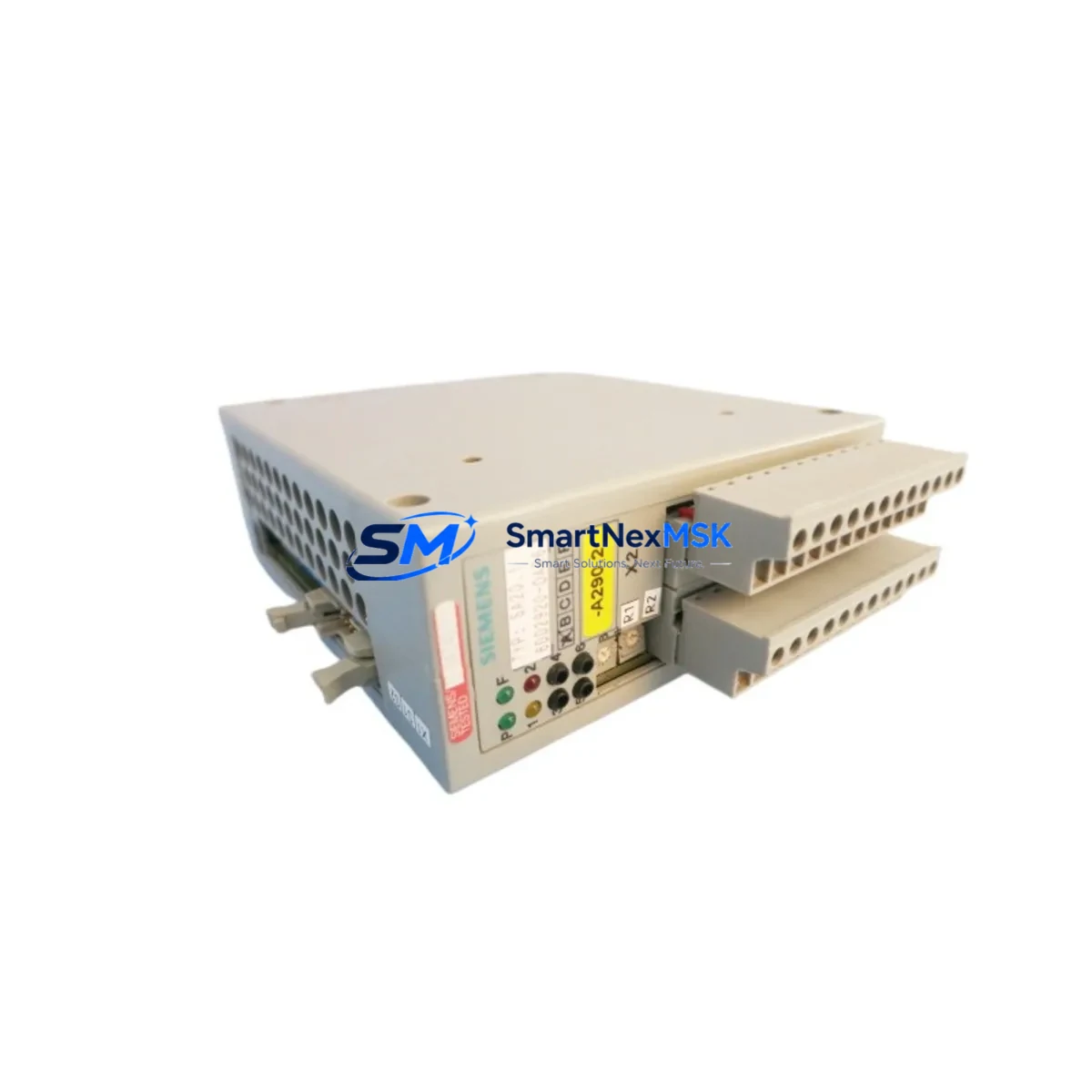
Siemens 6DD2920-0AR6 Retrofit-Ready Supply Sensing Module for SIMATIC TDC Control Systems
The Siemens 6DD2920-0AR6 is a supply sensing module designed for integration within the SIMATIC TDC (Technology and Drive Control) platform — one of Siemens’ most capable high-performance automation systems deployed across steel mills, rolling lines, paper machines, and large-scale drive control installations. As legacy SIMATIC TDC systems approach end-of-life support cycles, the 6DD2920-0AR6 has become a critical retrofit and replacement component for engineers tasked with sustaining operational continuity without full system overhaul.
Our stock of the 6DD2920-0AR6 is sourced from verified industrial supply channels, inspected prior to dispatch, and backed by a 12-month warranty. Each unit undergoes functional verification to confirm power sensing integrity, backplane communication, and module addressing before shipment. This ensures that your retrofit project proceeds with a component that performs to original Siemens specification.
Upgrade Compatibility Table
| Parameter | Details |
|---|---|
| Module SKU | 6DD2920-0AR6 |
| Platform Compatibility | Siemens SIMATIC TDC (Technology and Drive Control) |
| Module Function | Supply Sensing — monitors DC bus voltage and power supply status within TDC rack |
| Backplane Interface | SIMATIC TDC proprietary backplane; verify rack slot assignment before installation |
| Installation Requirement | DIN rail / rack-mount within TDC subrack; no external wiring harness required for sensing function |
| Communication Compatibility | Internal TDC system bus; compatible with CP51M0, CP52M0 communication processors |
| Replacement Guidance | Direct drop-in replacement for failed or end-of-life 6DD2920-0AR6 units; confirm firmware revision of host CPU module |
| Commissioning Notes | Module address auto-assigned by rack position; verify via SIMATIC TDC engineering tool after installation |
| Warranty | 12 months from date of shipment |
| Origin | Germany (DE) |
Retrofit Planning for Existing Automation Systems
When planning a retrofit around the 6DD2920-0AR6, engineers must account for the broader SIMATIC TDC ecosystem. The TDC platform is built around a modular subrack architecture, and the supply sensing module works in close coordination with the PM-D power module and the 6DD1607-0AA0 TDC subrack that houses the entire control assembly. Before removing the failed sensing module, confirm that the 6DD1600-0BA0 CPU module (or its equivalent in your installation) is in a safe, halted state to prevent uncontrolled drive responses during the swap.
In many retrofit scenarios, the 6DD2920-0AR6 is replaced alongside aging 6DD1642-0BA0 I/O interface modules and 6DD1660-0BD0 digital input/output modules, particularly when the control cabinet has been in continuous service for more than ten years. It is common practice to simultaneously inspect the 6DD1682-0BD0 analog input module for drift and recalibrate signal references after the sensing module is replaced, as supply voltage fluctuations can introduce offset errors in analog channels over time.
For installations that include SINAMICS S120 drive units connected to the TDC platform via DRIVE-CLiQ or PROFIBUS-DP, the retrofit window should also include a review of the CBE20 communication board and any SMC30 sensor module cabinets in the drive train. Replacing the supply sensing module without verifying the integrity of the drive communication link can result in false fault states after restart. Ensure that the SIMATIC TDC engineering software project file is backed up and that the current hardware configuration matches the software topology before powering down.
Terminal wiring on adjacent modules — particularly the 6DD1682-0BA0 analog output module — should be photographed and documented before any rack disturbance. Backplane connectors on SIMATIC TDC subracks are robust but sensitive to misalignment during reinsertion; use the module guide rails and apply even, firm pressure until the backplane connector seats fully. After reinsertion of the 6DD2920-0AR6, perform a cold restart of the TDC system and monitor the power supply status LEDs on both the sensing module and the adjacent 6DD1607-0AA1 power supply module to confirm normal operation before re-enabling drive outputs.
Downtime Control During System Migration
Minimizing unplanned downtime is the primary concern in any SIMATIC TDC retrofit. The 6DD2920-0AR6 replacement procedure, when properly planned, can be completed within a scheduled maintenance window of two to four hours. The key to achieving this timeline is pre-staging: have the replacement module on-site and verified before the maintenance window opens, ensure the TDC engineering project is loaded on a laptop with the correct software version, and confirm that all drive enable signals can be inhibited from the control room before the rack is accessed.
The original program logic stored in the TDC CPU is retained in non-volatile memory and is not affected by removing the supply sensing module. However, it is strongly recommended to export a full project backup — including all CFC (Continuous Function Chart) program blocks, hardware configuration, and drive parameter sets — before any physical intervention. This backup serves as the recovery baseline if an unexpected fault occurs during commissioning after the replacement.
After the new 6DD2920-0AR6 is installed and the system is powered up, allow the TDC CPU to complete its self-test cycle before issuing a run command. Verify that the HMI screens — typically running on a SIMATIC Panel PC or TP1500 Comfort Panel connected via PROFINET or MPI — display correct supply status values before releasing the system to production. If any supply fault alarms persist after replacement, check the rack slot assignment and confirm that the module address in the hardware configuration matches the physical slot position.
Retrofit Support FAQ
Q1: Is the 6DD2920-0AR6 a direct replacement for all SIMATIC TDC supply sensing variants?
The 6DD2920-0AR6 is the standard supply sensing module for the SIMATIC TDC platform. Before ordering, confirm the exact article number on the failed module’s nameplate, as minor hardware revisions (e.g., -0AR5 vs. -0AR6) may exist. Our technical team can assist with cross-reference verification prior to shipment.
Q2: What commissioning steps are required after installing the replacement module?
After physical installation, perform a cold restart of the TDC system. Use the SIMATIC TDC engineering tool to verify that the hardware configuration recognizes the module in its assigned slot. Check power supply status indicators and confirm that no supply fault codes are active in the CPU diagnostic buffer before enabling drive outputs.
Q3: Will replacing the 6DD2920-0AR6 affect existing PLC program logic or drive parameters?
No. The supply sensing module does not store program logic or drive parameters. The TDC CPU retains all CFC program blocks and configuration data in non-volatile memory. Drive parameter sets stored in SINAMICS units are also unaffected. A full project backup is still recommended as a precautionary measure before any rack intervention.
Q4: What does the 12-month warranty cover, and what pre-shipment testing is performed?
Every 6DD2920-0AR6 unit is functionally tested for power sensing integrity, backplane communication, and module addressing before dispatch. The 12-month warranty covers manufacturing defects and functional failures under normal operating conditions. Units that fail within the warranty period are replaced or refunded. Contact our technical support team with the module serial number and fault description to initiate a warranty claim.
© 2026 SMARTNEXMSK. All rights reserved.
Original Source: https://smartnexmsk.com
Contact: [email protected] | +86 18259474341



