
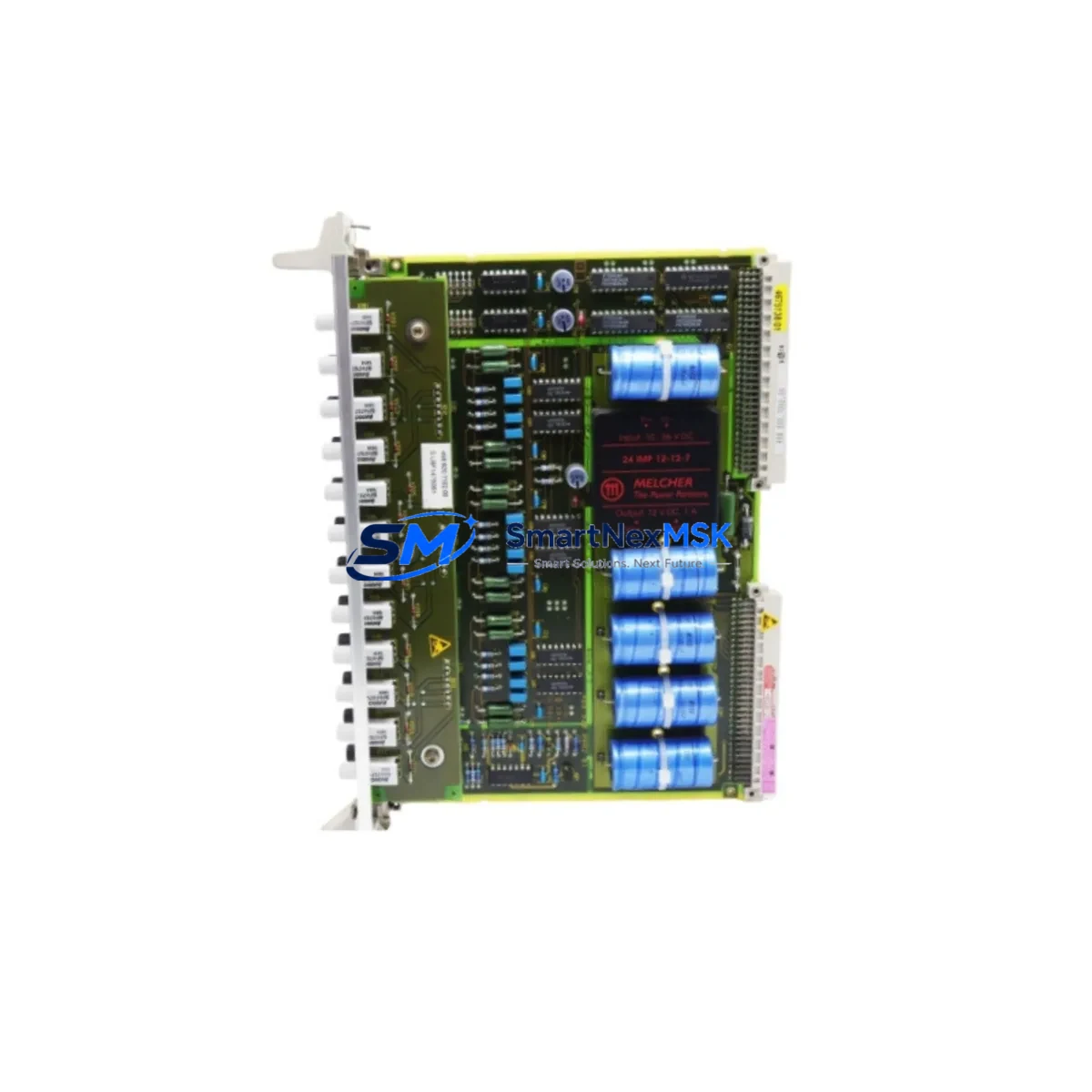
Siemens 6DD2920-0BB0 Maintenance-Ready Spare for TDC Automation
The Siemens 6DD2920-0BB0 is the LES1 Local Ethernet Switch designed for integration within the SIMATIC TDC (Technology and Drive Control) automation platform. In high-availability industrial environments — steel mills, paper machines, rolling lines, and heavy-process plants — the LES1 switch serves as the backbone of real-time Ethernet communication between TDC CP51M1 communication processors, PM5 power modules, and connected I/O racks. A failed or degraded 6DD2920-0BB0 can isolate entire control segments, triggering unplanned shutdowns that cost thousands per hour. Maintaining a verified, tested spare on the shelf is the single most effective strategy for rapid downtime recovery.
This listing provides an original Siemens 6DD2920-0BB0 spare unit, sourced, inspected, and dispatched with a 12-month warranty. Each unit undergoes pre-shipment functional verification to confirm port integrity, switching performance, and backplane compatibility before leaving our facility. Whether you are executing a planned maintenance window, responding to an emergency fault, or building out your critical-spares inventory, this unit ships ready for immediate installation.
Spare Maintenance Table
| Parameter | Specification / Value |
|---|---|
| Part Number (SKU) | 6DD2920-0BB0 |
| Description | LES1 Local Ethernet Switch |
| Compatible Platform | SIMATIC TDC (Technology and Drive Control) |
| Compatible Modules | CP51M1, PM5, TDC CPU551, TDC CPU555 |
| Interface | Local Ethernet (backplane + external RJ45 ports) |
| Mounting | TDC rack-mount, standard SIMATIC TDC subrack |
| Supply Voltage | Via TDC backplane (24 VDC system bus) |
| Operating Temperature | 0 °C to +60 °C |
| Country of Origin | Germany |
| Weight (approx.) | 400 g |
| Condition | Original / New-surplus / Tested |
| Warranty | 12 Months — covers functional defects under normal operating conditions |
| Compatibility Verification | Confirmed against SIMATIC TDC hardware configuration documentation |
| Pre-shipment Test | Port-level switching and backplane communication verified |
| Application Environment | Heavy industry: steel, paper, cement, chemical, power generation |
| Maintenance Recommendation | Inspect annually; replace immediately on port error or communication fault indication |
Maintenance Planning for Continuous Operation
When a SIMATIC TDC system experiences a communication fault traced to the 6DD2920-0BB0 LES1 switch, experienced maintenance engineers know that the fault rarely exists in isolation. A thorough site inspection and replacement workflow should extend beyond the switch itself to the surrounding electrical and control infrastructure.
Begin with the PM5 Power Module (e.g., 6DD1607-0AA0) supplying the TDC subrack — a marginal or failing power module can cause intermittent Ethernet faults that mimic a switch failure. Verify output voltage stability under load before condemning the LES1. Next, inspect the CP51M1 Communication Processor seated in the same rack; if the CP51M1 has accumulated communication errors or shows a red SF LED, it may need replacement alongside the switch to fully restore network integrity.
Check all Industrial Ethernet patch cables and RJ45 connectors between the LES1 and connected devices — cable degradation in high-vibration environments is a common root cause of switch port errors. Inspect the TDC CPU551 or CPU555 central processing unit for firmware version compatibility with the replacement LES1 hardware revision; mismatched firmware can prevent the new switch from being recognized during rack initialization.
For systems that include SIMATIC TDC I/O modules such as the UR6021 or UR6022 analog I/O boards, confirm that I/O communication is restored after the switch replacement by running a full I/O diagnostic cycle. If the TDC system interfaces with a SIMATIC S7-400 or S7-300 PLC via Industrial Ethernet, verify that the S7 CP module (e.g., CP 443-1 or CP 343-1) re-establishes its connection to the TDC network after the LES1 is swapped.
In control cabinets housing the TDC rack, also inspect 24 VDC terminal blocks and fuse holders — a blown fuse on the backplane supply rail can cause the LES1 to appear faulty when the root cause is upstream. Where signal isolators or relay output modules feed into the TDC I/O, verify that their supply rails are stable and that no ground loops have developed. Finally, if an OP/TP HMI panel (such as a TP1500 or MP377) communicates with the TDC system over the same Ethernet segment, confirm HMI connectivity is restored post-replacement and that no IP address conflicts exist on the local subnet.
Stocking the 6DD2920-0BB0 alongside these complementary components — PM5 power module, CP51M1 communication processor, Industrial Ethernet cables, and subrack fuses — constitutes a complete TDC critical-spares kit that enables same-shift fault recovery without waiting for expedited freight.
Site Replacement Workflow
Step 1 — Fault Isolation: Confirm the LES1 (6DD2920-0BB0) as the fault source via TDC diagnostic software. Check the SF/BF LEDs on the switch and the CP51M1. Document the current hardware revision and firmware version of the installed unit before removal.
Step 2 — Safe Isolation: Follow your site LOTO (Lockout/Tagout) procedure. Power down the TDC subrack via the PM5 power module switch. Do not hot-swap the LES1 without confirming the subrack supports hot-insertion for this module generation.
Step 3 — Physical Replacement: Remove the faulty 6DD2920-0BB0 by releasing the front-panel locking levers. Slide the replacement unit into the same slot. Ensure the backplane connector seats fully — partial insertion is a common cause of post-replacement communication errors.
Step 4 — Power-Up and Diagnostics: Restore power via the PM5. Observe LED status on the LES1 — a solid green RUN LED with no SF indication confirms successful initialization. Run a full TDC hardware configuration download from the engineering station to re-synchronize the network topology.
Step 5 — System Verification: Confirm all CP51M1 communication links are active. Verify I/O module status across all racks. Restore HMI communication and confirm process values are reading correctly before returning the system to production. Log the replacement in your maintenance management system (CMMS) with the new unit’s serial number and installation date.
This workflow minimizes mean time to repair (MTTR) and ensures the replacement is documented for future maintenance planning and warranty tracking.
Spare Parts Support FAQ
Q1: Is the 6DD2920-0BB0 still available as a new original spare, or is it discontinued?
The 6DD2920-0BB0 LES1 is a mature SIMATIC TDC component. While Siemens has transitioned newer TDC generations to updated communication architectures, original and new-surplus units remain available through specialist industrial spare parts suppliers. We maintain stock specifically to support legacy TDC installations that cannot be migrated on short notice. Each unit we supply is verified original and covered by our 12-month warranty.
Q2: How do I confirm compatibility between the replacement 6DD2920-0BB0 and my installed TDC system version?
Compatibility depends on your TDC subrack generation and the firmware version running on your CP51M1 and CPU modules. Provide us with your existing unit’s hardware revision (HW) and firmware revision (FW) markings — visible on the module label — and we will confirm compatibility before shipment. We can also cross-reference against your TDC hardware configuration file (HWConfig) if you share the relevant project data.
Q3: What does the 12-month warranty cover, and what is the claims process?
Our 12-month warranty covers functional defects under normal operating conditions — including port failure, backplane communication errors, and initialization faults not caused by external electrical damage or incorrect installation. To initiate a warranty claim, contact us with your order reference, a description of the fault symptom, and any diagnostic data from the TDC engineering software. We will arrange priority replacement dispatch to minimize your downtime exposure.
Q4: Can you supply multiple units for a critical-spares inventory program?
Yes. We support bulk spare parts procurement for maintenance departments building TDC critical-spares kits. Volume pricing is available for orders of two or more units. We can also advise on complementary spares — including PM5 power modules, CP51M1 processors, and Industrial Ethernet cables — to complete your TDC spare parts inventory. Contact our team to discuss your site’s specific requirements and lead times.
© 2026 SMARTNEXMSK. All rights reserved.
Original Source: https://smartnexmsk.com
Contact: [email protected] | +86 18259474341



