
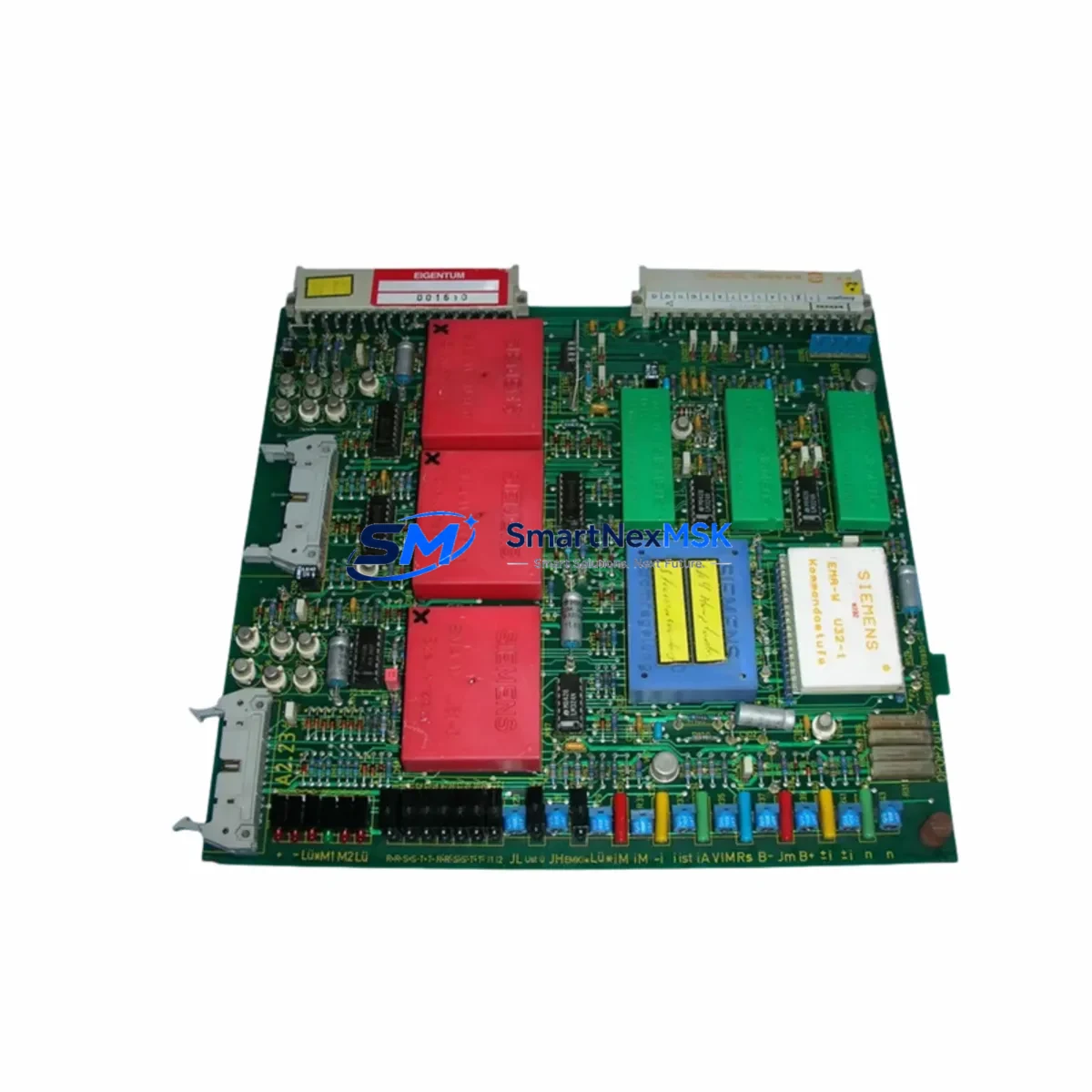
Siemens 6DM1001-2WA23-0 Retrofit-Ready DC Drive for SIMOREG Control Systems
The Siemens 6DM1001-2WA23-0 is a converter board module designed for the SIMOREG DC Master series — one of Siemens’ most widely deployed DC drive platforms in heavy industrial environments. As legacy SIMOREG installations approach end-of-service milestones, this module serves as a verified retrofit solution for facilities seeking to extend operational life, restore discontinued spare parts, or execute a controlled upgrade without replacing the entire drive cabinet.
Whether you are managing a paper mill, steel rolling line, extruder drive, or crane hoist system, the 6DM1001-2WA23-0 addresses the most critical challenge in DC drive modernization: maintaining electrical and functional compatibility with existing field wiring, motor feedback circuits, and supervisory control architecture — while minimizing unplanned downtime and re-commissioning risk.
Available from stock with a 12-month warranty, each unit undergoes pre-shipment functional verification before dispatch.
Upgrade Compatibility Table
| Parameter | Details |
|---|---|
| SKU / Part Number | 6DM1001-2WA23-0 |
| Series | SIMOREG DC Master |
| Module Function | Converter / Firing Board for DC Drive |
| Mounting Interface | SIMOREG DC Master standard backplane slot |
| Communication Compatibility | PROFIBUS DP (via CUD1/CUD2 option boards); USS protocol |
| Replacement Scope | Direct board-level replacement for equivalent SIMOREG converter modules |
| Terminal Wiring | Retain existing field wiring; verify terminal assignment against 6RA70 series documentation |
| Commissioning Tool | DriveMonitor or STARTER via RS232/USS or PROFIBUS |
| Retrofit Recommendation | Verify firmware version on CUD1 before board swap; back up parameter set P0 to P999 |
| Warranty | 12 Months from date of shipment |
Retrofit Planning for Existing Automation Systems
Successful integration of the 6DM1001-2WA23-0 into a running production environment requires systematic pre-work across several engineering disciplines. The following planning framework reflects real-world retrofit experience across SIMOREG DC Master installations in process industries.
Power Supply Verification: Before installation, confirm that the existing SIMOREG 6RA70 series power section — including the line-side transformer, pre-charge circuit, and DC bus capacitor bank — is rated to support the replacement module’s firing angle range. In multi-drive configurations sharing a common DC bus, also verify that the 6RA7028 or 6RA7031 master drive’s current controller is not operating at saturation, as this will affect the new board’s closed-loop response.
Backplane and Rack Integrity: Inspect the SIMOREG electronics rack for oxidized connector pins, particularly on the CUD1 control board interface. The CUD1 (6SE7090-0XX84-0AB0) and optional CUD2 expansion board must be reseated and their firmware version confirmed compatible with the replacement converter board. If the existing CUD1 is running firmware below V3.3, a firmware update is recommended prior to board swap.
Terminal and Wiring Adaptation: Map all existing field connections — including armature feedback, tachogenerator or encoder input, field excitation wiring, and digital I/O from the upstream PLC — against the terminal diagram for the 6DM1001-2WA23-0. In systems where the SIMOREG interfaces with a Siemens S7-300 PLC or S7-400 PLC via PROFIBUS DP, confirm that the DP address and GSD file configuration remain unchanged after the board replacement. Any address conflict will prevent the drive from appearing on the network after restart.
I/O and Analog Signal Integrity: Verify that analog setpoint signals from the upstream controller — typically ±10 V speed reference from an SM334 analog I/O module or equivalent — are within the input range of the replacement board. If the existing installation uses a 6SL3055-0AA00-4CA0 SINAMICS Link or similar inter-drive communication module, confirm that the communication cycle time is compatible with the new board’s response latency.
HMI and Visualization: In facilities using Siemens TP700 Comfort or MP377 Multi Panel HMI screens connected to the SIMOREG via USS or PROFIBUS, verify that all drive parameter addresses referenced in the HMI project remain valid after the board swap. Parameter renumbering between SIMOREG firmware versions can cause HMI display errors or incorrect setpoint writes if not reconciled before restart.
Programming Cable and Parameter Backup: Use a PC adapter USB (6ES7972-0CB20-0XA0) or equivalent RS232-to-USS adapter to connect DriveMonitor to the CUD1 before removing the old board. Export the full parameter dataset. This backup is essential for restoring motor-specific tuning values — including current controller gain (P110), speed controller gain (P225), and field weakening curve (P270–P279) — after the new board is installed and powered.
Downtime Control During System Migration
Minimizing production interruption during a SIMOREG DC Master board replacement requires a structured sequence that preserves the original control logic and field wiring integrity throughout the swap window.
Begin by scheduling the replacement during a planned maintenance window, ideally aligned with a shift changeover or scheduled lubrication stop. Before de-energizing the drive cabinet, confirm that the upstream S7-300 or S7-400 PLC has been placed in STOP mode and that any interlocked downstream equipment — conveyors, winders, or press drives — has been safely parked. This prevents spurious fault signals from propagating through the control network during the board removal.
With the cabinet de-energized and DC bus voltage confirmed at zero using a calibrated meter, remove the 6DM1001-2WA23-0 (or its predecessor) from the electronics rack. Document the physical position of all ribbon cables and connector blocks before disconnection. Install the replacement board, reconnect all cables in reverse order, and perform a visual inspection of the backplane connector seating.
On power-up, use DriveMonitor to restore the backed-up parameter set before issuing any run command. Verify that the drive’s self-test routine completes without fault codes F001–F010 (hardware faults) or A005 (parameter checksum error). Issue a low-speed jog command — typically 5–10% of rated speed — and confirm that the tachogenerator or encoder feedback is tracking correctly before releasing the drive to automatic control from the PLC.
This structured approach consistently achieves board-level replacements within a 4–6 hour window, including parameter restore and low-load commissioning, without requiring motor rewiring or PLC program modification.
Retrofit Support FAQ
Q1: Is the 6DM1001-2WA23-0 a direct drop-in replacement for other SIMOREG DC Master converter boards?
A: The 6DM1001-2WA23-0 is designed for the SIMOREG DC Master 6RA70 series electronics rack. Compatibility with adjacent part numbers in the 6DM10xx family depends on the specific current rating and firing circuit configuration. Always cross-reference the original board’s nameplate data and the drive’s rated output current before confirming interchangeability. Our technical team can assist with cross-reference verification prior to order.
Q2: What commissioning steps are required after installation?
A: After physical installation, restore the parameter backup via DriveMonitor using the USS or PROFIBUS connection to the CUD1 board. Perform a motor identification run (P051 = 25) if the motor data has changed, or skip if the original motor remains in service. Verify speed feedback polarity, current limit settings, and field excitation current before releasing to production. A low-speed jog test under no-load conditions is strongly recommended before full-load operation.
Q3: Can the existing field wiring and terminal connections be reused?
A: In most cases, yes. The 6DM1001-2WA23-0 uses the standard SIMOREG DC Master terminal layout. However, verify the armature feedback terminal polarity and the tachogenerator input range (typically 0–270 V DC or pulse encoder) against the replacement board’s specification sheet. If the original installation used a third-party encoder interface, confirm signal voltage compatibility before powering up.
Q4: What does the 12-month warranty cover, and how is it claimed?
A: The 12-month warranty covers manufacturing defects and functional failures under normal operating conditions. It does not cover damage resulting from incorrect installation, overvoltage events, or operation outside the module’s rated parameters. To initiate a warranty claim, contact our technical support team with the order reference, installation date, and a description of the fault symptom. Pre-shipment test records are available upon request to support warranty and insurance documentation.
© 2026 SMARTNEXMSK. All rights reserved.
Original Source: https://smartnexmsk.com
Contact: [email protected] | +86 18259474341



