
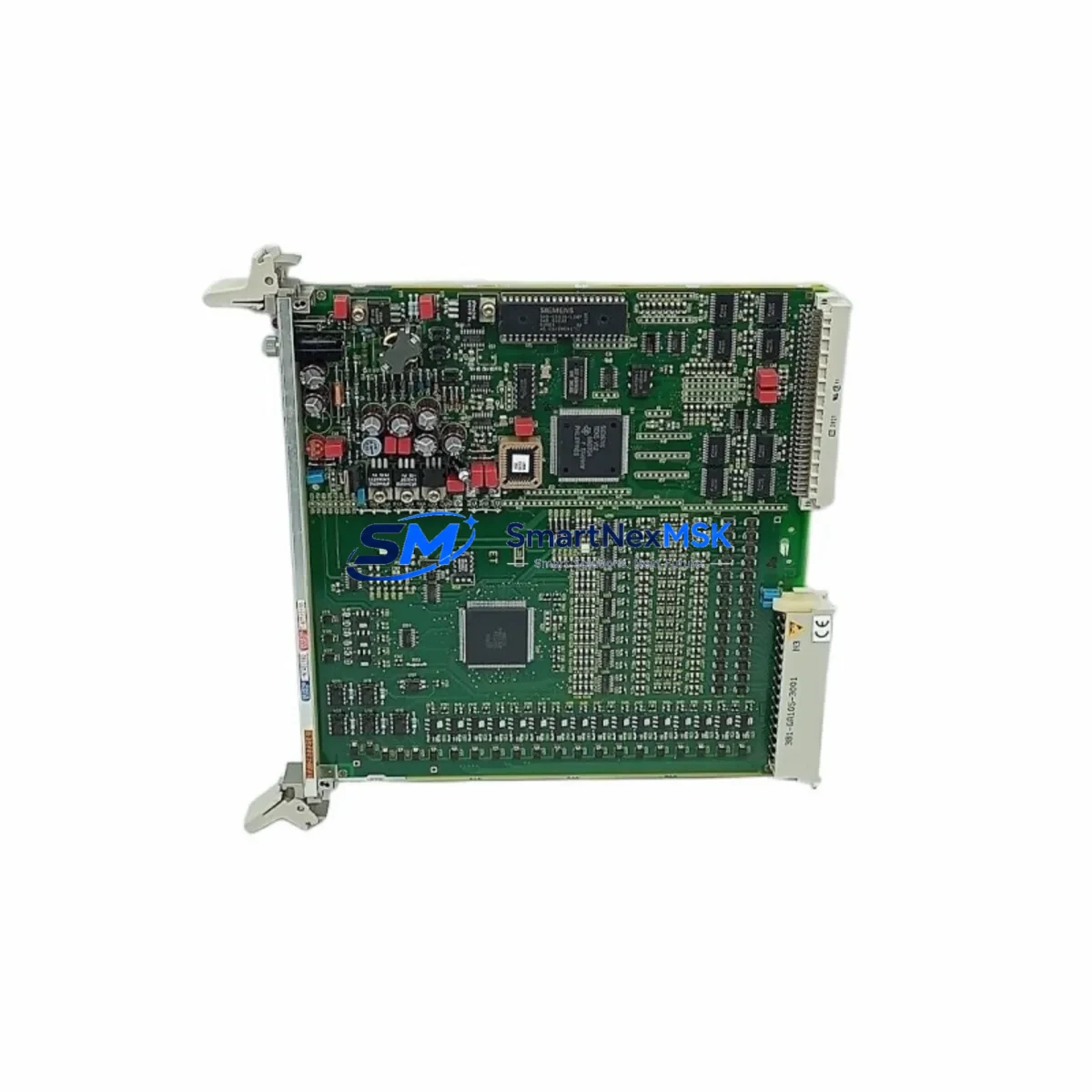
Siemens 6DP1210-8BB Maintenance-Ready Spare for TELEPERM M Automation
The Siemens 6DP1210-8BB (FUM210) is a binary input/output module designed for the TELEPERM M distributed control system and compatible with SIMATIC TDC platforms. For maintenance engineers managing aging DCS infrastructure, sourcing a verified, original spare for this module is critical to minimizing unplanned downtime and sustaining process continuity. This listing provides a genuine, fully tested 6DP1210-8BB unit, backed by a 12-month warranty and shipped with pre-delivery inspection documentation.
The FUM210 module handles binary signal processing within the TELEPERM M rack architecture, interfacing field-level sensors, actuators, and interlock circuits with the central process controller. Its failure — whether due to component aging, surge damage, or contact wear — can immediately impact loop control, alarm annunciation, and safety interlock response. Maintaining at least one verified spare in your cabinet inventory is a recognized best practice for any facility running TELEPERM M or SIMATIC TDC systems beyond their original support lifecycle.
This unit has been inspected, function-tested, and packaged for safe transport. It is suitable for direct installation as a drop-in replacement in existing TELEPERM M racks without firmware modification, provided the rack backplane and bus termination are intact. Compatibility confirmation against your existing rack configuration is recommended prior to installation.
Spare Maintenance Table
| Parameter | Specification |
|---|---|
| Part Number | 6DP1210-8BB |
| Module Designation | FUM210 Binary I/O Module |
| Compatible System | TELEPERM M, SIMATIC TDC |
| Signal Type | Binary Input / Binary Output |
| Mounting | TELEPERM M Rack (Subrack) Slot |
| Bus Interface | TELEPERM M Internal Bus |
| Operating Voltage | 24 V DC (rack-supplied) |
| Operating Temperature | 0 °C to +60 °C |
| Origin | Germany (Original Siemens) |
| Condition | Original Spare — Tested & Inspected |
| Warranty | 12 Months from Date of Shipment |
| Shipping | Worldwide — EMS / DHL / FedEx |
| Lead Time | In Stock — Ships within 2 Business Days |
| Maintenance Recommendation | Inspect bus connectors, backplane contacts, and I/O wiring terminals at each planned maintenance interval |
Maintenance Planning for Continuous Operation
When replacing the 6DP1210-8BB in a TELEPERM M cabinet, a thorough maintenance review of the surrounding components is essential to prevent repeat failures and ensure system stability. Maintenance engineers should inspect the TELEPERM M rack power supply module (such as the NTZ or equivalent PSU submodule) for output voltage stability and ripple, as degraded power quality is a leading cause of I/O module failure. The rack backplane bus and its edge connectors should be cleaned and inspected for oxidation or mechanical damage before seating the replacement FUM210.
Binary field wiring connected to the module’s I/O terminals should be checked for insulation integrity, correct polarity, and terminal torque. If the system includes signal isolators or signal conditioners between field devices and the FUM210 inputs, these should be tested for correct output levels — a degraded isolator can cause intermittent binary signal errors that mimic module faults. Similarly, any interposing relay modules or relay output cards in the same cabinet that interface with the FUM210’s output channels should be inspected for contact wear and coil resistance.
For facilities running TELEPERM M alongside SIMATIC TDC communication modules or CP modules, verify that the communication bus remains stable after the module swap — a brief bus interruption during replacement can trigger watchdog resets in connected controllers. If the system uses PROFIBUS DP interface modules or MPI adapters for engineering station connectivity, confirm that these remain online and that no address conflicts have been introduced.
Planned maintenance intervals should also include inspection of terminal blocks and marshalling panels connected to the FUM210’s field wiring, checking for loose terminations, corrosion, or labeling discrepancies. For older TELEPERM M installations, it is advisable to maintain spares for the FUM110 analog input module, FUM120 analog output module, and FKS central controller module alongside the FUM210, as these modules share the same rack environment and are subject to similar aging mechanisms. Fuse holders and miniature circuit breakers in the 24 V DC distribution circuit feeding the rack should also be verified for correct rating and contact integrity.
Site Replacement Workflow
Replacing the 6DP1210-8BB on-site follows a structured procedure to minimize downtime and avoid secondary faults. Before beginning, confirm that the replacement unit’s hardware revision is compatible with your rack firmware version — Siemens TELEPERM M racks may have revision-specific slot assignments. Obtain a copy of the existing I/O assignment list and verify that the new module’s channel mapping matches the installed configuration.
Power down the affected rack section following your site’s lockout/tagout procedure. Remove the faulty FUM210 by releasing the front panel locking mechanism and carefully extracting the module from the subrack. Inspect the vacated slot’s backplane connector for bent pins or contamination before inserting the replacement unit. After seating the 6DP1210-8BB, restore power and observe the module’s status LEDs for correct initialization — a steady green RUN indicator confirms normal operation. Perform a binary I/O channel test using the engineering station or a handheld tester to verify all input and output channels respond correctly before returning the loop to automatic control.
For systems where the FUM210 has been discontinued or is approaching end-of-support, this original spare extends the operational life of your TELEPERM M installation without requiring a full system migration. Maintaining two units in your spare parts inventory — one installed, one on-shelf — is the recommended strategy for critical process loops where any downtime carries significant production or safety risk.
Spare Parts Support FAQ
Q1: Is the 6DP1210-8BB a direct drop-in replacement for all FUM210 variants?
The 6DP1210-8BB is the standard ordering number for the FUM210 binary I/O module. Minor hardware sub-revisions exist; we recommend confirming your existing module’s revision marking before ordering if your rack firmware is below a certain baseline. Our technical team can assist with revision compatibility checks prior to shipment.
Q2: What pre-shipment testing is performed on this spare?
Each unit undergoes functional verification of binary input signal detection and output switching, bus interface continuity, and visual inspection for physical damage. A test report is available upon request. Units are shipped in anti-static packaging with protective foam inserts.
Q3: How should this spare be stored if not immediately installed?
Store in a dry, temperature-controlled environment (0 °C to +40 °C), away from direct sunlight and electromagnetic interference sources. Keep in original anti-static packaging. Inspect annually for any signs of component degradation. Shelf life under proper storage conditions exceeds five years.
Q4: What does the 12-month warranty cover?
The 12-month warranty covers manufacturing defects and functional failures under normal operating conditions from the date of shipment. It does not cover damage resulting from incorrect installation, overvoltage events, or unauthorized modification. Warranty claims are processed with return shipping support and priority replacement dispatch.
© 2026 SMARTNEXMSK. All rights reserved.
Original Source: https://smartnexmsk.com
Contact: [email protected] | +86 18259474341



