
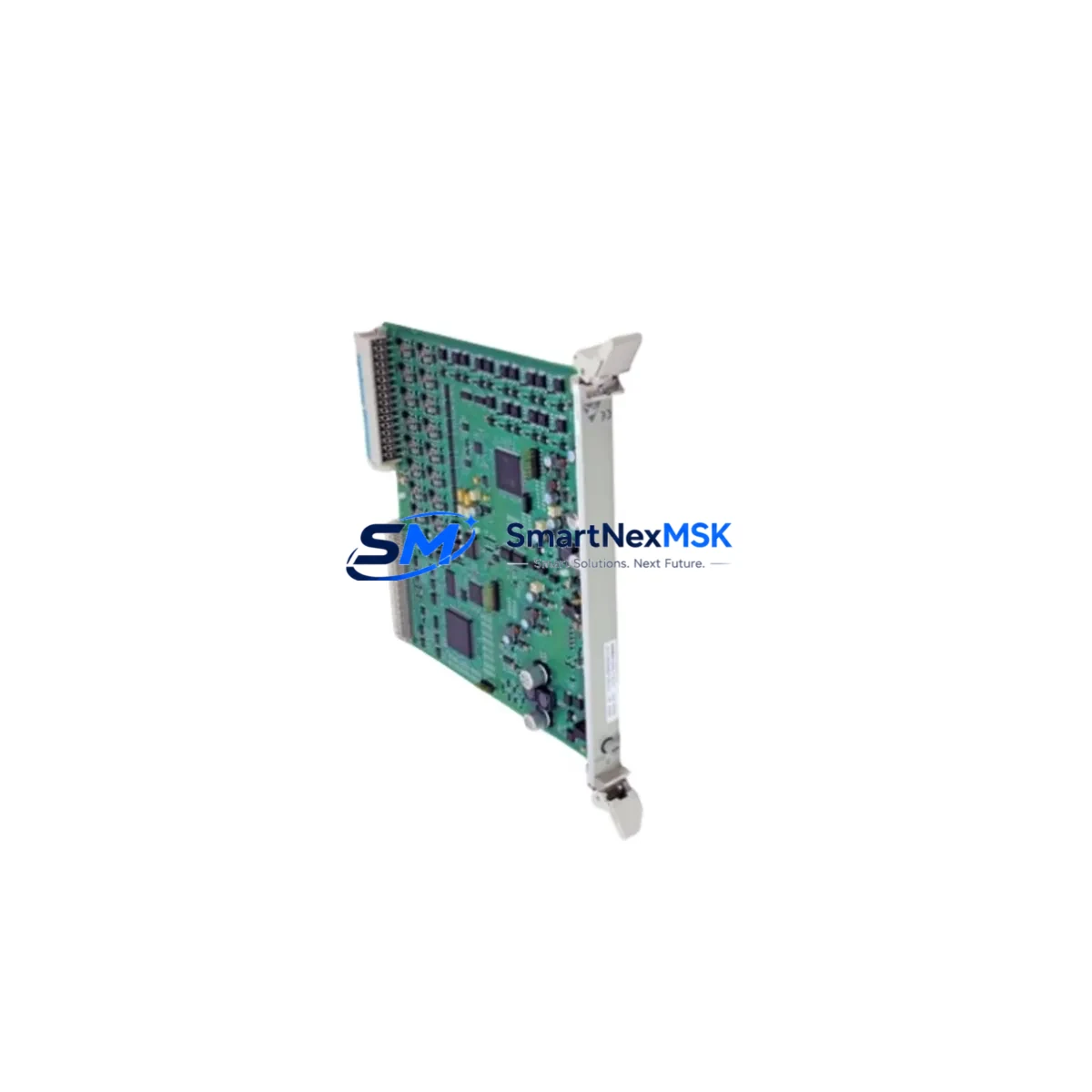
Siemens 6DP1231-7AA Retrofit-Ready Analog Input for TELEPERM M Control Systems
The Siemens 6DP1231-7AA is a proven analog input module originally designed for the TELEPERM M distributed control system — one of Siemens’ most widely deployed process automation platforms in the chemical, petrochemical, power generation, and water treatment industries. As TELEPERM M has reached end-of-life and spare parts become increasingly scarce, the 6DP1231-7AA has become a critical retrofit component for engineers tasked with extending the operational life of existing control infrastructure or executing a phased migration to modern DCS platforms such as SIMATIC PCS 7 or SPPA-T3000.
SMARTNEXMSK maintains verified stock of the 6DP1231-7AA sourced from decommissioned systems, authorized distributors, and factory-surplus channels. Each unit undergoes functional verification and ships with a 12-month warranty covering hardware defects under normal operating conditions. Fast global dispatch is available from our warehouse, with export documentation provided for international shipments.
Upgrade Compatibility Table
| Parameter | Details |
|---|---|
| SKU / Part Number | 6DP1231-7AA |
| Module Type | Analog Input Module |
| Platform | Siemens TELEPERM M DCS |
| Signal Type | 4–20 mA / 0–10 V (configurable per channel) |
| Channel Count | 8 analog input channels |
| Backplane Interface | TELEPERM M subrack bus (compatible with CS275 / AS230 racks) |
| Power Supply Requirement | 24 V DC via backplane; verify PS module capacity before installation |
| Communication Protocol | TELEPERM M internal bus; not directly compatible with PROFIBUS or PROFINET without gateway |
| Replacement Compatibility | Direct drop-in for 6DP1231-7AA; verify firmware revision on AS230 controller |
| Migration Path | SIMATIC PCS 7 via ET 200M I/O with IM 153-2 interface module |
| Commissioning Note | Module address must be set via DIP switch before insertion; confirm with existing rack addressing scheme |
| Warranty | 12 months from date of shipment |
Retrofit Planning for Existing Automation Systems
Replacing the 6DP1231-7AA in an active TELEPERM M installation requires careful pre-planning to avoid unplanned shutdowns and signal loss. Before pulling the module, engineers should document the existing terminal wiring using the original loop diagrams, noting the signal type (current or voltage), shielding configuration, and any transmitter power sourcing arrangements. The TELEPERM M subrack — typically a CS275 or AS230 rack — must have sufficient available slots and the backplane bus must be confirmed intact, as aging backplane connectors are a common failure point in legacy systems.
Power budget verification is essential. The 6DP1231-7AA draws power from the 24 V DC bus supplied by the rack’s power supply module — often a 6DP1610-0AA or similar PS unit. If the existing power supply is already near capacity due to additional I/O modules or communication cards, a supplementary power supply may be required before the new module is installed. Failure to account for this is a leading cause of intermittent faults after retrofit.
Module addressing is handled via DIP switches on the 6DP1231-7AA itself. The address must match the slot assignment configured in the TELEPERM M engineering tool (typically COM ET 200 or the legacy STEP 5-based configuration environment). Mismatched addresses will cause the AS230 automation station to report a hardware fault and prevent the module from being recognized. Always cross-reference the rack layout diagram before setting switches.
For sites migrating from TELEPERM M toward SIMATIC PCS 7, the 6DP1231-7AA can serve as a bridge solution during phased migration. Field signals can remain wired to the existing terminal blocks while the control logic is gradually transferred to S7-400 controllers communicating over PROFIBUS DP. In this scenario, an IM 153-2 interface module paired with ET 200M I/O stations — including SM 331 analog input modules — provides a direct functional equivalent to the 6DP1231-7AA’s channel configuration. The CP 342-5 communication processor can be used to bridge legacy TELEPERM M segments to the new PROFIBUS backbone during the transition period.
For I/O expansion requirements, the 6ES7 321 series digital input modules and 6ES7 331 series analog input modules are commonly deployed alongside the 6DP1231-7AA during control cabinet upgrades, allowing engineers to consolidate legacy and modern I/O within the same marshalling cabinet. HMI screens built on WinCC or SIMATIC HMI panels must be updated to reflect new tag addresses once migration is complete — this is frequently overlooked and can cause operator confusion during commissioning.
Downtime Control During System Migration
Minimizing downtime during a TELEPERM M retrofit is achievable with disciplined pre-staging and a clear cutover sequence. The recommended approach is to pre-configure and bench-test the replacement 6DP1231-7AA off-line before the maintenance window. This includes setting the DIP switch address, verifying channel configuration in the engineering software, and performing a signal simulation test using a loop calibrator to confirm all 8 channels respond correctly across the full 4–20 mA range.
During the cutover window, the existing module should be removed only after the process has been placed in manual control at the operator station. Field transmitters should remain powered throughout the swap to avoid nuisance alarms. Once the replacement module is seated and the rack is powered, the AS230 controller should perform an automatic hardware scan — if the module address is correctly set, the controller will recognize the 6DP1231-7AA within seconds and resume normal scan cycle operation.
Program logic compatibility should be verified before returning to automatic control. TELEPERM M function block libraries are version-specific, and a module replacement that changes the hardware revision may require a minor configuration update in the automation station. Retain a backup of the original AS230 program on a dedicated programming device — typically connected via the TELEPERM M programming cable — before making any configuration changes. This ensures rapid rollback capability if unexpected behavior is observed after cutover.
Communication link integrity should be confirmed at the supervisory level: verify that the TELEPERM M data highway or CS275 bus is reporting the module as active, and that all analog values are appearing correctly on the operator station. A 30-minute observation period under normal process conditions is recommended before releasing the system back to full automatic operation.
Retrofit Support FAQ
Q: Is the 6DP1231-7AA a direct drop-in replacement for the original module in my TELEPERM M rack?
A: Yes, in most cases. The 6DP1231-7AA is a direct physical and functional replacement for the same part number. However, you should verify the hardware revision of the module against your AS230 firmware version, as certain early firmware releases have known compatibility notes. Contact our technical team with your AS230 firmware version and we will confirm compatibility before shipment.
Q: What commissioning steps are required after installing the replacement module?
A: Set the DIP switch address to match the slot assignment in your rack configuration, insert the module with the rack powered down, restore power, and allow the AS230 to complete its hardware scan. Verify all 8 analog input channels are reading correctly using a loop calibrator. Update the engineering configuration if any channel parameters have changed. A full functional test under process conditions is recommended before returning to automatic control.
Q: Can I use the 6DP1231-7AA during a phased migration to SIMATIC PCS 7?
A: Yes. The 6DP1231-7AA can remain in service on the TELEPERM M rack while new PCS 7 hardware is installed in parallel. Field signals can be migrated channel by channel to ET 200M SM 331 analog input modules on the new PROFIBUS DP network, with the 6DP1231-7AA providing continuity for unmigrated signals until the cutover is complete. This approach significantly reduces migration risk and allows process continuity throughout the project.
Q: What does the 12-month warranty cover, and what is the return process?
A: The 12-month warranty covers hardware defects under normal operating conditions, including failure of internal signal conditioning circuits, connector damage present at time of delivery, and DOA (dead-on-arrival) units. It does not cover damage caused by incorrect installation, overvoltage, or physical impact. To initiate a warranty claim, contact [email protected] with your order number and a description of the fault. We will arrange return shipping and provide a replacement or refund within 10 business days of receiving the returned unit.
© 2026 SMARTNEXMSK. All rights reserved.
Original Source: https://smartnexmsk.com
Contact: [email protected] | +86 18259474341



