
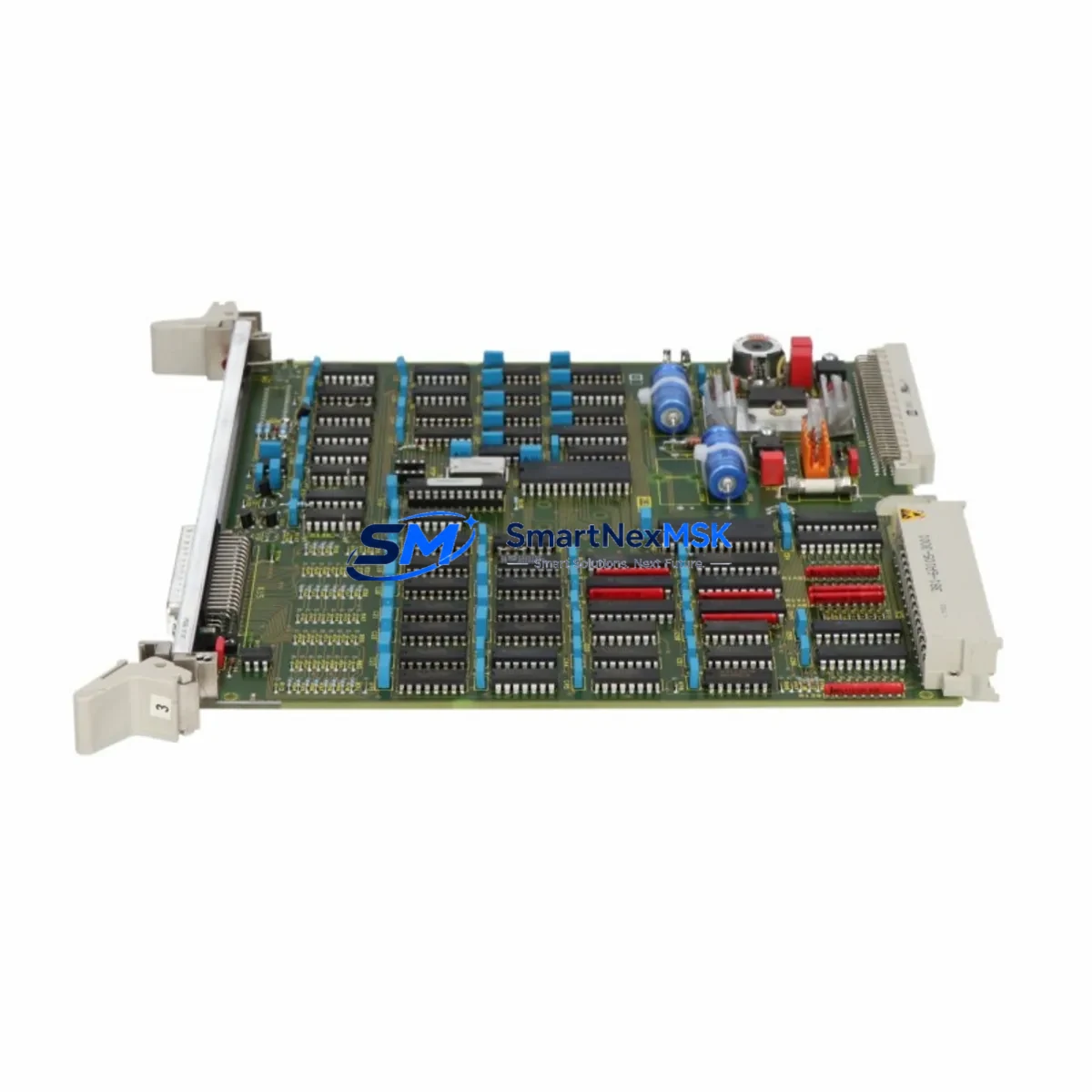
Siemens 6DP1661-8AA Retrofit-Ready DP Slave Interface: Compatible Upgrade for Legacy S5 Control Systems
The Siemens 6DP1661-8AA is a PROFIBUS DP Slave Interface Module (IM661) designed for integration into SIMATIC S5 distributed I/O racks and control cabinets. As legacy S5 installations approach end-of-life and spare parts become increasingly scarce, the 6DP1661-8AA has become a critical retrofit component for engineers tasked with extending the operational life of existing automation lines, upgrading communication infrastructure, or migrating field devices to modern PROFIBUS DP networks without full system replacement.
SMARTNEXMSK maintains verified stock of the 6DP1661-8AA, sourced from authorized channels and subject to full functional testing prior to shipment. Each unit ships with a 12-month warranty covering manufacturing defects and operational failures under normal industrial use conditions.
Upgrade Compatibility Table
| Parameter | Details |
|---|---|
| Full SKU | 6DP1661-8AA |
| Module Designation | IM661 PROFIBUS DP Slave Interface Module |
| Compatible Platform | SIMATIC S5 (ET 200 distributed I/O, S5-115U, S5-135U, S5-155U) |
| Communication Protocol | PROFIBUS DP (EN 50170), up to 12 Mbit/s |
| Backplane Interface | S5 expansion rack bus connector; compatible with EU183, EU186 racks |
| Installation Requirement | Slot 0 of ET 200 slave station; DIP switch address configuration required |
| Power Supply | 24 V DC via rack backplane; verify PS307 or equivalent supply capacity |
| Replacement Compatibility | Direct drop-in for existing IM661 installations; GSD file re-import may be required in STEP 7 |
| Commissioning Note | Confirm DP address via DIP switches before power-on; validate in STEP 7 HW Config |
| Warranty | 12 Months — covers functional failure under normal operating conditions |
Retrofit Planning for Existing Automation Systems
Replacing or upgrading the 6DP1661-8AA in a live S5 environment requires careful pre-planning across several interdependent system layers. Engineers should begin by auditing the existing rack configuration: the IM661 typically occupies Slot 0 of an ET 200 slave station mounted on an EU183 or EU186 expansion rack. Before removal, document the current DIP switch settings for the PROFIBUS DP station address — mismatched addresses are the most common cause of communication failure after module swap.
The power budget of the rack must be verified against the PS307 power supply module (or equivalent 24 V DC supply) currently installed. Adding or replacing interface modules can shift the total current draw on the backplane bus. If the existing supply is marginal, consider upgrading to a higher-capacity PS307 variant before proceeding with the IM661 replacement.
On the PROFIBUS DP network side, the 6DP1661-8AA communicates with the DP master — typically a CP5431 communications processor or an integrated DP master port on a CPU 948 or CPU 928B. Verify that the GSD (General Station Description) file for the 6DP1661-8AA is correctly loaded in your STEP 7 or COM PROFIBUS configuration tool. If the GSD file is missing or outdated, download the correct version and re-import it before compiling the hardware configuration.
I/O modules installed in the same ET 200 slave rack — such as SM321 digital input modules, SM322 digital output modules, or SM331 analog input modules — do not require reconfiguration during an IM661 swap, provided the rack slot assignments remain unchanged. However, it is good practice to export the current STEP 7 project and create a backup before any hardware modification.
For systems that include IM308-C master interface modules on the master side, confirm that the DP master parameters (polling cycle, watchdog timeout, and slot configuration) are consistent with the replacement IM661’s capabilities. Mismatched watchdog settings can cause the slave station to drop off the network during the first scan cycle after restart.
HMI panels connected to the control system — including TP270 or OP270 operator panels communicating via MPI or PROFIBUS — should be tested after the module swap to confirm that all process variable tags are updating correctly. Screen freeze or tag communication errors after an IM661 replacement typically indicate a DP address conflict or an incomplete hardware configuration download.
Where the retrofit involves migrating from an older S5 DP slave station to a newer ET 200M or ET 200S platform, the 6DP1661-8AA can serve as an interim interface module, maintaining PROFIBUS DP connectivity while the broader migration is staged across planned maintenance windows. This approach allows individual slave stations to be upgraded without disrupting the entire DP network segment.
Programming cables such as the PC Adapter USB A2 or MPI/DP adapter are required for online diagnostics and hardware configuration downloads during commissioning. Ensure the programming device is connected to the MPI port of the CPU — not the DP port — to avoid bus conflicts during the configuration download.
Downtime Control During System Migration
Minimizing unplanned downtime during an IM661 module replacement is achievable with structured preparation. The recommended approach is to perform the swap during a scheduled maintenance window, with the following sequence:
1. Pre-shutdown backup: Upload the current STEP 7 project from the CPU to the programming device. Save the hardware configuration, symbol table, and all program blocks (OBs, FBs, FCs, DBs). Verify that the backup is complete and readable before proceeding.
2. Controlled shutdown: Place the CPU in STOP mode via the mode selector switch or STEP 7 online interface. Confirm that all field outputs are de-energized and that the process is in a safe state before removing power from the rack.
3. Module swap: Remove the existing 6DP1661-8AA (or failed IM661 unit) from Slot 0. Install the replacement 6DP1661-8AA, ensuring the DIP switches are set to the correct PROFIBUS DP station address before seating the module in the rack.
4. Power-on and diagnostics: Restore rack power and observe the module’s LED indicators. A steady green RUN LED confirms normal operation. A flashing or red BF (Bus Fault) LED indicates a DP communication error — check the station address, cable termination resistors, and GSD file configuration.
5. Program download and restart: Download the hardware configuration from STEP 7 to the CPU. Switch the CPU to RUN mode and monitor the DP network for all slave stations returning to active status. Verify I/O signals at the field level before releasing the system to production.
This structured approach typically limits total downtime to under 60 minutes for a single IM661 replacement, preserving original program logic and maintaining field control continuity throughout the migration.
Retrofit Support FAQ
Q1: Is the 6DP1661-8AA a direct replacement for my existing IM661 module?
Yes. The 6DP1661-8AA is the standard Siemens order number for the IM661 PROFIBUS DP Slave Interface Module. It is a direct mechanical and electrical replacement for existing IM661 units in ET 200 slave stations. No rack modification is required. Confirm the DIP switch address settings match your existing configuration before installation.
Q2: Do I need to modify my STEP 7 program after replacing the IM661?
In most cases, no program modification is required if the replacement module is installed in the same rack slot with the same DP station address. However, you should perform a hardware configuration download to the CPU after the swap to ensure the configuration is consistent. If the GSD file for the 6DP1661-8AA is not present in your STEP 7 hardware catalog, import it before compiling the configuration.
Q3: What wiring or terminal changes are needed during the IM661 replacement?
The 6DP1661-8AA connects to the PROFIBUS DP network via a standard 9-pin Sub-D connector. No terminal rewiring is required for a like-for-like replacement. Verify that the PROFIBUS cable termination resistors are correctly enabled at the first and last nodes on the DP segment. If the module is at a network endpoint, ensure the termination switch on the connector is set to ON.
Q4: What does the 12-month warranty cover, and what is the shipping timeline?
All 6DP1661-8AA units supplied by SMARTNEXMSK are covered by a 12-month warranty against manufacturing defects and functional failures under normal industrial operating conditions. Each unit undergoes functional testing prior to shipment. Standard international shipping is available with tracking. Express delivery options are available for urgent retrofit and breakdown recovery requirements. Contact [email protected] for lead time confirmation on your specific order quantity.
© 2026 SMARTNEXMSK. All rights reserved.
Original Source: https://smartnexmsk.com
Contact: [email protected] | +86 18259474341



