
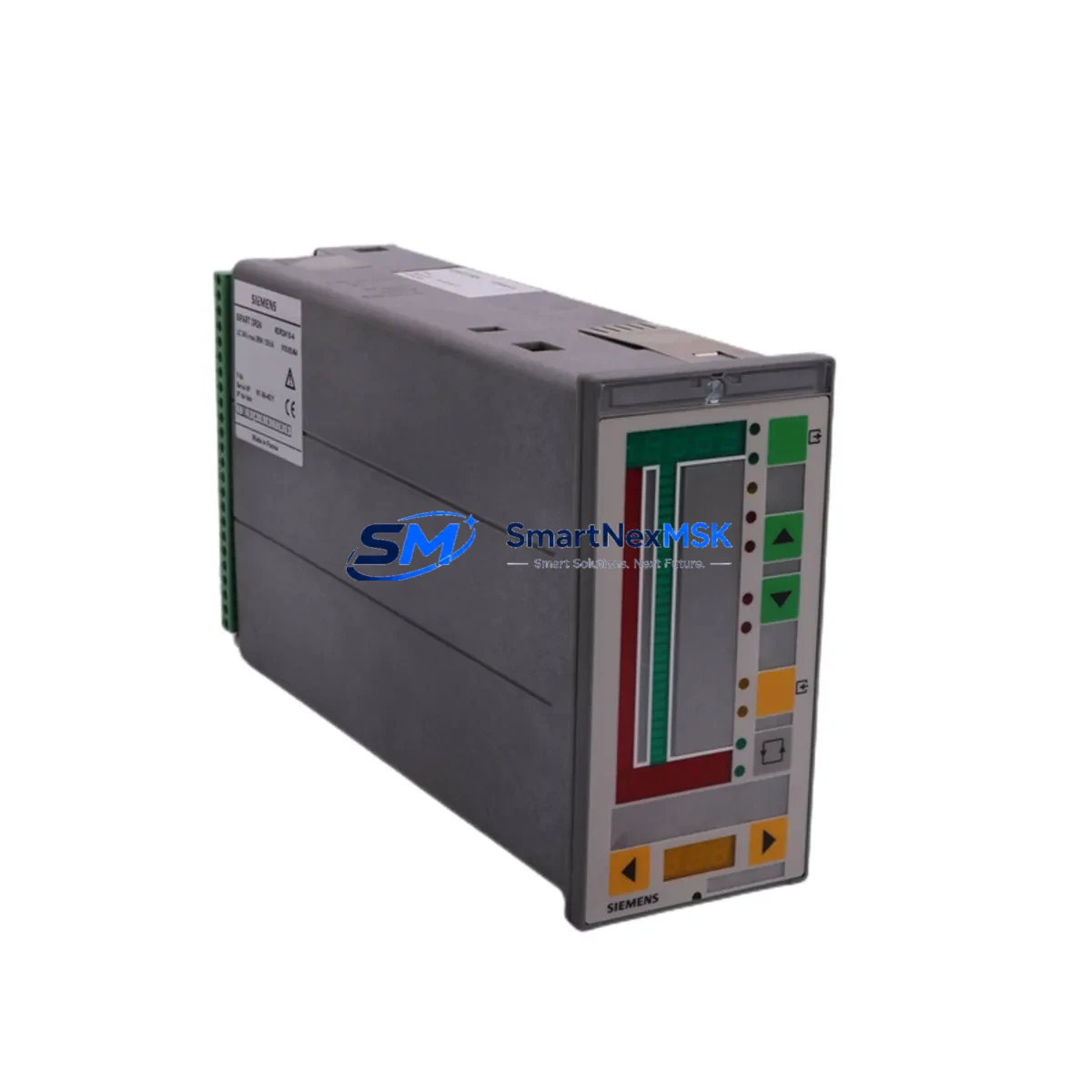
Siemens 6DR2410-4 Retrofit-Ready PID Controller for SIPART DR Systems: Compatible Modernization & Smooth Legacy Upgrade
The Siemens 6DR2410-4 is a single-loop PID process controller from the SIPART DR series, engineered for precision control of temperature, pressure, flow, and level in continuous industrial processes. As legacy SIPART DR24 units reach end-of-service life across petrochemical, pharmaceutical, power generation, and water treatment facilities, the 6DR2410-4 remains one of the most sought-after retrofit-ready replacements for aging single-loop control architectures. This unit supports 24 VDC auxiliary power, standard analog I/O (4–20 mA), and panel-mount DIN installation — making it a direct drop-in candidate for most existing control cabinet configurations without structural modification.
Whether you are replacing a failed SIPART DR21 or DR22 unit, upgrading a legacy single-loop station to restore process stability, or consolidating spare parts inventory ahead of a planned shutdown, the 6DR2410-4 provides a validated, field-proven path forward. SMARTNEXMSK maintains verified stock of this module with full pre-shipment functional testing and a 12-month warranty on every unit.
Upgrade Compatibility Table
| Parameter | Details |
|---|---|
| SKU / Part Number | 6DR2410-4 |
| Series | Siemens SIPART DR (DR24) |
| Controller Type | Single-Loop PID Process Controller |
| Auxiliary Power Supply | 24 VDC (±15%) |
| Analog I/O | 4–20 mA standard; compatible with 0–10 V signal conditioning |
| Installation Format | Panel-mount, 96×96 mm DIN cutout |
| Communication Interface | Analog (no fieldbus); compatible with PROFIBUS DP gateway adapters |
| Replaces / Compatible With | SIPART DR21, DR22, DR24 legacy variants |
| Retrofit Recommendation | Direct replacement; verify terminal wiring map before installation |
| Commissioning Focus | PID parameter transfer, setpoint scaling, alarm threshold re-entry |
| Warranty | 12 Months — covers functional defects under normal operating conditions |
Retrofit Planning for Existing Automation Systems
Replacing a SIPART DR24 controller in a live production environment requires careful pre-migration planning to avoid unplanned downtime and process upsets. Before removing the existing unit, engineers should document all current PID tuning parameters (P-band, integral time Ti, derivative time Td), setpoint ranges, alarm limits, and output scaling. These values must be manually re-entered into the 6DR2410-4 after installation, as the SIPART DR series does not support automated parameter upload from older firmware revisions.
Terminal wiring compatibility is the first physical checkpoint. The 6DR2410-4 uses a rear-terminal block layout consistent with the DR24 panel standard. However, if the existing cabinet was wired for a SIPART DR21 or an earlier variant, terminal assignments for the setpoint input (SP), process variable input (PV), and control output (OUT) may differ by one or two positions. Always cross-reference the original wiring diagram against the 6DR2410-4 terminal assignment sheet before energizing.
Power supply verification is equally critical. The 6DR2410-4 operates on 24 VDC. If the existing panel uses a Siemens SITOP PSU100S 24V or equivalent DIN-rail power supply, confirm that the available current budget accommodates the controller’s consumption alongside co-installed modules such as signal isolators, relay output modules, or a Siemens EM 231 analog input expansion if the system has been extended. Overloaded 24 VDC rails are a common cause of intermittent controller resets during retrofit commissioning.
For facilities migrating from purely analog control toward networked architectures, the 6DR2410-4 can be integrated into a PROFIBUS DP segment using a dedicated analog-to-PROFIBUS gateway. This approach is common in plants where a Siemens S7-300 CPU 315-2 DP or S7-400 CPU 414-2 DP serves as the supervisory PLC, and the SIPART DR loop is being retained as a standalone backup controller during the transition. In such configurations, the gateway module handles protocol conversion while the 6DR2410-4 continues to execute local PID logic independently.
If the retrofit involves I/O expansion — for example, adding a second analog feedback channel or a digital interlock input — consider whether a Siemens SM 321 digital input module or SM 331 analog input module installed in an adjacent S7-300 rack can absorb the additional signals, reducing the burden on the standalone controller. This hybrid architecture is widely used in phased modernization projects where full DCS migration is deferred.
HMI integration should also be reviewed. If the existing operator interface is a Siemens OP7 or TP177B panel communicating with the SIPART DR loop via a serial RS-232 or RS-485 link, verify that the HMI screen tags referencing controller registers remain valid after replacement. In most cases, the 6DR2410-4 maintains register-level compatibility with the DR24 baseline, but any custom function block modifications in the original unit will need to be re-applied. Coordinate with the HMI programmer to update faceplates if setpoint scaling or engineering unit labels have changed.
For facilities using a Siemens SIMATIC WinCC SCADA system, the analog output signal from the 6DR2410-4 feeds directly into the existing AI channel on the remote I/O rack — no driver changes are required at the SCADA layer, provided the 4–20 mA signal range and tag scaling remain unchanged.
Downtime Control During System Migration
Minimizing process interruption during a SIPART DR controller swap requires a structured hot-swap protocol. Where process conditions allow, switch the loop to manual mode at the existing controller before disconnection. Record the current manual output value (MV%) so the 6DR2410-4 can be initialized to the same output level immediately upon energization, preventing a step-change disturbance to the final control element — typically a pneumatic or electric actuator on a control valve.
Pre-stage the replacement 6DR2410-4 with all PID parameters, setpoint values, and alarm limits entered and verified on the bench before the scheduled maintenance window. This reduces in-cabinet commissioning time to terminal connection, power-up verification, and bumpless transfer back to automatic mode. Target total loop downtime of under 30 minutes for a straightforward single-loop replacement with no wiring changes.
For critical loops — such as reactor temperature control or boiler drum level — coordinate with the process safety team to confirm that the Safety Instrumented System (SIS) interlocks remain active and independent of the controller swap. The 6DR2410-4 does not interface with SIL-rated safety loops; those circuits should remain energized and monitored throughout the replacement procedure.
After restoration to automatic mode, monitor the loop for a minimum of one full process cycle to confirm that the PID response matches the pre-replacement baseline. Log the commissioning date, technician name, and final PID parameters in the equipment maintenance record. All units supplied by SMARTNEXMSK include a pre-shipment functional test report confirming analog I/O calibration and PID execution integrity.
Retrofit Support FAQ
Q1: Is the Siemens 6DR2410-4 a direct replacement for the SIPART DR21 and DR22?
In most panel configurations, yes. The 6DR2410-4 shares the same 96×96 mm DIN panel cutout and rear-terminal block format as the DR21 and DR22. Terminal assignments are largely compatible, but we recommend verifying the wiring map for SP, PV, and OUT terminals against the original installation drawing before energizing. SMARTNEXMSK can provide the terminal assignment reference sheet upon request.
Q2: What commissioning steps are required after installing the 6DR2410-4?
After physical installation and terminal verification, re-enter all PID parameters (P, Ti, Td), setpoint range, output limits, and alarm thresholds. Perform a bumpless transfer test by initializing the controller in manual mode at the recorded MV% before switching to automatic. Confirm analog input scaling matches the field transmitter’s 4–20 mA range. Full commissioning typically takes 20–45 minutes for a single loop.
Q3: Can the 6DR2410-4 communicate with a PROFIBUS DP network?
The 6DR2410-4 is a standalone analog controller without a native PROFIBUS DP port. Integration into a PROFIBUS segment requires an external analog-to-PROFIBUS gateway module. This configuration is supported and commonly used in phased migration projects where the SIPART DR loop is retained as a local backup while the supervisory PLC network is upgraded.
Q4: What does the 12-month warranty cover?
All 6DR2410-4 units supplied by SMARTNEXMSK carry a 12-month warranty covering functional defects under normal operating conditions, including analog I/O calibration drift, display failure, and PID execution errors. Each unit undergoes pre-shipment functional testing with a documented test report. Warranty claims are processed within 5 business days of receipt of the returned unit.
© 2026 SMARTNEXMSK. All rights reserved.
Original Source: https://smartnexmsk.com
Contact: [email protected] | +86 18259474341



