
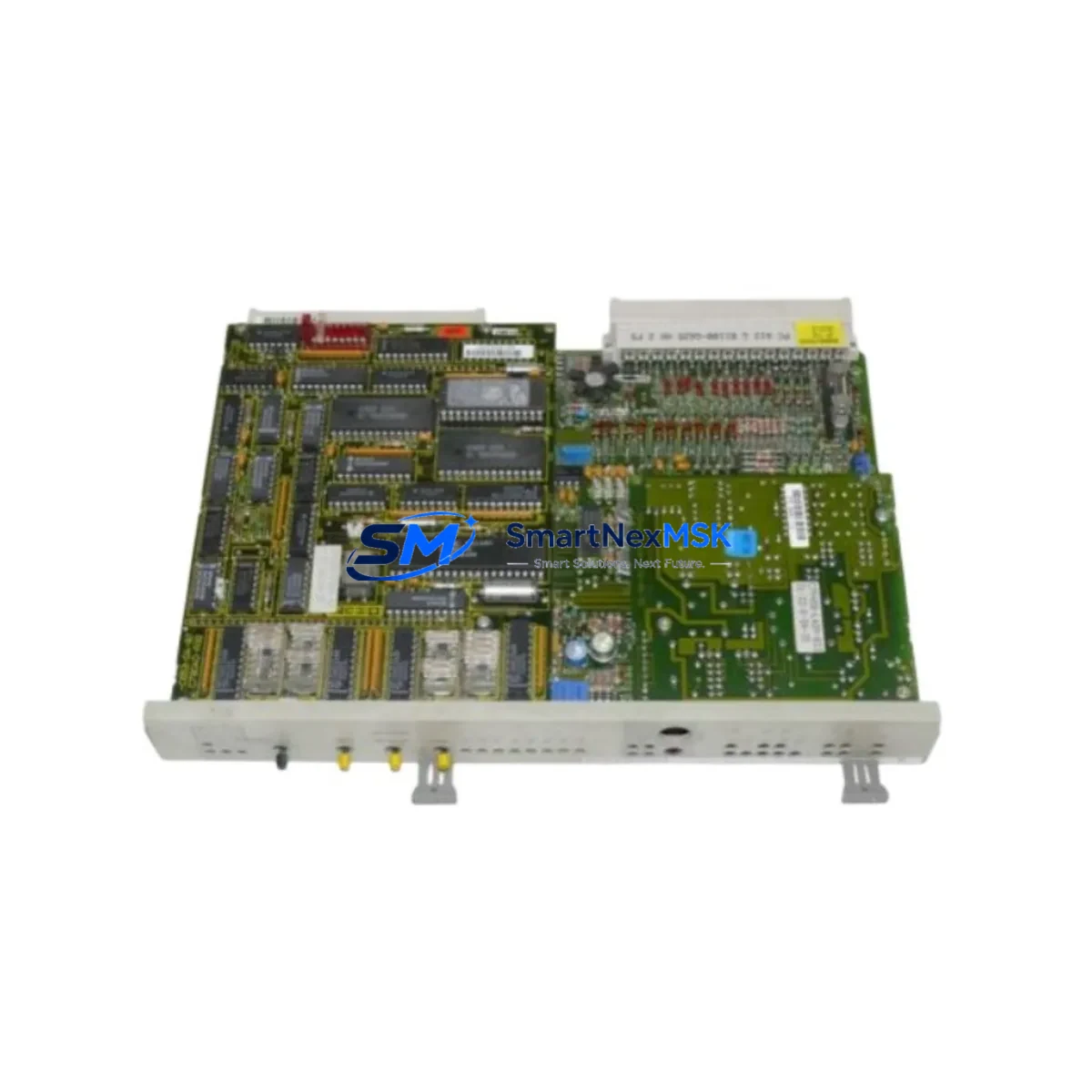
Siemens 6DS1723-8BA Retrofit-Ready Analog I/O for TELEPERM M Control Systems
The Siemens 6DS1723-8BA is a proven analog input/output module originally designed for the TELEPERM M distributed control system (DCS) platform — one of Siemens’ most widely deployed process automation architectures in the chemical, petrochemical, power generation, and water treatment industries. As TELEPERM M has reached end-of-life and spare parts become increasingly scarce, the 6DS1723-8BA has become a critical component for engineers managing legacy system continuity, planned retrofits, and emergency replacements.
Our stock of the 6DS1723-8BA is sourced, inspected, and tested to ensure full functional compatibility with existing TELEPERM M installations. Each unit undergoes pre-shipment verification covering analog signal accuracy, terminal block integrity, backplane connector condition, and module address configuration. We supply this module to maintenance teams, system integrators, and OEM retrofit contractors who require reliable, immediately deployable hardware without the lead times associated with new-generation migration projects.
Upgrade Compatibility Table
| Parameter | Details |
|---|---|
| Module SKU | 6DS1723-8BA |
| Platform Compatibility | Siemens TELEPERM M DCS |
| Module Function | Analog Input/Output (Mixed I/O) |
| Backplane Interface | TELEPERM M standard rack bus connector |
| Terminal Wiring | Compatible with existing field wiring; no re-termination required in standard replacement |
| Module Address | Configurable via DIP switch; must match original module slot address |
| Communication Protocol | TELEPERM M internal bus (proprietary); not directly interchangeable with PROFIBUS or PROFINET without gateway |
| Installation Requirement | Standard TELEPERM M rack/subrack; no mechanical modification required |
| Replacement Recommendation | Direct drop-in for failed or degraded 6DS1723-8BA units; verify firmware revision if applicable |
| Commissioning Focus | Module address verification, analog signal calibration, loop check against HMI faceplate |
| Warranty | 12 Months — covers functional defects under normal operating conditions |
Retrofit Planning for Existing Automation Systems
Replacing the 6DS1723-8BA within an active TELEPERM M installation requires careful pre-work to avoid unplanned shutdowns or process upsets. Before pulling the module, engineers should document the current analog channel assignments, verify the field loop wiring against the as-built drawings, and confirm the module’s slot address using the rack layout diagram. The 6DS1723-8BA occupies a defined slot in the TELEPERM M subrack, and the replacement unit must be configured to the identical address before insertion.
In many retrofit scenarios, the 6DS1723-8BA is replaced alongside other aging components in the same control cabinet. It is common to simultaneously address the 6DS1703-8AA digital input module and the 6DS1704-8AA digital output module, which share the same rack and are subject to similar wear patterns. Power supply modules such as the 6DS9200-8AA should be inspected and replaced if output voltage stability is in question, as degraded power supply performance can cause intermittent analog signal errors that are often misattributed to the I/O module itself.
For installations where the TELEPERM M system communicates upstream to a SIMATIC S7-400 or a modern SIMATIC PCS 7 DCS via a SINEC H1 or Industrial Ethernet gateway, the communication link configuration must be preserved during the module swap. If the retrofit scope includes migrating analog loops to a new I/O tier — for example, to SIMATIC ET 200M remote I/O with SM 331 or SM 332 analog modules — the engineering team must prepare a signal mapping table and update the process object instances in the control program accordingly.
HMI faceplate consistency is another critical checkpoint. TELEPERM M installations typically use TELEPERM M OS operator stations or, in more recent hybrid configurations, WinCC-based visualization. After replacing the 6DS1723-8BA, each affected analog loop should be verified at the HMI level to confirm that process values, engineering unit scaling, and alarm limits are displaying correctly. Any discrepancy between the field signal and the HMI indication should be resolved before returning the loop to automatic control.
Where the retrofit extends to communication protocol migration — for instance, moving from the TELEPERM M proprietary bus to PROFIBUS DP — a DP/AS-Interface Link or dedicated protocol converter may be required. In such cases, the 6DS1723-8BA serves as a bridge component, maintaining analog I/O continuity on the legacy side while the new communication infrastructure is commissioned in parallel. Programming cables such as the PC Adapter USB A2 are typically used to access and back up the existing control logic before any hardware changes are made.
Downtime Control During System Migration
Minimizing downtime during a TELEPERM M module replacement begins with a structured hot-swap or planned-outage strategy. For processes that cannot tolerate interruption, the preferred approach is to pre-configure the replacement 6DS1723-8BA offline — setting the module address, verifying the analog channel configuration, and performing a bench-level signal injection test — before scheduling a brief controlled shutdown for the physical swap.
During the outage window, the sequence should follow: isolate the affected analog loops at the marshalling panel, remove the failed module, insert the pre-configured replacement, restore power, and perform a loop check on each channel before releasing the loops back to automatic. The entire process for a single module replacement can typically be completed within 30 to 60 minutes when the replacement unit is pre-tested and the engineering documentation is current.
For larger retrofit projects involving multiple modules across several racks, a phased replacement strategy is recommended. Replacing modules rack-by-rack, with full loop verification at each stage, allows the process to remain partially operational and reduces the risk of a system-wide restart. Backup copies of the TELEPERM M control program and HMI configuration should be secured before any hardware changes begin, ensuring that the original logic can be restored immediately if an unexpected compatibility issue arises.
Our team can provide pre-shipment functional test reports for the 6DS1723-8BA upon request, which can be used to satisfy internal quality control requirements before the module is installed in a live system. All units are shipped with protective packaging to prevent ESD damage and mechanical stress during transit.
Retrofit Support FAQ
Q1: Is the 6DS1723-8BA a direct drop-in replacement for a failed unit in my TELEPERM M rack?
Yes, in the vast majority of cases. The replacement module must be configured to the same slot address as the original using the onboard DIP switches. No rack modification or wiring change is required for a like-for-like replacement. If your installation uses a non-standard wiring configuration, please share your terminal diagram and we can advise before shipment.
Q2: What commissioning steps are required after installing the replacement module?
After physical installation, verify the module address, restore power to the rack, and perform a channel-by-channel loop check. Confirm that each analog input is reading correctly at the TELEPERM M OS or WinCC HMI, and verify that analog output signals are reaching the correct field devices. Calibration adjustment is typically not required for a direct replacement, but signal scaling should be confirmed against the original loop documentation.
Q3: Can the 6DS1723-8BA be used in a hybrid system where TELEPERM M coexists with a SIMATIC S7 or PCS 7 platform?
Yes. In hybrid architectures, the 6DS1723-8BA continues to serve the TELEPERM M I/O tier while the S7 or PCS 7 system handles higher-level control or new process areas. The two platforms communicate via gateway or OPC interface. The 6DS1723-8BA does not require any modification for this configuration — it operates within the TELEPERM M rack as designed.
Q4: What does the 12-month warranty cover, and what is the return process?
The 12-month warranty covers functional defects under normal operating and environmental conditions as specified in the original Siemens datasheet. It does not cover damage resulting from incorrect installation, overvoltage, or physical mishandling. If a warranty claim is required, contact us with the order reference and a description of the fault. We will arrange a replacement or repair with priority handling to minimize your system downtime.
© 2026 SMARTNEXMSK. All rights reserved.
Original Source: https://smartnexmsk.com
Contact: [email protected] | +86 18259474341



