
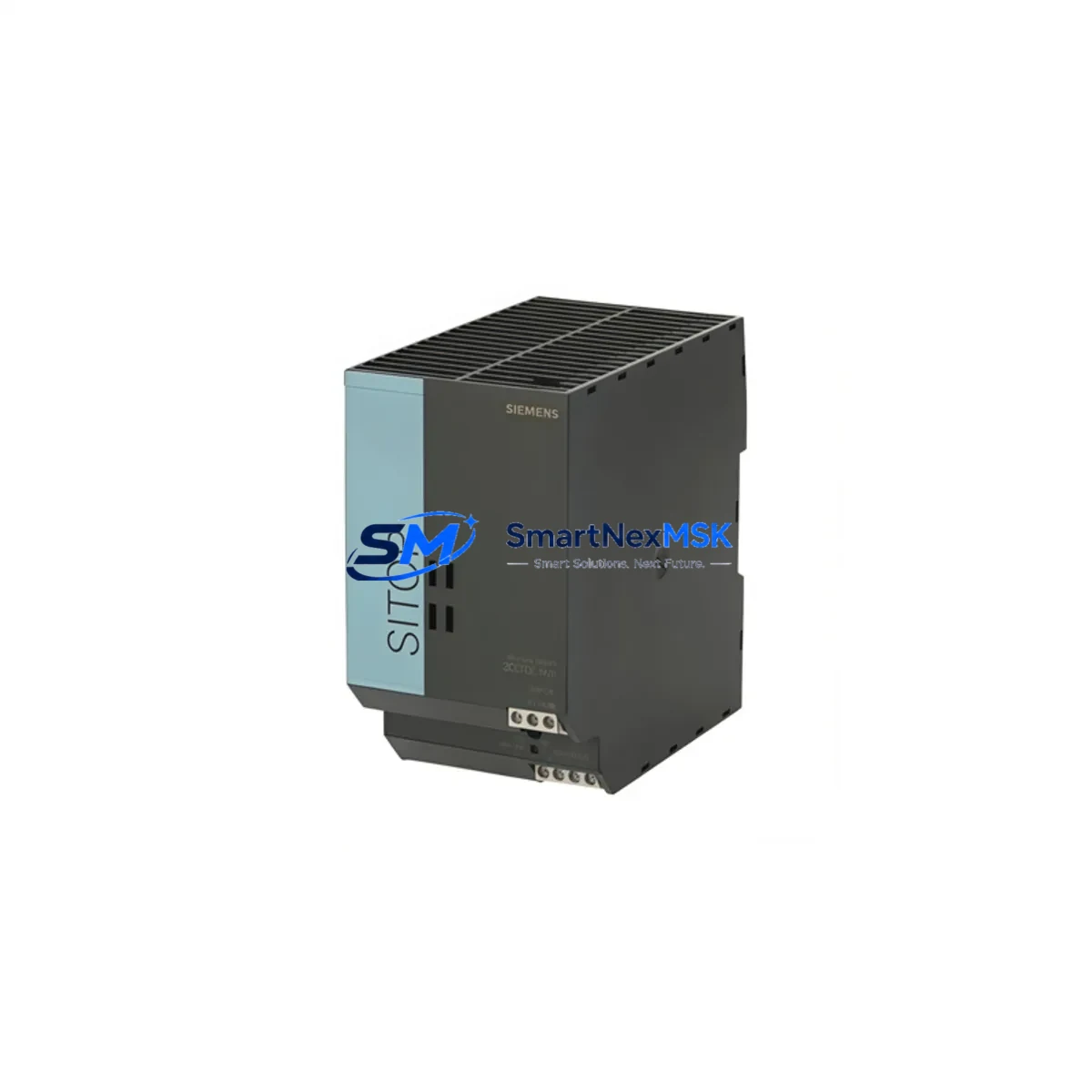
Siemens 6EP1334-2BA01 Spare for SITOP PSU100S Automation: Spare Replacement & Industrial Downtime Risk Control
The Siemens 6EP1334-2BA01 is an original SITOP PSU100S series stabilized power supply module delivering 24VDC / 5A output on a standard DIN rail form factor. Designed for continuous-duty industrial environments, this unit serves as a critical power backbone for Siemens S7-300, S7-400, and compatible third-party PLC/DCS control cabinets. Maintaining a verified spare of the 6EP1334-2BA01 in your maintenance inventory is a proven strategy to eliminate unplanned downtime caused by power supply degradation — one of the most common root causes of control system failure in aging automation infrastructure.
For maintenance engineers managing multi-line production facilities, the SITOP PSU100S family is widely deployed across motor control centers, conveyor drive panels, and process instrumentation loops. When a 6EP1334-2BA01 fails, the downstream impact extends beyond the power rail: 24VDC field devices, I/O modules, relay coils, and communication interfaces all lose their supply simultaneously. A pre-qualified replacement unit on the shelf reduces mean time to repair (MTTR) from hours to minutes.
Procurement engineers sourcing long-term supply for legacy Siemens installations will find the 6EP1334-2BA01 increasingly difficult to source through standard distribution channels as the PSU100S series matures. Securing a buffer stock of 2–5 units per site is a recognized best practice for facilities operating beyond the product’s standard availability window. Each unit supplied by SMARTNEXMSK is individually tested under load prior to shipment and covered by a 12-month warranty against manufacturing defects.
Spare Maintenance Table
| Parameter | Specification |
|---|---|
| Part Number / SKU | 6EP1334-2BA01 |
| Series | SITOP PSU100S |
| Brand | Siemens |
| Output Voltage | 24 VDC (adjustable 24–28 V) |
| Output Current | 5 A continuous |
| Input Voltage | 120–230 VAC, 50/60 Hz (wide-range) |
| Mounting | DIN rail (35 mm), standard cabinet installation |
| Protection Class | IP20 |
| Operating Temperature | 0 °C to +60 °C |
| Compatibility | Siemens S7-300, S7-400, ET 200 distributed I/O, third-party 24VDC PLC/DCS systems |
| Approvals | CE, UL, cUL, GL |
| Country of Origin | Germany |
| Condition | Original, new or refurbished-to-spec |
| Pre-shipment Test | Full load burn-in and output voltage verification |
| Warranty | 12 Months — covers manufacturing defects and functional failure |
| Maintenance Recommendation | Inspect every 24 months; replace capacitors at 5-year intervals in high-temperature environments |
Maintenance Planning for Continuous Operation
When replacing the 6EP1334-2BA01 during a planned or emergency maintenance event, a thorough inspection of the surrounding control cabinet components is essential to prevent repeat failures and ensure system stability. Maintenance engineers should treat a power supply replacement as a trigger for a broader cabinet health check.
Input wiring and fusing: Verify the upstream AC fuse or circuit breaker (typically a 6A–10A miniature circuit breaker) is within rating and shows no signs of thermal stress. A degraded fuse holder or loose terminal connection on the AC input side is a frequent contributor to premature PSU failure.
24VDC distribution and terminal blocks: Inspect the 24VDC output terminal blocks — such as Siemens SIRIUS or Phoenix Contact PTFIX series — for oxidation, loose screws, or overheating marks. Corroded terminals increase resistance and cause localized voltage drops that can trigger spurious I/O faults even after the PSU is replaced.
PLC CPU and I/O modules: With the 6EP1334-2BA01 powering a Siemens S7-300 rack, confirm that the CPU module (e.g., CPU 314C-2 DP or CPU 315-2 PN/DP) and associated digital/analog I/O modules (SM 321, SM 331, SM 332) are seated correctly and show no fault LEDs after power restoration. A power interruption can occasionally corrupt retentive memory or trip module diagnostics.
Relay outputs and coil loads: Check relay output modules (e.g., SM 322 relay variants) and any interposing relay modules in the cabinet. Relay coils drawing 24VDC are sensitive to supply ripple; a failing PSU often causes relay chatter before complete failure, which can be misdiagnosed as a PLC logic fault.
Communication modules and PROFIBUS/PROFINET interfaces: Inspect CP 343-1 or CP 315-2 DP communication processors for link status. Network communication modules are among the first components to exhibit instability under marginal supply voltage. After PSU replacement, confirm bus termination resistors are intact and network topology is restored.
Signal isolators and analog loops: For process control applications, verify 4–20 mA signal isolators (e.g., Siemens SITRANS or equivalent DIN rail isolators) are receiving stable 24VDC. Analog signal drift caused by PSU ripple is a common source of false process alarms.
HMI panels: If a Siemens KTP700, TP900, or similar SIMATIC HMI panel shares the same 24VDC bus, confirm the panel boots cleanly and communication with the PLC CPU is re-established. HMI power cycling can occasionally require a manual project reload if the panel lost power unexpectedly.
Redundancy and buffer modules: In critical applications, consider pairing the 6EP1334-2BA01 with a SITOP UPS1600 or SITOP redundancy module (6EP1961-2BA11) to provide bridging during future supply interruptions. This combination is a recognized best practice for 24/7 production environments.
Site Replacement Workflow
Step 1 — Isolation and lockout: Follow site LOTO (Lockout/Tagout) procedures. Isolate the AC input to the PSU at the upstream MCB. Confirm 0V on the 24VDC output bus with a calibrated multimeter before proceeding.
Step 2 — Documentation: Photograph the existing wiring layout, terminal labeling, and DIN rail position before removal. This is especially important in legacy cabinets where as-built drawings may be outdated.
Step 3 — Removal: Disconnect AC input wiring (L, N, PE) and 24VDC output terminals. Release the DIN rail clip and slide the 6EP1334-2BA01 out of position. Note the output voltage trim setting if the unit was adjusted from factory default.
Step 4 — Compatibility verification: Confirm the replacement 6EP1334-2BA01 matches the original in output voltage range, current rating, and approval markings. Do not substitute with a PSU100S variant of different current rating (e.g., 6EP1333-2BA01 at 3A) without recalculating the load budget.
Step 5 — Installation and commissioning: Mount the replacement unit, reconnect terminals in reverse order, and restore AC power. Measure output voltage under load before reconnecting PLC and field device loads. Adjust the output trim potentiometer if required to match the system’s nominal 24VDC setpoint.
Step 6 — System verification: Power up the PLC CPU, confirm all I/O modules initialize without fault, and verify HMI communication. Log the replacement in the site maintenance record with date, technician name, and new unit serial number.
Spare Parts Support FAQ
Q1: Is the 6EP1334-2BA01 still in production, and how long can I source it?
The SITOP PSU100S series has entered the mature phase of its product lifecycle. While Siemens continues to support the series, availability through standard distribution channels is becoming constrained. SMARTNEXMSK maintains a dedicated buffer stock of the 6EP1334-2BA01 to support long-term maintenance contracts and legacy system operators. We recommend procurement engineers place standing orders or framework agreements to secure multi-year supply continuity.
Q2: How is each unit tested before shipment?
Every 6EP1334-2BA01 dispatched by SMARTNEXMSK undergoes a full-load burn-in test at rated output (24VDC / 5A) and output voltage verification across the adjustment range. Units that fail to meet Siemens factory specifications are quarantined and not shipped. A test report is available upon request for quality-critical applications.
Q3: Can the 6EP1334-2BA01 replace other SITOP PSU100S variants in my cabinet?
The 6EP1334-2BA01 (5A) is not a direct drop-in replacement for higher-current variants such as the 6EP1336-2BA10 (10A) or 6EP1337-2BA20 (20A) without a full load audit. It can replace the 6EP1334-2BA00 (previous hardware revision) in most installations. Always verify the total 24VDC load budget of your cabinet before substituting PSU variants. SMARTNEXMSK’s technical team can assist with compatibility verification upon request.
Q4: What does the 12-month warranty cover, and what is the claims process?
The 12-month warranty covers functional failure and manufacturing defects under normal operating conditions as defined in the Siemens SITOP PSU100S datasheet. It does not cover damage caused by incorrect installation, overvoltage events, or environmental conditions outside the rated specification. To initiate a warranty claim, contact SMARTNEXMSK with the order reference, unit serial number, and a description of the fault. Replacement units are dispatched within 5 business days of claim approval.
© 2026 SMARTNEXMSK. All rights reserved.
Original Source: https://smartnexmsk.com
Contact: [email protected] | +86 18259474341



